
Important Safety Information
WARNING: Small parts may be generated. Not for children under 3 years.
Eyewear recommended (not included). Do not aim at eyes or face. Use only official NERF darts. Other darts may not meet safety standards. Do not modify darts or blaster.
Product Overview
The Nerf Junior Wild Sharkfire blaster is designed for easy play, making it ideal for young kids. Its lightweight design and comfortable size fit small hands, allowing children to enjoy dart blasting independently.
What's in the Box
- 1 x NERF Junior Wild Sharkfire Blaster
- 8 x Nerf Elite 2.0 Flexible Foam Darts

Image: The NERF Junior Wild Sharkfire Blaster in blue and orange, shaped like a shark, displayed with eight blue and yellow foam darts.
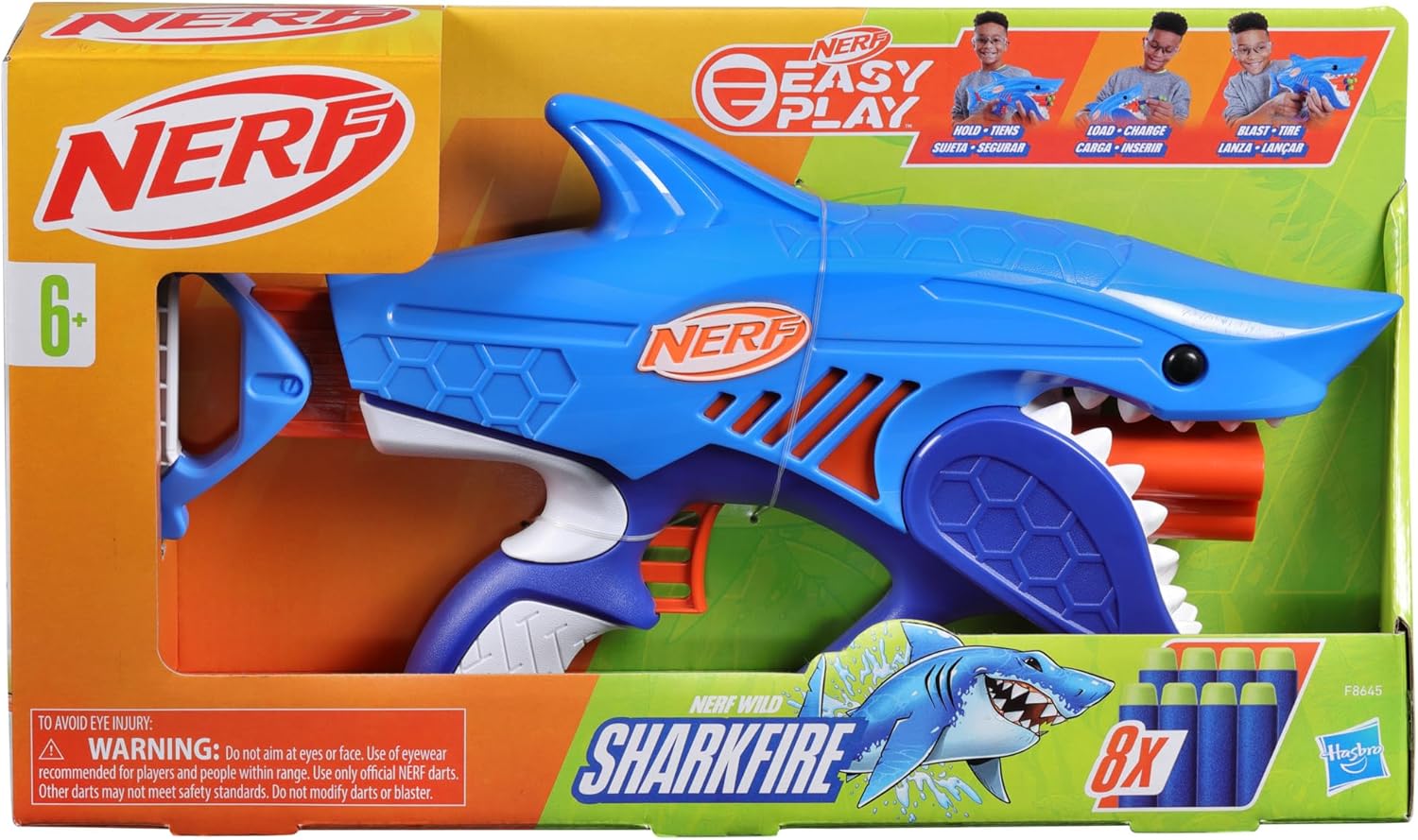
Image: The NERF Junior Wild Sharkfire Blaster shown inside its retail packaging, highlighting its shark design and 'Easy Play' features.
Setup
Loading Darts
- Ensure the blaster is not primed.
- Insert one Nerf Elite 2.0 foam dart into each of the three front-loading barrels located in the shark's mouth. Push the darts in firmly until they are seated.

Image: A child's hand inserting a blue foam dart into one of the barrels located in the shark-shaped blaster's mouth.
Video: A demonstration of how to load darts into the front barrels of the NERF Junior Wild Sharkfire Blaster.
Operating Instructions
Priming the Blaster
To prime the blaster, grasp the handle at the rear of the shark's tail and pull it back completely until it clicks into place. This action prepares the blaster for firing.

Image: A child's hand pulling back the white handle at the rear of the blue shark blaster to prime it for firing.
Firing the Blaster
Once primed, aim the blaster at your target. Press the trigger located under the handle to fire a dart. The blaster fires one dart at a time. To fire another dart, you must re-prime the blaster after each shot.

Image: A child wearing safety glasses, smiling, as they fire the blue shark blaster, with a blue foam dart visible in flight.
Maintenance
General Care
- Keep the blaster clean by wiping it with a damp cloth.
- Avoid exposing the blaster to extreme temperatures or direct sunlight for prolonged periods.
- Store the blaster and darts in a dry, safe place when not in use.
Dart Care
- Only use official Nerf Elite 2.0 darts to ensure proper function and safety.
- Do not modify darts. Modified darts may cause the blaster to malfunction or pose a safety risk.
- Inspect darts regularly for damage. Discard any torn or damaged darts.

Image: The blue shark-shaped NERF blaster resting on sand, with several blue foam darts scattered around it, suggesting outdoor play.
Troubleshooting
Darts Not Firing
- Check Priming: Ensure the blaster is fully primed by pulling the handle all the way back until it clicks.
- Dart Seating: Make sure darts are fully inserted into the barrels.
- Dart Condition: Verify that darts are not damaged or bent. Use only new, official Nerf darts.
Darts Jamming
- Clear Obstructions: Look into the barrels and firing mechanism for any foreign objects or jammed darts. Carefully remove them.
- Use Official Darts: Non-official or damaged darts are a common cause of jamming.
Specifications
| Feature | Detail |
|---|---|
| Product Dimensions | 2.6 x 16 x 9 inches |
| Item Weight | 12.7 ounces |
| Model Number | F8645 |
| Manufacturer Recommended Age | 6 years and up |
| Darts Included | 8 Nerf Elite 2.0 Flexible Foam Darts |
| Blaster Type | Easy Play Dart Blaster (Front-loading, Low Pull Force) |
| Manufacturer | Hasbro |
Warranty and Support
For warranty information or product support, please refer to the official Hasbro website or contact their customer service directly. Keep your purchase receipt as proof of purchase.
Visit the official Nerf Store on Amazon for more products and information.


