1. Introduction
This manual provides essential instructions for the safe and efficient operation, maintenance, and troubleshooting of your De'Longhi Magnifica Start ECAM222.60.BG automatic coffee machine. Please read this manual thoroughly before using the appliance and keep it for future reference.

Figure 1: De'Longhi Magnifica Start ECAM222.60.BG Automatic Coffee Machine with two cups of espresso and a latte.
2. Safety Instructions
- Always ensure the appliance is connected to a grounded power outlet.
- Do not immerse the appliance, power cord, or plug in water or other liquids.
- Keep the appliance out of reach of children.
- Do not operate the appliance if it has a damaged cord or plug, or if it malfunctions.
- Use only original De'Longhi spare parts and accessories.
- Hot surfaces: Avoid contact with hot parts of the machine, such as the coffee spout and steam wand, during and immediately after operation.
3. Components Overview
Familiarize yourself with the main components of your coffee machine.
- Bean Hopper: For whole coffee beans.
- Water Tank: Removable tank for water.
- Control Panel: Soft-touch interface for beverage selection and settings.
- Coffee Spouts: Dispenses coffee.
- LatteCrema System: Integrated milk carafe for automatic milk frothing.
- Drip Tray & Grounds Container: Collects excess water and used coffee grounds.
- Hot Water Spout: Dispenses hot water.

Figure 2: Key components of the De'Longhi Magnifica Start.
4. Setup and First Use
4.1 Unpacking and Placement
- Remove all packaging materials from the appliance.
- Place the machine on a stable, level surface away from water splashes and heat sources.
- Ensure adequate space around the machine for ventilation and access to components.
4.2 Filling the Water Tank
- Remove the water tank from the back of the machine.
- Rinse the tank with fresh water.
- Fill the tank with fresh, cold tap water up to the MAX level indicator.
- Replace the water tank securely in the machine.
4.3 Filling the Bean Hopper
- Open the lid of the bean hopper located on top of the machine.
- Pour fresh coffee beans into the hopper. Do not fill above the MAX level.
- Close the lid.
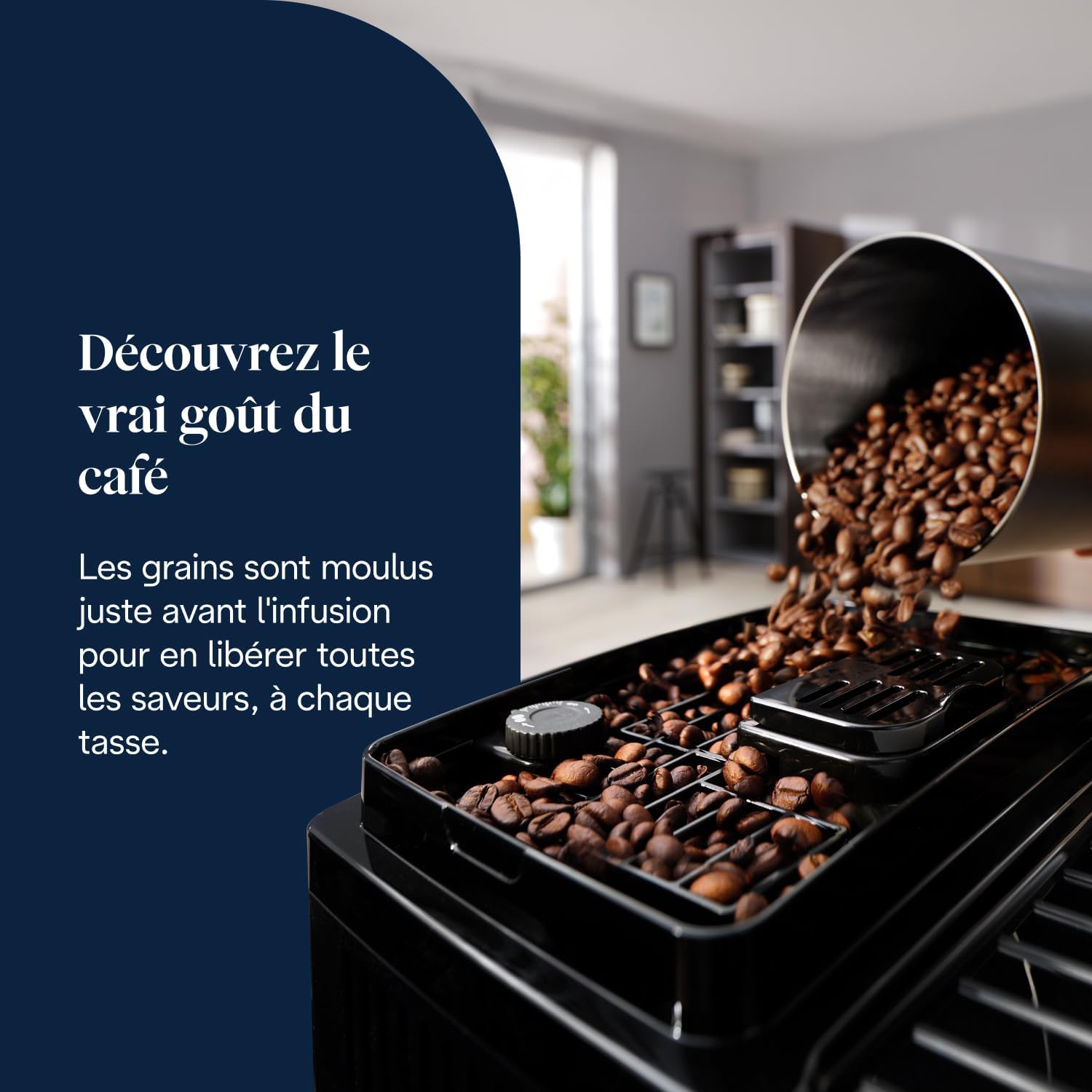
Figure 3: Filling the bean hopper with fresh coffee beans.
4.4 Initial Rinse Cycle
Upon first use or after a long period of inactivity, the machine will perform an automatic rinse cycle.
- Place a container under the coffee spouts.
- Press the power button to turn on the machine.
- The machine will automatically rinse its internal circuits. This process may take a few minutes.
- Once complete, the machine is ready for use.

Figure 4: Included accessories for setup and maintenance.
5. Operating the Machine
5.1 Control Panel Overview
The soft-touch control panel allows for easy selection of beverages and adjustments.

Figure 5: Soft-touch control panel for beverage selection.
5.2 Preparing Coffee Beverages
Your machine can prepare Espresso, Coffee, Cappuccino, and dispense Hot Water.
- Place one or two cups under the coffee spouts.
- Select your desired beverage from the control panel (e.g., Espresso, Coffee).
- The machine will automatically grind the beans, brew, and dispense the coffee.
- To adjust the coffee strength, press the aroma button before selecting the beverage.
- To adjust the coffee volume, press and hold the beverage button until the desired amount is dispensed, then release. The machine will save this setting.

Figure 6: Variety of beverages available with one-touch selection.
5.3 Using the LatteCrema System for Milk Beverages
The integrated LatteCrema system allows for automatic preparation of milk-based drinks like Cappuccino.
- Fill the milk carafe with cold milk (dairy or non-dairy). Do not exceed the MAX level.
- Attach the milk carafe to the machine's milk frother spout.
- Place a cup under the coffee and milk spouts.
- Select "Cappuccino" from the control panel.
- The machine will automatically froth the milk and then dispense the coffee.
- Adjust the milk foam consistency using the dial on the milk carafe lid.

Figure 7: Automatic milk frothing using the LatteCrema system.
5.4 Using Pre-Ground Coffee
The machine also supports pre-ground coffee for single servings.
- Ensure the machine is on and ready.
- Open the pre-ground coffee funnel cover.
- Add one level scoop of pre-ground coffee (do not exceed one scoop).
- Close the funnel cover.
- Select your desired coffee beverage. The machine will use the pre-ground coffee for this single preparation.
6. Maintenance and Cleaning
6.1 Daily Cleaning
- Drip Tray and Grounds Container: Empty and rinse daily. The drip tray grid is dishwasher safe.
- Coffee Spouts: Wipe with a damp cloth.
6.2 LatteCrema System Cleaning
After each milk preparation, perform a quick clean.
- Place an empty cup under the milk spout.
- Turn the milk carafe dial to the "CLEAN" position.
- The machine will dispense hot water and steam to clean the milk circuits.
- Once complete, return the dial to the desired milk foam setting or remove the carafe for storage.
- For thorough cleaning, disassemble the milk carafe components and wash them with warm water and mild detergent.
6.3 Descaling
The machine will indicate when descaling is required. Use only De'Longhi descaler.
- Follow the instructions provided with the De'Longhi descaler solution.
- The descaling process typically involves mixing the descaler with water, running it through the machine, and then performing several rinse cycles.
- The entire process can take approximately 30-45 minutes.

Figure 8: De'Longhi descaling solution for machine maintenance.
6.4 Brew Unit Cleaning
The brew unit should be rinsed monthly under running water.
- Turn off and unplug the machine.
- Open the service door and remove the brew unit by pressing the two red release buttons.
- Rinse the brew unit thoroughly under tap water until no coffee residue is visible.
- Allow it to air dry completely before reinserting.
7. Troubleshooting
| Problem | Possible Cause | Solution |
|---|---|---|
| No coffee dispensed. | Water tank empty; coffee beans empty; brew unit blocked. | Fill water tank; fill bean hopper; clean brew unit. |
| Weak coffee. | Insufficient coffee quantity; coarse grind setting. | Increase coffee strength setting; adjust grinder to a finer setting. |
| No milk foam or poor quality foam. | Milk carafe dirty; milk too warm; wrong milk type. | Clean LatteCrema system; use cold milk (4-6°C); try different milk types. |
| Machine leaks water. | Water tank not inserted correctly; drip tray full. | Ensure water tank is seated properly; empty and clean drip tray. |
| Descaling light on. | Machine requires descaling. | Perform the descaling procedure as described in section 6.3. |
If problems persist, please contact De'Longhi customer support.
8. Specifications
- Model: ECAM222.60.BG
- Dimensions (L x W x H): 44 x 24 x 35 cm
- Weight: 8.8 kg
- Voltage: 240V
- Features: Adjustable aroma, 13-level conical grinder, automatic cleaning function, Soft-Touch control panel, LatteCrema milk frothing system.
- Coffee Type: Whole beans, pre-ground coffee.
- Beverages: Espresso, Coffee, Cappuccino, Hot Water.

Figure 9: Product dimensions for placement reference.
9. Warranty and Support
Your De'Longhi Magnifica Start ECAM222.60.BG coffee machine is covered by a manufacturer's warranty. Please refer to the warranty card included with your product for specific terms and conditions.
For technical assistance, spare parts, or warranty claims, please visit the official De'Longhi website or contact their customer support service.
De'Longhi Official Website: www.delonghi.com