
Introduction
Welcome to the user manual for your new Candy Smart Pro Washing Machine. This appliance is designed to provide efficient and convenient laundry care with advanced features such as intelligent KG detection, delayed start, and remote control via the Simply-Fi app. Please read this manual carefully before using the appliance to ensure safe and optimal operation.

Figure 1: Front view of the Candy Smart Pro Washing Machine, showcasing its sleek white design and central control panel.
Safety Information
Always adhere to the following safety precautions to prevent injury or damage to the appliance:
- Ensure the appliance is properly grounded.
- Do not allow children to play with or operate the washing machine.
- Unplug the appliance before cleaning or performing any maintenance.
- Do not wash items that have been soiled with flammable substances.
- Keep the area around the washing machine clear of obstructions.
What's in the Box
Upon unpacking your Candy Smart Pro Washing Machine, please ensure all the following components are present:
- User Manual
- Drain Hose
- Washing Machine Unit
Setup and Installation
Proper installation is crucial for the performance and longevity of your washing machine. It is recommended to have the appliance installed by a qualified technician.
1. Unpacking and Positioning
- Carefully remove all packaging materials.
- Remove the transport bolts from the rear of the machine. These bolts secure the drum during transit and must be removed before operation. Refer to the diagram below for bolt locations.
- Place the washing machine on a firm, level surface. Ensure there is adequate space around the unit for ventilation and access.

Figure 2: Dimensions of the washing machine: 85cm height, 60cm width, 53cm depth. Ensure sufficient space for installation.
2. Water and Drain Connections
- Connect the water inlet hose to a cold water tap. Ensure a tight seal to prevent leaks.
- Insert the drain hose into a suitable drain pipe or sink, ensuring it is securely positioned to prevent dislodgement during operation.
3. Electrical Connection
- Plug the power cord into a grounded electrical outlet. Do not use extension cords or adapters.
Operating Instructions
Your Candy Smart Pro washing machine offers a variety of programs and smart features for optimal laundry care.
Control Panel Overview

Figure 3: The control panel features a program selector dial, a digital display, and touch buttons for various functions.
- Program Selector Dial: Used to select the desired wash program.
- Digital Display: Shows program duration, error codes, and selected options.
- Function Buttons: Allow selection of temperature, spin speed, delayed start, and other special functions.
Loading Laundry

Figure 4: Open the door and load laundry into the drum, ensuring not to overload the machine.
Open the washing machine door and load your laundry into the drum. Do not overload the machine; leave enough space for clothes to tumble freely. The intelligent KG detector will automatically adjust water and electricity consumption based on the load weight.
Selecting a Wash Program
- Turn the program selector dial to choose the appropriate wash program for your laundry type (e.g., Cotton, Synthetics, Delicates).
- Adjust the temperature and spin speed using the corresponding buttons on the control panel if desired.
- To use the Delayed Start function, press the relevant button and set the desired delay time (up to 24 hours).
- Press the Start/Pause button to begin the cycle.
Simply-Fi App Connectivity
The Candy Smart Pro washing machine can be controlled remotely via the Simply-Fi app (Wi-Fi + BLE connection). This allows you to manage cycles, receive washing advice, and monitor the appliance from your smartphone.
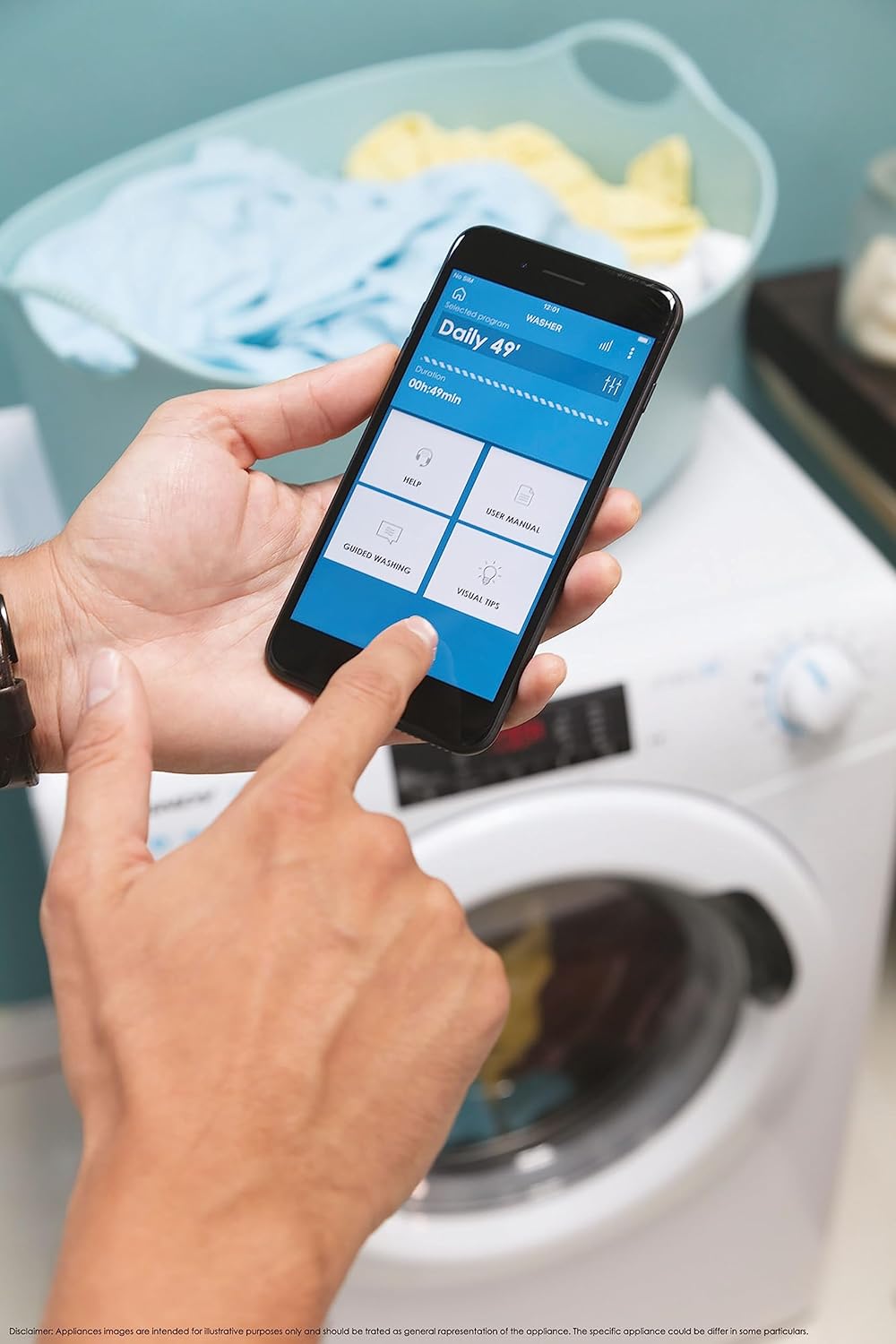
Figure 5: Control your washing machine remotely using the Simply-Fi app on your smartphone.
- Download the Simply-Fi app from your smartphone's app store.
- Follow the in-app instructions to connect your washing machine to your home Wi-Fi network.
- Once connected, you can access additional programs, monitor cycle status, and receive maintenance reminders.
Maintenance
Regular maintenance ensures the efficiency and extends the lifespan of your washing machine.
Cleaning the Detergent Dispenser
- Pull out the detergent dispenser drawer.
- Remove any residue and rinse thoroughly under running water.
- Reinsert the drawer.
Cleaning the Filter
- Locate the filter cover at the bottom front of the machine.
- Place a shallow container underneath to catch any residual water.
- Unscrew the filter slowly to drain water, then remove and clean it of lint and debris.
- Screw the filter back in securely.
Drum Cleaning
- Run a hot wash cycle with no laundry and a washing machine cleaner or a cup of white vinegar to remove odors and residue.
Smart Check-Up Function
Utilize the Smart Check-Up function via the Simply-Fi app to monitor the health of your washing machine. It provides notifications for errors or malfunctions, helping you maintain the appliance effectively.
Troubleshooting
Before contacting customer service, please refer to the following common issues and their solutions:
| Problem | Possible Cause | Solution |
|---|---|---|
| Machine does not start | Power cord unplugged, door not closed properly, delayed start active. | Check power connection, ensure door is latched, cancel delayed start. |
| Excessive vibration/noise | Transport bolts not removed, machine not level, uneven load. | Remove transport bolts, adjust leveling feet, redistribute laundry inside drum. |
| Water leakage | Hoses loose, drain filter clogged, excessive detergent. | Check hose connections, clean drain filter, use appropriate amount of detergent. |
| App connectivity issues | Wi-Fi signal weak, app not updated, incorrect pairing. | Ensure strong Wi-Fi signal, update app, re-pair device following app instructions. |
Specifications
| Feature | Detail |
|---|---|
| Brand | Candy |
| Model | CSO 1295TW4/1-S |
| Capacity | 9 Kilograms |
| Dimensions (HxWxD) | 85 x 60 x 53 cm |
| Weight | 65 Kilograms |
| Energy Efficiency Class | B |
| Max Spin Speed | 1200 RPM |
| Connectivity | Wi-Fi + BLE (Simply-Fi App) |
| Control Type | Touch, Dial |
Warranty and Support
Your Candy Smart Pro Washing Machine is covered by a manufacturer's warranty. For specific details regarding the warranty period and terms, please refer to the documentation provided with your purchase or visit the official Candy website.
For technical assistance, spare parts, or to schedule a service appointment, please contact Candy customer support. Have your model number (CSO 1295TW4/1-S) and serial number ready when contacting support.
Return Policy: If you wish to return a product within 30 days of receipt because you have changed your mind, please consult the return policy on the retailer's website. If you have received a defective or damaged product, please refer to the retailer's help page on defective or damaged products.


