
Longer RAY5-20W
LONGER RAY5 20W Laser Engraver Instruction Manual
Model: RAY5-20W
1. Introduction
The LONGER RAY5 20W Laser Engraver is a versatile and powerful tool designed for precision engraving and cutting across a wide range of materials. This manual provides essential information for safe operation, setup, maintenance, and troubleshooting to ensure optimal performance and longevity of your device.

Image 1.1: The LONGER RAY5 20W Laser Engraver, showcasing its overall design and working area.
2. Safety Information
Operating a laser engraver requires strict adherence to safety guidelines to prevent injury and damage. Please read and understand all safety warnings before operating the device.
- Eye Protection: Always wear the provided protective glasses during operation. The laser head is equipped with a protective shield that filters 95% of laser light.
- Motion Protection: The machine features a move protection design that automatically shuts down if abnormal movement is detected.
- Thermal Protection: Equipped with thermal protection, the device will automatically shut down in case of overheating.
- Emergency Stop: An Emergency Stop Device is integrated for immediate shutdown in critical situations.
- Ventilation: Ensure adequate ventilation in the working area to dissipate fumes and smoke generated during engraving and cutting.
- Fire Safety: Keep a fire extinguisher nearby. Do not leave the machine unattended during operation, especially when working with flammable materials.

Image 2.1: Illustration of the eye protection design, emphasizing the importance of safety glasses.
3. Setup and Assembly
The LONGER RAY5 20W laser engraver is designed for easy assembly. Follow the detailed instructions provided in the quick start guide and user manual. Necessary tools and accessories are included.
Video 3.1: Official assembly guide for the LONGER RAY5 Laser Engraver, demonstrating the step-by-step installation process.
For detailed visual guidance, refer to the official assembly video or the quick start guide included with your product. The quick start guide also contains a test page for initial calibration.
4. Components Overview
Familiarize yourself with the main components of your LONGER RAY5 20W Laser Engraver:
- Laser Module: The core component, featuring a 20W optical output diode laser with advanced enhancement technology.
- 3.5-inch Color Touchscreen: For direct control and monitoring of engraving progress, speed adjustments, and other operations.
- Control Box: Houses the upgraded 32-bit chipset motherboard for smoother and more stable operation.
- X-Axis and Y-Axis Frames: Provide the movement for the laser module across the working area.
- Limit Switches: Ensure precise positioning and prevent the laser module from exceeding the working boundaries.
- Connectivity Ports: Includes SD Card slot, USB port, and Wi-Fi module for various connection methods.

Image 4.1: Close-up of the 3.5-inch color touchscreen, highlighting its user-friendly interface.
5. Operating Instructions
5.1. Cutting and Engraving Capabilities
The RAY5 20W offers strong cutting and detailed engraving capabilities:
- Cutting: Can cut 0.59" (15mm) pine wood and 0.31" (8mm) acrylic in a single pass. Up to 25mm wood and 35mm acrylic with multiple passes. Precisely cuts 0.002" (0.05mm) stainless steel.
- Engraving: Achieves a finer engraving result and higher contrast effect with a 0.08 * 0.1mm ultra-fine laser focus area and 256-bit color scale. Supports engraving on over 200 materials.

Image 5.1: Visual representation of the cutting depth capabilities for various materials.
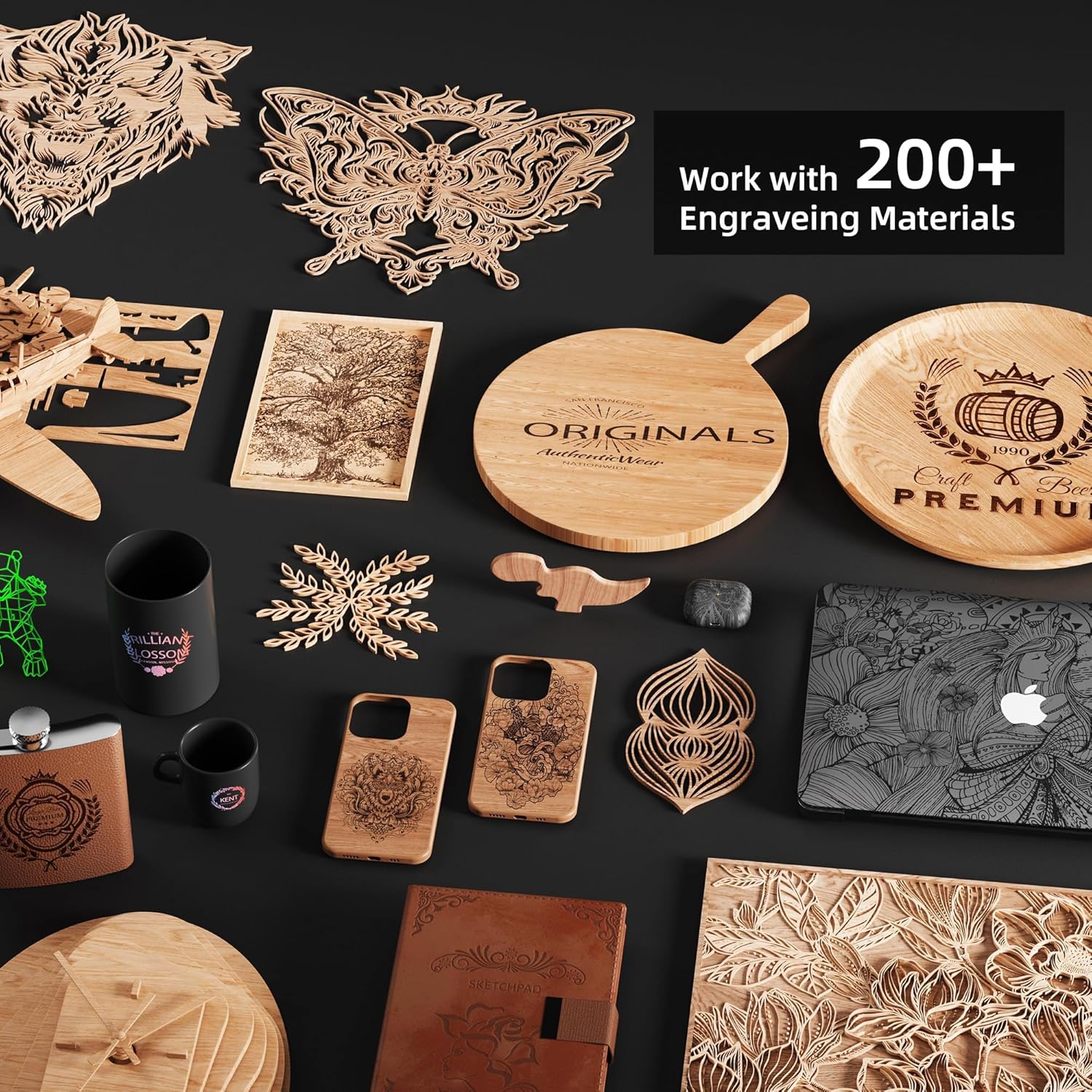
Image 5.2: A collection of items demonstrating the versatility of engraving on different materials.
5.2. Touchscreen Operation
The 3.5-inch color touchscreen allows for direct control without a computer. You can check engraving progress, adjust speed, and perform other operations directly from the screen.
5.3. Connection Methods
The engraver supports four connection modes:
- SD Card Connection
- USB Connection
- APP Connection (via Wi-Fi)
- Wi-Fi Connection
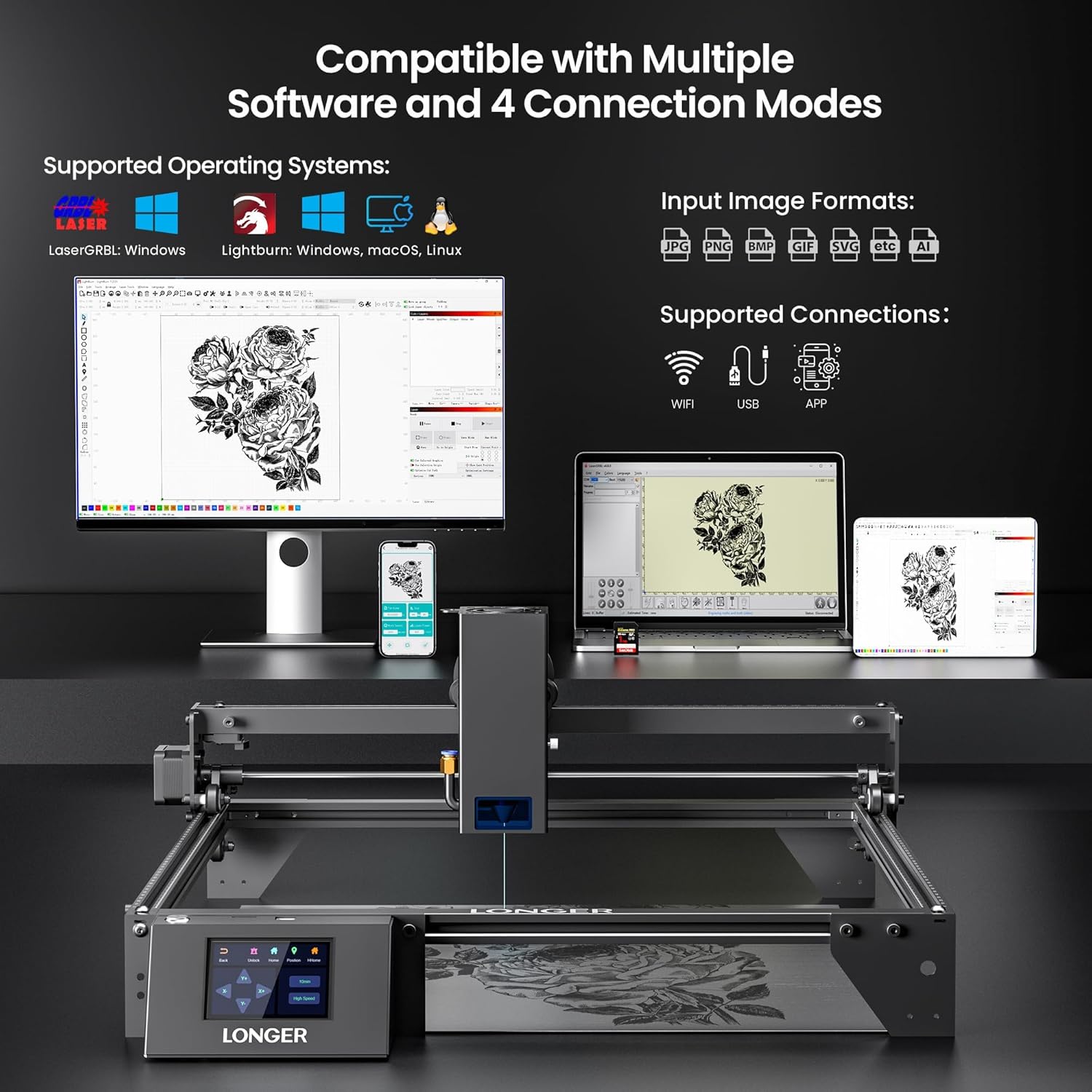
Image 5.3: Overview of supported operating systems, input image formats, and connection methods.
5.4. Software Compatibility
The LONGER RAY5 20W is compatible with popular laser engraving software:
- LaserGRBL (Windows)
- LightBurn (Windows, macOS, Linux)
5.5. Multi-Machine Control
For commercial or high-volume use, one computer can control multiple LONGER RAY5 20W laser engravers simultaneously, allowing for parallel operation and improved production efficiency.

Image 5.4: Depiction of one computer controlling multiple engravers for enhanced productivity.
6. Maintenance
Regular maintenance ensures the longevity and optimal performance of your laser engraver.
- Cleaning: Regularly clean the laser lens and the working area to prevent debris buildup, which can affect laser performance and accuracy. Use a soft, lint-free cloth and appropriate cleaning solutions.
- Lubrication: Periodically lubricate the moving parts, such as the guide rails and lead screws, according to the manufacturer's recommendations to ensure smooth operation.
- Firmware Updates: Check the official Longer website for any available firmware updates to ensure your device has the latest features and bug fixes.
- Air-Assisted Interface: The device has an air-assisted interface. If using an external air pump, ensure it is properly maintained for clean surfaces during operation.
7. Troubleshooting
If you encounter issues with your LONGER RAY5 20W Laser Engraver, refer to the following common troubleshooting tips:
- Engraving/Cutting Quality Issues: Verify laser focus, power settings, and speed. Ensure the material is flat and properly secured. Refer to the test page for optimal settings for different materials.
- Connection Problems: Check USB cable connections, Wi-Fi network stability, and ensure the SD card is properly inserted and formatted.
- Machine Not Responding: Ensure the power supply is connected and the emergency stop button is not engaged. Restart the machine.
- Abnormal Movement/Shutdown: The safety features (motion protection, thermal protection) may have been triggered. Check for obstructions, overheating, or unusual vibrations.
For more complex issues, please contact Longer customer support.
8. Specifications
| Feature | Specification |
|---|---|
| Product Dimensions | 23.07 x 22.95 x 6.95 inches |
| Item Model Number | RAY5-20W |
| Item Weight | 11.43 pounds |
| Manufacturer | LONGER |
| Laser Output Power | 20W (Optical Output) |
| Laser Focus Area | 0.08 * 0.1mm |
| Motherboard | Upgraded 32-bit chipset |
| Touchscreen | 3.5-inch Color Touchscreen |
| Connection Modes | SD Card, USB, APP, Wi-Fi |
| Software Compatibility | LaserGRBL, LightBurn |
| Supported OS | Windows 7+, macOS, Linux |
9. Warranty and Support
LONGER provides lifetime technical support and 24-hour professional customer service. If you have any questions or require assistance, please feel free to contact the Longer customer support team.
For contact information and further details, please visit the official Longer website or refer to the documentation included with your product.
Related documentsRAY5-20W


Ask a question about this manual
Ask about setup, troubleshooting, compatibility, parts, safety, or missing instructions. Manuals+ will review the question and use this page’s manual context to help answer it.