
Introduction
The Tilta Nucleus Nano II Hand Wheel Controller is an advanced wireless lens control system designed for precise control over focus, iris, and zoom (FIZ) functions. Featuring a responsive touch screen and intuitive controls, it allows for seamless adjustment of camera settings and multiple motors, enhancing your filmmaking workflow.

Figure 1: Front view of the Nucleus Nano II Hand Wheel Controller, showing its touch screen interface.
What's in the Box
Please verify that all items are included in your package:
- 1x Nucleus Nano II Hand Wheel Controller (12009.00002.00.00)
- 1x USB-C Power Cable (30cm) (21114.00061.00.00)
- 1x Instruction Manual
Setup
1. Charging the Controller
The Nucleus Nano II Hand Wheel Controller includes a built-in Lithium Ion battery. Before first use, fully charge the device using the provided USB-C cable. Connect the USB-C cable to the port on the controller and to a compatible USB power source.
2. Mounting the Controller
The controller features a NATO mount and a tie-down mechanism for secure attachment to camera rigs or gimbals.
- Locate the NATO rail or mounting point on your camera rig or gimbal.
- Align the NATO mount on the back of the controller with the rail.
- Secure the controller by tightening the tie-down lever until it is firmly attached.

Figure 2: Rear view of the controller, highlighting the NATO mount and USB-C port.

Figure 3: Controller mounted on a camera setup.
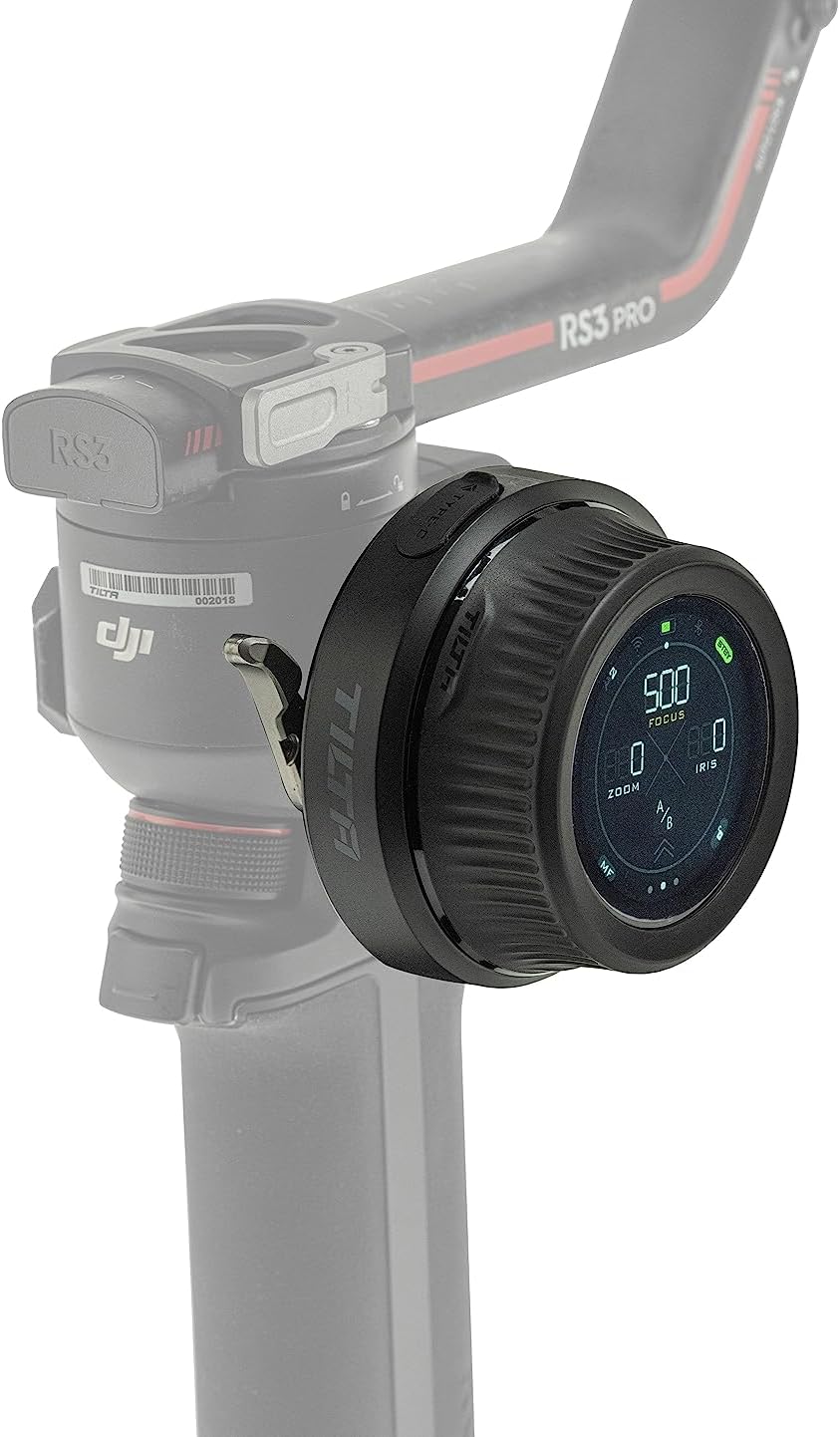
Figure 4: Controller mounted on a gimbal for remote control.
3. Connecting to Motors and Camera
The controller can connect to various motors and cameras via Wifi, Bluetooth, and USB-C for comprehensive control.
- Motor Connection: The controller is compatible with Nucleus M & Nano motors, and DJI Focus Motors. Refer to the specific motor's manual for pairing instructions.
- Camera Communication: Connect to compatible Canon, Sony, and Black Magic Design cameras (selected models) to adjust settings like ISO, Shutter Speed, and Frame Rate. Consult your camera's manual for wireless control setup.
Operating Instructions
1. Basic Controls
The controller features a hand wheel, REC button, rocker switch, and FUNC button for intuitive operation.
- Hand Wheel: Primarily used for precise focus pulling.
- REC Button: Initiates and stops recording on compatible cameras.
- Rocker Switch: Controls zoom or iris depending on the selected mode.
- FUNC Button: Customizable function button for quick access to frequently used features.

Figure 5: Labeled diagram of the controller's components.
2. Touch Screen Interface
The integrated touch screen provides easy access to advanced features and streamlines on-set workflow. Tap and swipe to navigate menus and adjust settings.

Figure 6: User interacting with the touch screen for intuitive control.

Figure 7: The three main display modes on the touch screen.
3. Multi-Motor Control
The Hand Wheel Controller can control multiple motors simultaneously. With optional expansion, it supports up to 4 motors when used with the Tilta Control Handle.
4. Lens Mapping
The controller displays real-time focal distance information, enabling more accurate and repeatable focus pulling. This feature is particularly useful for precise cinematic work.
5. Compatibility
The Nucleus Nano II is compatible with a range of Tilta wireless lens control systems, including Nucleus M and Nucleus Nano, as well as DJI Ronin S series gimbals and DJI Focus Motors. It also supports communication with selected Canon, Sony, and Black Magic Design cameras.

Figure 8: High compatibility with various lens control systems and gimbals.
Maintenance
- Cleaning: Use a soft, dry cloth to clean the controller. Avoid abrasive materials or harsh chemicals.
- Storage: Store the controller in a cool, dry place away from direct sunlight and extreme temperatures.
- Battery Care: To prolong battery life, avoid fully discharging the battery frequently. If storing for extended periods, charge the battery to approximately 50% and recharge every few months.
Troubleshooting
| Problem | Possible Cause | Solution |
|---|---|---|
| Controller does not power on. | Battery is depleted. | Charge the controller using the USB-C cable. |
| Unable to control motors. | Motors are not paired or out of range. | Ensure motors are powered on and within range. Re-pair the motors if necessary. |
| Camera communication issues. | Incorrect camera settings or compatibility. | Verify camera compatibility and settings. Ensure Wi-Fi/Bluetooth is enabled on both devices. |
| Touch screen is unresponsive. | Temporary software glitch. | Restart the controller. If the issue persists, contact customer support. |
Specifications
| Feature | Detail |
|---|---|
| Model Number | WLC-T05-HWC |
| Dimensions | 6 x 5 x 4 inches |
| Item Weight | 10.9 ounces (0.68 Pounds) |
| Battery Type | 1 Lithium Ion battery (included) |
| Color | Black |
| Connectivity | Wifi, Bluetooth, USB-C |
| Manufacturer | Tilta |
| UPC | 810076276465 |
Warranty and Support
For warranty information and technical support, please refer to the official Tilta website or contact their customer service directly. Keep your purchase receipt as proof of purchase for any warranty claims.
Tilta Official Website: www.tilta.com