
Introduction
This manual provides essential information for the proper installation, operation, and maintenance of the Bisida 8S 25.6V 30A Lifepo4 Battery Management System (BMS). The BMS is designed to protect your Lifepo4 battery pack, ensuring its longevity and safe operation. Please read these instructions carefully before use.
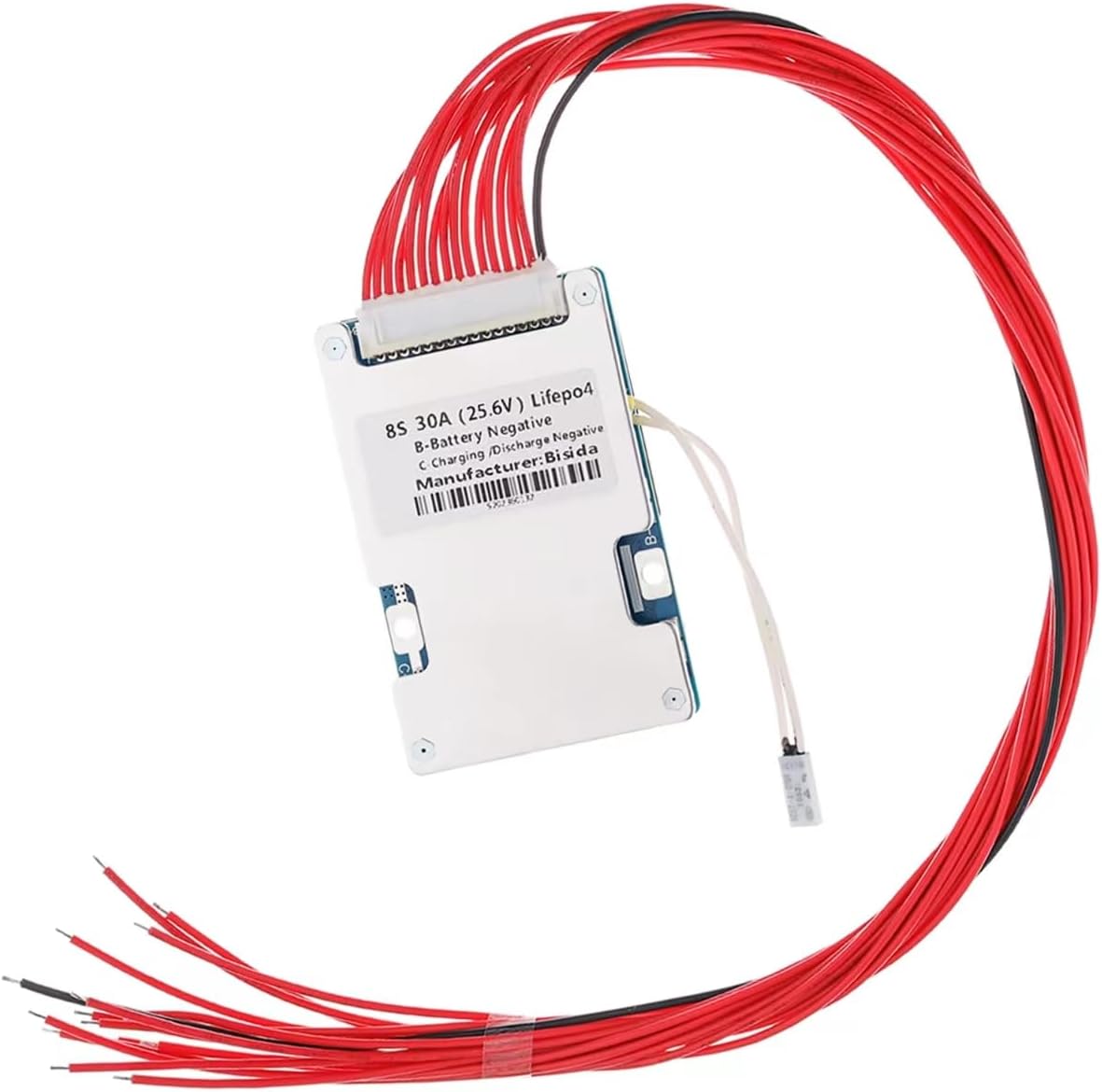
Image: The Bisida 8S 25.6V 30A Lifepo4 Battery Management System board.
Key Features and Protections
The Bisida BMS incorporates multiple protection functions to safeguard your Lifepo4 battery pack:
- Overcharge Protection: Prevents battery cells from being charged beyond their safe voltage limit.
- Over-discharge Protection: Stops discharge when battery cells reach their minimum safe voltage, preventing damage.
- Overcurrent Protection: Protects against excessive current draw during discharge.
- Short-circuit Protection: Automatically disconnects the battery in case of a short circuit.
- Temperature Protection: Monitors battery temperature and prevents operation outside safe temperature ranges (-20°C to 70°C).
- Downtime Protection: Ensures safe shutdown during periods of inactivity.
- Voltage Balance (Passive Balance): Helps equalize the voltage across individual battery cells, extending battery life.

Image: Overview of the ten functional protections integrated into the BMS.
The BMS also features an NTC temperature control probe for accurate temperature monitoring.

Image: NTC temperature control probe for precise temperature management.
The integrated balance function actively works to equalize cell voltages, contributing to a longer battery lifespan.
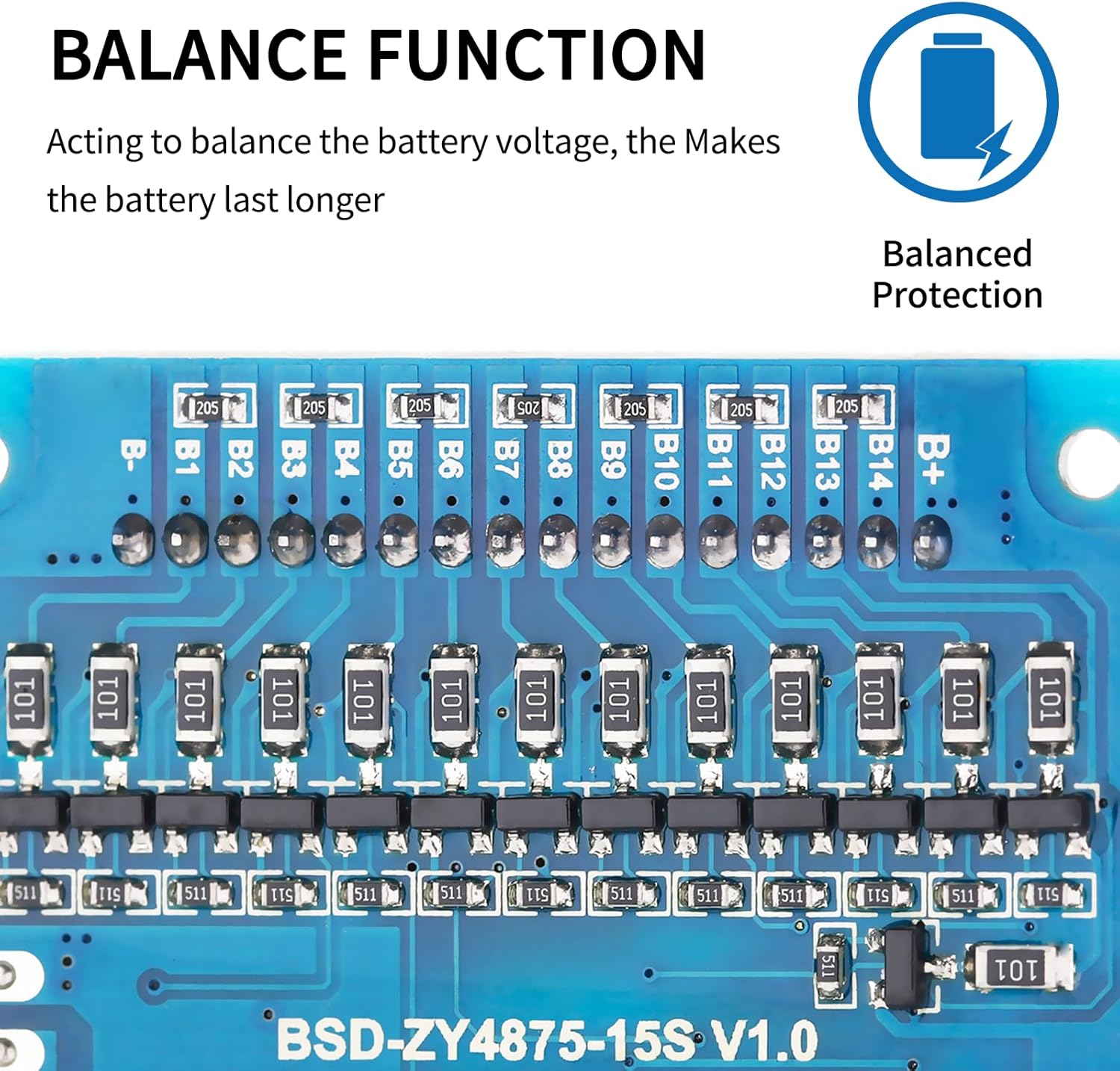
Image: The balance function components on the BMS board.
Setup and Installation
Important Pre-installation Notice:
Before installing the BMS protective board, it is crucial to ensure that the battery cells in your pack are matched in terms of voltage, capacity, and internal resistance. Failure to do so may prevent the battery pack from charging correctly or functioning optimally.
- Voltage Difference: The voltage difference between individual battery cells should not exceed 0.05V.
- Internal Resistance: The difference in internal resistance between cells should not be more than 5mΩ.
- Capacity Difference: The capacity difference between cells should be less than 30mAh.
Wiring Method (Common Port):
Follow the wiring diagram carefully for correct connection. This BMS uses a common port for both charging and discharging.
- Connect the B- terminal of the BMS to the negative terminal of the battery pack.
- Connect the C- terminal of the BMS to the negative terminal for both charging and output.
- All positive electrodes from the battery cells should be connected to the total positive pole (B+) of the battery pack.
- Connect the balance wires (B1, B2, B3, etc.) sequentially, starting with the black wire (B0 or B-) and connecting upwards in ascending order of voltage to each cell's positive terminal.
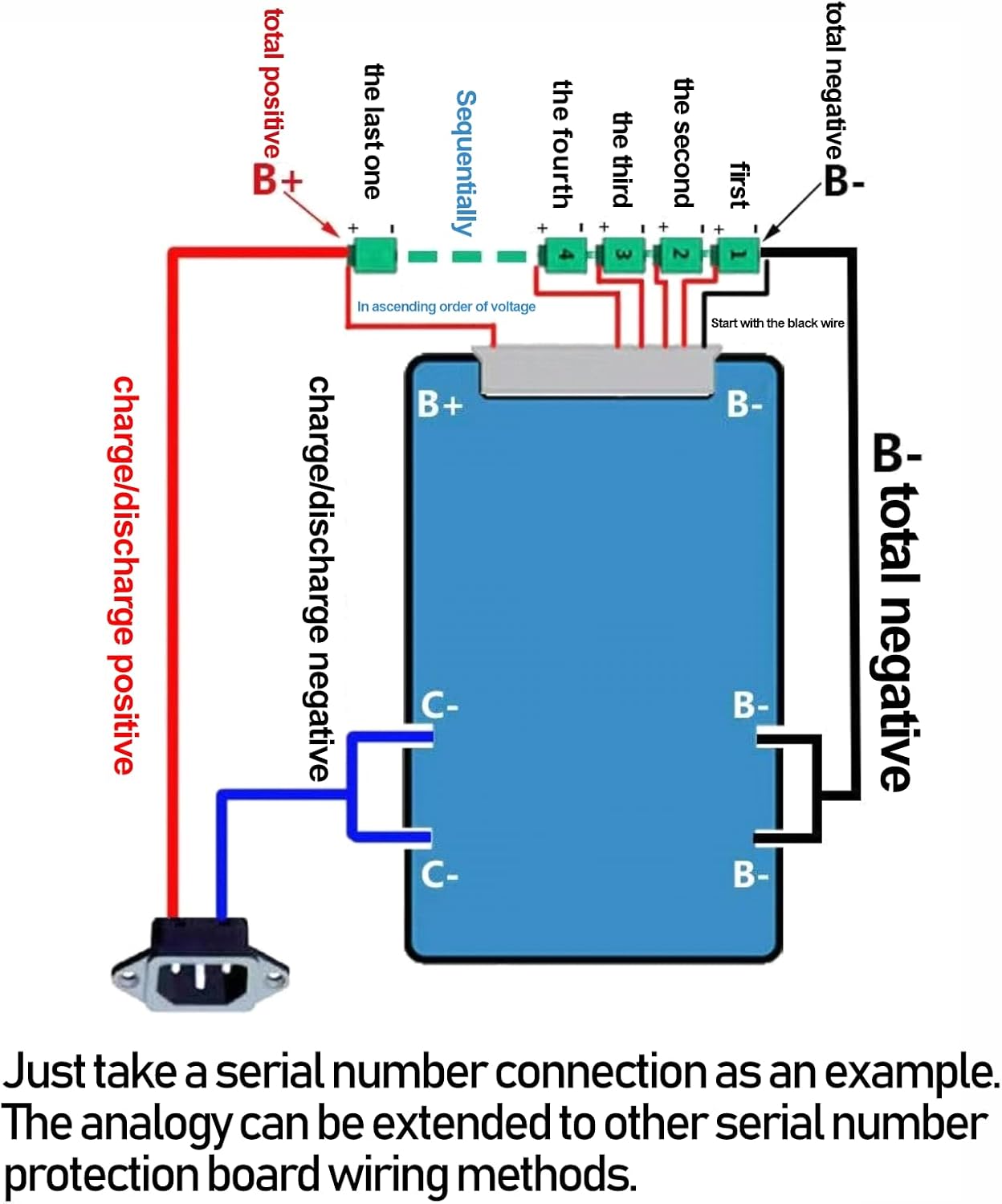
Image: Detailed wiring diagram for connecting the BMS to a battery pack.
This diagram illustrates a serial connection example. The principles can be applied to other serial number protection board wiring methods.
Operating Parameters
The Bisida BMS supports Lifepo4 batteries (3.2V nominal) for charging and discharging within a voltage range of 2.3V to 3.65V per cell. The operating temperature range is from -20°C to 70°C. Specific parameter details may vary with different voltages and currents; refer to the detailed specifications below for confirmation.

Image: Lifepo4 data table with detailed operational parameters for the BMS.
Specifications
| Feature | Detail |
|---|---|
| Model Number | Bisida BMS 8S 25.6V 30A |
| Battery Type Supported | Lifepo4 (8S configuration) |
| Nominal Voltage | 25.6V |
| Maximum Continuous Discharge Current | 30A |
| Operating Temperature Range | -20°C to 70°C |
| Overcharge Protection Voltage (single cell) | 3.7V (typical) |
| Over-discharge Protection Voltage (single cell) | 2.1V (typical) |
| Balance Function | Passive Balance |
| Dimensions | 5.67 x 3.35 x 2.13 inches (Package) |
| Item Weight | 3.2 ounces |
Troubleshooting
- Battery Pack Not Charging:
Ensure all battery cells are properly matched in voltage, capacity, and internal resistance as specified in the "Pre-installation Notice". Incorrect cell matching is a common cause for charging issues.
- BMS Not Functioning:
Verify all wiring connections according to the provided diagram. Check for loose connections or incorrect polarity. Ensure the BMS is correctly rated for your battery pack's voltage and current requirements.
- Unexpected Shutdowns:
This could indicate activation of a protection feature (e.g., overcurrent, over-discharge, or temperature protection). Check the load on the battery, the battery's state of charge, and the ambient temperature.
- Cell Imbalance Issues:
While the BMS provides passive balancing, significant initial imbalances or prolonged periods of imbalance may require manual cell balancing before connecting the BMS, or a more active balancing solution if passive balancing is insufficient for your application.
Maintenance
To ensure the longevity and reliable operation of your Bisida BMS:
- Keep the BMS and battery pack in a clean, dry environment, away from moisture and dust.
- Avoid exposing the BMS to extreme temperatures outside its specified operating range.
- Periodically inspect wiring for any signs of wear, corrosion, or loose connections.
- Ensure adequate ventilation around the battery pack and BMS to prevent overheating.
Warranty and Support
For warranty information or technical support, please contact Bisida customer service through your purchase platform or the official Bisida website. Please have your product model number (8S 25.6V 30A) and purchase details ready when contacting support.