
1. Introduction
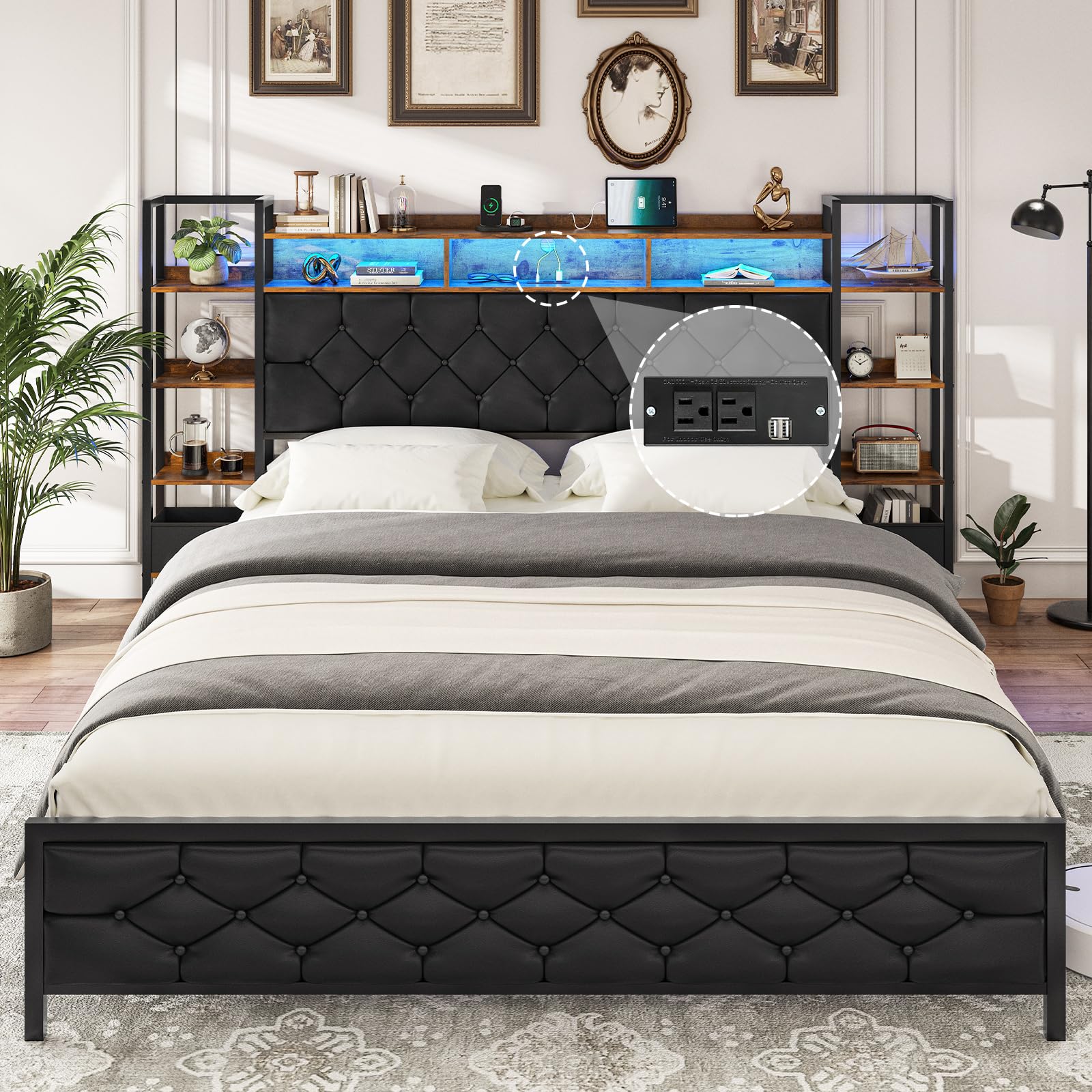
Thank you for choosing the Hasuit Queen Bed Frame with Storage Headboard. This bed frame is designed to provide both comfort and functionality, featuring a 4-tier bookcase headboard, integrated LED lighting, and a convenient built-in charging station. This manual provides detailed instructions for assembly, operation, maintenance, and troubleshooting to ensure a safe and enjoyable experience with your new bed frame.
2. Safety Information
Please read all instructions carefully before assembly and use. Failure to follow these instructions may result in injury or damage to the product.
- Always follow the assembly instructions carefully to prevent instability or tip-over.
- Do not load the bed frame with more than 900 pounds. This includes the mattress, bedding, and occupants.
- Be cautious around sharp edges during assembly and handling to avoid injury.
- Handle the product gently to avoid damage to components.
- Ensure all connections are securely tightened after assembly and periodically check for looseness.
- Keep children and pets away from the assembly area.
- Do not allow children to climb on the headboard shelves.
- If any issues arise during assembly or use, please contact customer service immediately.
3. Package Contents
Before beginning assembly, verify that all parts are present and undamaged. Refer to the included parts list in your packaging for specific component identification. The main components include:
- Platform Bed Frame components
- Bookcase Headboard components
- Built-in Charging Station
- LED Lights strip
- All necessary hardware (screws, bolts, tools)
If any parts are missing or damaged, do not proceed with assembly. Contact Hasuit customer service for assistance.
4. Assembly Instructions
The Hasuit Queen Bed Frame is designed for straightforward assembly. It is recommended that two people assemble the bed frame. Please follow the detailed instructions and diagrams provided in your product packaging. All accessories are numbered for easy identification.
- Unpack and Organize: Carefully unpack all components and lay them out on a clean, soft surface (like a carpet) to prevent scratches. Identify each part using the numbering system.
- Assemble the Bed Frame: Follow the step-by-step diagrams to connect the side rails, footboard, and center support beams. Ensure all bolts are finger-tightened initially.
- Attach the Headboard: Secure the bookcase headboard to the main bed frame structure. Pay close attention to the orientation of the shelves.
- Install Slats: Place the bed slats evenly across the frame and secure them according to the instructions. This bed frame does not require a box spring.
- Install Charging Station and LED Lights: Integrate the charging station into the designated slot on the headboard. Apply the LED light strip along the specified area, ensuring good adhesion.
- Final Tightening: Once all components are in place, go back and securely tighten all bolts and screws using the provided tools. Do not overtighten.

5. Operating Instructions
5.1. LED Lights
The integrated RGB LED lights offer multiple modes and colors to enhance your room's ambiance. They can be controlled via a Bluetooth smart application on your smartphone or a physical switch.
- Power On/Off: Use the switch located on the headboard or the smart app to turn the lights on or off.
- Color Selection: The smart app allows you to choose from over 600,000 colors.
- Modes: Explore various modes including custom styles, music sync, sound sync, and timer functions through the smart app.
- Brightness Adjustment: Adjust the brightness levels to your preference using the app.

5.2. Charging Station
The headboard features a built-in charging station for your electronic devices.
- AC Outlets: Two 125V/12A AC outlets are available for standard plugs.
- USB Ports: Includes one USB port and one Type-C port (5V/2A) for charging compatible devices.
- Power Cord: The charging station is equipped with a 4.92-foot power cord. Ensure it is plugged into a functional wall outlet.

5.3. Storage Headboard
The headboard offers ample storage space to keep your essentials organized and within reach.
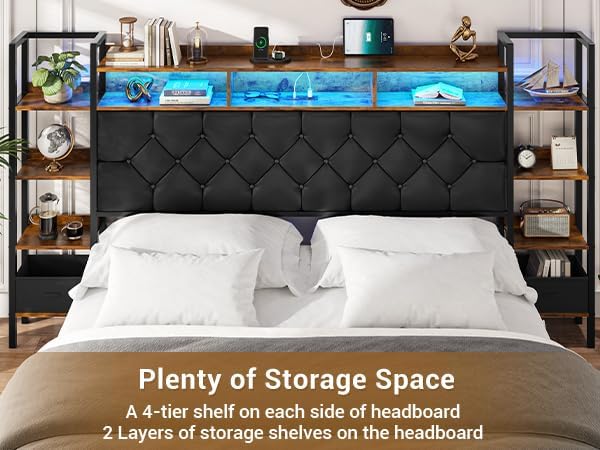
- Side Shelves: Each side of the headboard features a 4-tier shelf, suitable for books, decor, or small personal items.
- Top Shelves: Two additional layers of storage shelves are located at the top of the headboard for further organization.
5.4. Under-Bed Storage
The bed frame design provides 12.4 inches of clearance underneath, offering additional storage space for boxes, luggage, or other items.

6. Maintenance
Proper care will extend the life and appearance of your Hasuit bed frame.
- Cleaning: Wipe the bed frame surfaces with a dry cloth. Avoid using harsh chemicals or abrasive cleaners, which can damage the finish or upholstery.
- Upholstery Care: The artificial leather upholstered headboard is skin-friendly and breathable. For minor spills, gently blot with a clean, damp cloth and then dry thoroughly.
- Hardware Check: Periodically check all bolts and screws to ensure they remain tight. Retighten as necessary to maintain stability and prevent noise.
- LED Lights: If the LED strip's adhesive weakens over time, you may reinforce it with appropriate adhesive tape suitable for furniture.

7. Troubleshooting
If you encounter any issues with your bed frame, refer to the following common problems and solutions:
| Problem | Possible Cause | Solution |
|---|---|---|
| Bed frame feels wobbly or unstable. | Loose bolts or incorrect assembly. | Ensure all bolts and screws are fully tightened. Review assembly instructions to confirm all parts are correctly installed. |
| Headboard shelves shake or make noise. | Items on shelves are unstable; headboard connections are loose. | Ensure items on shelves are stable and not top-heavy. Check and tighten all connections securing the headboard to the frame. |
| LED light strip detaches. | Adhesive has weakened. | Re-secure the LED strip using additional adhesive tape suitable for furniture. |
| Charging station not working. | Power cord not plugged in; outlet issue; device incompatibility. | Verify the power cord is securely plugged into a working wall outlet. Test the outlet with another device. Ensure your device is compatible with the USB/Type-C output. |
| Missing parts or damaged upon arrival. | Shipping damage or packaging error. | Do not attempt to assemble. Contact Hasuit customer service immediately with your order details. |
If the problem persists or is not listed here, please contact Hasuit customer service for further assistance.
8. Specifications
| Feature | Detail |
|---|---|
| Model Number | BIC01 |
| Size | Queen (U.S. Standard) |
| Material | Engineered Wood, Metal, Artificial Leather |
| Product Dimensions (L x W x H) | 87.2" x 86.4" x 47.2" |
| Item Weight | 91.8 Pounds |
| Maximum Weight Recommendation | 900 Pounds |
| Under-Bed Storage Clearance | 12.4 Inches |
| Color | Black & Rustic Brown |
| Style | Country Rustic |
| Charging Station | 2 AC Outlets (125V/12A), 1 USB Port, 1 Type-C Port (5V/2A) |
| LED Lights | RGB, Multiple Modes, App/Switch Control |
| Box Spring Required | No |
| Assembly Required | Yes |
| Product Care Instructions | Wipe with Dry Cloth |

9. Warranty & Support
Hasuit is committed to providing high-quality products and excellent customer service. We offer long-term service for our products.
- Customer Service: If you have any questions before or after purchase, or if you encounter any issues with your bed frame, please do not hesitate to contact our customer service team. We aim to resolve any concerns within 24 hours.
- Contact Information: Please refer to your purchase documentation or the Hasuit official website for the most current contact details.
- Installation Assistance: If you face any difficulties during installation, our staff is available to assist you.
Your satisfaction is our priority. Thank you for choosing Hasuit.