
BLACK+DECKER EM720CB7, CM1160B, TO1313SBD
BLACK+DECKER Kitchen Appliance Bundle User Manual
Models: EM720CB7 (Microwave Oven), CM1160B (Coffee Maker), TO1313SBD (Convection Oven)
Brand: BLACK+DECKER
Introduction
This manual provides comprehensive instructions for the safe and efficient operation, maintenance, and troubleshooting of your BLACK+DECKER kitchen appliance bundle, including the EM720CB7 Digital Microwave Oven, CM1160B 12-Cup Programmable Coffee Maker, and TO1313SBD 4-Slice Convection Oven. Please read all instructions carefully before use and retain this manual for future reference.

Image 1: The BLACK+DECKER kitchen appliance bundle, featuring the microwave oven, coffee maker, and convection oven.
Important Safety Information
Always follow basic safety precautions when using electrical appliances to reduce the risk of fire, electric shock, and/or injury to persons. This section outlines general safety guidelines applicable to all appliances in this bundle.
- Read all instructions before using the appliance.
- Do not touch hot surfaces. Use handles or knobs.
- To protect against electrical shock, do not immerse cord, plugs, or appliance in water or other liquid.
- Close supervision is necessary when any appliance is used by or near children.
- Unplug from outlet when not in use and before cleaning. Allow to cool before putting on or taking off parts.
- Do not operate any appliance with a damaged cord or plug, or after the appliance malfunctions or has been damaged in any manner.
- The use of accessory attachments not recommended by the appliance manufacturer may cause injuries.
- Do not use outdoors.
- Do not let cord hang over edge of table or counter, or touch hot surfaces.
- Do not place on or near a hot gas or electric burner, or in a heated oven.
- Always attach plug to appliance first, then plug cord into the wall outlet. To disconnect, turn any control to "off", then remove plug from wall outlet.
- Do not use appliance for other than intended use.
Setup and Installation
Microwave Oven (Model EM720CB7)
- Unpacking: Carefully remove the microwave oven and all packing materials. Check for any damage.
- Placement: Place the microwave on a flat, stable surface. Ensure adequate ventilation space around the unit (at least 3 inches on sides and back, 12 inches above).
- Turntable Installation: Place the roller ring in the center of the microwave oven floor. Place the glass turntable on top of the roller ring, ensuring it sits securely.
- Power Connection: Plug the microwave into a grounded electrical outlet.
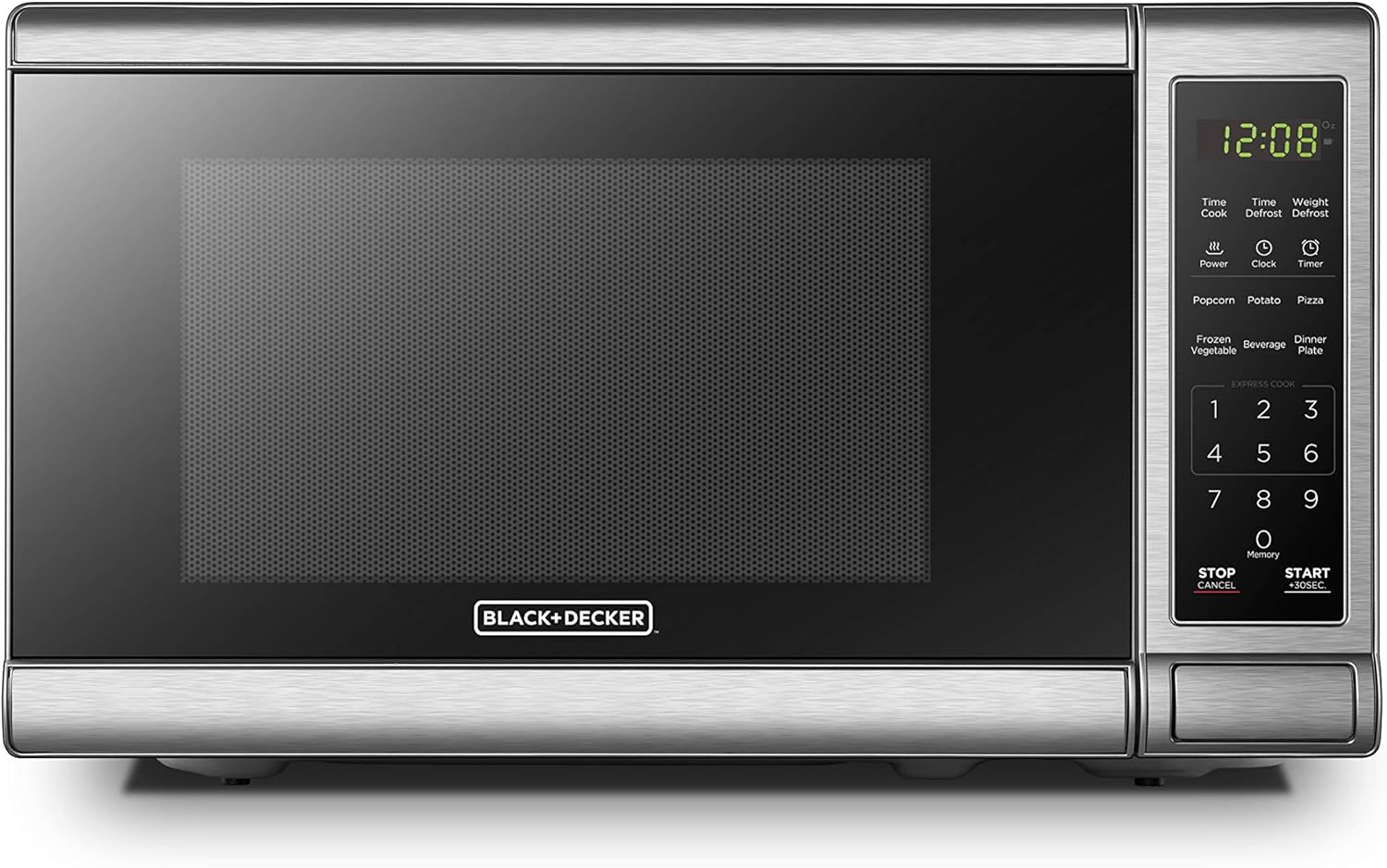
Image 2: Front view of the BLACK+DECKER EM720CB7 Digital Microwave Oven, showing the control panel and door.
Coffee Maker (Model CM1160B)
- Unpacking: Remove all packaging materials. Wash the carafe, lid, and brew basket in warm, soapy water. Rinse thoroughly.
- Placement: Place the coffee maker on a flat, stable, heat-resistant surface.
- First Use: Before first use, fill the water reservoir to the 12-cup mark with cold water and run a brew cycle without coffee grounds. Discard the water.
- Power Connection: Plug the coffee maker into a standard electrical outlet.
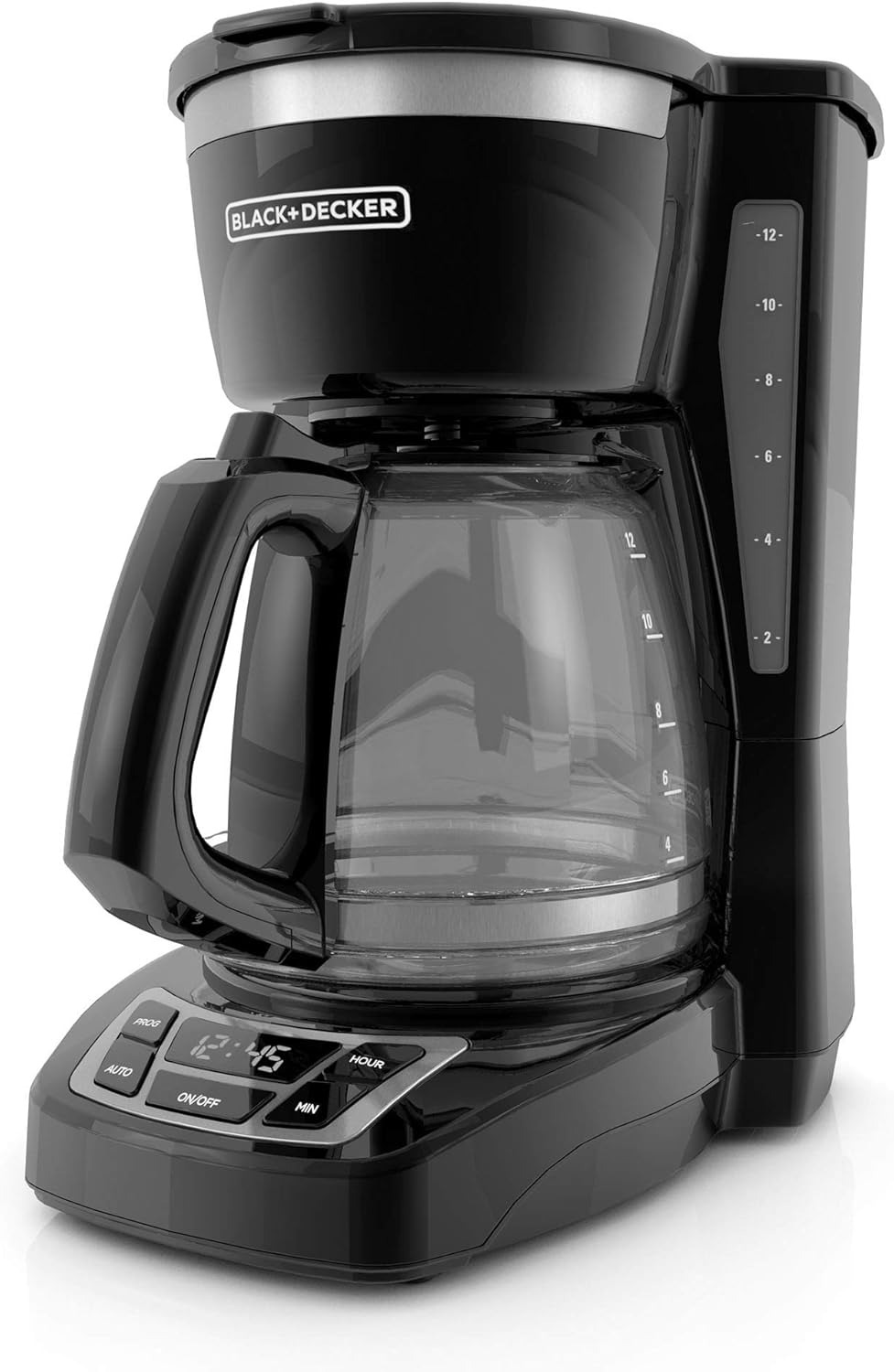
Image 3: The BLACK+DECKER CM1160B 12-Cup Programmable Coffee Maker, showing the water reservoir and carafe.
Convection Oven (Model TO1313SBD)
- Unpacking: Remove all packaging materials and accessories.
- Placement: Place the oven on a flat, stable, heat-resistant surface. Ensure at least 4 inches of space on all sides for proper ventilation.
- First Use: Before first use, operate the oven at 450°F (232°C) for approximately 10 minutes to burn off any manufacturing oils. Some smoke or odor may be present; this is normal.
- Power Connection: Plug the convection oven into a standard electrical outlet.
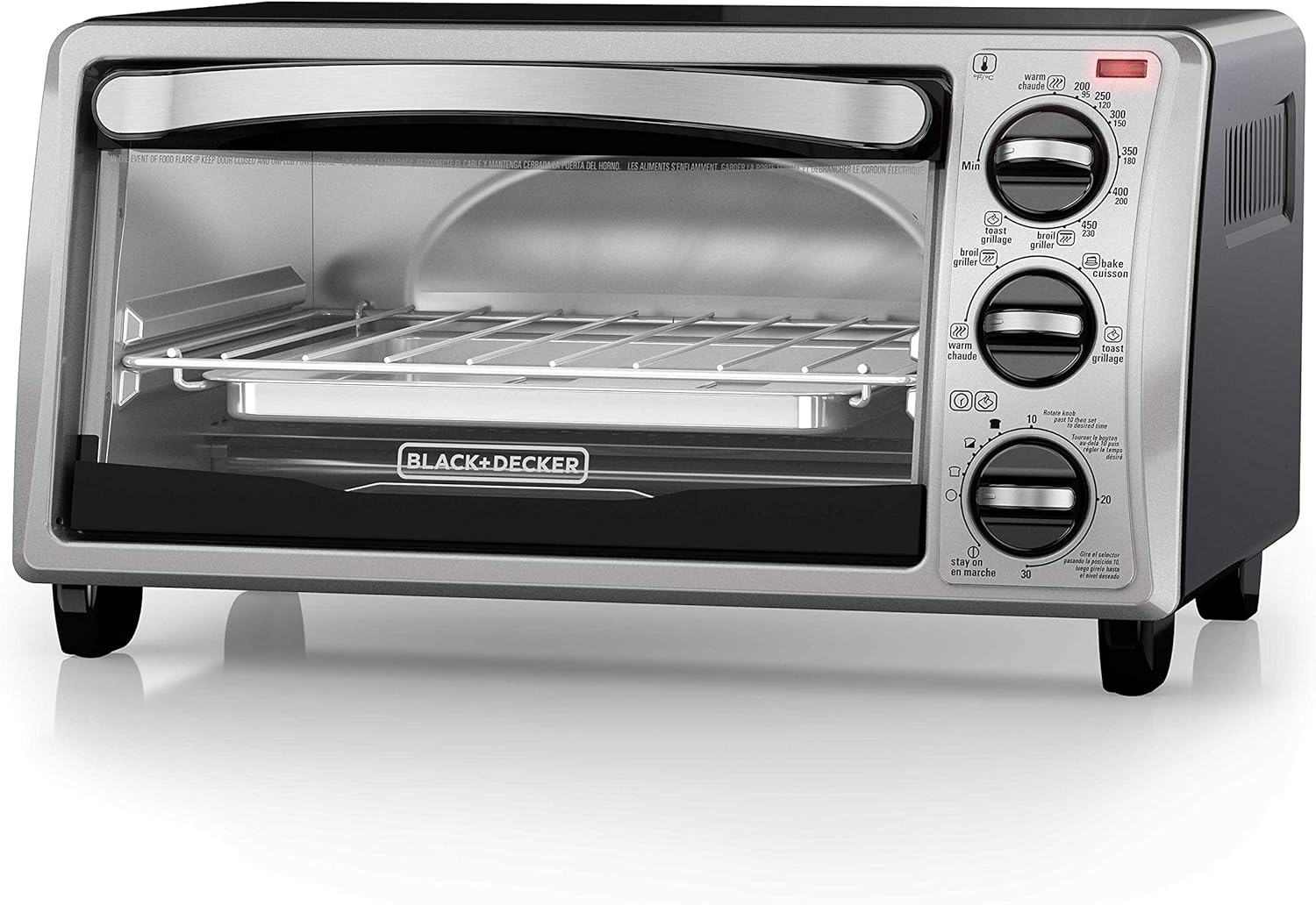
Image 4: The BLACK+DECKER TO1313SBD 4-Slice Convection Oven, featuring its compact design and control knobs.
Operating Instructions
Microwave Oven (Model EM720CB7)
This 700-watt microwave oven offers 10 power levels and various pre-programmed settings for convenient cooking.
- Setting the Clock: Press the "Clock" button, use the number pad to enter the current time, then press "Clock" again to confirm.
- Manual Cooking:
- Place food in a microwave-safe container on the turntable.
- Enter desired cooking time using the number pad.
- Press "Power" repeatedly to select a power level (1-10). Default is 10 (100%).
- Press "START +30SEC." to begin cooking.
- Express Cooking: For quick cooking at 100% power, simply press a number (1-6) on the keypad to cook for that many minutes. Press "START +30SEC." to add 30 seconds to cooking time during operation.
- Pre-programmed Settings: The microwave includes presets for Popcorn, Potato, Pizza, Frozen Vegetable, Beverage, and Dinner Plate.

Image 5: Close-up of the microwave control panel highlighting the 6 auto cook presets for common food items.
- Press the desired food button (e.g., "Popcorn").
- The microwave will automatically set the optimal cooking time and power level.
- Press "START +30SEC." to begin.
- Defrosting:
- Time Defrost: Press "Time Defrost", enter desired defrosting time, then press "START +30SEC.".
- Weight Defrost: Press "Weight Defrost", enter the weight of the food in ounces, then press "START +30SEC.".
- Child Safety Lock: To activate, press and hold "STOP/CANCEL" for 3 seconds. The lock indicator will appear. To deactivate, press and hold "STOP/CANCEL" for 3 seconds again.
Coffee Maker (Model CM1160B)
This 12-cup programmable coffee maker features QuickTouch Programming and Sneak-A-Cup Technology.
- Brewing Coffee:
- Open the lid and fill the water reservoir with cold water to the desired level using the water level indicator.
- Insert a basket-style paper filter into the brew basket. Add desired amount of ground coffee.
- Close the lid and place the empty carafe on the warming plate.
- Press the "ON/OFF" button to start brewing. The indicator light will illuminate.
- Setting the Clock: Press the "HOUR" and "MIN" buttons to set the current time.
- Programmable Auto Brew:

Image 6: Close-up of the coffee maker's control panel, showing the "PROG", "AUTO", "ON/OFF", "HOUR", and "MIN" buttons for QuickTouch Programming.
- Press the "PROG" button. The display will flash.
- Use "HOUR" and "MIN" buttons to set the desired auto-brew time.
- Press "PROG" again to confirm. The "AUTO" indicator light will illuminate.
- To activate the auto-brew function, press the "AUTO" button. The "AUTO" light will turn on.
- Sneak-A-Cup™ Feature: This feature temporarily stops the flow of coffee so you can pour a cup before brewing is complete. Replace the carafe within 20 seconds to prevent overflow.
- Automatic Shut-off: The coffee maker will automatically shut off after a period of time (typically 2 hours) for safety.
Convection Oven (Model TO1313SBD)
This 4-slice convection oven offers baking, broiling, toasting, and warm functions.
- Function Selection: Use the top knob to select the desired function: Bake, Broil, Toast, or Warm.
- Temperature/Shade Selection:
- For Bake/Broil/Warm: Use the middle knob to set the desired temperature.
- For Toast: Use the middle knob to select the desired toast shade (light to dark).
- Timer Setting: Use the bottom knob to set the cooking time or toast cycle. The oven will turn off automatically when the timer expires.
- EvenToast Technology: The oven's interior is designed for even toasting of up to 4 slices of bread.

Image 7: A diagram illustrating the EvenToast Technology, showing how heat is distributed for uniform toasting of bread slices within the convection oven.
- Rack Positions: Adjust the wire rack to the appropriate position for your food item. Refer to the cooking guide in the full manual for specific recommendations.
Care and Maintenance
Regular cleaning and proper maintenance will ensure the longevity and optimal performance of your appliances.
General Cleaning Guidelines
- Always unplug the appliance from the power outlet and allow it to cool completely before cleaning.
- Do not immerse the appliance body, cord, or plug in water or any other liquid.
- Use a damp cloth with mild soap to wipe exterior surfaces. Dry thoroughly.
- Avoid abrasive cleaners or scouring pads, as they may damage surfaces.
Microwave Oven
- Interior: Wipe the interior with a damp cloth after each use. For stubborn stains, place a bowl of water with lemon slices inside and microwave for 2-3 minutes, then wipe clean.
- Turntable and Roller Ring: Remove and wash the glass turntable and roller ring in warm, soapy water or in the dishwasher.
- Door Seals: Clean the door seals and adjacent parts carefully with a damp cloth to ensure proper sealing.
Coffee Maker
- Carafe and Brew Basket: These parts are typically dishwasher-safe (top rack) or can be hand-washed with warm, soapy water.
- Decalcification: Over time, mineral deposits can build up. To decalcify, fill the water reservoir with equal parts white vinegar and water. Run a brew cycle without coffee. Repeat if necessary, then run 2-3 cycles with clean water to rinse.
Convection Oven
- Interior: Wipe the interior walls, rack, and crumb tray with a damp cloth. For baked-on food, a non-abrasive cleaner designed for oven interiors may be used.
- Crumb Tray: The removable crumb tray should be emptied and cleaned regularly to prevent grease buildup.
- Accessories: Wash the wire rack and baking pan in warm, soapy water.
Troubleshooting Guide
Before contacting customer support, please refer to the following common issues and solutions.
Microwave Oven
| Problem | Possible Cause | Solution |
|---|---|---|
| Oven does not start. | Power cord not plugged in; Door not closed properly; Child safety lock activated. | Ensure plug is secure; Close door firmly; Deactivate child safety lock (hold STOP/CANCEL for 3 seconds). |
| Food not cooking evenly. | Food not stirred or rotated; Incorrect power level/time; Turntable not rotating. | Stir or rotate food during cooking; Adjust power/time; Check turntable and roller ring for obstructions. |
| Light bulb not working. | Bulb needs replacement. | Contact customer service for bulb replacement. |
Coffee Maker
| Problem | Possible Cause | Solution |
|---|---|---|
| Coffee not brewing. | No water in reservoir; Unit not plugged in; Brew cycle not initiated. | Fill reservoir; Ensure plug is secure; Press ON/OFF button. |
| Coffee tastes weak or too strong. | Incorrect coffee-to-water ratio; Coffee grounds too fine/coarse. | Adjust coffee amount; Use medium grind coffee. |
| Overflowing brew basket. | Too much coffee grounds; Filter not seated correctly; Decalcification needed. | Reduce coffee amount; Ensure filter is properly seated; Decalcify the unit. |
Convection Oven
| Problem | Possible Cause | Solution |
|---|---|---|
| Oven not heating. | Unit not plugged in; Function/temperature/timer not set. | Ensure plug is secure; Set function, temperature, and timer correctly. |
| Uneven toasting. | Food placement; Crumb tray full. | Ensure food is centered; Clean crumb tray. |
| Smoke/odor during operation. | First use burn-off; Food spills; Grease buildup. | Normal for first use; Clean interior thoroughly; Empty and clean crumb tray. |
Specifications
Microwave Oven (Model EM720CB7)
- Capacity: 0.7 Cubic Feet
- Wattage: 700 Watts
- Power Levels: 10
- Material: Stainless Steel, Glass
- Special Features: Defrost, Timer, Turntable, Child Safety Lock, Pre-programmed settings
- Installation Type: Countertop
- Controller Type: Button, Touch
Coffee Maker (Model CM1160B)
- Capacity: 12-Cup
- Features: Programmable, QuickTouch Programming, Sneak-A-Cup Technology, Automatic Shut-off
- Carafe Material: Duralife Glass
- Color: Black/Stainless Steel
Convection Oven (Model TO1313SBD)
- Capacity: Fits 9-inch pizza, 4 slices of bread
- Functions: Bake, Broil, Toast, Warm
- Material: Stainless Steel
- Special Features: EvenToast Technology, Curved Interior
Warranty Information
Specific warranty details for BLACK+DECKER products typically vary by region and product type. Please refer to the warranty card included with your purchase or visit the official BLACK+DECKER website for the most current and detailed warranty information.
Customer Support
For further assistance, replacement parts, or service, please contact BLACK+DECKER customer support or visit their official website.
- Online Support: Visit the official BLACK+DECKER Store on Amazon or their corporate website.
- Telephone Support: Refer to the contact information provided in your product packaging or on the official BLACK+DECKER website.
Related documentsEM720CB7, CM1160B, TO1313SBD


Ask a question about this manual
Ask about setup, troubleshooting, compatibility, parts, safety, or missing instructions. Manuals+ will review the question and use this page’s manual context to help answer it.