
1. Introduction
The VTech Fido Interactive Plush Dog is a soft, engaging toy designed to support early childhood development. Fido helps children aged 1 to 5 years learn language, numbers, colors, and emotions through interactive play. This manual provides essential information for setting up, operating, and maintaining your Fido plush toy.

Image 1.1: Soft Learning. Fido assists children in learning language, numbers, colors, and emotions through engaging play.

Image 1.2: Repeats Everything. Fido repeats spoken words, altering the voice and moving its ears rhythmically.
Key Features:
- Interactive Voice Repetition: Fido repeats what children say, changing the voice, with ears moving to the rhythm.
- Three Developmental Levels:
- Learning simple words and sounds.
- Learning phrases and questions.
- Creating short stories.
- Animated Movements: The puppy's ears and head move in response to interactions.
- Interactive Buttons: Four buttons on the paws and a light-up collar activate music, sounds, stories, and conversations.
- Rich Content: Over 150 songs, melodies, sounds, and phrases.
- Convenience: Volume control and automatic shut-off feature.
2. Setup
2.1 Unpacking
Carefully remove the VTech Fido plush toy from its packaging. Ensure all packaging materials, such as plastic bags, ties, and cardboard inserts, are removed before giving the toy to a child.
2.2 Battery Installation
The VTech Fido requires 4 AA batteries. Demonstration batteries are included, but it is recommended to replace them with new alkaline batteries for optimal performance and extended play time.
- Locate the battery compartment on the toy, typically on the back or bottom.
- Using a Phillips head screwdriver, loosen the screw on the battery compartment cover and remove the cover.
- Insert 4 new AA (LR6) alkaline batteries, ensuring they are inserted with the correct polarity (+/-) as indicated inside the compartment.
- Replace the battery compartment cover and tighten the screw securely. Do not overtighten.

Image 2.1: Battery and Care Information. Fido requires 4 AA batteries and should be cleaned with a damp cloth, not machine washed.
Warning: Do not mix old and new batteries. Do not mix alkaline, standard (carbon-zinc), or rechargeable (nickel-cadmium) batteries. Remove exhausted batteries from the toy.
2.3 Language Setting
The VTech Fido toy may be pre-set to Italian. To change the language, refer to the operating instructions in Section 3.1 or consult the quick start guide included with the product.
3. Operating Instructions
Fido is designed for intuitive play. Follow these steps to interact with your plush toy:
3.1 Basic Interaction
- Activate: Press any of the interactive buttons on Fido's paws or the light-up collar to wake the toy and begin play.
- Voice Repetition: Speak clearly to Fido. The toy will repeat what you say in a fun, altered voice, and its ears will move.
- Interactive Buttons:
- Press the four buttons on Fido's paws to activate different learning activities, sounds, and phrases.
- Press the light-up collar button to trigger music, stories, and conversations.
- Movement: Gently move Fido's ears and head to engage with its responsive movements.

Image 3.1: Interactive Buttons. Fido features four interactive paw buttons and a light-up collar for various activities.
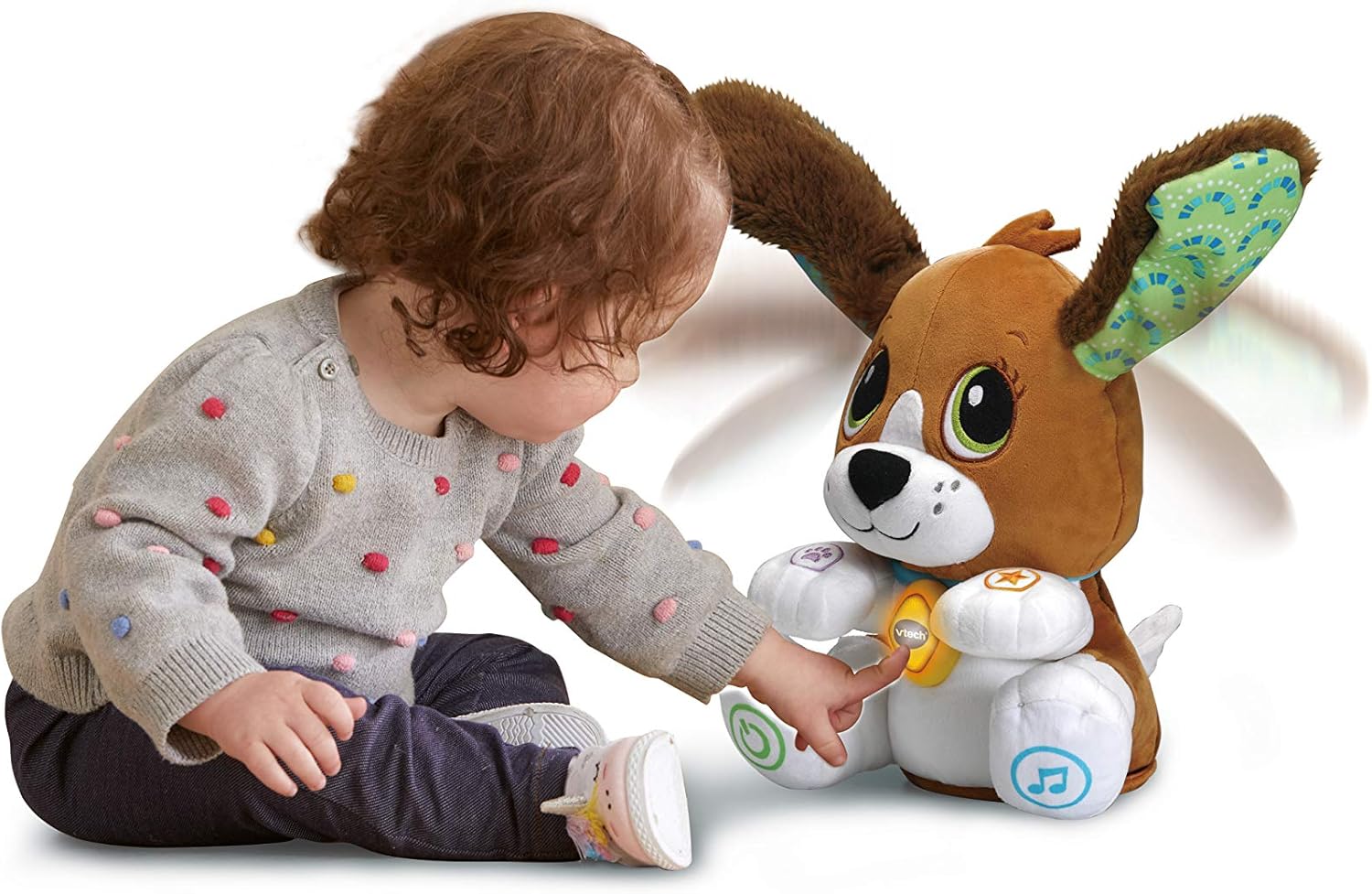
Image 3.2: Child Interacting. A child engages with Fido by pressing one of its interactive paw buttons.
3.2 Developmental Play Levels
Fido offers three progressive play levels to adapt to your child's learning pace:
- Level 1: Focuses on simple words and sounds, ideal for early language exposure.
- Level 2: Introduces phrases and questions, encouraging more complex communication.
- Level 3: Supports the creation of short stories, fostering imaginative play and narrative skills.
The toy automatically adjusts or can be manually set to these levels (refer to the quick start guide for specific instructions on level selection, if available).
3.3 Volume Control and Automatic Shut-off
Fido includes volume control to adjust the sound level to a comfortable setting. To conserve battery life, the toy features an automatic shut-off function that activates after a period of inactivity.
4. Maintenance
4.1 Cleaning
To clean your VTech Fido plush toy:
- Wipe the surface with a slightly damp cloth.
- Do not immerse the toy in water.
- Do not machine wash or tumble dry.
- Allow the toy to air dry completely before further use.
4.2 Battery Replacement
When the toy's functions become erratic or the sound quality diminishes, it is time to replace the batteries. Follow the battery installation steps outlined in Section 2.2.
5. Troubleshooting
- Toy not responding or functions are erratic:
- Check if the batteries are correctly installed with the proper polarity.
- Replace the batteries with new alkaline AA batteries. The included demonstration batteries may have limited power.
- Ensure the toy is not in a very noisy environment that might interfere with its microphone for voice repetition.
- Sound is too low or distorted:
- Adjust the volume control.
- Replace the batteries.
- Ears or head not moving:
- Ensure the toy has fresh batteries. Low battery power can affect motor functions.
- Check for any obstructions around the moving parts.
6. Specifications
| Feature | Detail |
|---|---|
| Model Number | 80-610107-007 |
| Dimensions (L x W x H) | 15 x 21 x 28 cm (approx. 5.9 x 8.3 x 11 inches) |
| Weight | 950 grams (approx. 2.09 lbs) |
| Recommended Age | 12 months - 5 years |
| Educational Value | Language Development, Sensory Stimulation |
| Batteries Required | 4 x AA (LR6) |
| Batteries Included | Yes (demonstration batteries) |
| Main Material | Plastic, Polyester |
| Color | Brown and White |
| Assembly Required | No |
7. Safety Warnings
- Epilepsy Warning: This toy produces reflections that may trigger epilepsy in sensitive individuals. Exercise caution during use.
- Packaging: Before giving the product to a child, remove all packaging elements (e.g., plastic bags, ties, protective films) and any other components not intended to be part of the toy.
- Adult Supervision: Always ensure adult supervision during play.
- Battery Safety: Follow all battery safety guidelines as outlined in Section 2.2.
8. Warranty and Support
Specific warranty information for the VTech Fido Interactive Plush Dog is not available in the provided product details. For warranty claims or technical support, please refer to the contact information provided on the product packaging or visit the official VTech website for your region.
For further assistance, please contact VTech customer service.
9. Official Product Videos
No official product videos from the seller are available in the provided data for embedding in this manual.


