
Introduction
This manual provides detailed instructions for the installation, operation, and maintenance of your GALAYOU R1 2K 3MP Wireless Outdoor WiFi Surveillance Camera. Please read this manual thoroughly before using the product to ensure correct usage and optimal performance. Keep this manual for future reference.
What's in the Box
Verify that all components are present in the package:
- GALAYOU R1 Camera (x2)
- Power Cable (x2)
- Mounting Template (x2)
- Solar Panel (x2)
- Quick Installation Guide (x1)
Setup
Follow these steps to set up your GALAYOU R1 camera:
- Download the App: Download the "Wansview Cloud" application from the App Store (iOS) or Google Play (Android).
- Power On the Camera: Press and hold the power button on the camera for 5 seconds to turn it on. Place the camera near your 2.4 GHz Wi-Fi router.
- Connect to Wi-Fi: Follow the in-app instructions to connect the camera to your 2.4 GHz Wi-Fi network. Ensure your phone is connected to the same 2.4 GHz Wi-Fi network during setup.
- Mount the Camera: Use the provided mounting template and hardware to securely install the camera and solar panel in your desired outdoor location. Ensure the solar panel receives adequate sunlight for continuous charging.

Image: Visual guide for the 3-step installation process, showing app download, camera power-on, and Wi-Fi connection.
Operating Instructions
The GALAYOU R1 camera offers a range of features for comprehensive surveillance:
2K 3MP Resolution
The camera captures clear 2K (3MP) resolution video, providing sharp images day and night. This higher resolution offers more detail compared to standard 1080P cameras.

Image: The GALAYOU R1 camera with a clear 2K resolution display, highlighting its high-definition capabilities.
Pan, Tilt, and Digital Zoom
Control the camera's viewing angle remotely via the app. It supports 350° horizontal rotation, 90° vertical tilt, and 16x digital zoom to cover a wide area without blind spots.

Image: Diagram illustrating the camera's 350° horizontal rotation and 90° vertical tilt capabilities for comprehensive area coverage.
PIR Human Motion Detection
The integrated PIR motion detector identifies human bodies based on temperature, significantly reducing false alerts from pets or swaying branches. When motion is detected, a 10-second video is recorded, and you receive real-time notifications on your phone.

Image: The camera's AI human detection feature highlighting detected individuals in a scene, with icons for smart siren, alert notification, and adjustable sensitivity.
Color Night Vision with Spotlight & Alarm Siren
The camera supports three night vision modes: infrared, full-color, and siren mode. In siren mode, the alarm siren and spotlights activate automatically upon motion detection, deterring intruders and providing immediate alerts.

Image: Comparison of color night vision (LED ON) and traditional infrared night vision (LED OFF), demonstrating the camera's ability to capture vivid colors in low light.
Two-Way Audio
Equipped with a built-in speaker and microphone, the camera allows you to communicate with individuals near the camera or deter unwanted visitors directly through the app.

Image: A person interacting with a delivery driver via the camera's two-way audio feature, demonstrating real-time communication.
Flexible Storage Options
View your recordings from anywhere via your smartphone. The camera supports both cloud storage and local storage via a Micro SD card (up to 128GB, not included).
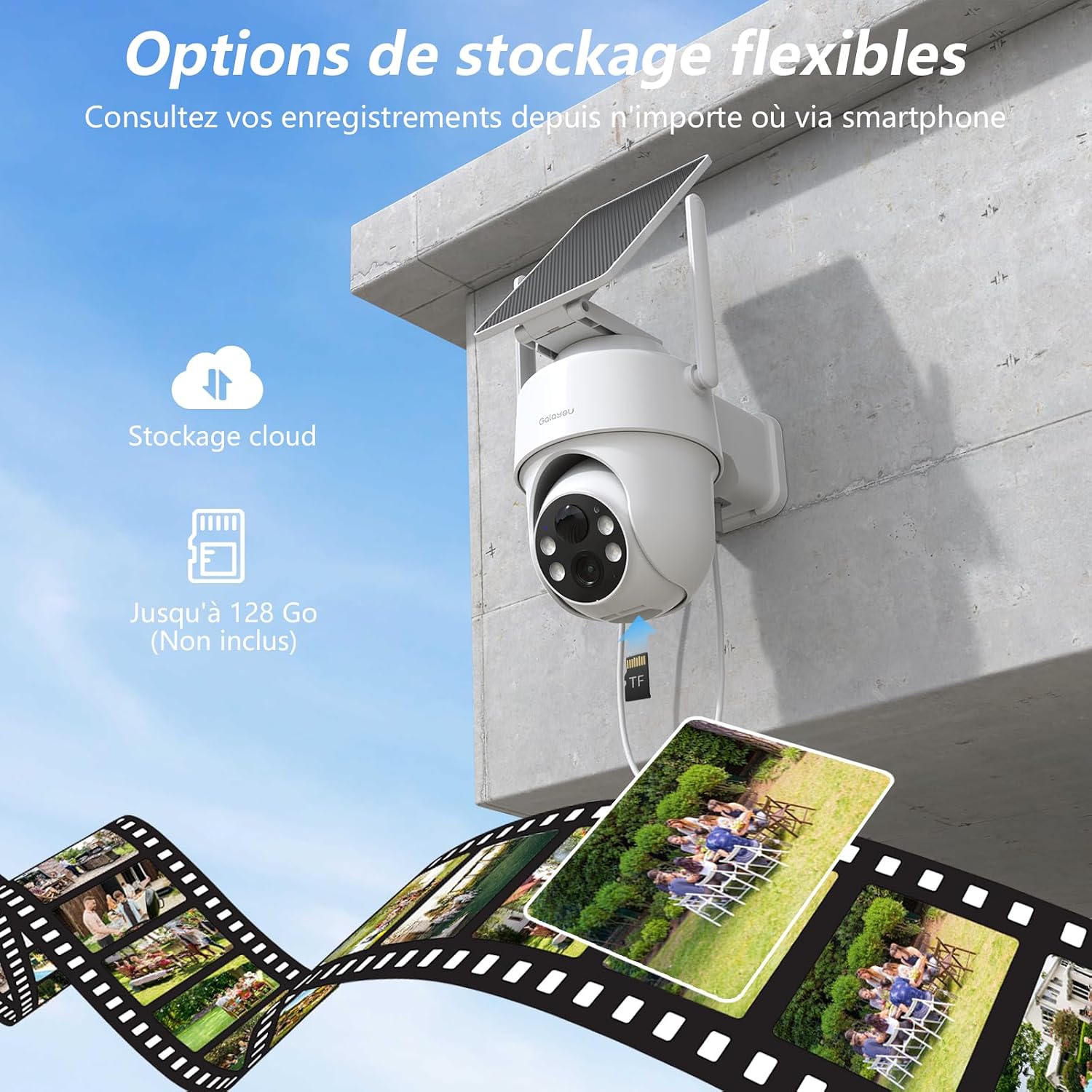
Image: The camera illustrating its dual storage capabilities: cloud storage and local Micro SD card storage (up to 128GB).
Multi-User Sharing
Share camera access with up to 3 other users, allowing multiple family members to view live feeds simultaneously through the app.
Maintenance
To ensure the longevity and optimal performance of your GALAYOU R1 camera:
- Cleaning: Regularly wipe the camera lens and solar panel with a soft, damp cloth to remove dust and debris. Avoid abrasive cleaners.
- Solar Panel Placement: Ensure the solar panel is positioned to receive maximum direct sunlight throughout the day for efficient battery charging.
- Firmware Updates: Check the Wansview Cloud app periodically for firmware updates to ensure your camera has the latest features and security enhancements.
- Battery Health: While solar-powered, monitor battery levels via the app, especially during prolonged periods of low sunlight.
- IP65 Rating: The camera is IP65 waterproof, designed to withstand rain and snow. However, avoid submerging the device in water.

Image: The GALAYOU R1 camera demonstrating its IP65 waterproof rating, with water droplets on its surface, indicating resistance to harsh weather.
Troubleshooting
If you encounter issues with your GALAYOU R1 camera, refer to the following common solutions:
- Camera Offline:
- Check your Wi-Fi connection and ensure the camera is within range.
- Verify the camera's battery level.
- Restart the camera by pressing the power button.
- Poor Image Quality:
- Clean the camera lens.
- Ensure adequate lighting in the surveillance area.
- Check your internet connection speed.
- Motion Detection Not Working:
- Adjust the motion detection sensitivity in the app.
- Ensure the camera's view is not obstructed.
- Verify that motion alerts are enabled in the app settings.
- Two-Way Audio Issues:
- Check your phone's microphone and speaker permissions for the app.
- Ensure a stable internet connection for clear audio transmission.
For further assistance, please contact GALAYOU customer support.
Specifications
| Feature | Detail |
|---|---|
| Brand | GALAYOU |
| Model Name | R1 |
| Connectivity Technology | Wired, Wireless (Wi-Fi 2.4G) |
| Special Features | Two-way audio, Motion detector, HD resolution, PTZ technology, Night vision |
| Indoor/Outdoor Use | Outdoor |
| Power Source | AC/Battery/Solar powered |
| Effective Capture Resolution | 3 Megapixels (2K) |
| International Protection Rating | IP65 (Waterproof) |
| Battery Power | 5000 mAh |
| View Angle | 350° (Horizontal) |
| Tilt Angle | 90° (Vertical) |
| Zoom Type | Digital zoom |
| Night Vision Range | 10 Meters |
| Night Vision Type | Color night |
| Flash Memory Type | Micro SD (up to 128GB, not included) |
| Item Dimensions | 13.5 x 11.7 x 14.9 cm |
Warranty
The GALAYOU R1 camera comes with a 2-year manufacturer's warranty. Please retain your proof of purchase for warranty claims. For warranty service, contact GALAYOU customer support.
Support
For technical support, troubleshooting assistance, or any inquiries regarding your GALAYOU R1 camera, please visit the official GALAYOU brand store or contact their customer service team. Refer to the contact information provided with your product packaging or on the official GALAYOU website.
You can also visit the GALAYOU Brand Store on Amazon for more information and support resources.


