
1. Introduction
Thank you for choosing the Starfavor SP-15SW 88-Key Digital Piano Keyboard. This instrument is designed to provide an authentic piano playing experience with modern digital features. It is suitable for beginners and experienced musicians alike, offering a rich sound palette and versatile connectivity options.
Key features include:
- 88 full-size, velocity-sensitive, semi-weighted keys for a traditional grand piano feel.
- Powered by DREAM source with dual built-in 25W speakers for immersive sound.
- 128 polyphony, 128 timbres, 83 rhythms, and 47 demonstration songs.
- Functions such as Chord, Metronome, Transpose, Effect control, Dynamics response, and Tempo adjustment.
- Multiple connectivity options: USB MIDI, 6.35mm headphone jack, 5-pin jack, and Aux ports.
- Classic upright piano design with a stylish wood grain pattern and furniture stand.
2. Safety Information
Please read and understand all safety instructions before using the instrument to prevent injury to yourself or others and damage to the instrument or other property.
- Power Supply: Use only the specified power adapter. Ensure the voltage matches the requirements of your region.
- Water and Moisture: Do not expose the instrument to water or moisture. Avoid placing liquids on or near the piano.
- Ventilation: Ensure adequate ventilation around the instrument. Do not block ventilation openings.
- Heat Sources: Keep the instrument away from heat sources such as radiators, heat registers, stoves, or other heat-producing appliances.
- Cleaning: Clean only with a dry cloth. Do not use liquid cleaners or aerosols.
- Children: Supervise children when they are using the instrument. Small parts may pose a choking hazard.
- Servicing: Do not attempt to service the instrument yourself. Refer all servicing to qualified service personnel.
3. Package Contents
Before assembly and operation, please verify that all items listed below are present in your package:
- Starfavor SP-15SW 88-Key Digital Piano Keyboard
- Furniture Stand
- 3-Pedal Unit (Sustain, Sostenuto, Soft)
- Music Holder
- Power Adapter
- User Manual (this document)
4. Setup
Follow these steps to set up your Starfavor SP-15SW digital piano:
4.1. Assembling the Furniture Stand
Carefully unpack all components. Assemble the furniture stand according to the included diagram, ensuring all screws are securely tightened. Place the digital piano keyboard onto the assembled stand, aligning it properly and securing it if necessary with any provided fasteners.

Figure 4.1: Starfavor SP-15SW digital piano with furniture stand, illustrating its dimensions and wood grain finish.
4.2. Connecting Power
Connect the DC power cord to the 'DC IN' port on the rear of the piano. Plug the other end into a suitable power outlet. The power indicator light will illuminate when the piano is receiving power.
4.3. Connecting the 3-Pedal Unit
Locate the 'PEDAL' port on the rear panel of the piano. Connect the cable from the 3-pedal unit to this port. Ensure the connection is firm.
4.4. Audio Connections
- Headphones: For private practice, connect 6.35mm headphones to the 'HEADPHONE' jack.
- External Speakers/Amplifier: Use the 'OUT' ports (L/MONO, R) to connect to external amplification systems or speakers.
4.5. MIDI and USB Connections
The SP-15SW offers versatile connectivity for music production and learning:
- USB MIDI: Connect the piano to a computer or smart device using a USB cable for MIDI data transmission. This allows for use with various music software, DAWs, and interactive learning applications.
- 5-pin MIDI: The 5-pin MIDI IN/OUT ports allow connection to traditional MIDI devices.

Figure 4.2: Rear panel connections of the Starfavor SP-15SW digital piano.
5. Operating Instructions
This section details the basic operation and advanced features of your digital piano.
5.1. Power On/Off and Volume
- Power: Press the 'POWER' button to turn the instrument on or off.
- Volume: Use the 'MASTER VOLUME' knob to adjust the overall sound output level.
5.2. Voice Selection
The SP-15SW offers 128 different timbres (voices). Use the dedicated 'VOICE SELECT' buttons or the function button combined with specific keys to choose from various instrument sounds, including:
- Piano
- Electric Piano
- Organ
- Synth
- Bass
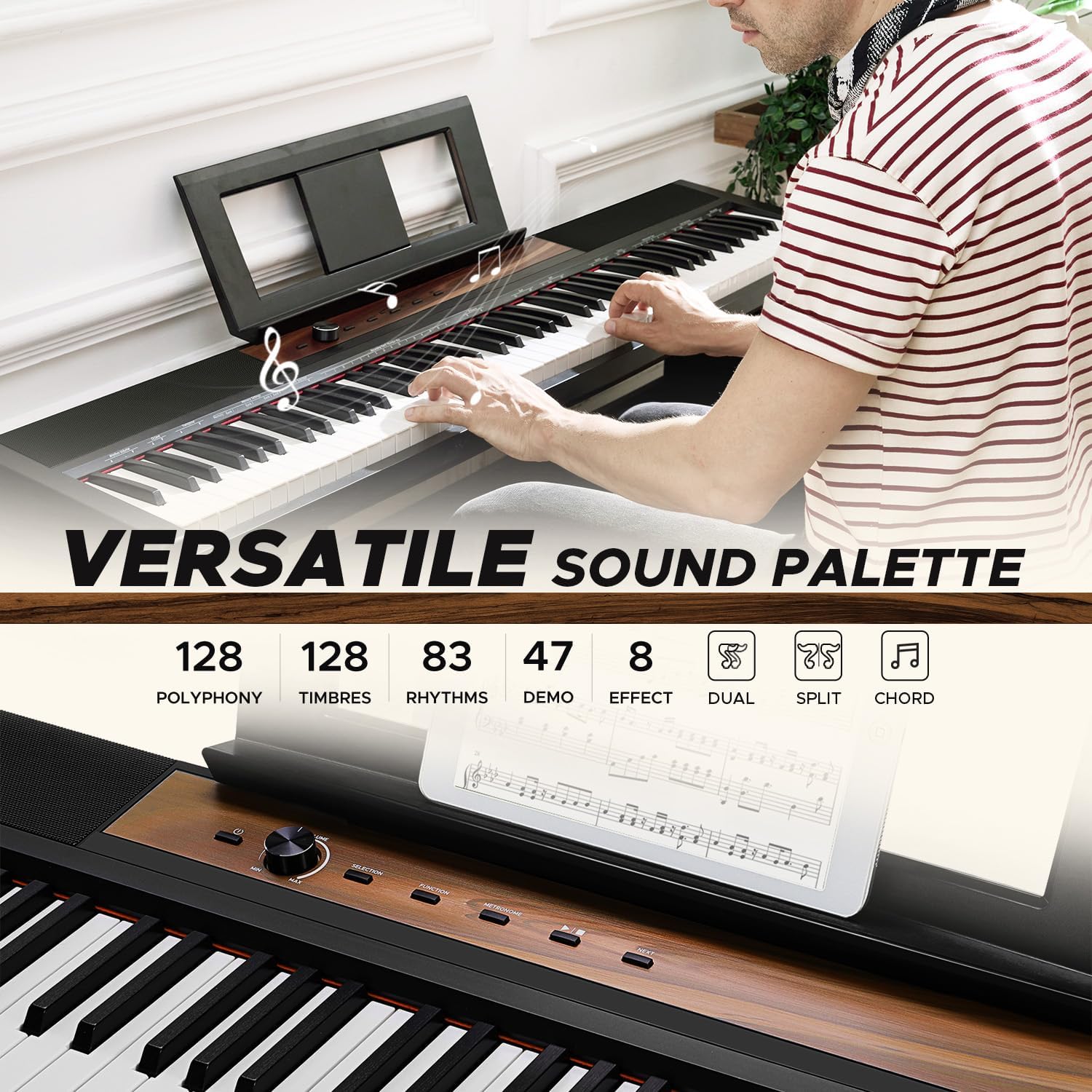
Figure 5.1: Control panel with voice selection and feature buttons.
5.3. Rhythms and Demonstration Songs
- Rhythms: Select from 83 built-in rhythms to accompany your playing. Adjust the tempo using the 'TEMPO' function.
- Demonstration Songs: Explore 47 pre-recorded demonstration songs by pressing the 'DEMO' button.
5.4. Effects and Functions
Enhance your sound with various effects and functions:
- Reverb/Chorus: Apply reverb and chorus effects to add depth and richness to your sound.
- Metronome: Use the built-in metronome for timing practice. Adjust the tempo and beat.
- Transpose: Change the key of the entire keyboard without altering your finger positions.
- Dynamics Response: Adjust the touch sensitivity of the keys to match your playing style.
- Record: Record your performances directly on the piano.
- Chord: Utilize chord functions for automatic accompaniment.
5.5. Lesson Mode
The 'LESSON' mode divides the keyboard into two areas with the same pitch and voice, allowing a student and teacher to play simultaneously in the same octave range. This feature is ideal for interactive learning.
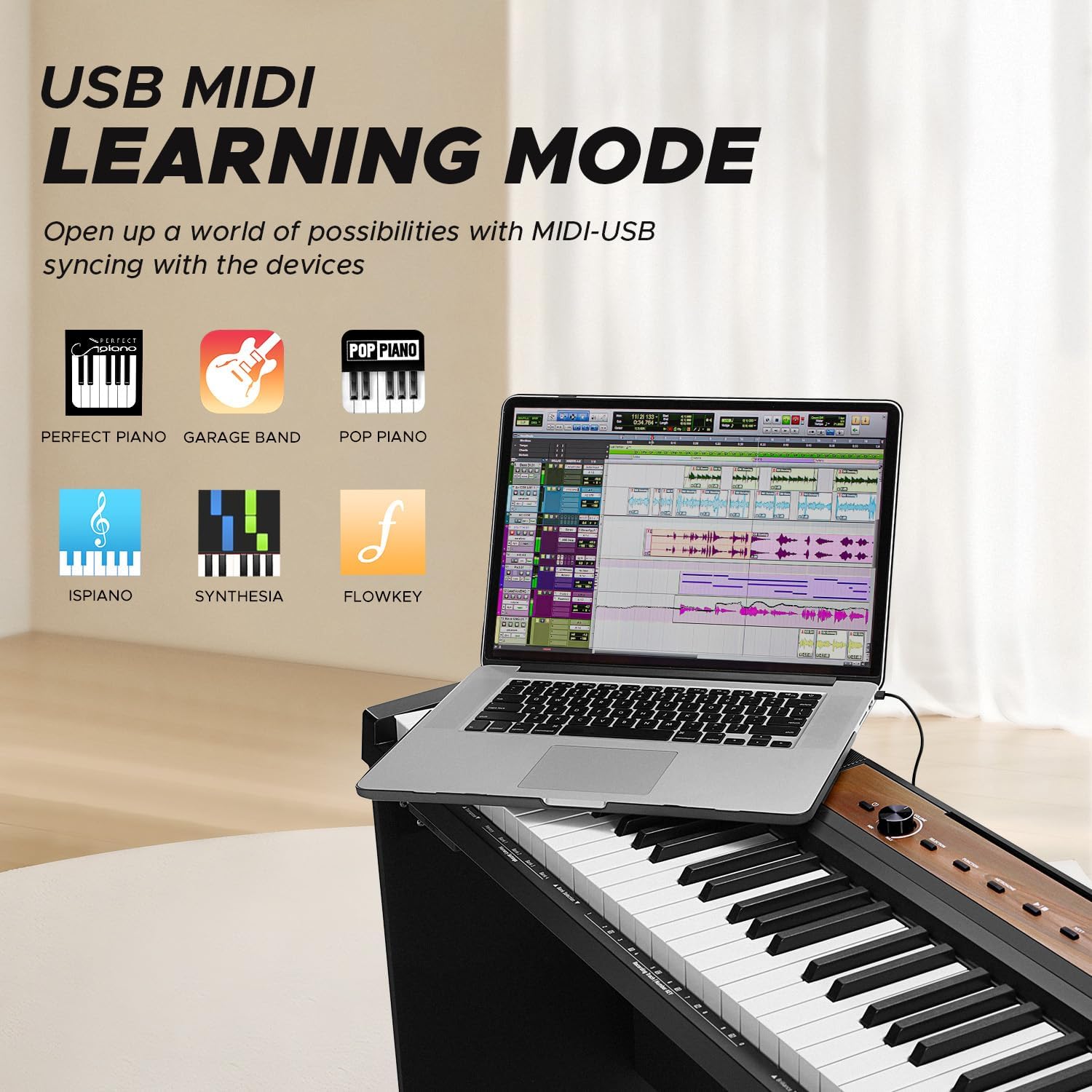
Figure 5.2: The SP-15SW supports learning modes and MIDI connectivity for educational software.
6. Maintenance
Proper care and maintenance will ensure the longevity and optimal performance of your digital piano.
6.1. Cleaning
- Use a soft, dry cloth to wipe the surface of the piano.
- For stubborn dirt, slightly dampen the cloth with water and a mild, non-abrasive cleaner, then wipe dry immediately.
- Avoid using chemical cleaners, waxes, or solvents as they may damage the finish.
- Do not allow dust or debris to accumulate between the keys. Use a soft brush or compressed air if necessary.
6.2. Storage and Handling
- Store the piano in a cool, dry place away from direct sunlight, extreme temperatures, and high humidity.
- Avoid placing heavy objects on the keyboard.
- When moving the piano, ensure it is properly supported to prevent damage to the keys or internal components.
7. Troubleshooting
If you encounter any issues with your Starfavor SP-15SW, please refer to the following common problems and solutions before contacting support.
| Problem | Possible Cause | Solution |
|---|---|---|
| No sound | Power not connected, volume too low, headphones connected, external speakers off. | Check power connection, increase master volume, disconnect headphones, ensure external speakers are on and connected correctly. |
| Keys not responding | Instrument not powered on, specific voice selected has no sound, MIDI connection issue. | Ensure piano is on, select a different voice (e.g., 'Piano'), check MIDI connections if using external software. |
| Sound is distorted | Volume too high, faulty cable, external speaker issue. | Reduce master volume, try a different audio cable, test with different speakers or headphones. |
| Pedals not working | Pedal unit not connected properly. | Ensure the 3-pedal unit is securely connected to the 'PEDAL' port. |
| MIDI connection issues | Incorrect cable, driver issues, software settings. | Use a proper USB MIDI cable, install necessary drivers for your computer, check MIDI input/output settings in your software. |
8. Specifications
| Feature | Detail |
|---|---|
| Model Name | SP-15SW |
| Number of Keys | 88 |
| Key Type | Semi-Weighted, Velocity-Sensitive, Full-Size |
| Polyphony | 128 Note |
| Speakers | Dual 25W Built-In Speakers |
| Timbres (Voices) | 128 |
| Rhythms | 83 |
| Demonstration Songs | 47 |
| Connectivity | USB MIDI, 6.35mm Headphone Jack, 5-pin Jack, Aux Ports |
| Power Source | DC Power Cord |
| Special Features | Built-In Speaker, Digital Effects, Headphone Jack, Recording, Split Mode, Lesson Mode |
| Dimensions (Piano only) | Approx. 142.24 x 39.37 x 21.59 cm (56 x 15.5 x 8.5 inches) |
| Item Weight | Approx. 18.5 kg (40.8 lbs) |
| Supported Software | Generic MIDI-compatible software, DAWs, and music editing applications |
9. Warranty Information
Starfavor products are manufactured to high-quality standards and are backed by a limited warranty. Please refer to the warranty card included with your product for specific terms, conditions, and registration details. Keep your proof of purchase for warranty claims.
10. Customer Support
For technical assistance, troubleshooting beyond this manual, or warranty inquiries, please contact Starfavor customer support. Contact information can typically be found on the official Starfavor website or on the product packaging.


