
1. Introduction
The SEAFRONT G203 is a GSM 3G 4G remote control relay switch designed for various access control applications, including gates, garage doors, shutters, and other machinery. It allows remote activation and deactivation via mobile phone calls, SMS, or a dedicated application, offering enhanced security and convenience.
This device supports 3G and 4G networks, enabling global use with GSM communication frequencies. It features multi-level authorization, allowing up to 1001 authorized users, and supports remote restart and reset functions with no distance limitations.
2. Package Contents
Please verify that all items are present in the package:
- 1 x G203 GSM Gate Opener
- 3 x Cable Ties
- 1 x Antenna
- 1 x User Manual (this document)
3. Product Overview
The G203 GSM Gate Opener features a durable ABS plastic casing, providing good insulation and impact resistance. It is designed for wall mounting and industrial control applications.

Figure 3.1: Top view of the G203 device, highlighting the antenna connector, Nano SIM slot, and relay output terminals (NO, COM, NC).

Figure 3.2: Side view of the G203, showing the Nano SIM card slot for network connectivity.

Figure 3.3: Other side view of the G203, displaying the DC 9-36V power input and relay output terminals.
4. Specifications
| Feature | Specification |
|---|---|
| Model | G203 |
| Material | ABS Plastic |
| Rated Voltage | DC 9V-36V 1A |
| Operating Temperature | -10℃ to +60℃ (14°F to 140°F) |
| Storage Temperature | -20℃ to +60℃ (-4°F to 140°F) |
| Relative Humidity | 10-90%, non-condensing |
| Operating Frequency | Global GSM 3G 4G Frequency |
| Relay Output Voltage/Current | 5A 250VAC, 7A 125VAC, 20A 14V, 20A 5V |
| Authorized Users | Up to 1001 |
| Relay Close Time | 0-9999 seconds (configurable) |
5. Safety Information
- Ensure the power supply voltage is within the specified range (DC 9V-36V).
- Disconnect power before performing any wiring or maintenance.
- Install the device in a dry, protected location, away from direct sunlight, extreme temperatures, and moisture.
- Do not attempt to open or repair the device yourself. Refer to qualified personnel for service.
- Use appropriate wiring gauges for power and relay connections to prevent overheating.
6. Setup
6.1 SIM Card Installation
- Ensure the device is powered off.
- Locate the Nano SIM card slot on the side of the device (refer to Figure 3.2).
- Insert a valid Nano SIM card into the slot. Ensure it is correctly oriented and fully seated.
6.2 Wiring
Connect the G203 to your power supply and the device you wish to control (e.g., gate motor, garage door opener) according to the following instructions and wiring diagram.

Figure 6.1: Wiring Diagram for G203. Connect DC power to the DC 9-36V terminals and the controlled device to the Relay Output terminals (NO, COM, NC).
- Power Supply: Connect your DC 9V-36V power supply to the '+' and '-' terminals labeled 'DC 9-36V'. Ensure correct polarity.
- Relay Output: The device provides a single-channel relay output with Normally Open (NO), Common (COM), and Normally Closed (NC) contacts. Connect these to your gate opener, garage door motor, or other controlled device as required by its specifications. Typically, the COM and NO contacts are used for momentary activation.
- Antenna: Screw the provided antenna onto the ANT connector.
6.3 Mounting
The G203 is designed for wall mounting. Use appropriate screws and anchors for your mounting surface. Ensure the device is securely fastened in a location that allows for optimal GSM signal reception and easy access for maintenance.

Figure 6.2: Bottom view of the G203, showing the mounting holes for secure installation.
7. Operating Instructions
7.1 Initial Configuration and Adding Authorized Users
The G203 supports up to 1001 authorized users. Only authorized numbers can control the device. Unauthorized callers will be ignored.
- Add Admin Number: The first number to call the device after SIM card installation and power-up will automatically be set as the administrator. This number has full control and can add/delete other users.
- Adding Users via APP: Download the 'Callny Control' application (or similar compatible app) on your smartphone. Follow the in-app instructions to connect to your G203 device and add authorized user phone numbers.
- Adding Users via SMS: The administrator can send specific SMS commands to the device to add or delete authorized users. Refer to the detailed SMS command list in the full user manual (if provided separately).

Figure 7.1: Example of a mobile application interface for G203 control, showing various functions.
7.2 Remote Control
- Call Control: An authorized user can call the SIM card number in the G203. The device will reject the call and activate the relay for a pre-configured duration (default or set by admin). This call is free as it does not connect.
- SMS Control: Authorized users can send specific SMS commands to the device for various actions, such as activating the relay, checking status, or modifying settings.
- APP Control: Use the 'Callny Control' application for a user-friendly interface to manage users, control the relay, and monitor device status.
7.3 Relay Control Duration
The relay closing time can be configured from 0 to 9999 seconds. This allows for precise control over how long the connected device is activated. The device also supports continuous relay activation without a time limit, if configured.
7.4 Remote Restart and Reset
The G203 supports remote restart and reset functions, which can be initiated via SMS commands or the mobile application. This is useful for troubleshooting or reconfiguring the device from a distance.
8. Applications
The SEAFRONT G203 is suitable for a wide range of access control and remote switching applications, including but not limited to:
- Residential and commercial gate openers
- Garage door openers
- Parking barrier control
- Elevator access control
- Roller shutter control
- Remote control of industrial equipment
- Access to warehouses, machine rooms, and unmanned group stations
- Traffic controllers and electrical systems
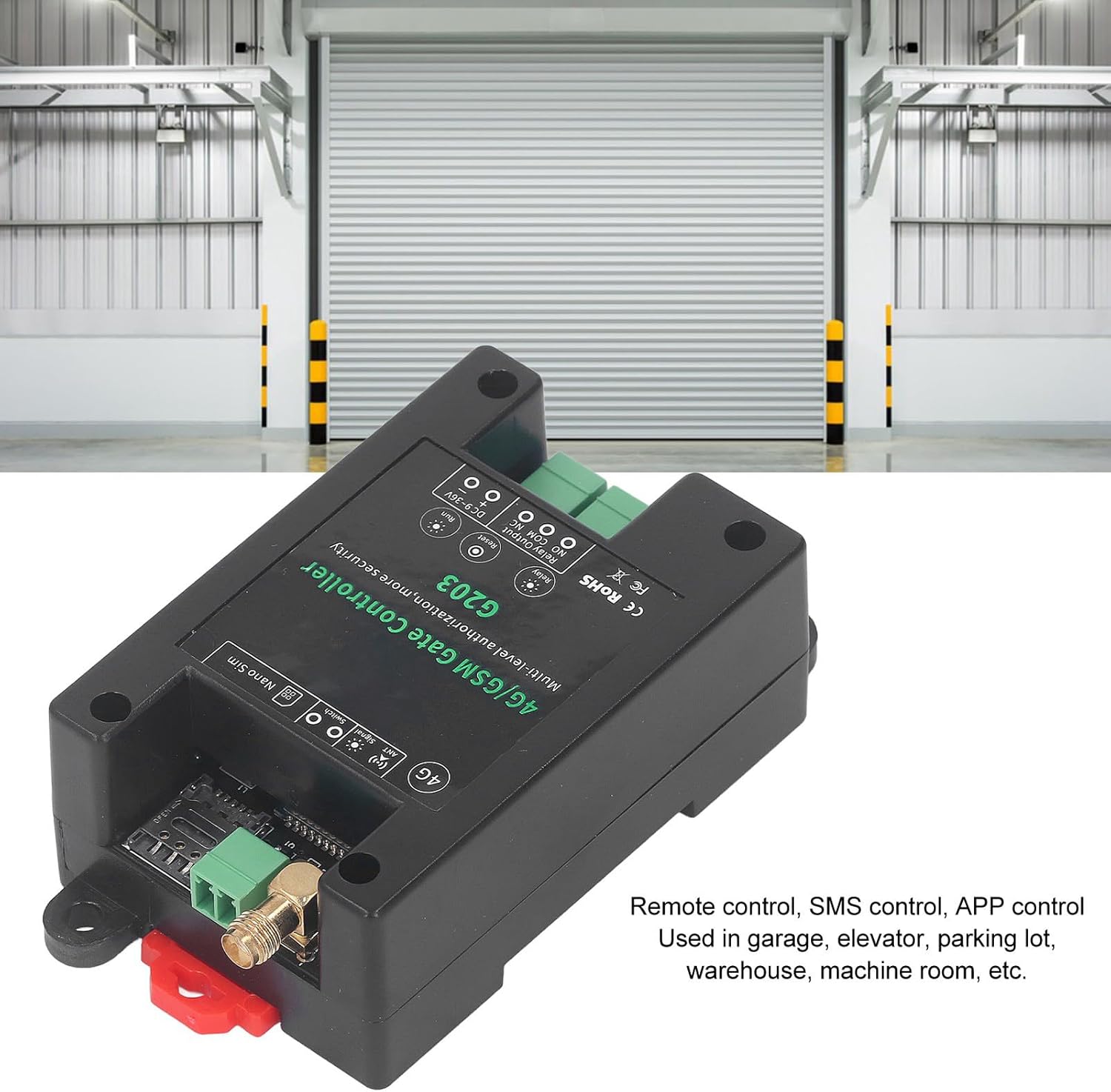
Figure 8.1: G203 device shown in a garage door control application.
9. Maintenance
- Keep the device clean and free from dust and debris.
- Periodically check all wiring connections to ensure they are secure.
- Ensure the SIM card has an active plan and sufficient credit (if applicable) for continuous operation.
- Avoid exposing the device to water or excessive humidity.
10. Troubleshooting
- Device not responding to calls/SMS:
- Check if the SIM card is correctly inserted and has an active network connection.
- Ensure the calling number is authorized.
- Verify the device has power.
- Check GSM signal strength (some models have indicator lights).
- Relay not activating:
- Confirm wiring to the controlled device is correct.
- Check the relay configuration (duration, continuous mode).
- Ensure the controlled device itself is functional.
- Cannot add users:
- Ensure you are using the administrator number or the correct APP/SMS commands.
- Check if the maximum number of users (1001) has been reached.
11. Warranty and Support
For warranty information and technical support, please refer to the seller or manufacturer's official website. Keep your purchase receipt for warranty claims.