
Cooler Master CMA-NFPC16XXBK1-GL
Cooler Master 12VHPWR Cable Type 1 User Manual
Model: CMA-NFPC16XXBK1-GL
Brand: Cooler Master
1. Product Overview
The Cooler Master 12VHPWR Cable Type 1 is engineered to provide reliable power delivery for the latest high-performance graphics cards, specifically the NVIDIA GeForce RTX 40 Series. This cable features a 90-degree oriented connector to minimize bending stress, enhanced flexibility for ease of installation and cable management, and three PCIe 8-pin connectors capable of delivering up to 600W of power. It is designed for broad compatibility with Cooler Master's V Gold V2, V SFX Gold, and V Platinum series power supply units.
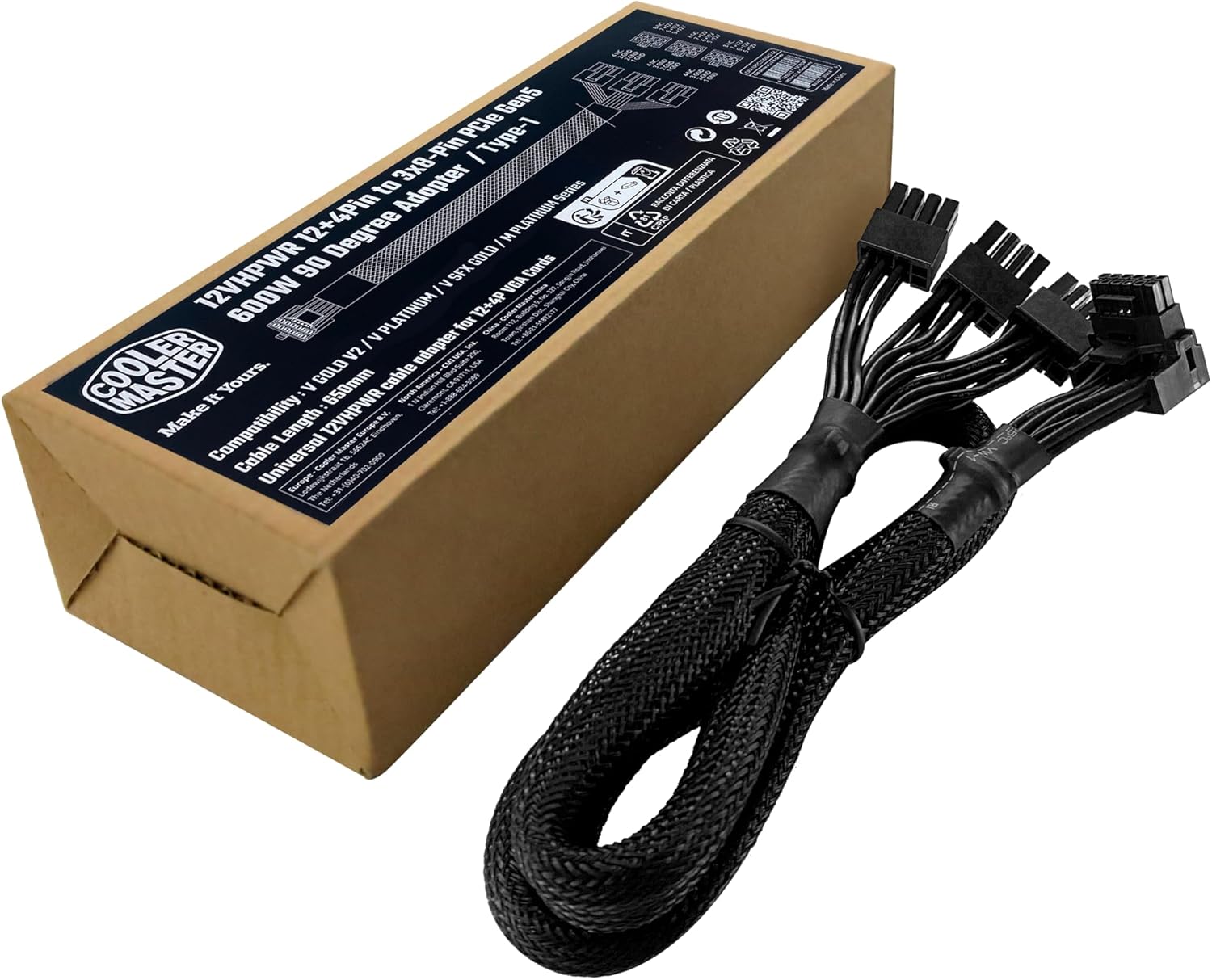
Image: The Cooler Master 12VHPWR Cable Type 1 shown with its product packaging.
Key Features:
- 90-Degree Orientation: The 12+4pin PCIe 5.0 connector is designed with a 90-degree angle to prevent unnecessary bending and extend the cable's lifespan, especially in compact PC builds.
- Highly Flexible Cables: Each cable offers enhanced flexibility, facilitating effortless usability and ensuring a durable, secure connection within your system.
- Three PCIe 8-Pin Connectors: Power distribution up to 600W is managed across three PCIe 8-pin connectors, ensuring heightened safety and stable power delivery for demanding graphics cards.
- Next Generation Compatibility: Engineered for compatibility with Cooler Master V Gold V2, V SFX Gold, and V Platinum power supply models, providing seamless integration with GeForce RTX 40 Series graphics cards.
2. What's in the Box
Upon opening the product packaging, you will find the following item:
- 1x Cooler Master 12VHPWR Cable Type 1 (CMA-NFPC16XXBK1-GL)
3. Setup Guide
Follow these steps to properly install your Cooler Master 12VHPWR Cable Type 1:
- Power Off System: Before beginning installation, ensure your computer system is completely powered off and unplugged from the wall outlet.
- Identify Connectors: Locate the 12VHPWR port on your NVIDIA GeForce RTX 40 Series graphics card and the three 8-pin PCIe power outputs on your compatible Cooler Master power supply unit (V Gold V2, V SFX Gold, or V Platinum).
- Connect to PSU: Connect the three 8-pin PCIe connectors of the 12VHPWR cable to the corresponding 8-pin PCIe outputs on your power supply. Ensure each connector is fully seated and latched.
- Connect to GPU: Carefully align the 90-degree 12VHPWR connector with the port on your graphics card. Apply parallel force to push the connector in until it is fully seated and clicks into place.
- Cable Management: Utilize the cable's flexibility and 90-degree connector to route it efficiently within your PC case, avoiding sharp bends or obstruction of airflow.
- Verify Connections: Double-check all connections to ensure they are secure before powering on your system.

Image: The three 8-pin PCIe connectors of the cable properly connected to a compatible Cooler Master PSU.

Image: Illustration demonstrating the correct method for inserting the 12VHPWR connector to ensure a tight and secure connection, preventing issues from partial insertion.

Image: A visual comparison highlighting the benefit of the 90-degree connector for flexible installation and reduced bending stress compared to a straight connector.
4. Operating Instructions
The Cooler Master 12VHPWR Cable Type 1 operates by providing stable power from your compatible Cooler Master PSU to your NVIDIA GeForce RTX 40 Series graphics card. Once properly installed, the cable requires no further user interaction for its operation.
Power Delivery:
This cable is designed to deliver up to 600W of power to your graphics card. The three 8-pin PCIe connectors distribute the load, ensuring efficient and safe power transfer. It is crucial to ensure your power supply unit has sufficient wattage to meet the demands of your graphics card and other system components.

Image: A detailed view of the three PCIe 8-pin connectors, each supporting up to 250W, contributing to the cable's 600W total power delivery capability.
Compatibility Notes:
This cable is specifically designed for Cooler Master V Gold V2, V SFX Gold, and V Platinum series PSUs. Using it with incompatible power supplies may lead to system instability or damage. Always verify your PSU model against the compatibility list provided by Cooler Master.

Image: A compatibility chart illustrating the Cooler Master V SFX Gold and V Gold V2 PSUs, confirming their support for the 12VHPWR Cable Type 1.
5. Maintenance
The Cooler Master 12VHPWR Cable Type 1 is designed for durability and requires minimal maintenance. Adhering to the following guidelines will help ensure its longevity and optimal performance:
- Keep Connections Secure: Periodically check that all connectors (both at the PSU and GPU ends) are firmly seated. Loose connections can lead to power delivery issues or component damage.
- Avoid Excessive Bending: While the cable is flexible and features a 90-degree connector to reduce stress, avoid forcing it into extreme bends or tight spaces that could strain the internal wires.
- Keep Clean: Ensure the cable and its connectors are free from dust and debris. Use compressed air to gently clean around the connectors if necessary.
- Temperature Management: Do not route the cable near excessive heat sources within your PC case, as prolonged exposure to high temperatures can degrade cable insulation.
- Handle with Care: When unplugging the cable, always grasp the connector housing firmly and pull straight out. Avoid pulling on the cable itself, as this can damage the wires or pins.
6. Troubleshooting
If you encounter issues with your Cooler Master 12VHPWR Cable Type 1, consider the following troubleshooting steps:
No Power to GPU / System Not Booting:
- Check All Connections: Ensure the 12VHPWR connector is fully inserted into the GPU and the three 8-pin PCIe connectors are fully inserted into the PSU. A common issue is a partially seated connector.
- Verify PSU Compatibility: Confirm that your power supply unit is a compatible Cooler Master V Gold V2, V SFX Gold, or V Platinum model. Incompatible PSUs may not provide the correct pinout or sufficient power.
- PSU Wattage: Ensure your PSU has adequate wattage to power your graphics card and the rest of your system components. Insufficient power can lead to system instability or failure to boot.
- Test with Another Cable (if available): If possible, test your GPU with another known-good power cable or adapter to rule out the GPU as the source of the problem.
System Instability / Crashes:
- Secure Connections: Re-check all cable connections at both the GPU and PSU ends to ensure they are tight and secure.
- Overclocking: If you are overclocking your GPU, try reverting to stock settings to see if stability improves.
- Driver Issues: Ensure your graphics card drivers are up to date.
- Temperature: Monitor GPU and system temperatures to ensure components are not overheating. Ensure proper airflow within your case.
If these troubleshooting steps do not resolve the issue, please contact Cooler Master customer support for further assistance.
7. Specifications
| Specification | Value |
|---|---|
| Brand | Cooler Master |
| Model Name | 12VHPWR Cable ATX 3.0 |
| Item Model Number | CMA-NFPC16XXBK1-GL |
| Cable Type | 12VHPWR |
| Connector Type | 12VHPWR (GPU side), 3x PCIe 8-pin (PSU side) |
| Connector Gender | Male-to-Male |
| Cable Length | 650mm |
| Maximum Wattage | 600 watts |
| Maximum Voltage | 12 Volts |
| AC Adapter Current | 50 Amps |
| Number of Pins | 32 (12+4 pin on GPU side, 3x 8-pin on PSU side) |
| Compatible Devices | Personal Computer, GeForce RTX 40 Series Graphics Cards |
| Special Feature | Braided, 90-Degree Connector |
| Color | Black |
| Item Weight | 5.8 ounces |
| UPC | 884102110139 |
8. Warranty and Support
Cooler Master products are backed by a manufacturer's warranty. For specific warranty terms and conditions applicable to your region and product, please refer to the official Cooler Master website or the warranty card included with your purchase.
Customer Support:
If you require technical assistance, have questions about product compatibility, or need to initiate a warranty claim, please contact Cooler Master customer support through their official channels:
- Website: Visit the official Cooler Master website for support resources, FAQs, and contact information.
- Online Support Portal: Many issues can be resolved through their online support portal, which may include troubleshooting guides and driver downloads.
Please have your product model number (CMA-NFPC16XXBK1-GL) and proof of purchase ready when contacting support.
Ask a question about this manual
Ask about setup, troubleshooting, compatibility, parts, safety, or missing instructions. Manuals+ will review the question and use this page’s manual context to help answer it.