
1. Introduction and Product Overview
Thank you for choosing the CLEANmaxx Cordless Handheld and Stick Vacuum Cleaner Model 12401. This versatile appliance is designed for efficient cleaning of various surfaces in your home and vehicle. Its cordless design and powerful suction make it a convenient tool for daily cleaning tasks.
Key features include:
- Versatile Use: Functions as both a handheld and stick vacuum, suitable for furniture, car seats, carpets, keyboards, and stairs.
- Powerful Suction: Two adjustable suction levels to adapt to different cleaning needs.
- Efficient Filtration: Equipped with a stainless steel filter and an EPA 11 filter for effective dust and dirt absorption.
- Easy Maintenance: Features an 800 ml dust bin that is simple to empty and clean.
- Cordless Flexibility: An adjustable aluminum telescopic tube (up to 80 cm) provides extended reach and freedom of movement.
2. Safety Instructions
Please read all safety instructions carefully before using the appliance to prevent injury or damage.
- Ensure the power adapter is compatible with your local power supply.
- Do not use the vacuum cleaner to pick up water or other liquids, hot ashes, burning cigarettes, or sharp objects.
- Keep hair, loose clothing, fingers, and all parts of the body away from openings and moving parts.
- Do not operate the vacuum cleaner if it is damaged or malfunctioning. Contact customer support for assistance.
- This appliance is for indoor use only.
- Keep out of reach of children.
- Only use manufacturer-recommended attachments and accessories.
- Unplug the power adapter before cleaning or performing maintenance.
3. Package Contents
Carefully unpack the box and ensure all items are present and in good condition. If any items are missing or damaged, contact your retailer.
- 1x Cordless Cyclonic Vacuum Cleaner Unit
- 1x Aluminum Telescopic Tube
- 1x Power 3000 Floor Nozzle
- 1x Crevice Tool
- 1x Combination Nozzle
- 1x Nozzle Adapter
- 1x Power Adapter
- 1x Wall Mount with Fixing Material (screws and wall plugs)

Image: All included components of the CLEANmaxx Cordless Handheld and Stick Vacuum Cleaner, including the main unit, telescopic tube, various nozzles, power adapter, and wall mount.
4. Setup and Assembly
The CLEANmaxx vacuum cleaner can be assembled in two configurations: as a stick vacuum or as a handheld vacuum.
4.1. Assembling the Stick Vacuum
- Attach the aluminum telescopic tube to the main vacuum cleaner unit until it clicks into place.
- Connect the Power 3000 floor nozzle to the other end of the telescopic tube until it securely locks.
- Ensure all connections are firm before use.
4.2. Assembling the Handheld Vacuum
- For handheld use, detach the telescopic tube if it is connected.
- Attach the desired accessory (crevice tool or combination nozzle) directly to the main vacuum cleaner unit or via the nozzle adapter.
- Ensure the attachment is securely fitted.
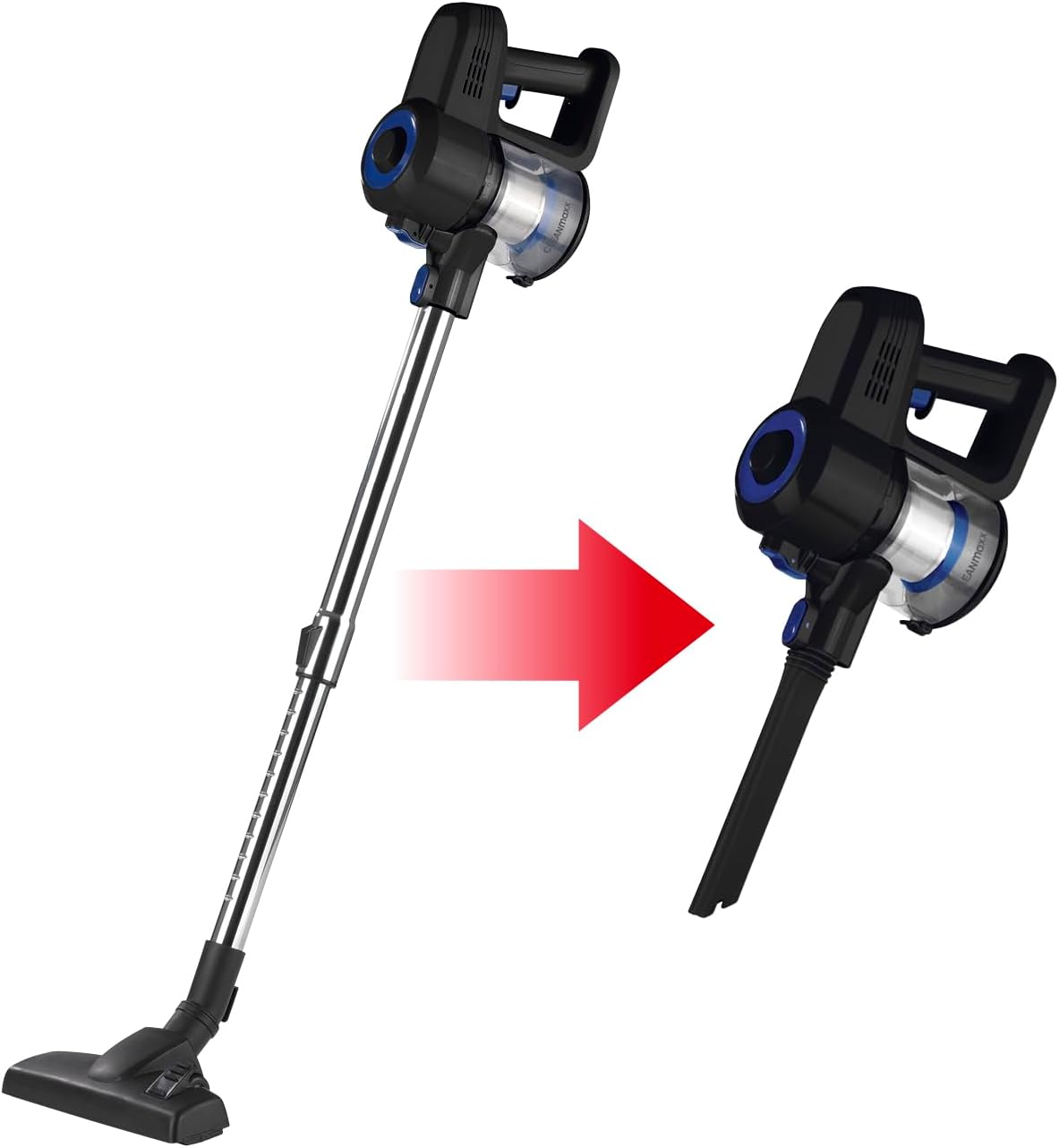
Image: Visual representation of how the CLEANmaxx vacuum cleaner converts from a full-size stick vacuum to a compact handheld unit by removing the telescopic tube and attaching a nozzle directly.
4.3. Charging the Battery
Before first use, fully charge the vacuum cleaner's battery. Connect the power adapter to the charging port on the main unit and plug it into a wall outlet. The charging indicator light will show the charging status. A full charge provides up to 35 minutes of runtime.
4.4. Wall Mounting (Optional)
The included wall mount allows for convenient storage. Choose a suitable location near a power outlet. Use the provided screws and wall plugs to securely attach the mount to the wall. Ensure the mount is level and strong enough to hold the vacuum cleaner.
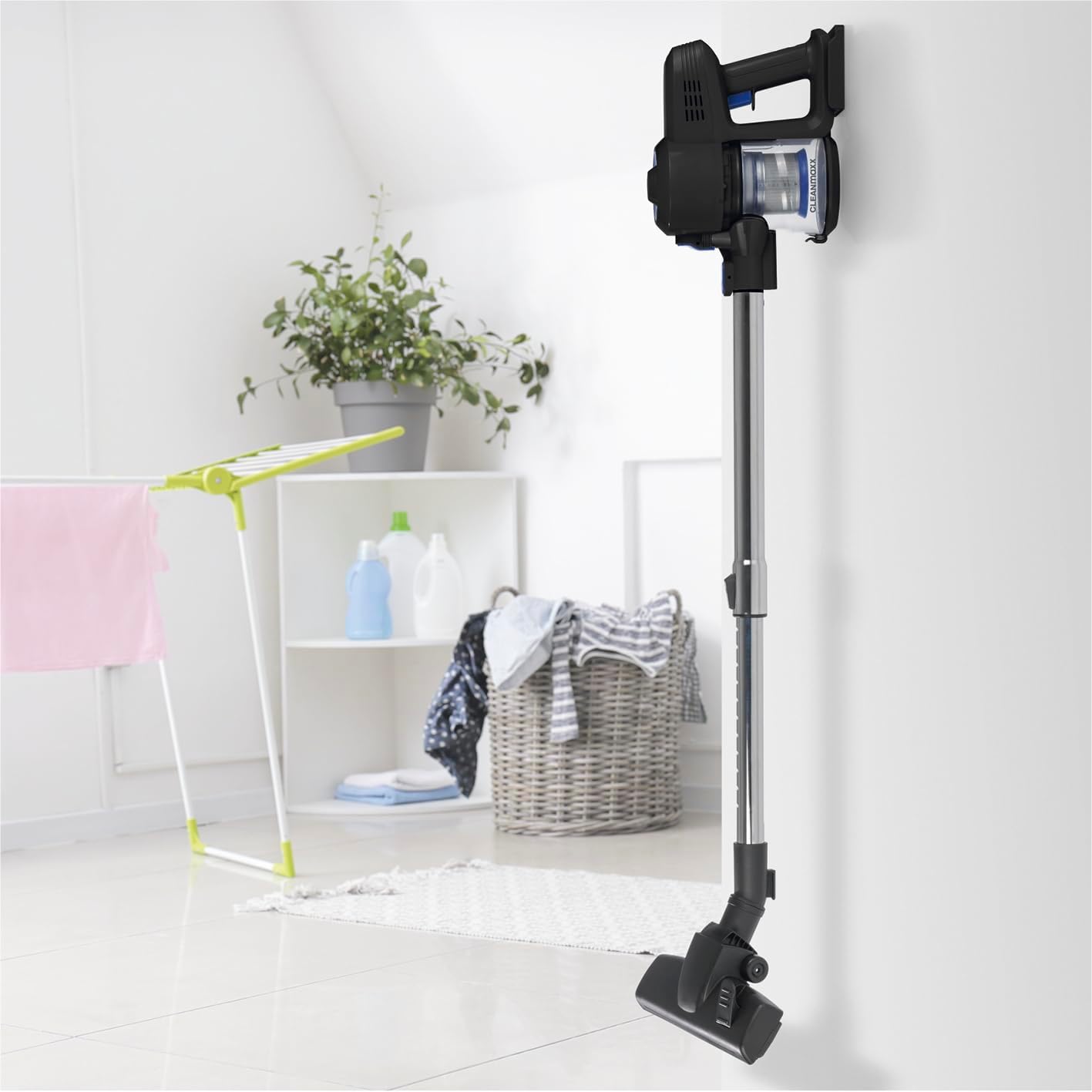
Image: The CLEANmaxx Cordless Vacuum Cleaner stored on its wall mount in a room, demonstrating space-saving storage.
5. Operating Instructions
5.1. Powering On/Off and Suction Levels
- Press the power button to turn the vacuum cleaner on. It will start in the standard suction mode.
- Press the power button again to switch to the higher suction mode.
- Press the power button a third time to turn the vacuum cleaner off.
5.2. Using the Stick Vacuum
For general floor cleaning, attach the telescopic tube and the Power 3000 floor nozzle. This configuration is ideal for hard floors and carpets.

Image: A person operating the CLEANmaxx Cordless Stick Vacuum Cleaner on a light-colored carpet, demonstrating its use for floor cleaning.
5.3. Using the Handheld Vacuum and Attachments
For targeted cleaning of smaller areas, upholstery, or tight spaces, use the main unit as a handheld vacuum with the appropriate attachment.
- Crevice Tool: Excellent for reaching narrow gaps, corners, and edges.
- Combination Nozzle: Features a brush for dusting and a wider opening for general surface cleaning.

Image: A hand using the CLEANmaxx Cordless Handheld Vacuum Cleaner with an attachment to clean dirt from the fabric of a grey armchair.
6. Maintenance
Regular maintenance ensures optimal performance and extends the lifespan of your vacuum cleaner.
6.1. Emptying the Dust Bin
- Ensure the vacuum cleaner is turned off.
- Locate the dust bin release button, usually near the handle.
- Press the button to detach the dust bin from the main unit.
- Hold the dust bin over a trash can and open the bottom flap to empty the contents.
- Close the flap and reattach the dust bin to the main unit until it clicks securely.
6.2. Cleaning the Filters
The CLEANmaxx 12401 uses a stainless steel pre-filter and an EPA 11 filter. Both should be cleaned regularly.
- Remove the dust bin as described above.
- Carefully remove the stainless steel filter and the EPA 11 filter from the dust bin.
- Tap the filters gently over a trash can to remove loose dust.
- If necessary, rinse the filters under cold running water. Ensure they are completely dry before reinserting them. Do not use detergents or hot water.
- Reassemble the filters and dust bin, then attach them back to the vacuum cleaner.
6.3. General Cleaning
Wipe the exterior of the vacuum cleaner with a soft, damp cloth. Do not use abrasive cleaners or solvents. Check the floor nozzle for any tangled hair or debris and remove them as needed.
7. Troubleshooting
If you encounter any issues with your CLEANmaxx vacuum cleaner, refer to the following troubleshooting guide:
| Problem | Possible Cause | Solution |
|---|---|---|
| Vacuum does not turn on | Battery is discharged Power button not pressed correctly | Charge the battery fully Press the power button firmly |
| Reduced suction power | Dust bin is full Filters are clogged Nozzle or tube is blocked | Empty the dust bin Clean or replace the filters Check and clear any blockages in the nozzle or telescopic tube |
| Battery not charging | Power adapter not connected Faulty power outlet Damaged power adapter | Ensure power adapter is securely connected to vacuum and outlet Try a different power outlet Contact customer support for a replacement adapter |
| Unusual noise during operation | Blockage in the brush roll or air path Loose component | Turn off and unplug the vacuum, then check for and remove any blockages Ensure all components are securely attached |
If the problem persists after following these steps, please contact CLEANmaxx customer support.
8. Specifications
| Model Number | 12401 |
| Brand | CLEANmaxx |
| Product Dimensions (L x W x H) | 30.5 x 12.5 x 25.5 cm |
| Item Weight | 1.4 Kilograms |
| Power Source | Battery Powered |
| Wattage | 120.00 W |
| Motor Power | 0.161 horsepower |
| Battery Type | Lithium-ion (2 x 12V) |
| Run Time | Up to 35 minutes |
| Filter Type | HEPA Filter, Stainless Steel Filter |
| Number of Power Levels | 2 |
| Control Method | Touch |
| Color | Black/Blue |
| Recommended Surfaces | Hard floor, Carpet |
| Special Features | Cordless, Bagless, Adjustable Telescopic Tube |
9. Warranty and Support
For warranty information and customer support, please refer to the documentation provided with your purchase or contact your retailer. Keep your proof of purchase for any warranty claims.
10. Official Product Videos
No official product videos from the seller were found for this model.


