
GoodBaby FC-IR202-Green
GoodBaby Non-Contact Forehead Thermometer
Model: FC-IR202-Green
1. Introduction
Thank you for choosing the GoodBaby Non-Contact Forehead Thermometer. This device is designed for safe and accurate temperature measurement of the human body (forehead) and objects. Its non-contact design ensures hygiene and ease of use, making it ideal for infants, children, and adults. Please read this manual thoroughly before use to ensure proper operation and to maintain the device's longevity.

Image: The GoodBaby Non-Contact Forehead Thermometer, displaying a temperature of 98.6°F, alongside visual representations of its color-coded fever indicator system (green, orange, red).
2. Important Safety Information
Please observe the following safety precautions to ensure safe and effective use of the thermometer:
- This thermometer is intended for household use only. It is not a substitute for professional medical advice, diagnosis, or treatment. Always consult a healthcare professional for any health concerns.
- Keep the device out of reach of children and pets. Small parts may pose a choking hazard.
- Do not immerse the thermometer in water or other liquids. It is not waterproof.
- Do not expose the thermometer to direct sunlight, extreme temperatures, high humidity, or dust.
- Do not drop or subject the device to strong shocks.
- Dispose of batteries according to local regulations. Do not dispose of batteries in fire.
- Statements regarding dietary supplements have not been evaluated by the FDA and are not intended to diagnose, treat, cure, or prevent any disease or health condition.
3. Product Overview
The GoodBaby Non-Contact Forehead Thermometer features a user-friendly design with a large display and intuitive controls.
3.1 Key Features
- Non-contact measurement for hygiene.
- Fast 1-second measurement.
- Large display with 3-color intelligent indicator (Green, Orange, Red) for easy interpretation.
- Forehead and Object measurement modes.
- Fever alarm function.
- Silent mode for quiet operation.
- 35-set memory recall.
- °C/°F conversion.
- Automatic shutdown.

Image: An illustrative diagram highlighting the key features of the thermometer, including Forehead/Object Mode, Mute/Unmute, Fever Alarm, °C/°F Convert, 35 Sets Memory Recall, Backlight Display, Carry Pouch Included, and Battery Included.

Image: A graphic emphasizing the thermometer's fast and accurate performance, detailing features like 1-second measurement, fever alert, automatic shutdown, high-precision infrared probe, smart calibration, and temperature compensation adjustment.
4. Setup
4.1 Battery Installation
The thermometer requires 2 AAA batteries (included). To install or replace batteries:
- Open the battery cover located at the bottom of the handle.
- Insert the 2 AAA batteries, ensuring correct polarity (+ and -).
- Close the battery cover securely.
4.2 Initial Settings
Upon first use or after battery replacement, you may need to set the temperature unit.
- With the device off, press and hold the 'Mem' button for a few seconds until the unit symbol (°C or °F) starts flashing.
- Press the measurement button to toggle between °C and °F.
- Once your desired unit is displayed, wait a few seconds for the setting to be saved automatically, or press the measurement button briefly to confirm.
5. Operating Instructions
5.1 Taking Forehead Temperature
- Ensure the thermometer is in Forehead Mode (indicated by a person icon on the display). If not, press the mode button to switch.
- Hold the thermometer approximately 0.3 to 1.5 inches (1-4 cm) from the center of the forehead.
- Press the measurement button once. The reading will appear on the display within 1 second, accompanied by a beep (if silent mode is off).
- Interpret the result using the color-coded backlight:
- Green: Normal temperature (89.6°F ≤ T ≤ 99.2°F / 32.0°C ≤ T ≤ 37.3°C)
- Orange: Slight fever (99.3°F ≤ T ≤ 100.3°F / 37.4°C ≤ T ≤ 37.9°C)
- Red: High fever (100.4°F ≤ T ≤ 109.2°F / 38.0°C ≤ T ≤ 42.9°C)

Image: The thermometer's intelligent indicator system, showing how the display color changes (green, orange, red) to signify different temperature ranges, from normal to high fever.
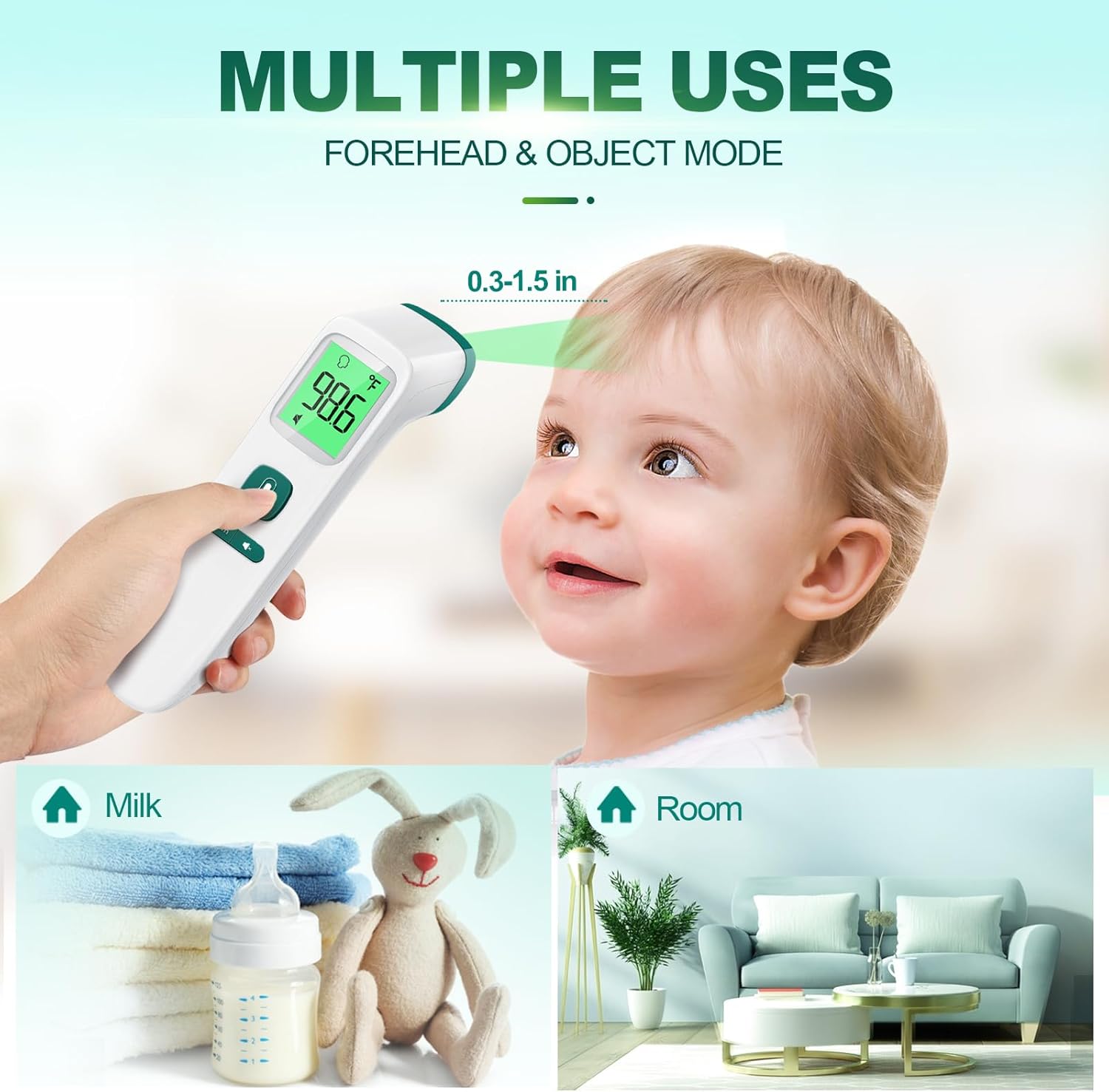
Image: Demonstrates the multiple uses of the thermometer, including forehead temperature measurement on a baby, and object temperature measurement for milk and room temperature.
5.2 Taking Object Temperature
- With the device on, press the mode button to switch to Object Mode (indicated by a house or object icon).
- Hold the thermometer approximately 0.3 to 1.5 inches (1-4 cm) from the object's surface.
- Press the measurement button. The temperature of the object will be displayed.
5.3 Silent Mode
To activate or deactivate silent mode (mute/unmute the beep sound):
- With the thermometer on, locate the mute/unmute button (often combined with the memory button or a dedicated speaker icon button).
- Press this button briefly to toggle the sound on or off. A speaker icon with a cross through it will appear on the display when silent mode is active.

Image: The thermometer in use in a dimly lit environment, demonstrating its clear reading capabilities in the dark with a large backlit screen, intelligent color indicator, mute function, and auto shut-down.
5.4 Memory Recall
The thermometer can store up to 35 previous temperature readings.
- With the thermometer on, press the 'Mem' button briefly.
- Each subsequent press of the 'Mem' button will cycle through the stored readings, from most recent to oldest.
6. Maintenance
6.1 Cleaning
- Use an alcohol swab or a cotton swab moistened with 70% alcohol to clean the thermometer casing and the measurement probe.
- Ensure no liquid enters the interior of the thermometer.
- Do not use abrasive cleaning agents or thinners.
- Allow the thermometer to dry completely before next use.
6.2 Storage
- Store the thermometer in a cool, dry place, away from direct sunlight and extreme temperatures.
- If not in use for an extended period, remove the batteries to prevent leakage and damage to the device.
7. Troubleshooting
| Problem | Possible Cause | Solution |
|---|---|---|
| No display/Device won't turn on | Batteries are dead or incorrectly inserted. | Replace batteries with new AAA batteries, ensuring correct polarity. |
| Inaccurate readings | Sensor dirty; incorrect measurement distance; environmental factors (drafts, direct sunlight). | Clean the sensor with an alcohol swab. Ensure proper distance (0.3-1.5 inches). Measure in a stable environment. |
| Low beep volume | This is a characteristic of the device. | Ensure silent mode is off. If a louder beep is required, consider alternative models. |
| Error message on display | Measurement out of range; device malfunction. | Refer to the specific error code in the full manual (if available). Re-attempt measurement. If persistent, contact customer support. |
8. Specifications
| Feature | Detail |
|---|---|
| Model Number | FC-IR202-Green |
| Model Name | FC-IR2000 |
| Display Type | Digital |
| Outer Material | Plastic |
| Batteries | 2 AAA batteries required (included) |
| Response Time | 1000 Milliseconds (1 second) |
| Upper Temperature Rating | 109.2°F (42.9°C) |
| Item Length | 6.7 Inches |
| Unit Count | 1.0 Count |
| Reusability | Reusable |
| Manufacturer | GoodBaby |
| Date First Available | September 15, 2023 |
9. Warranty and Support
GoodBaby products are manufactured to the highest quality standards. This product comes with a limited warranty against defects in materials and workmanship under normal use. For specific warranty terms, registration, or technical support, please refer to the warranty card included with your product or visit the official GoodBaby website. Please retain your purchase receipt as proof of purchase.
For further assistance, you may contact GoodBaby customer support through their official channels.
Ask a question about this manual
Ask about setup, troubleshooting, compatibility, parts, safety, or missing instructions. Manuals+ will review the question and use this page’s manual context to help answer it.