
1. Introduction
Thank you for choosing the YiJYi 3-in-1 Wireless Charging Station. This device is designed to efficiently charge your compatible iPhone, Apple Watch, and AirPods simultaneously, while also featuring a digital clock display. This manual provides detailed instructions for setup, operation, and maintenance to ensure optimal performance and longevity of your charging station.

Image 1.1: The YiJYi 3-in-1 Wireless Charging Station with connected devices.
2. What's in the Box
Please verify that all items are present in your package:
- 1 x YiJYi 3-in-1 Wireless Charging Station
- 1 x Type-C USB Cable
- 1 x 15W Power Adapter
- 1 x User Manual
3. Setup Instructions
- Unpack the Device: Carefully remove all components from the packaging.
- Connect Power: Insert the Type-C USB cable into the charging port on the back of the charging station. Connect the other end of the cable to the provided 15W power adapter.
- Plug into Outlet: Plug the power adapter into a standard wall outlet. The digital clock display on the charging station should illuminate, indicating it is powered on.
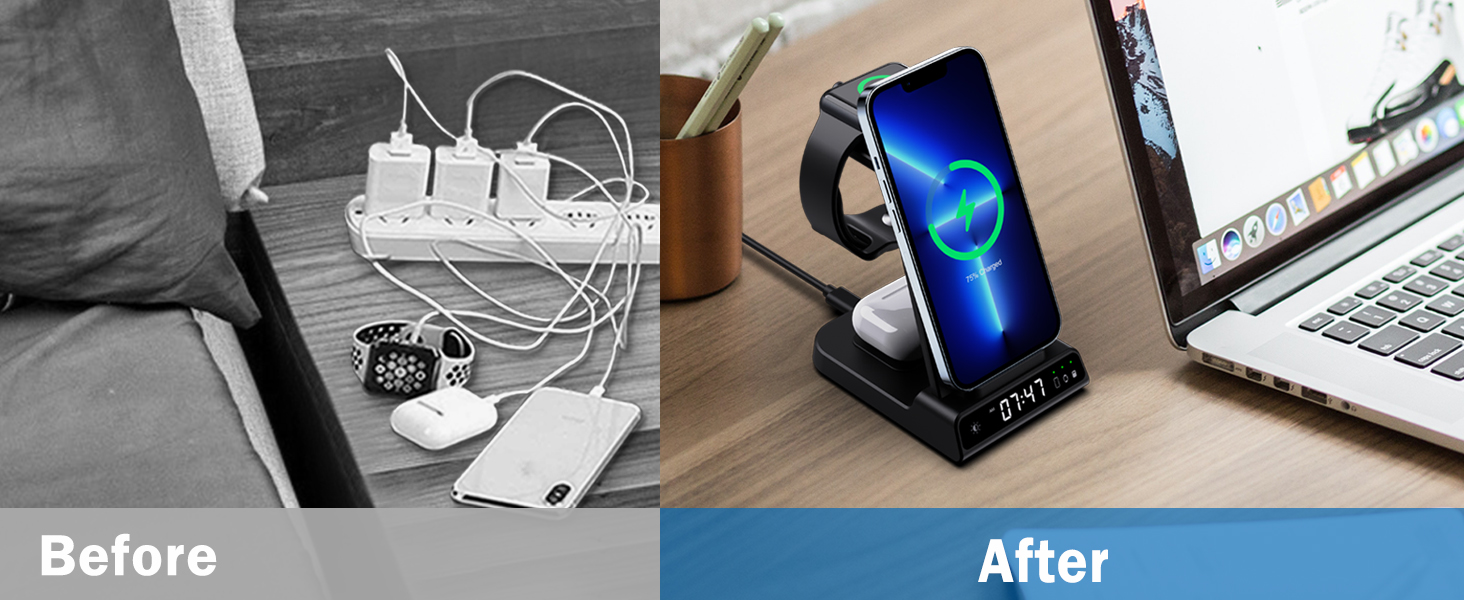
Image 3.1: Comparison of a cluttered charging setup versus an organized setup with the YiJYi charging station.
4. Operating Instructions
4.1 Charging Your Devices
The YiJYi charging station features three dedicated wireless charging areas:
- Smartphone Charging Pad: Place your compatible smartphone on the upright charging stand. It supports both vertical and horizontal charging orientations.
- Apple Watch Charging Stand: Place your Apple Watch on the designated magnetic charging module. Ensure the watch is properly aligned for charging.
- AirPods Charging Pad: Place your AirPods (with wireless charging case) on the flat charging pad at the base.
A charging indicator light will confirm when a device is actively charging.

Image 4.1: Charging a smartphone in both vertical and horizontal orientations.
4.2 Digital Clock and Light Features
The charging station includes a digital clock with adjustable brightness and a built-in memory battery to maintain time settings. It is not an alarm clock.
- Time Synchronization: The clock automatically synchronizes and updates the time.
- Brightness Adjustment: Press the light icon button on the base of the unit to cycle through three levels of indicator brightness (High, Medium, Low) or to turn the display off completely.
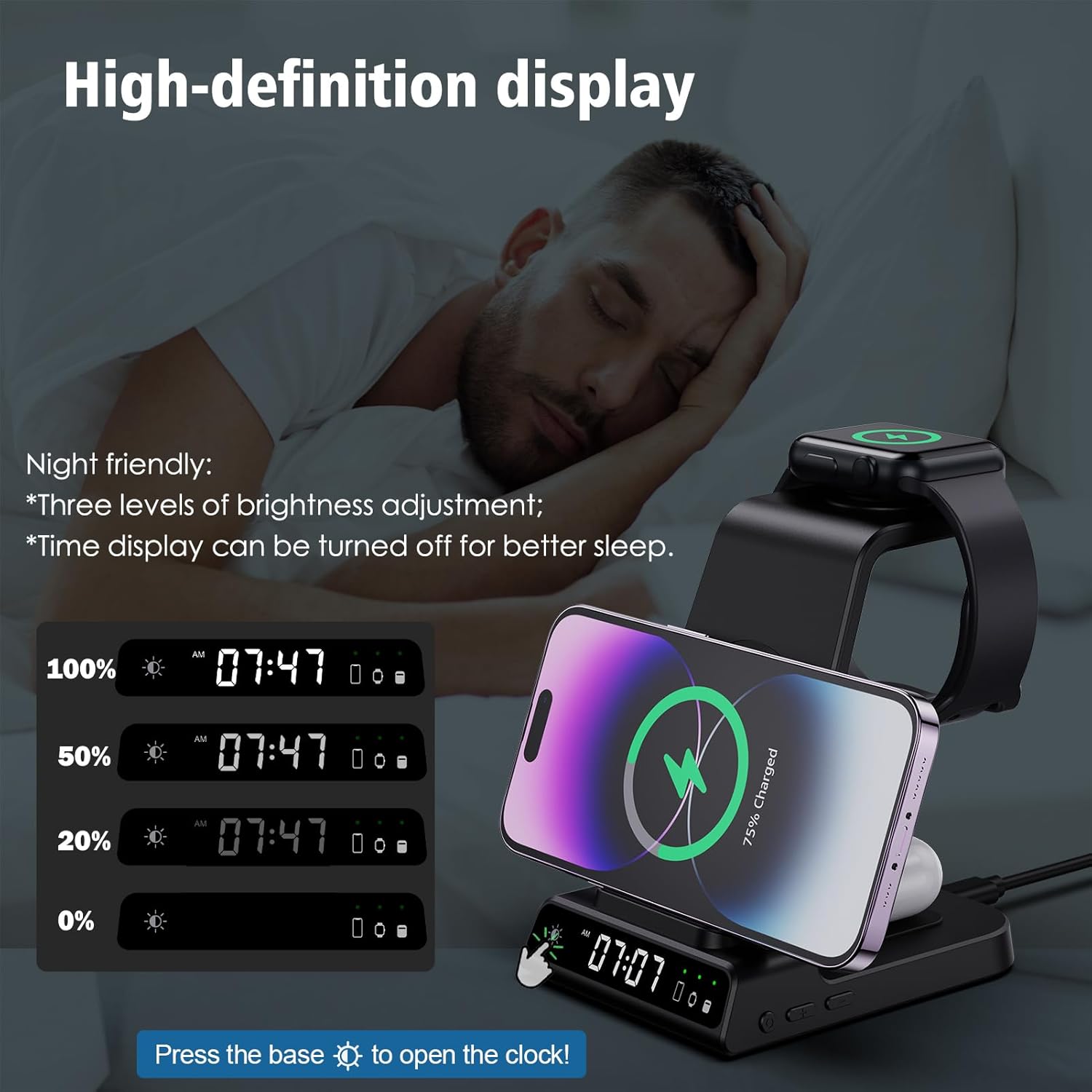
Image 4.2: Digital clock display and brightness adjustment options.
5. Compatibility
This charging station is compatible with a wide range of devices. Please ensure your devices support wireless charging.
- Apple Watch: Compatible with Apple Watch Series SE/7/6/5/4/3/2/1. Note: Only compatible with Apple Watch.
- iPhone: Compatible with iPhone 16/15/14/13/13 Pro/13 Pro Max/13 Mini/12/12 Pro/12 Pro Max/12 Mini/11/11 Pro/11 Pro Max/XS/XR/XS MAX/X/8/8 Plus.
- Samsung Galaxy: Compatible with Samsung Galaxy S23/S22/S21 Series, S10/S10 Plus/S10e/Note 10/S9 Plus/S9/Note 9/S8/S8 Plus/Note 8/S7/S7 Edge/S6 Edge Plus/Note 5.
- Other Smartphones: Compatible with other mobile phones that support wireless charging (e.g., Google Pixel, LG).
- AirPods: Compatible with AirPods Pro and AirPods with wireless charging cases. Not compatible with AirPods with standard cases or earbuds without wireless charging functionality.

Image 5.1: Detailed compatibility information for various devices.
6. Safety Information
The YiJYi charging station incorporates multiple safety features to protect your devices:
- Temperature Control: Prevents overheating during charging.
- Surge Protection: Protects against power fluctuations.
- Short-Circuit Prevention: Safeguards against electrical shorts.
- Foreign Object Detection: Detects metallic objects on the charging surface to prevent damage.
Important Notes:
- The charging station supports phone cases up to 5 mm (0.2 inches) thick.
- Magnetic cards, metal accessories, or thick cases (e.g., Otterbox defender series) may interfere with charging. Remove these before placing your device on the charger.
- Cooling holes on the back and bottom of the charger ensure safe and cool operation.
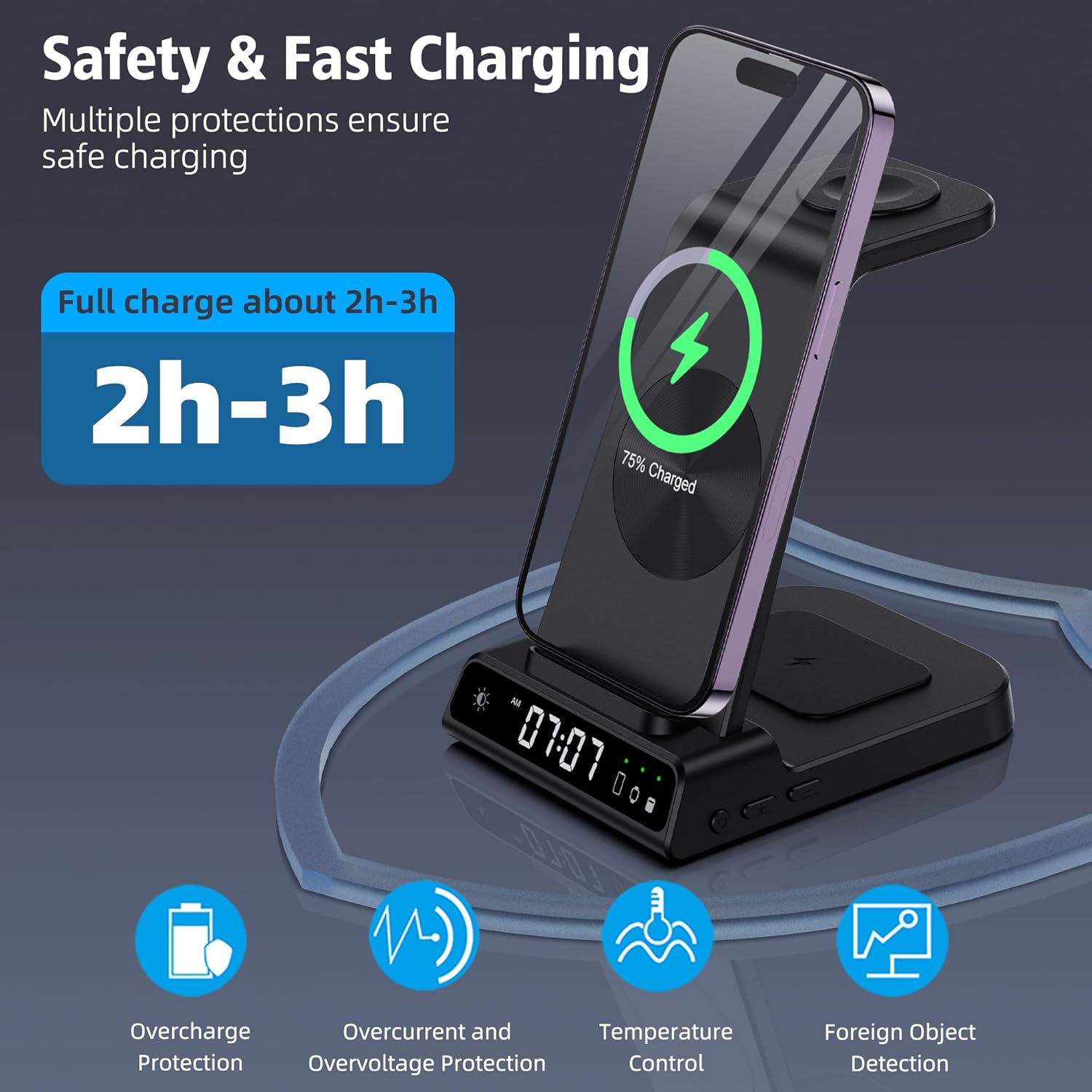
Image 6.1: Safety and fast charging features.
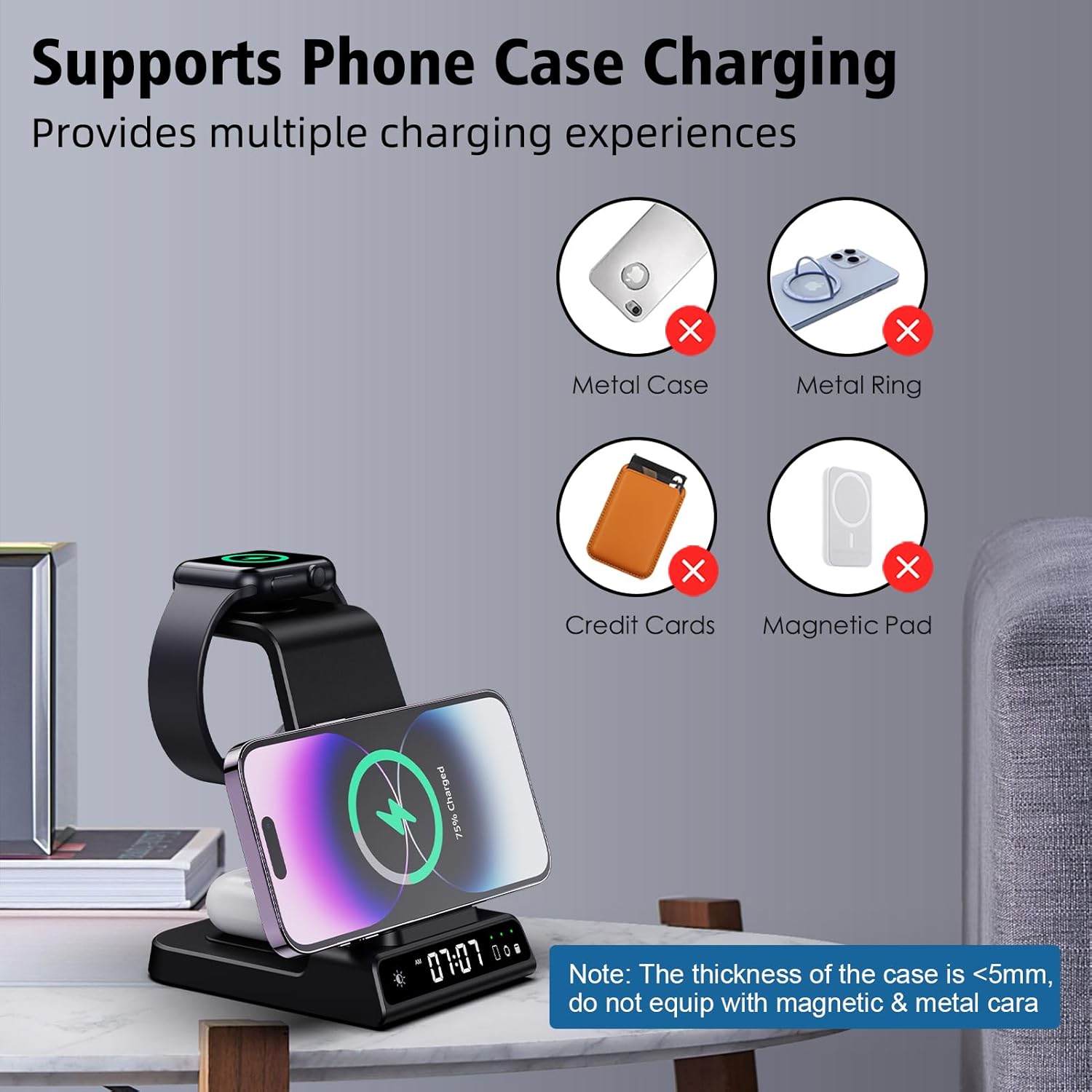
Image 6.2: Guidance on phone case compatibility for wireless charging.
7. Maintenance
To maintain the performance and appearance of your charging station:
- Cleaning: Disconnect the power before cleaning. Use a soft, dry cloth to wipe the surface. Do not use abrasive cleaners or immerse the device in water.
- Storage: When not in use for extended periods, store the charging station in a cool, dry place away from direct sunlight.
8. Troubleshooting
| Problem | Possible Cause | Solution |
|---|---|---|
| Device not charging |
|
|
| Charging is slow |
|
|
| Digital clock not displaying or incorrect time |
|
|
| Device or charger getting warm | Normal during wireless charging | Slight warmth is normal. If it becomes excessively hot, discontinue use and contact support. Ensure proper ventilation around the unit. |
9. Specifications
- Model Number:
- XF-C02
- Package Dimensions:
- 5.47 x 4.92 x 3.7 inches
- Item Weight:
- 11.3 ounces
- Connectivity Technologies:
- USB
- Special Features:
- Fast Charging, Magnetic, Wireless Charging, Digital Clock
- Color:
- Black
- Connector Type:
- USB Type C
- Input Voltage:
- 12 Volts
- Amperage:
- 15 Amps
- Total USB Ports:
- 1
- Manufacturer:
- YiJYi
10. Warranty and Support
All YiJYi products are covered by a 365-day hassle-free replacement or refund policy. If you receive any defective items or encounter issues, please contact us directly. We aim to respond within 24 hours to assist you.
For support, please refer to the contact information provided with your purchase or visit the official YiJYi store on Amazon: YiJYi Amazon Store.