
1. Introduction
This manual provides essential instructions for the safe operation, setup, and maintenance of your GoolRC V31 RC Jet Fighter. Please read this manual thoroughly before operating the aircraft to ensure proper function and to prevent damage or injury. Keep this manual for future reference.
2. Safety Information
- Age Recommendation: This product is recommended for users aged 16 years and up.
- Flight Environment: Operate the aircraft in open areas, away from people, animals, buildings, and power lines. Avoid flying in strong winds or adverse weather conditions.
- Battery Safety: Use only the provided batteries and charger. Do not overcharge or short-circuit batteries. Discontinue use if batteries show signs of damage or swelling.
- Propeller Safety: Keep hands, face, and loose clothing away from rotating propellers. The propellers are fully enclosed for safety, but caution is still advised.
- Supervision: Younger users should always be supervised by an adult during operation.
- Water Exposure: Avoid exposing the aircraft or remote control to water or moisture.
3. Package Contents
Verify that all items are present in your package:
- GoolRC V31 RC Jet Fighter Aircraft
- Remote Control
- 4K HD Camera (integrated)
- Modular Lithium Batteries (3 included)
- USB Charging Cable
- Spare Propellers (4 pieces)
- User Manual (this document)

Image 3.1: Package contents including the GoolRC V31 RC Jet Fighter, remote control, and three modular batteries.

Image 3.2: Detailed view of the GoolRC V31 RC Jet Fighter and its accessories, including spare propellers and charging cable.
4. Product Overview
The GoolRC V31 is a 6-channel RC jet fighter designed for ease of use and advanced flight capabilities. It features a durable EPP foam body, a 4K HD camera, and multiple intelligent flight functions.
4.1 Aircraft Features
- 4K HD Camera: Integrated camera for high-resolution photo and video capture.
- 4 Powerful Motors: Enhanced power for stable flight and maneuverability.
- High Toughness EPP Material: Anti-collision and anti-fall foam material for durability.
- Modular Lithium Battery: Easy to install and replace, providing extended flight time.
- 2.4GHz Remote Control: Allows multiple players to operate simultaneously without interference.

Image 4.1: The aircraft's high-toughness EPP foam material and enclosed propeller design for enhanced durability and safety.

Image 4.2: Dimensions of the GoolRC V31 RC Jet Fighter.
4.2 Remote Control Overview

Image 4.3: Remote Controller Introduction with labeled buttons.
- Joystick: Controls flight direction and altitude.
- Indicator Light: Shows power and pairing status.
- Speed Switch (1-2-3): Adjusts flight speed (short press).
- Light Switch: Toggles aircraft lights (short press).
- Gravity Unlock Switch: Activates gravity sensing mode.
- One-Key Take-off / Landing: Initiates automatic take-off or landing (short press).
- Headless Mode: Simplifies flight orientation (short press).
- One-Key Circling: Performs an automatic circling maneuver (long press).
- Emergency Stop: Immediately stops propellers (short press).
- One-Key Calibration: Calibrates the aircraft's sensors (long press).
5. Setup
5.1 Battery Installation and Charging
- Aircraft Battery: Insert the modular lithium battery into the designated compartment on the aircraft. Ensure it clicks securely into place.
- Remote Control Battery: Open the battery cover on the remote control and insert the required batteries (not specified in JSON, assume standard AA/AAA, user should check packaging).
- Charging: Connect the modular battery to the USB charging cable. Plug the USB cable into a suitable USB power source (e.g., computer, USB wall adapter). The indicator light on the charger will show charging status (refer to charger specific instructions for light indications).
Note: Fully charge all batteries before first use. Charging time may vary.

Image 5.1: Modular battery for convenient installation and replacement.
5.2 Propeller Installation/Replacement
If propellers are damaged or need replacement, carefully remove the old propeller and install a new one, ensuring it is oriented correctly according to the markings on the propeller and motor arm. Press firmly to secure.
5.3 Pairing the Remote Control
- Place the aircraft on a flat, level surface.
- Turn on the aircraft. The indicator lights will flash.
- Turn on the remote control.
- Push the joystick forward once, then pull it back. The remote control will emit a 'di' prompt, and the aircraft lights will become solid, indicating successful pairing.
5.4 App Installation (Optional)
For advanced features like real-time transmission and APP gravity sensing, download the dedicated GoolRC app from your smartphone's app store. Follow the in-app instructions to connect your device to the aircraft's Wi-Fi network.
6. Operating Instructions
6.1 Pre-Flight Checks
- Ensure batteries are fully charged in both the aircraft and remote control.
- Verify propellers are securely attached and undamaged.
- Confirm the aircraft and remote control are successfully paired.
- Choose a safe, open flight area.
6.2 Take-off and Landing
- One-Key Take-off: After pairing, place the aircraft on a flat surface. Short press the One-Key Take-off / Landing button on the remote control. The aircraft will automatically ascend to a stable altitude.
- One-Key Landing: During flight, short press the One-Key Take-off / Landing button. The aircraft will automatically descend and land gently.

Image 6.1: One-Key Take-off and Landing feature for simplified operation.
6.3 Flight Controls
The remote control offers two main modes for flight:
- Mode 1 (Default):
- Joystick forward/back: Aircraft moves forward/back.
- Joystick left/right: Aircraft turns left/right. - Mode 2 (Advanced):
- Push joystick up: Ascend.
- Pull joystick down: Descend.
- Move joystick left: Turn left.
- Move joystick right: Turn right.
Gravity Sensing Control: Activate the Gravity Unlock Switch. Tilt the remote control to control the aircraft's movement. For example, tilting the remote forward makes the aircraft fly forward.

Image 6.2: Gravity Sensing Dual Mode Switching for intuitive control.

Image 6.3: Gravity Sensing in action, allowing control by tilting the remote.
6.4 Special Flight Functions
- Altitude Hold: The aircraft maintains a stable altitude automatically, making it easier to control.
- Headless Mode: Short press the Headless Mode button. In this mode, the aircraft's orientation is relative to the pilot, simplifying control regardless of the aircraft's front direction.
- 3D Flips: Press the One-Click Flips button to perform an automatic 360-degree flip.
- One-Key Circling: Long press the One-Key Circling button to make the aircraft perform a circular flight path.
- Adjustable Speed: Short press the Speed Switch button to cycle through Low (30% power), Medium (60% power), and High (100% power) speeds. A 'di' prompt confirms the switch.
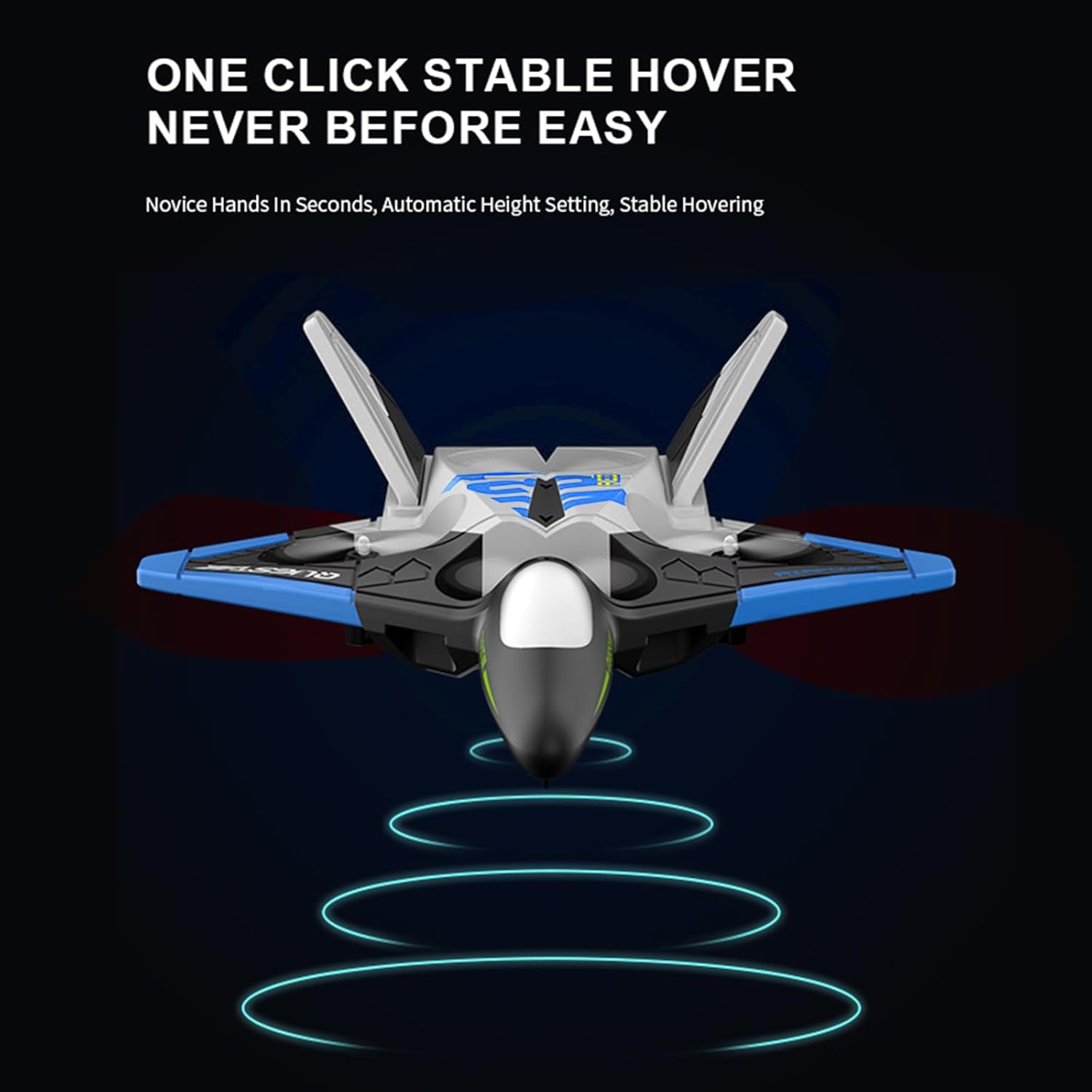
Image 6.4: One-Click Stable Hover for automatic height setting and stable hovering.

Image 6.5: Adjustable speed settings for varied flight experiences.
6.5 Camera Operation
- 4K HD Camera: The integrated 4K camera captures high-quality photos and videos.
- Real-time Transmission: Connect the aircraft to the GoolRC app on your smartphone to view live footage from the camera during flight.
- Gesture Photo/Video: Use specific hand gestures (as detailed in the app or quick start guide) to trigger photo or video recording without needing to press buttons on the remote.

Image 6.6: The 4K HD camera for recording cinematic quality images and videos.
7. Maintenance
- Cleaning: Wipe the aircraft gently with a dry, soft cloth after each use to remove dust and debris. Do not use water or cleaning agents.
- Propeller Care: Regularly inspect propellers for cracks or damage. Replace any damaged propellers immediately to ensure safe and stable flight.
- Battery Storage: Store batteries in a cool, dry place, away from direct sunlight and extreme temperatures. For long-term storage, charge batteries to approximately 50% capacity.
- General Inspection: Periodically check all components for loose connections or wear and tear.
8. Troubleshooting
| Problem | Possible Cause | Solution |
|---|---|---|
| Aircraft does not respond to remote control. | Not paired; low battery in remote or aircraft; out of range. | Re-pair the remote and aircraft. Charge/replace batteries. Ensure aircraft is within 2.4GHz range. |
| Aircraft cannot take off or flies unstably. | Damaged propellers; uncalibrated sensors; low battery. | Check and replace damaged propellers. Perform one-key calibration. Charge aircraft battery. |
| Poor camera image quality or no real-time transmission. | Weak Wi-Fi signal; app not connected; camera lens obstructed. | Ensure strong Wi-Fi connection to the aircraft. Reconnect app. Clean camera lens. |
| Remote control function is poor or unresponsive. | Low remote control battery; interference. | Replace remote control batteries. Move to an area with less signal interference. |
9. Specifications
- Brand: GoolRC
- Model: V31
- Camera: 4K HD
- Channels: 6CH
- Frequency: 2.4GHz
- Material: EPP Foam
- Item Weight: 15.5 ounces
- Package Dimensions: 11.61 x 9.41 x 3.62 inches
- Recommended Age: 16 years and up
- Batteries: 3 Nonstandard Battery batteries required (included)
10. Warranty and Support
For warranty information and technical support, please refer to the contact details provided on the product packaging or visit the official GoolRC website. Keep your purchase receipt as proof of purchase for any warranty claims.