
1. Introduction
Thank you for choosing the HelloBaby HB168 Audio Baby Monitor. This manual provides essential information for the safe and effective use of your monitor. Please read it thoroughly before use and retain it for future reference.
Package Contents
The HelloBaby HB168 Audio Baby Monitor package includes the following items:
- 1 x Parent Unit
- 1 x Baby Unit
- 2 x Power Adapters
- 1 x User Manual

This image displays the complete contents of the HelloBaby HB168 package: the parent unit, the baby unit, two power adapters, and the user manual.
2. Safety Information and Placement
To ensure safe operation and optimal performance, observe the following guidelines:
- Keep the baby unit and parent unit out of reach of children.
- Do not place the baby unit inside the crib or playpen.
- Ensure all cables are kept at a safe distance from the baby to prevent strangulation hazards.
- Use only the provided power adapters.
Unit Placement
For clear audio transmission and to avoid feedback, position the baby unit and parent unit at least 3 feet (1 meter) apart. Similarly, place the baby unit at least 3 feet (1 meter) away from the baby's crib.

This illustration advises maintaining a minimum distance of 3 feet (1 meter) between the parent unit and the baby unit to ensure optimal performance and prevent audio interference.

The diagram indicates that the baby unit should be placed at least 3 feet (1 meter) away from the baby's crib for safety and optimal sound monitoring.
3. Getting Started
Powering On
- Connect the power adapter to the baby unit and plug it into a wall outlet.
- Connect the power adapter to the parent unit and plug it into a wall outlet.
- Press and hold the power button on both units until the power indicator light illuminates.
- The units will automatically attempt to pair. A successful connection will be indicated by a steady link light on the parent unit.
Battery Information
The parent unit is equipped with rechargeable batteries for portable use. Ensure the parent unit is fully charged before initial use. When the battery is low, the indicator light will flash, and an audible alert may sound. Connect the parent unit to its power adapter to recharge.
4. Operating the Monitor
Sound Indicator
The parent unit features a 3-level sound indicator. These lights visually represent the intensity of sound detected by the baby unit, allowing you to monitor your baby even when the volume is low or muted.
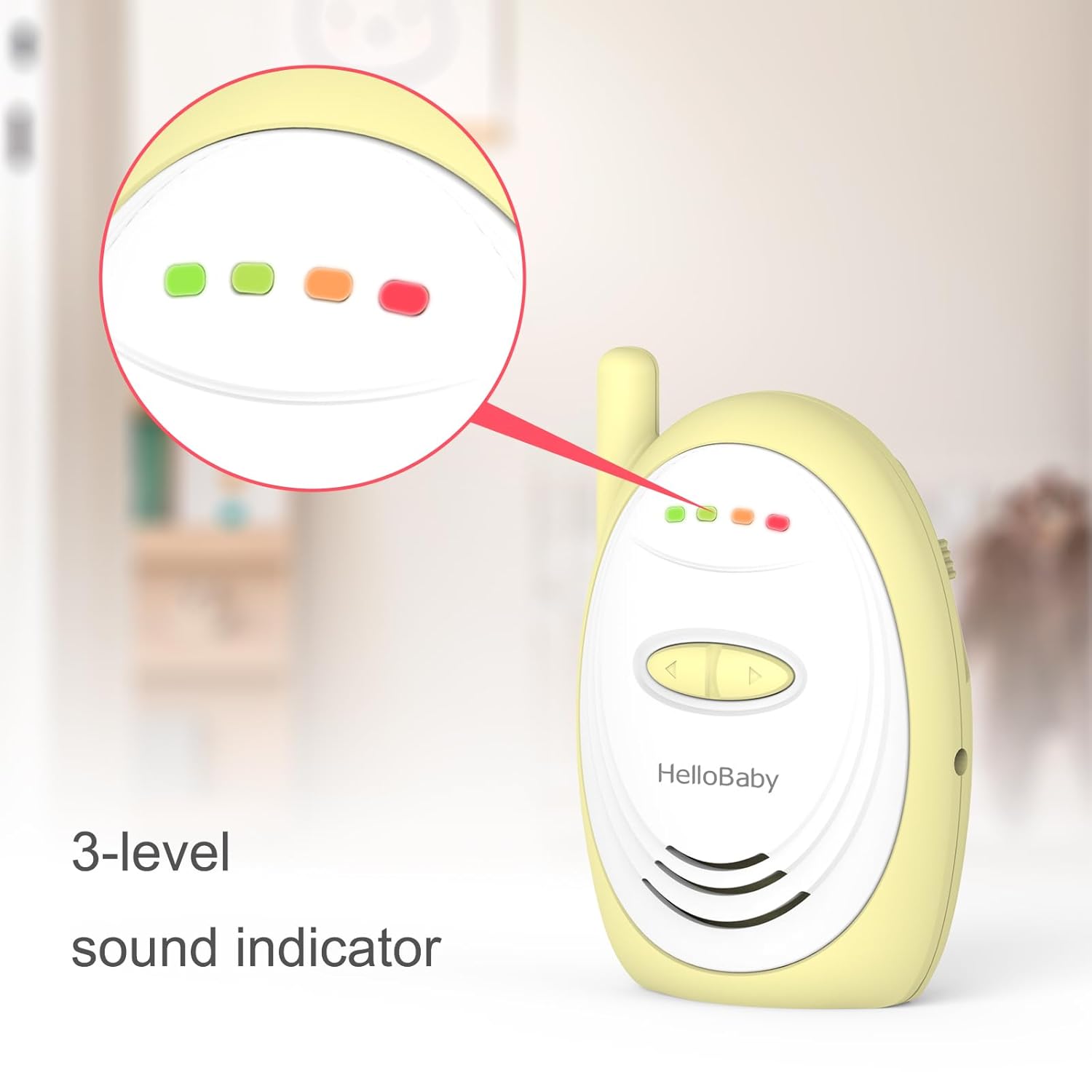
A detailed view of the parent unit's 3-level sound indicator lights, which visually represent the intensity of sound detected by the baby unit.
Volume Control
Adjust the listening volume on the parent unit using the dedicated volume control buttons. Increase the volume to hear your baby more clearly or decrease it for a quieter monitoring experience.
Long Range Capability
The HelloBaby HB168 offers an impressive operating range of up to 1,000 feet (300 meters) in open areas, providing flexibility to move around your home while staying connected to your baby.

This diagram demonstrates the monitor's impressive 1000-foot long range, showing how the parent unit can receive signals from the baby unit even when separated by significant distances within a home.
Secure Transmission
The monitor utilizes digitized transmission technology to ensure a secure and private connection between the baby unit and the parent unit, minimizing interference and unauthorized access.

The image illustrates the secure transmission feature of the monitor, with the baby unit placed near a crib and the parent unit on a nearby surface, indicating reliable signal transfer.
5. Maintenance
Cleaning
- Wipe the units with a dry, soft cloth.
- Do not use cleaning sprays or liquid cleaners.
- Ensure the units are unplugged before cleaning.
Battery Care
- To prolong battery life, avoid fully discharging the parent unit's battery frequently.
- Store the unit in a cool, dry place if not in use for an extended period.
6. Troubleshooting
If you experience issues with your HelloBaby HB168 monitor, refer to the following common solutions:
| Problem | Possible Solution |
|---|---|
| No sound or weak sound |
|
| Static or interference |
|
| Units not linking/pairing |
|
| Limited range |
|
7. Specifications
| Feature | Specification |
|---|---|
| Model Number | HB168 |
| Brand | HelloBaby |
| Communication Technology | 2.4 GHz Digital Transmission |
| Frequency Range | 2.4 GHz |
| Maximum Talking Range | 1000 Feet (300 meters) in open areas |
| Power Source | Rechargeable Batteries (Parent Unit), AC Power Adapter |
| Item Weight | 10.2 ounces |
| Package Dimensions | 4.57 x 4.02 x 3.86 inches |
| Special Feature | Lightweight |
| Water Resistance Level | Water Resistant (IP65) |
8. Warranty and Support
Warranty Information
For detailed warranty information, please refer to the warranty card included with your product or visit the official HelloBaby website. Keep your purchase receipt as proof of purchase.
Customer Support
If you have any questions, require technical assistance, or need to report an issue, please contact HelloBaby customer support. Contact details can typically be found on the official HelloBaby website or in the product packaging.


