
1. Product Overview
The Armocity Computer Desk (Model SHD-B) is a versatile and functional furniture piece designed for home office, gaming, and study environments. It features a robust structure, integrated power outlets, smart RGB LED lighting, and ample storage solutions including fabric drawers, shelves, and a pegboard. Its reversible design allows for flexible configuration to suit various room layouts.

Figure 1.1: Overview of the Armocity Computer Desk (Model SHD-B).
2. Important Safety Information
Please read and understand all safety instructions before assembly and use.
- Do not place more than 300 pounds of weight on the desk. Exceeding this limit may compromise the desk's structural integrity and lead to damage or injury.
- This desk is not suitable for use with heavy machinery or equipment that may exert excessive force or vibration.
- Ensure the desk is stable and does not wobble when using it for gaming or drafting purposes. Uneven surfaces or improper assembly can lead to instability.
- Keep all electrical components (power outlets, LED lights) away from water or excessive moisture.
- Ensure all screws and fasteners are securely tightened during assembly and periodically check them for looseness.
3. Setup and Assembly
The Armocity Computer Desk is designed for straightforward assembly. All necessary tools are included. The desk features a reversible design, allowing you to configure the storage shelves and drawers on either the left or right side to best fit your space.
3.1 Pre-Assembly Checklist
- Verify all parts are present according to the included parts list.
- Ensure you have adequate space for assembly.
- Keep children and pets away from the assembly area.
3.2 Assembly Steps
- Unpack all components and lay them out on a clean, soft surface to prevent scratches.
- Identify the main frame components. Follow the step-by-step instructions provided in the separate assembly manual for detailed diagrams and fastener identification.
- Decide on the desired orientation (left or right side for storage) before attaching the side shelves and drawer unit. Refer to the assembly manual for specific instructions on reversible configuration.
- Assemble the main desktop and attach the frame.
- Install the power outlet unit into the designated slot on the desktop.
- Attach the LED light strip to the underside of the monitor stand.
- Insert the fabric drawers into their respective slots.
- Place the moveable monitor stand on the desktop. Note that this component rests on the desktop and is not permanently affixed, allowing for flexible positioning.
- Secure the metal pegboard and attach the 6 hooks as desired.
- Once assembled, gently lift and place the desk in its final position. Avoid dragging the desk to prevent damage to the legs or floor.

Figure 3.1: Desk Dimensions for planning your space.

Figure 3.2: Reversible design allows for left or right side storage configuration.
4. Operating Instructions
4.1 Integrated Power Outlets
The desk is equipped with a built-in power strip featuring 3 AC outlets and 2 USB ports, allowing you to conveniently charge up to 5 electronic devices simultaneously. The power supply cord is 6.5 feet long, providing flexibility for placement.
- AC Outlets: 120V/12A. Suitable for laptops, monitors, and other standard electronics.
- USB Ports: 5V/2A. Ideal for charging smartphones, tablets, AirPods, and other USB-powered devices.
- Cable Management: Use the included velcro tape to organize and secure your device cords, maintaining a tidy workspace.

Figure 4.1: Integrated power outlets and USB ports for convenient charging.
4.2 Smart RGB LED Lights
Enhance your workspace ambiance with the integrated smart RGB LED light strip. It offers extensive customization options to suit your mood or activity.
- Color Options: Over 60,000 colors available.
- Flashing Modes: 29 distinct flashing modes for dynamic lighting effects.
- Control Methods: Control the lights using a dedicated smart application on your mobile device or the included remote control.
- CCT Mode: Adjust the Correlated Color Temperature for various shades of white light.
- Built-in Microphone: Enables music sync function, allowing the lights to pulsate and change with audio.
- Timer Functions: Schedule the lights to turn on or off at specific times.
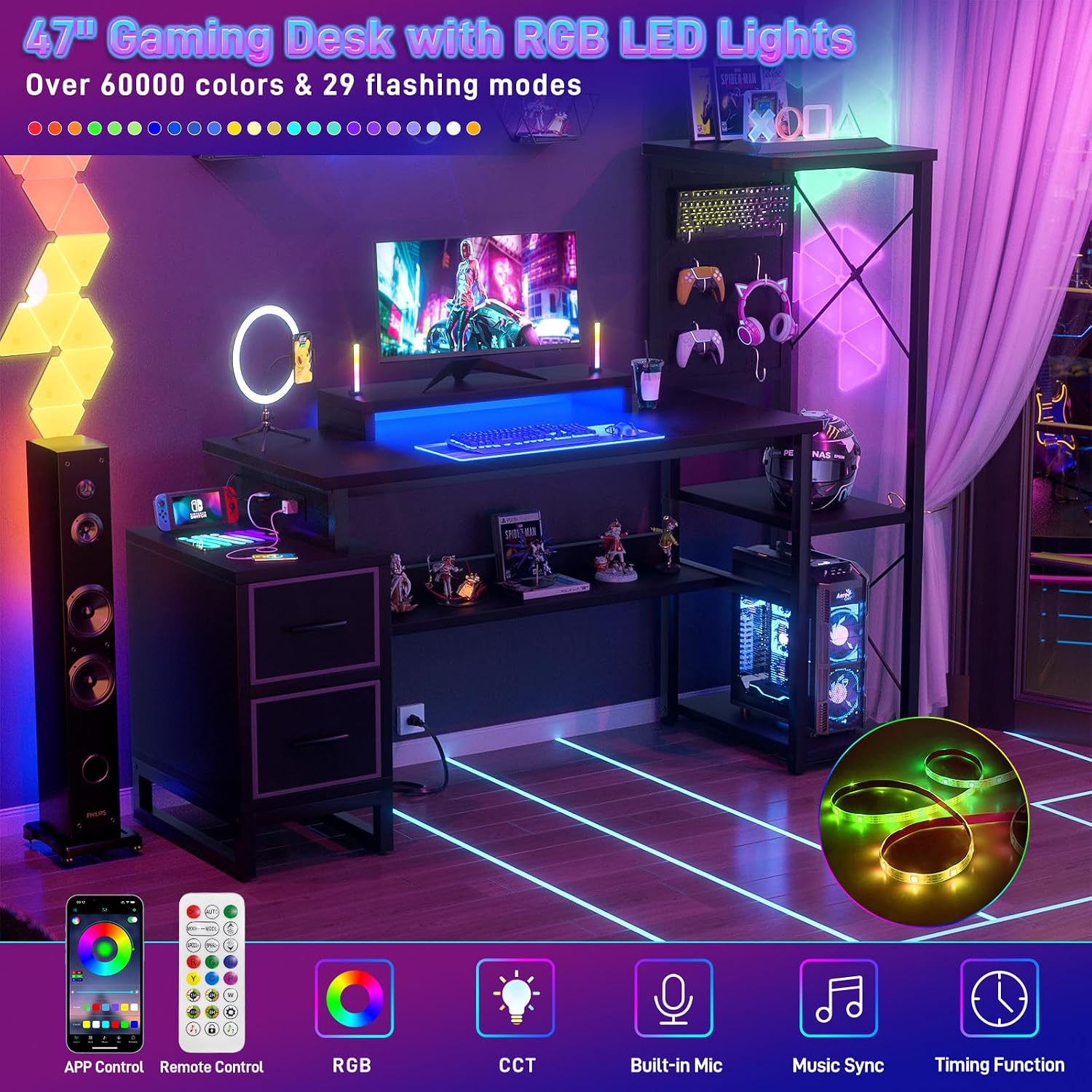
Figure 4.2: RGB LED lights creating an immersive environment.
5. Key Features and Components
The Armocity Computer Desk is designed with multiple features to optimize your workspace and storage.
- Two Fabric Drawers: Provides enclosed storage for office supplies, documents, or personal items.
- Multiple Storage Shelves: Includes open shelves and corner tower shelves for displaying decor, books, or storing frequently accessed items.
- CPU Storage Space: A dedicated area designed to accommodate a computer tower, keeping it off the floor and integrated with the desk's structure.
- Moveable Monitor Stand: This stand elevates your monitor to an ergonomic height, promoting correct sitting posture and reducing neck strain. It is not fixed, allowing for flexible positioning on the desktop.
- Metal Pegboard with 6 Hooks: Located on the side tower, the pegboard offers customizable hanging storage for headphones, tools, or other accessories.
- Open Storage Shelf under Desktop: Conveniently located for easy access to books, binders, or other essentials.

Figure 5.1: Labeled features of the Armocity Computer Desk.
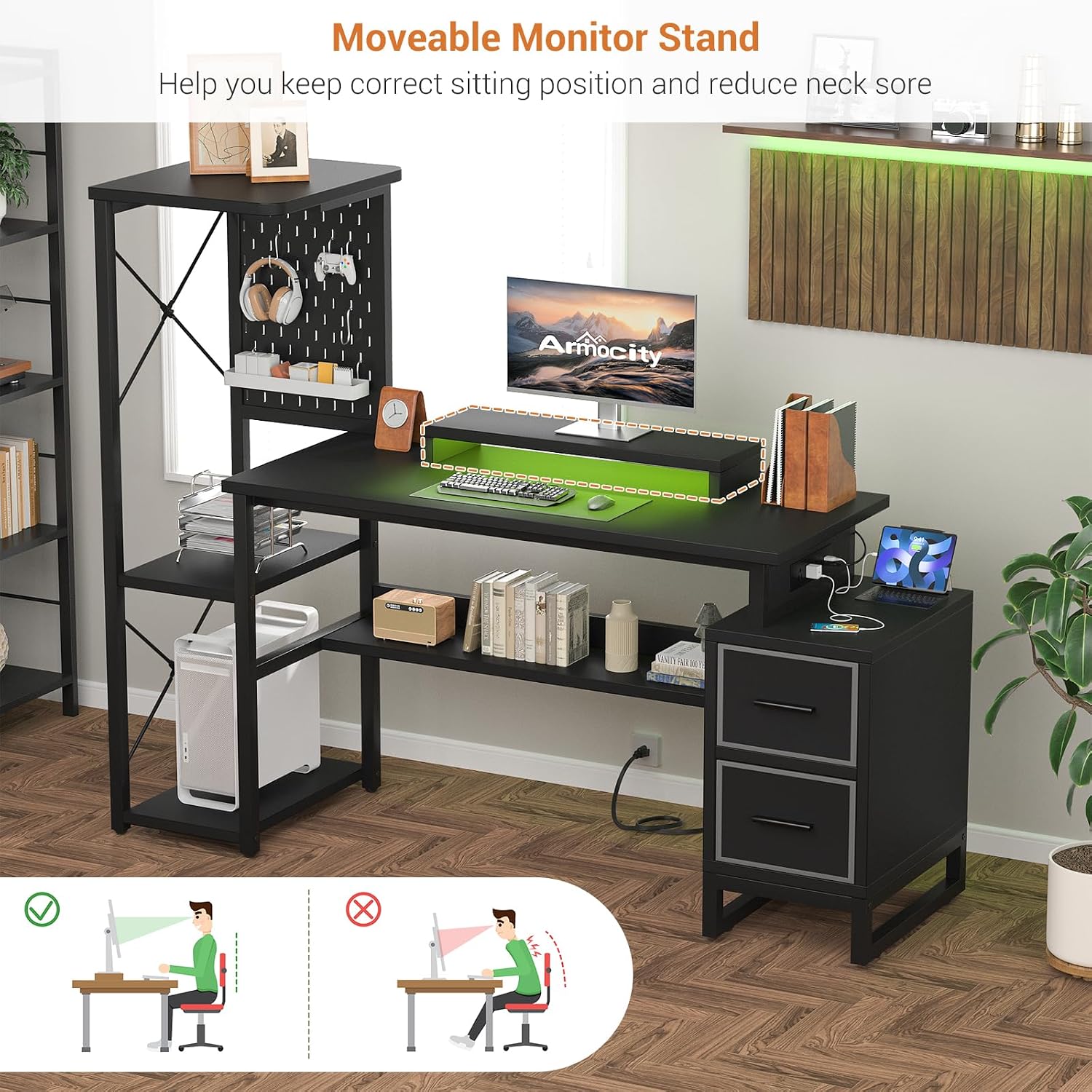
Figure 5.2: The moveable monitor stand helps maintain correct sitting posture.
6. Maintenance
Proper care and maintenance will extend the life and appearance of your Armocity Computer Desk.
- Cleaning: Wipe surfaces with a soft, damp cloth. Avoid harsh chemicals or abrasive cleaners, which can damage the finish. For stubborn marks, a mild soap solution can be used, followed by drying with a clean cloth.
- Dusting: Regularly dust all surfaces with a dry, soft cloth to prevent dust buildup.
- Fabric Drawers: For minor spills, spot clean with a damp cloth and mild detergent. Allow to air dry completely. Avoid saturating the fabric.
- Electrical Components: Ensure the power outlets and LED lights are kept dry. Do not attempt to clean them with liquids while plugged in.
- Fasteners: Periodically check all screws and bolts to ensure they remain tight. Re-tighten if necessary to maintain stability.
- Weight Distribution: Distribute weight evenly across the desktop and shelves to prevent warping or stress on specific areas.
7. Troubleshooting
This section addresses common issues you might encounter with your Armocity Computer Desk.
| Problem | Possible Cause | Solution |
|---|---|---|
| Desk wobbles or is unstable. | Uneven floor; loose fasteners; improper assembly. | Ensure the desk is on a level surface. Check and tighten all assembly screws. Refer to the assembly manual to confirm correct installation. |
| LED lights are not working. | Power connection issue; remote control battery low; app connectivity issue. | Ensure the LED light strip is properly connected to the power source. Check the remote control battery. Re-pair the app with the LED lights if connectivity is lost. |
| Power outlets/USB ports not providing power. | Desk not plugged in; power strip switch off; circuit breaker tripped. | Verify the desk's main power cord is securely plugged into a working wall outlet. Check if the power strip has an on/off switch and ensure it is in the 'on' position. Check your home's circuit breaker. |
| Fabric drawers are difficult to slide. | Overloaded drawer; obstruction; drawer not inserted correctly. | Reduce the weight in the drawer. Check for any items obstructing the drawer's path. Re-insert the drawer, ensuring it aligns correctly with the runners. |
If you encounter issues not listed here or require further assistance, please contact Armocity customer support.
8. Specifications
| Attribute | Detail |
|---|---|
| Brand | Armocity |
| Model Number | SHD-B |
| Product Dimensions (D x W x H) | 19.7"D x 53.5"W x 48.8"H |
| Color | Black |
| Material | Wood (Base, Top, Hutch), Metal (Furniture Leg, Drawer Glide) |
| Item Weight | 60 Pounds |
| Maximum Weight Capacity | 300 Pounds |
| Number of Drawers | 2 (Fabric) |
| Number of Shelves | 5 |
| Power Outlets | 3 AC Outlets (120V/12A), 2 USB Ports (5V/2A) |
| Power Cord Length | 6.57 Feet |
| LED Lights | Smart RGB LED Light Strip (60,000+ colors, 29 modes, CCT, Music Sync, Timer) |
| Included Components | Built-in LED Lights, Built-in Outlet, Built-in USB Port, Hutch, Moveable Monitor Stand, Metal Pegboard, 6 Hooks, Velcro Tape |
| Assembly Required | Yes (All assembly tools included) |
9. Warranty and Support
Armocity is committed to providing high-quality products and excellent customer service.
- Warranty: This product comes with a Limited Warranty. Please refer to the warranty card included in your packaging for specific terms and conditions.
- Customer Support: We provide 24-month customer support for our products. If you have any problems with your Armocity Computer Desk, including missing parts, assembly questions, or functional issues, please do not hesitate to contact our friendly customer service team.
- Contact Information: For support, please visit the Armocity store on Amazon or refer to the contact details provided in your product packaging.