
Introduction
This manual provides instructions for the safe and efficient use of your BEVA PD20W Travel Power Strip. This compact power strip is designed for portability and convenience, offering multiple charging options for various electronic devices.
The BEVA PD20W Travel Power Strip features 2 AC outlets, 2 USB-A ports, and 1 USB-C port with Power Delivery (PD 20W) for fast charging. It includes a 4ft wrap-around extension cord and is designed without surge protection, making it suitable for cruise ships and other travel scenarios where surge protectors are often prohibited.
Safety Information
Please read all safety instructions before using this product. Failure to follow these instructions may result in electric shock, fire, or damage to the product or connected devices.
- Do not exceed the maximum power rating of 1250W (10A, 110V-250V~).
- This device is a non-surge protector. It does not provide surge protection.
- Do not use in wet environments or near water.
- Do not disassemble or modify the product.
- Keep out of reach of children.
- Ensure the plug is fully inserted into the wall outlet.
- Avoid overloading the power strip.
Product Overview
The BEVA PD20W Travel Power Strip is designed for convenience and multi-device charging. It features a compact design with a retractable cord for easy storage.
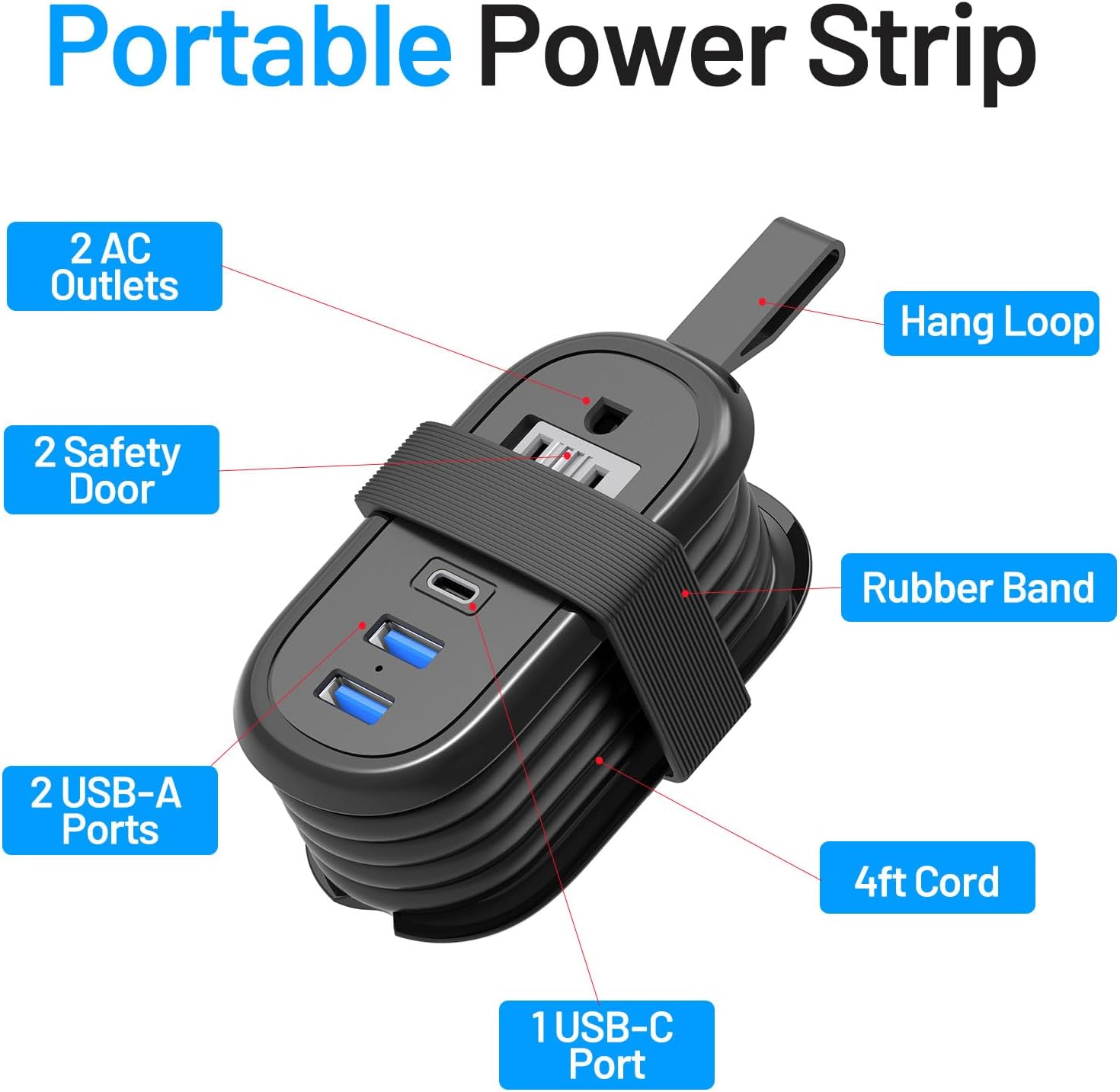
Image: Overview of the BEVA Travel Power Strip, highlighting its components: 2 AC Outlets, 2 USB-A Ports, 1 USB-C Port, Hang Loop, Safety Door, Rubber Band, and 4ft Cord.
- 2 AC Outlets: Standard North American outlets for powering devices.
- 2 USB-A Ports: Provide 5V/2.4A each (3.4A total) for charging compatible USB devices.
- 1 USB-C Port (PD 20W): Supports Power Delivery for fast charging phones, tablets, and some laptops (5V/3A, 9V/2.22A, 12V/1.67A).
- 4ft Wrap-Around Extension Cord: Integrated cord that neatly wraps around the unit for compact storage.
- Flat Plug: Space-saving design for wall outlets, allowing furniture to be placed closer to the wall.
Setup and Operation
Unpacking and Initial Inspection
Carefully remove the power strip from its packaging. Inspect the unit for any signs of damage. If the product appears damaged, do not use it and contact customer support.
Connecting to Power
- Unwrap the 4ft extension cord from around the power strip.
- Plug the flat plug into a standard wall outlet (110V-250V~).
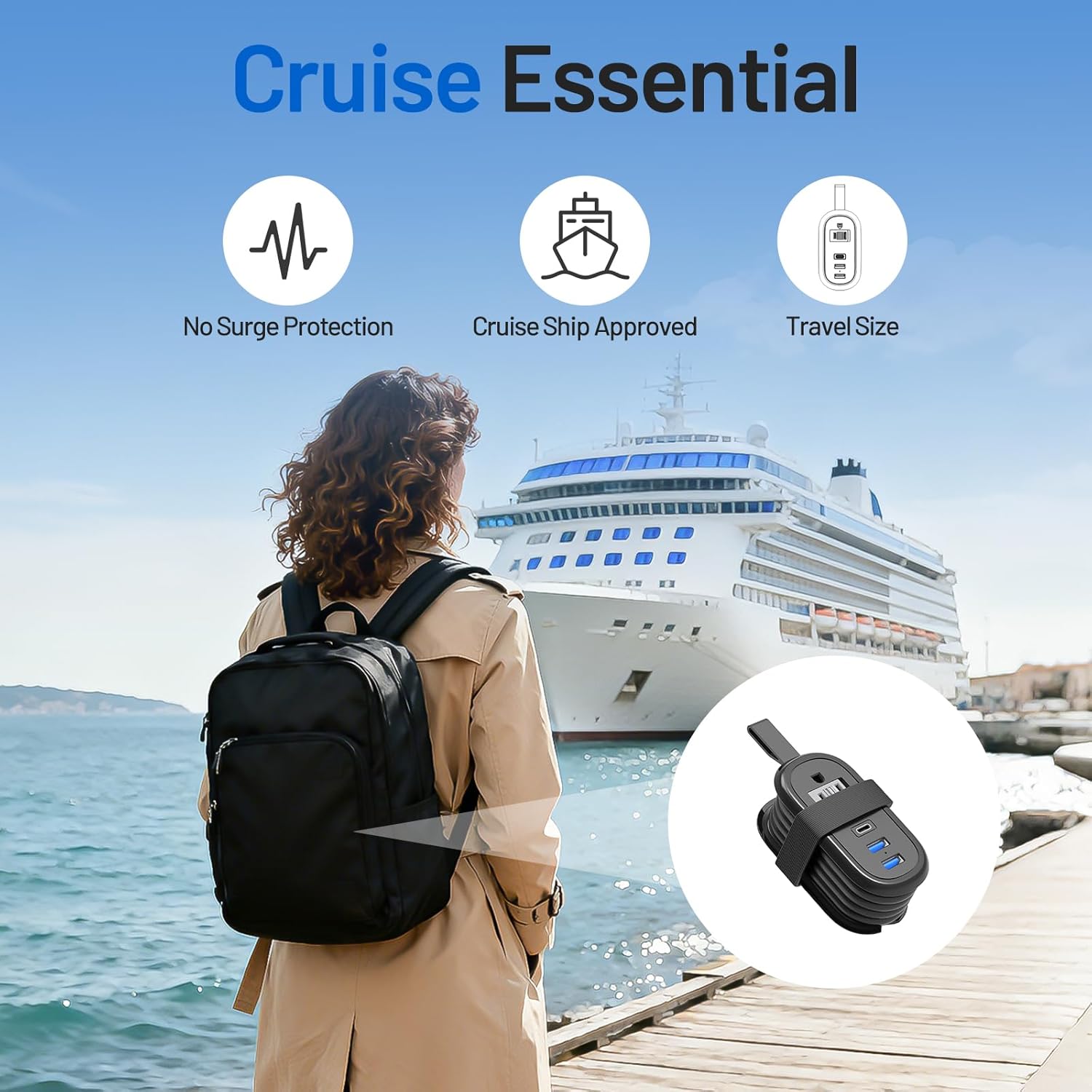
Image: The flat plug design of the BEVA Travel Power Strip, showing how it fits flush against a wall outlet compared to a standard plug.
Charging Devices
- AC Outlets: Plug your AC-powered devices directly into the two AC outlets.
- USB-A Ports: Connect your USB-A charging cables to the two USB-A ports and then to your devices.
- USB-C Port: For fast charging, connect your USB-C to USB-C or USB-C to Lightning cable to the PD 20W USB-C port and then to your compatible device.

Image: The BEVA Travel Power Strip connected to a laptop, charging multiple devices simultaneously using its AC outlets and USB ports.
Cord Management
To store the power strip, wrap the 4ft cord neatly around the unit and secure it with the integrated rubber strap. This keeps the cord tidy and prevents tangling during travel.

Image: Demonstrates how to wrap the 4ft cord around the BEVA Travel Power Strip and secure it with the strap for compact storage.
Maintenance
- Keep the power strip clean and dry. Use a soft, dry cloth to wipe the surface.
- Do not use liquid cleaners or abrasive materials.
- Store the power strip in a cool, dry place when not in use.
- Regularly check the cord and plug for any signs of damage.
Troubleshooting
Device Not Charging
- Ensure the power strip is properly plugged into a live wall outlet.
- Verify that your device's charging cable is securely connected to both the power strip and your device.
- Check if the device itself is functioning correctly.
- Confirm that the total power consumption of all connected devices does not exceed the power strip's maximum rating (1250W).
- For USB-C charging, ensure your device supports Power Delivery (PD) for fast charging, or standard USB-C charging otherwise.
Power Strip Feels Warm
It is normal for the power strip to feel slightly warm during operation, especially when multiple devices are charging. If it becomes excessively hot, immediately unplug all devices and the power strip from the wall outlet. Check for overloaded circuits or damaged cables.
Specifications
| Feature | Detail |
|---|---|
| Model | PD20W Charge Black |
| Power Rating | 1250W MAX-10A, 110V-250V~ |
| AC Outlets | 2 |
| USB-A Output | 5V/2.4A each (3.4A total) |
| USB-C Output (PD) | 20W (5V/3A, 9V/2.22A, 12V/1.67A) |
| Cord Length | 4 feet |
| Dimensions | 3.93 x 2.08 x 1.67 inches |
| Item Weight | 8 ounces |
| Special Feature | Non-Surge Protector, USB Slot, Flat Plug |
Video Resources
Watch the official product video for a visual guide on the BEVA PD20W Travel Power Strip's features and usage.
Video: An official product video demonstrating the features and compact design of the BEVA PD20W Travel Power Strip, including its fast charging capabilities and wrap-around cord.
Warranty and Support
For warranty information or technical support, please refer to the contact details provided with your purchase or visit the official BEVA website. Keep your purchase receipt for warranty claims.
Manufacturer: BEVA
Date First Available: July 17, 2023