
1. Introduction
Thank you for choosing the OCOOPA UT3 Lite Magnetic Rechargeable Hand Warmers. These portable electric hand warmers are designed to provide warmth and comfort in cold conditions. Featuring a magnetic 2-in-1 design, three adjustable heat settings, and USB-C recharging, they are ideal for various outdoor activities and daily use. Please read this manual thoroughly before use to ensure safe and optimal performance.
2. Package Contents
- 2 x OCOOPA UT3 Lite Hand Warmers
- 1 x Dual USB-C Charging Cable
- 2 x Wrist Lanyards
- 1 x Portable Pouch
- 1 x User Manual
3. Product Features
- Magnetic 2-in-1 Design: Two individual hand warmers can be used separately or magnetically combined for a larger heating surface.
- Adjustable Heat Settings: Three distinct heating levels provide warmth up to 126°F (53°C).
- Rapid Heating: Delivers warmth within seconds of activation.
- Long-lasting Heat: Provides up to 8 hours of continuous heat on the lowest setting.
- Ultra-Portable: Each unit weighs approximately 65g and is 1.55cm thick, designed to fit comfortably in pockets or gloves.
- UL Certified Safety: Equipped with an intelligent temperature control chip for safe operation.
- USB-C Rechargeable: Conveniently recharges via the included USB-C cable.
4. Safety Information
The OCOOPA UT3 Lite Hand Warmers are UL certified, ensuring adherence to high safety standards. Always use the product as directed in this manual. Do not expose the device to extreme temperatures or direct sunlight for prolonged periods. Keep out of reach of children. Do not puncture, disassemble, or modify the device. Discontinue use if the device becomes excessively hot, emits smoke, or shows signs of damage.
5. Charging Instructions
- Connect the included dual USB-C charging cable to the charging port on each hand warmer.
- Connect the other end of the cable to a compatible USB power source (e.g., wall adapter, computer, power bank).
- The indicator lights will illuminate to show charging status. A full charge typically takes approximately 3.5 hours.
- Once fully charged, disconnect the hand warmers from the power source.
Each hand warmer must be charged separately using its dedicated USB-C port.
6. Operating Instructions
Power On/Off
- To power on, press and hold the power button for 3 seconds. The indicator lights will illuminate.
- To power off, press and hold the power button for 3 seconds. The indicator lights will turn off.
Adjusting Heat Settings
Once powered on, short press the power button to cycle through the three heat settings:
- Level 1 (Low): One indicator light (approx. 100-108°F)
- Level 2 (Medium): Two indicator lights (approx. 109-117°F)
- Level 3 (High): Three indicator lights (approx. 118-125°F)
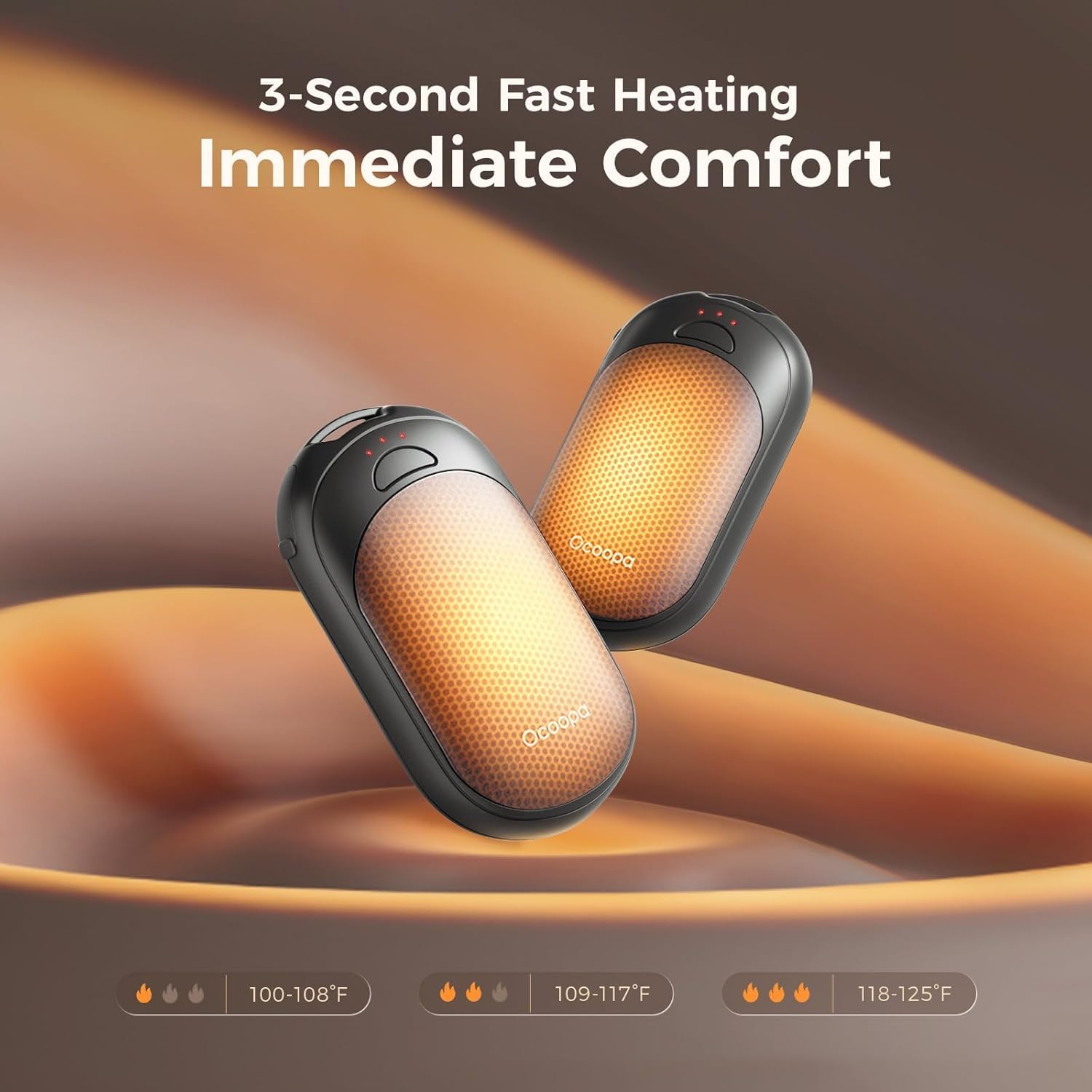
Image: OCOOPA UT3 Lite hand warmers illustrating the three heat settings and their respective temperature ranges.
Magnetic Functionality
The two hand warmers can be magnetically attached to form a single, larger heating unit. Simply bring the flat sides of the two units together, and they will snap into place. This allows for flexible use, either as two separate warmers or one combined unit for increased warmth.

Image: Demonstrating the magnetic attachment feature of the OCOOPA UT3 Lite hand warmers.
7. Care and Maintenance
- Clean the surface of the hand warmers with a soft, dry cloth. Do not use abrasive cleaners or immerse in water.
- Store the hand warmers in the provided portable pouch when not in use to protect them from scratches and dust.
- Store in a cool, dry place away from direct sunlight and extreme temperatures.
8. Troubleshooting
- Device not turning on: Ensure the hand warmer is fully charged. Press and hold the power button for 3 seconds.
- Insufficient heat: Check the heat setting and adjust to a higher level if needed. Ensure the device is not covered, which could impede heat dissipation.
- Charging issues: Verify that the USB-C cable is securely connected to both the hand warmer and the power source. Try a different USB-C cable or power adapter.
9. Specifications
| Model | UT3 Lite |
| Dimensions (each) | 8.6 x 4.8 x 1.55 cm (3.39 x 1.89 x 0.61 inches) |
| Weight (each) | 65g |
| Material | Polyester, Silicone, Plastic |
| Battery Type | Lithium-Ion/Lithium-Polymer |
| Max Temperature | 126°F (53°C) |
| Heat Settings | 3 Levels |
| Max Heat Duration | Up to 8 hours (on low setting) |
| Charging Port | USB-C |
| Certifications | UL Certified |
10. Warranty and Support
OCOOPA products come with a manufacturer's warranty. For specific warranty details, maintenance information, or technical support, please refer to the warranty card included in your package or visit the official OCOOPA website. You can also contact OCOOPA customer service for assistance.
11. Additional Product Images

Image: A pair of OCOOPA UT3 Lite hand warmers featuring a 'Nocturne Garden' floral pattern.

Image: Demonstrating the ultra-slim and pocket-sized design of the UT3 Lite hand warmer.

Image: Highlighting the extended battery life, providing up to 8 hours of warmth.

Image: The complete package contents, including hand warmers, charging cable, lanyards, and pouch.


