
1. Introduction
This manual provides detailed instructions for the safe and effective operation of your Mcbazel Digital Illuminance Light Meter. This device is designed for accurate measurement of light intensity (illuminance) in various environments, including schools, hospitals, factories, airports, homes, and for professional applications like photography and plant growth monitoring. Please read this manual thoroughly before use and retain it for future reference.
2. Safety Information
- Do not expose the device to extreme temperatures, humidity, or direct sunlight.
- Avoid dropping or subjecting the meter to strong impacts.
- Keep the light sensor clean and free from obstructions for accurate readings.
- Do not attempt to disassemble or modify the device, as this will void the warranty and may cause damage.
- Replace batteries promptly when the low battery indicator appears to ensure continuous and accurate operation.
3. Package Contents
Upon unpacking, please verify that all items listed below are present and in good condition:
- 1x Mcbazel Digital Illuminance Light Meter
- 1x Instruction Manual (this document)
Note: Batteries are not included and must be purchased separately. The device requires 3 x 1.5V AAA batteries.
4. Product Overview and Features
The Mcbazel Digital Illuminance Light Meter is a versatile tool designed for precise light intensity measurements. Key features include:
- Wide Measuring Range: Measures up to 200,000 LUX with high sensitivity for accurate and fast response.
- High Accuracy: Lighting accuracy of ±3%±10dgts (<10000LUX) and ±4%±10dgts (>10000LUX).
- User-Friendly Design: Easy switching between LUX and FC units.
- LCD Display with Backlight: Ensures clear visibility of readings in various lighting conditions.
- Multifunctional: Measures current, maximum, and minimum brightness values.
- Data Hold Function: Freezes the current reading on the display for convenient recording.
- Energy Efficient: Features automatic shut-off and a low battery indicator.
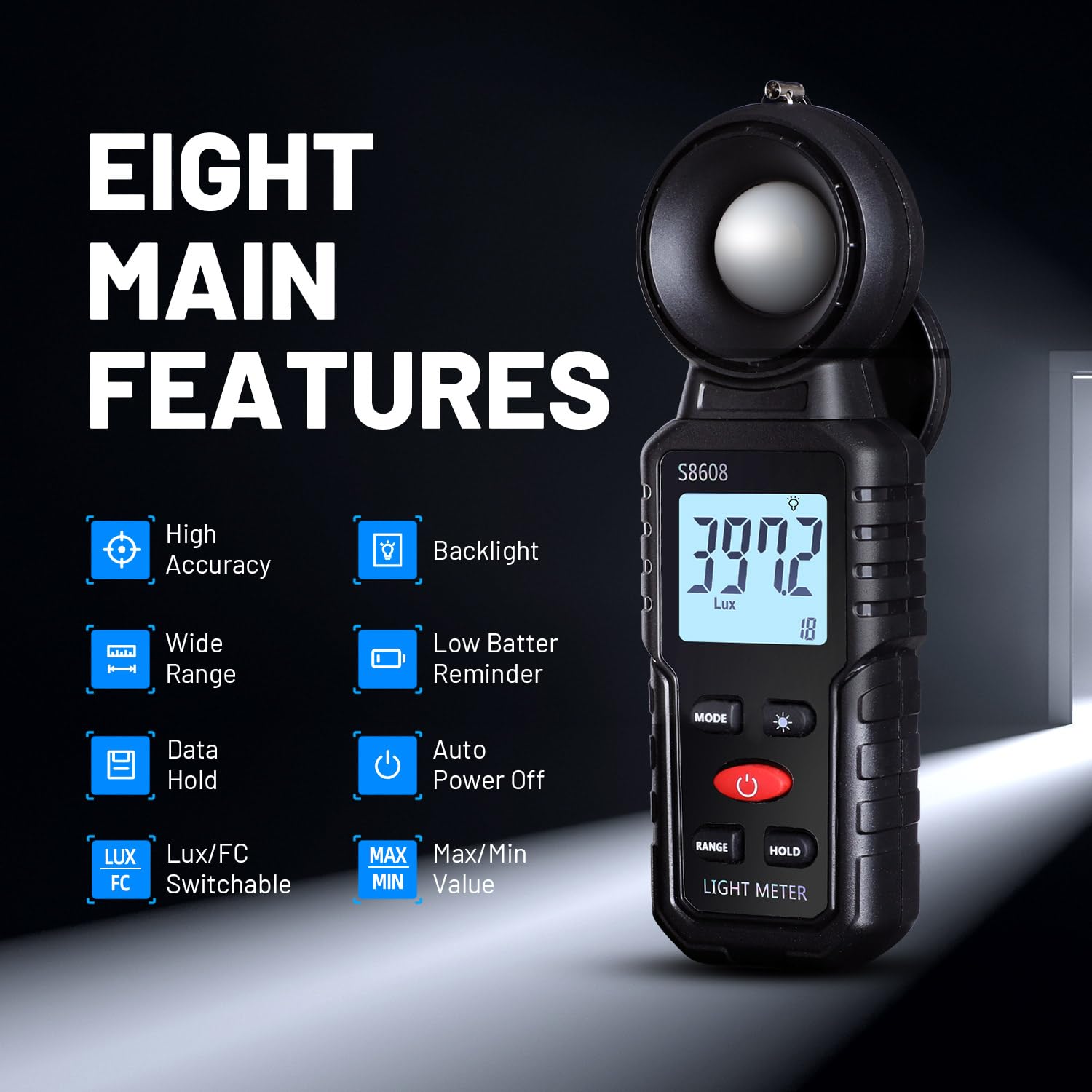
Image 1: Overview of the Mcbazel Digital Illuminance Light Meter highlighting its eight main features.
5. Setup
5.1 Battery Installation
The Mcbazel Digital Illuminance Light Meter requires 3 x 1.5V AAA batteries (not included). To install or replace batteries:
- Locate the battery compartment cover on the back of the device.
- Slide the cover open or unscrew it if applicable.
- Insert three 1.5V AAA batteries, ensuring correct polarity (+/-).
- Replace the battery compartment cover securely.

Image 2: The back of the light meter showing the battery compartment for 3x AAA batteries.
5.2 Sensor Protection Cover
Before use, remove the sensor protection cover from the top of the light meter. Remember to replace it after use to protect the sensitive illumination sensor.

Image 3: The light meter with its sensor protection cover open, revealing the white light sensor.
6. Operating Instructions
6.1 Power On/Off
Press the Power Button (red button) to turn the device on. The LCD display will illuminate. To turn off, press and hold the Power Button. The device also features an automatic shut-off function after 5 minutes of inactivity to conserve battery life.
6.2 Unit Selection (LUX/FC)
Press the MODE Button to switch between Lux (illumination) and FC (foot-candle) units. The selected unit will be displayed on the screen.

Image 4: The light meter displaying measurements in both Lux and FC units, illustrating the unit switch function.
6.3 Backlight Function
Press the Backlight Switch Button (light bulb icon) to turn the LCD backlight on or off. This improves readability in dark environments.

Image 5: The light meter's LCD display with the backlight turned off and on, demonstrating improved visibility.
6.4 Data Hold Function
Press the HOLD Button to freeze the current reading on the display. Press it again to release the hold and resume live measurements. This is useful for recording stable readings.
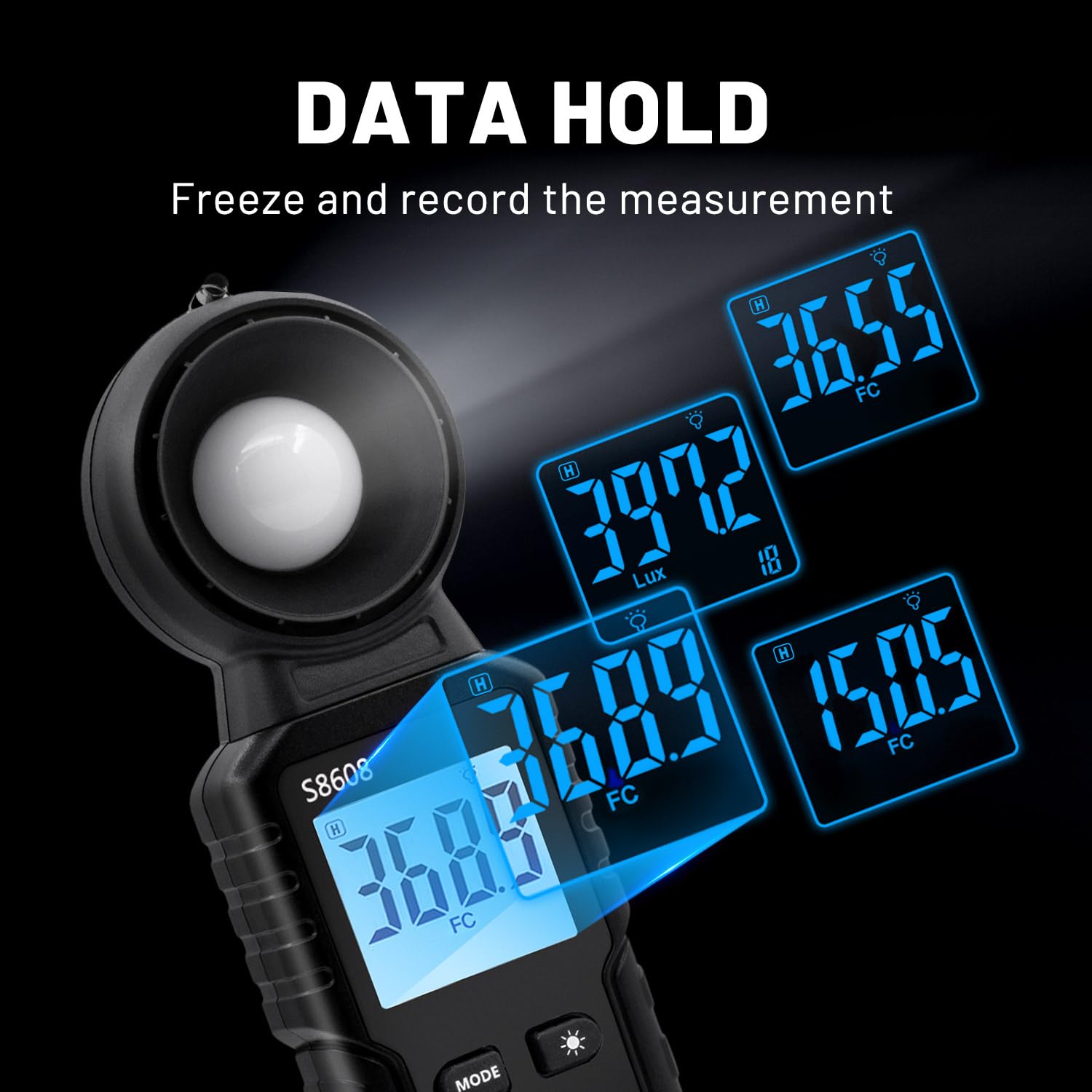
Image 6: The light meter displaying various held data values, illustrating the data hold feature.
6.5 MAX/MIN Measurement
Press the MAX/MIN Button to cycle through current, maximum (MAX), and minimum (MIN) recorded values during a measurement session. This allows you to track fluctuations in light intensity.

Image 7: The light meter displaying readings in Minimum, Maximum, and Relative modes.
6.6 Range Selection
The device automatically selects the appropriate measurement range. However, if needed, you can manually adjust the range using the RANGE Button to optimize accuracy for specific light levels.
7. Specifications
| Feature | Specification |
|---|---|
| Manufacturer | Mcbazel |
| Model Number | MT-gf-020485 |
| Item Weight | 110 g |
| Product Dimensions | 16.6 x 5.7 x 3.8 cm |
| Color | Black |
| Material | ABS |
| Measurement Accuracy | ±3%±10dgts (<10000LUX), ±4%±10dgts (>10000LUX) |
| Measuring Range | Up to 200,000 LUX |
| Batteries Required | 3 x 1.5V AAA (Not Included) |
| Included Components | Digital Illuminance Light Meter, Instruction Manual |
8. Maintenance
- Cleaning: Use a soft, dry cloth to clean the device. Do not use abrasive cleaners or solvents. Ensure the light sensor is free of dust and debris.
- Storage: When not in use for extended periods, remove the batteries to prevent leakage and store the device in a cool, dry place with the sensor protection cover in place.
- Battery Replacement: Replace batteries when the low battery indicator appears on the display. Refer to Section 5.1 for battery installation instructions.
9. Troubleshooting
- Device does not power on: Check if batteries are installed correctly and have sufficient charge. Replace batteries if necessary.
- Inaccurate readings: Ensure the light sensor is clean and unobstructed. Verify that the correct measurement unit (LUX/FC) is selected. Avoid measuring light sources that are not ordinary light (e.g., LED lights, photographic lights, plant growth lights) as this meter is not designed for them.
- Display is dim: Activate the backlight function. Replace batteries if the display remains dim.
10. Product Videos
S8608 Digital Light Meter by Soonkoda CA
Video 1: This video demonstrates the basic operation of the S8608 Digital Light Meter, including power on, unit switching, and data hold functions.
Dr.meter Light Meter by Hisgadget Canada
Video 2: A demonstration of the Dr.meter Light Meter, showing how to replace batteries and use various functions like unit selection and data hold.
Digital Light Meter by Milano2008
Video 3: This video provides a quick overview of a digital light meter, demonstrating its features and ease of use in different settings.
Light Meter AP-881E by Aoputt
Video 4: A detailed look at the AP-881E Light Meter, covering its functions and how to obtain accurate light measurements.
DEWINNER Digital Light Meter by NIXING LTD
Video 5: This video showcases the DEWINNER Digital Light Meter, demonstrating its features and practical applications for light measurement.
11. Warranty and Support
For warranty information or technical support, please refer to the contact details provided on the product packaging or visit the official Mcbazel website. Keep your purchase receipt as proof of purchase for any warranty claims.
