
Introduction
Thank you for choosing the LitONES Video Conference Lighting Desk Lamp. This manual provides essential information for the safe and efficient use of your new lighting solution. Please read these instructions carefully before use and retain them for future reference.
The LitONES-6 is designed to provide glare-free, soft, and natural light, ideal for video conferencing, live streaming, and general home office use. It features adjustable brightness, color temperature, and a flexible stand for versatile positioning.
Product Features

Image: A visual comparison demonstrating the enhanced lighting quality provided by the LitONES lamp, emphasizing its high Color Rendering Index (CRI) for natural and soft illumination.
- Glare-Free Illumination: Equipped with CRI>95 LED beads and side-emitting technology for soft, natural light, reducing eye strain during prolonged use.
- Adjustable Brightness: Offers 10%-100% stepless dimming to suit various lighting needs and environments.
- Color Temperature Control: Adjustable from 2700K (warm light) to 6500K (cool light) to match ambient lighting or personal preference.
- Memory Function: Automatically recalls the last used brightness and color temperature settings upon reactivation.
- Flexible Stand: Features an adjustable height from 10" to 18.7" and a 360° rotatable head for precise light positioning.
- Stable Base: Designed with a sturdy iron base and anti-slip foam rubber to ensure stability and prevent scratches on surfaces.
- Space-Saving Design: Compact footprint allows for optimal illumination without occupying excessive desk space.
- Multiple Applications: Versatile for video calls, drawing, live streaming, and general desk lighting.
Package Contents
Please check the package to ensure all components are present:
- LitONES Video Conference Lighting Unit
- Adjustable Desk Stand
- USB Power Cable with In-line Controller
- Phone Holder (optional, may vary by package)
- User Manual (this document)
Safety Instructions
- Do not disassemble or modify the product.
- Keep away from water and high humidity environments.
- Use only with a compatible USB power source (5V/2A recommended).
- Avoid direct eye exposure to the light for extended periods.
- Ensure the stand is placed on a stable, flat surface to prevent tipping.
- Unplug the device when not in use or before cleaning.
Setup
1. Assembly
- Carefully unpack all components from the box.
- Attach the lighting unit to the top of the adjustable stand. Ensure it is securely fastened.
- If included, attach the phone holder to the desired position on the stand.
- Place the assembled unit on a stable, flat surface.

Image: The LitONES Video Conference Lighting Desk Lamp fully assembled and positioned on a desk, demonstrating its use alongside a computer monitor and laptop.
2. Power Connection
- Connect the USB power cable to the lighting unit.
- Plug the USB-A end of the cable into a compatible USB power adapter (not included) or a computer USB port. A 5V/2A power source is recommended for optimal performance.
Operating Instructions
Using the In-line Controller
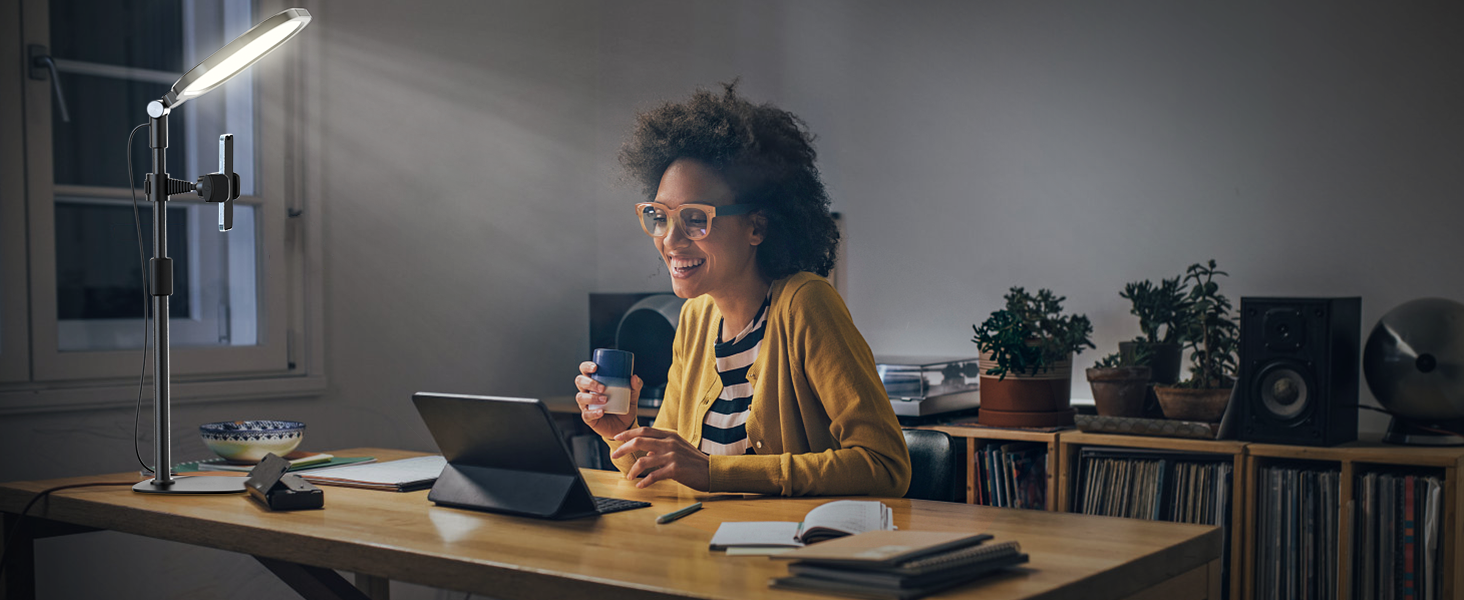
Image: Detailed view of the in-line controller, showing the power button, mode selection, and brightness adjustment buttons.
- Power Button (Ⓘ): Press once to turn the light ON or OFF.
- Mode Button (M): Press to cycle through the 3 color temperature modes: Warm Light (2700K), Natural Light (4000K-5800K), and Cold Light (6500K).
- Brightness Up Button (+): Press to increase brightness. Hold to continuously increase brightness.
- Brightness Down Button (-): Press to decrease brightness. Hold to continuously decrease brightness.
The lamp features a memory function, which will recall the last used brightness and color temperature settings when turned on again.
Adjusting the Stand and Light Head

Image: Visual guide illustrating the height adjustment of the stand (10" to 18.7") and the rotational and tilting capabilities of the light head.
- Height Adjustment: Loosen the locking collar on the stand, adjust to the desired height (10" to 18.7"), and then tighten the collar to secure.
- Light Head Rotation: The light head can rotate 360 degrees horizontally. Gently turn the light head to adjust its direction.
- Light Head Tilt: The light head can tilt up to 180 degrees vertically. Adjust the angle to direct light as needed.
Maintenance
- Cleaning: Disconnect the power before cleaning. Use a soft, dry cloth to wipe the surface of the lamp. Do not use abrasive cleaners or solvents.
- Storage: When not in use for extended periods, store the lamp in a cool, dry place, away from direct sunlight and moisture.
- Cable Care: Avoid bending or twisting the power cable excessively. Do not place heavy objects on the cable.
Troubleshooting
| Problem | Possible Cause | Solution |
|---|---|---|
| Light does not turn on. | No power, loose connection, faulty USB adapter. |
|
| Light flickers or is dim. | Insufficient power, faulty cable. |
|
| Cannot adjust brightness/color. | Controller malfunction. |
|
| Stand is unstable. | Loose connections, uneven surface. |
|
Specifications
| Feature | Detail |
|---|---|
| Model Number | LitONES-6 |
| Brand | LitONES |
| Light Source | LED (CRI > 95) |
| Brightness Levels | 10% - 100% (Stepless Dimming) |
| Color Temperature | 2700K - 6500K (Adjustable) |
| Power Input | USB 5V/2A (Recommended) |
| Adjustable Height | 10 inches to 18.7 inches |
| Light Head Rotation | 360 degrees |
| Light Head Tilt | 180 degrees |
| Product Dimensions | 28.5 x 20.5 x 28.5 inches (assembled, max height) |
| Item Weight | 2.53 pounds |
Warranty and Support
LitONES products are designed for quality and reliability. For warranty information and customer support, please refer to the contact details provided with your purchase or visit the official LitONES website.
If you encounter any issues not covered in the troubleshooting section, please contact our customer service team for assistance. Please have your model number (LitONES-6) and purchase date ready.
LitONES Customer Service: Visit the LitONES Store on Amazon
