
1. Introduction
This manual provides essential information for the safe and efficient operation of your SellEton SL-700-7x7 Heavy Duty Industrial Floor Scale. This industrial floor scale is designed for robust performance in demanding environments, featuring a welded carbon steel construction with a tread plate design. It is built to handle significant loads while maintaining accuracy and preventing damage. The scale has a capacity of 10,000 lbs with a 5 lb accuracy and is compliant with non-NTEP regulations for commercial use. It includes 200% overload protection and comes factory calibrated, ensuring immediate use without additional calibration procedures. A 20-foot long heavy-duty metal shielded cable and a built-in RS-232 communication port are also integrated.
The accompanying SL-7510-SS-P Series indicator is made of stainless steel, suitable for outdoor use, and features a durable metal casing. It includes an optional rechargeable battery and a 6-digit, 1-inch tall backlit LED display. The indicator supports multiple weighing units (lb/kg/g/oz/lb:oz) and offers functions such as Gross/Tare/Pre-Set Tare/Zero operations, along with multiple Hold functions, capable of displaying up to 50,000 graduations.
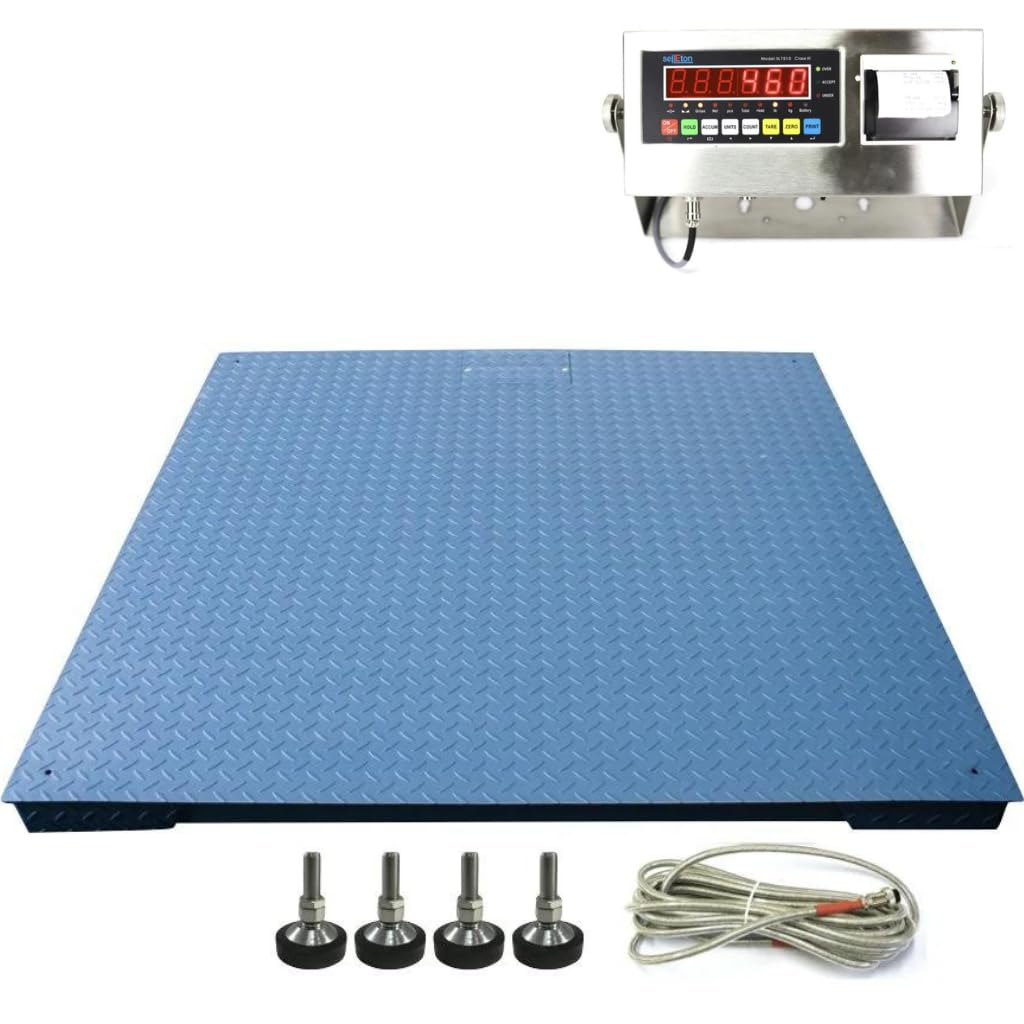
Figure 1: Overview of the SellEton SL-700-7x7 Industrial Floor Scale with its LED indicator and integrated printer.
Video 1: This video demonstrates the manufacturing process of the SellEton SL-700-NN Industrial Floor Scale, highlighting the robust construction and quality control measures.
2. Setup
2.1 Unpacking
Carefully remove all components from the packaging. Verify that all parts listed in the packing list are present and undamaged. Retain packaging materials for future transport or storage.
2.2 Placement
Place the floor scale on a firm, level surface capable of supporting the scale's weight plus the maximum load. Ensure the area is free from excessive vibrations, drafts, or extreme temperature changes that could affect accuracy.
2.3 Leveling the Scale
The scale is equipped with adjustable feet to ensure proper leveling. Use a spirit level to check the scale's surface. Adjust each foot by rotating it clockwise or counter-clockwise until the scale is perfectly level and stable. All four feet must be in firm contact with the ground.

Figure 2: Close-up view of the adjustable feet, crucial for ensuring the scale is level and stable for accurate measurements.
2.4 Connecting the Indicator
Connect the provided heavy-duty metal shielded cable from the floor scale to the designated load cell input port on the SL-7510-SS-P indicator. Ensure the connection is secure. Connect the power adapter to the indicator and plug it into a suitable power outlet. If using the optional rechargeable battery, ensure it is charged before initial use.
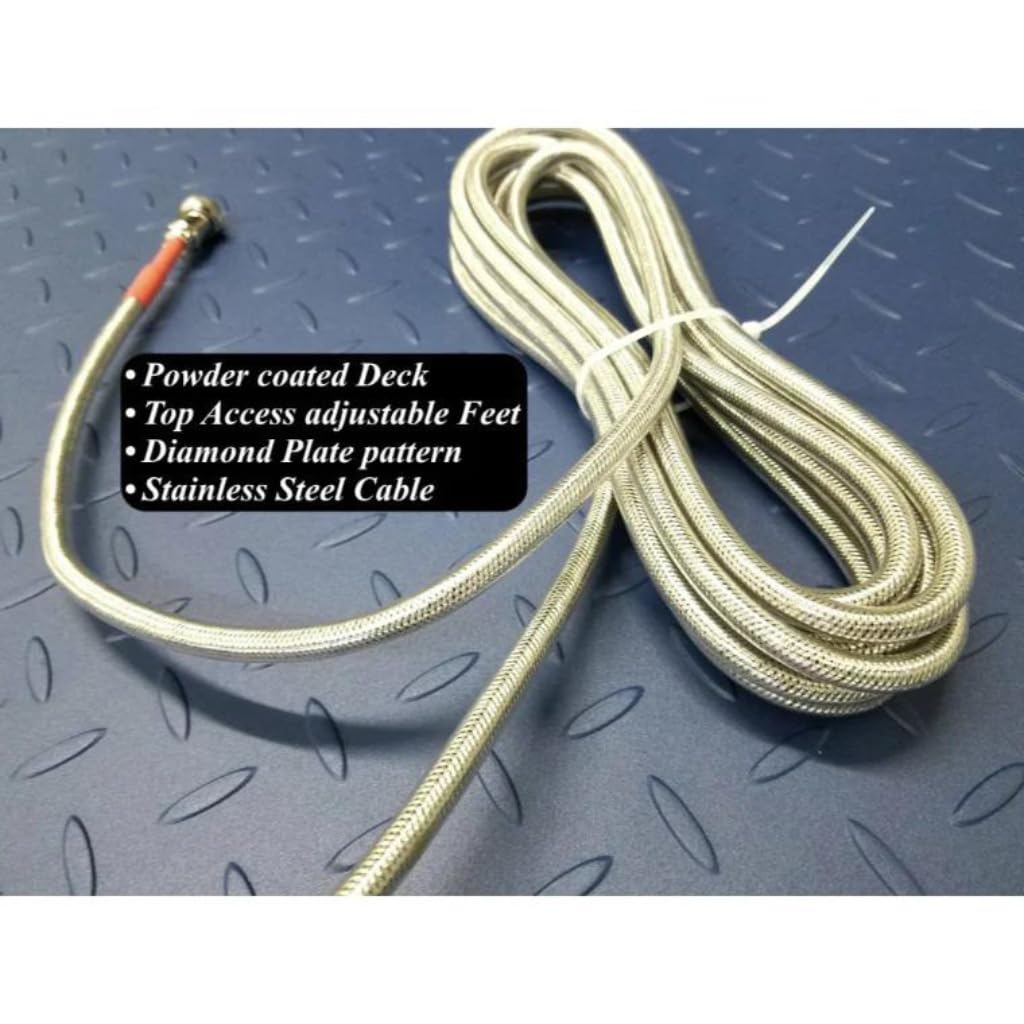
Figure 3: The heavy-duty metal shielded cable used to connect the floor scale to the indicator, ensuring reliable data transmission.
3. Operating Instructions
3.1 Power On/Off
Press the ON/OFF button on the indicator to power the unit on or off. Allow a few seconds for the display to stabilize after powering on.
3.2 Basic Weighing
- Ensure the scale is empty and the display reads zero. If not, press the ZERO button.
- Carefully place the item to be weighed onto the center of the scale platform.
- Read the weight displayed on the LED screen.
3.3 Tare Function
The tare function allows you to subtract the weight of a container or pallet, displaying only the net weight of the contents.
- Place the empty container or pallet on the scale.
- Press the TARE button. The display will reset to zero.
- Place the items to be weighed into the container. The display will show the net weight of the items.
- To clear the tare, remove the container and its contents, then press the TARE button again.
3.4 Unit Conversion
To switch between weighing units (e.g., lb, kg), press the UNITS button. The display will cycle through the available units.
3.5 Printing
To print the current weight reading, press the PRINT button on the indicator. Ensure the integrated printer has paper and is functioning correctly.

Figure 4: The front panel of the SL-7510-SS-P indicator, showing the LED display and control buttons for various functions, including the integrated printer.

Figure 5: Side view of the SL-7510-SS-P indicator, illustrating the load cell connection port and DC power input.
4. Maintenance
4.1 Cleaning
Regularly clean the scale platform and indicator with a damp cloth and mild detergent. Avoid using abrasive cleaners or solvents that could damage the finish or electronic components. Ensure no liquids enter the indicator casing or load cell areas.
4.2 Inspection
Periodically inspect the scale for any signs of wear, damage, or corrosion, especially on the load cells, cables, and adjustable feet. Ensure all connections are secure. Address any issues promptly to maintain accuracy and safety.
4.3 Calibration
While the scale comes factory calibrated, periodic re-calibration may be necessary to ensure continued accuracy, especially after relocation or prolonged use. Calibration should be performed by qualified personnel using certified test weights. Refer to the indicator's specific calibration instructions for detailed steps.
5. Troubleshooting
| Problem | Possible Cause | Solution |
|---|---|---|
| Inaccurate Readings | Scale not level; damaged load cell; external interference (vibration, drafts); calibration required. | Level the scale; inspect load cells and cables; relocate scale if necessary; perform calibration. |
| No Display on Indicator | No power; faulty power adapter/battery; loose cable connection. | Check power supply; ensure battery is charged; verify all cable connections. |
| Cannot Print | No paper in printer; printer error; incorrect settings. | Check and replace printer paper; consult indicator manual for printer error codes; verify print settings. |
| Erratic Readings | Loose connections; electromagnetic interference; unstable environment. | Secure all cables; move away from strong electrical devices; ensure stable operating environment. |
6. Specifications
| Feature | Detail |
|---|---|
| Model Number | SL-700-7x7-84-10 |
| Brand | SELLETON.COM ACCURATE SCALES WITH BETTER PRICING |
| Capacity | 10,000 lbs |
| Readout Accuracy | 5 lbs |
| Platform Dimensions | 7' x 7' (84" x 84") |
| Material | Alloy Steel, Metal, Stainless Steel (Tread Plate Design) |
| Overload Protection | 200% |
| Indicator Model | SL-7510-SS-P Series (Stainless Steel) |
| Indicator Display | 6-digits, 1" tall backlit LED |
| Weighing Units | lb/kg/g/oz/lb:oz |
| Communication Port | RS-232 |
| Cable Length | 20 ft |
7. Warranty
The SellEton SL-700-7x7 Industrial Floor Scale is backed by a 2-year warranty on parts. This warranty covers defects in materials and workmanship under normal use. For extended coverage, 2-Year and 3-Year Protection Plans are available for purchase.
8. Support
For technical assistance, service, or warranty claims, please contact SellEton customer support. Our team is dedicated to ensuring your satisfaction and will provide full cooperation in resolving any issues you may encounter with your product.
Contact Information: Please refer to the contact details provided with your product packaging or visit the official SellEton website for the most current support information.
Video 2: This video showcases SellEton's commitment to providing USA-made industrial weighing solutions, emphasizing trust and quality in their products.


