
1. Introduction
Thank you for purchasing the SHARP 27L Convection Microwave Oven, model R827KNK. This appliance is designed to provide versatile cooking options, including microwave, grill, and convection functions, along with specialized features like Healthy Fry and Vapour Clean. To ensure safe and efficient operation, please read this manual thoroughly before using the oven and retain it for future reference.
2. Important Safety Instructions
When using electrical appliances, basic safety precautions should always be followed to reduce the risk of fire, electric shock, burns, or injury. This includes:
- Read all instructions before using the appliance.
- Do not operate the oven if it has a damaged cord or plug, if it is not working properly, or if it has been damaged or dropped.
- Do not heat liquids or other foods in sealed containers as they are liable to explode.
- Only allow children to use the oven without supervision when adequate instructions have been given so that the child is able to use the oven in a safe way and understands the hazards of improper use.
- Maintain the oven and its accessories in a clean condition. Failure to do so could lead to deterioration of the surface that could adversely affect the life of the appliance and possibly result in a hazardous situation.
- Do not use corrosive chemicals or vapors in this appliance.
- Ensure proper ventilation around the oven. Do not block any ventilation openings.
- Always use oven mitts when handling hot dishes or accessories.
3. Product Overview
The SHARP R827KNK is a 27-liter convection microwave oven featuring a sleek black design and a durable stainless steel cavity. It combines microwave, grill, and convection cooking for versatile meal preparation.
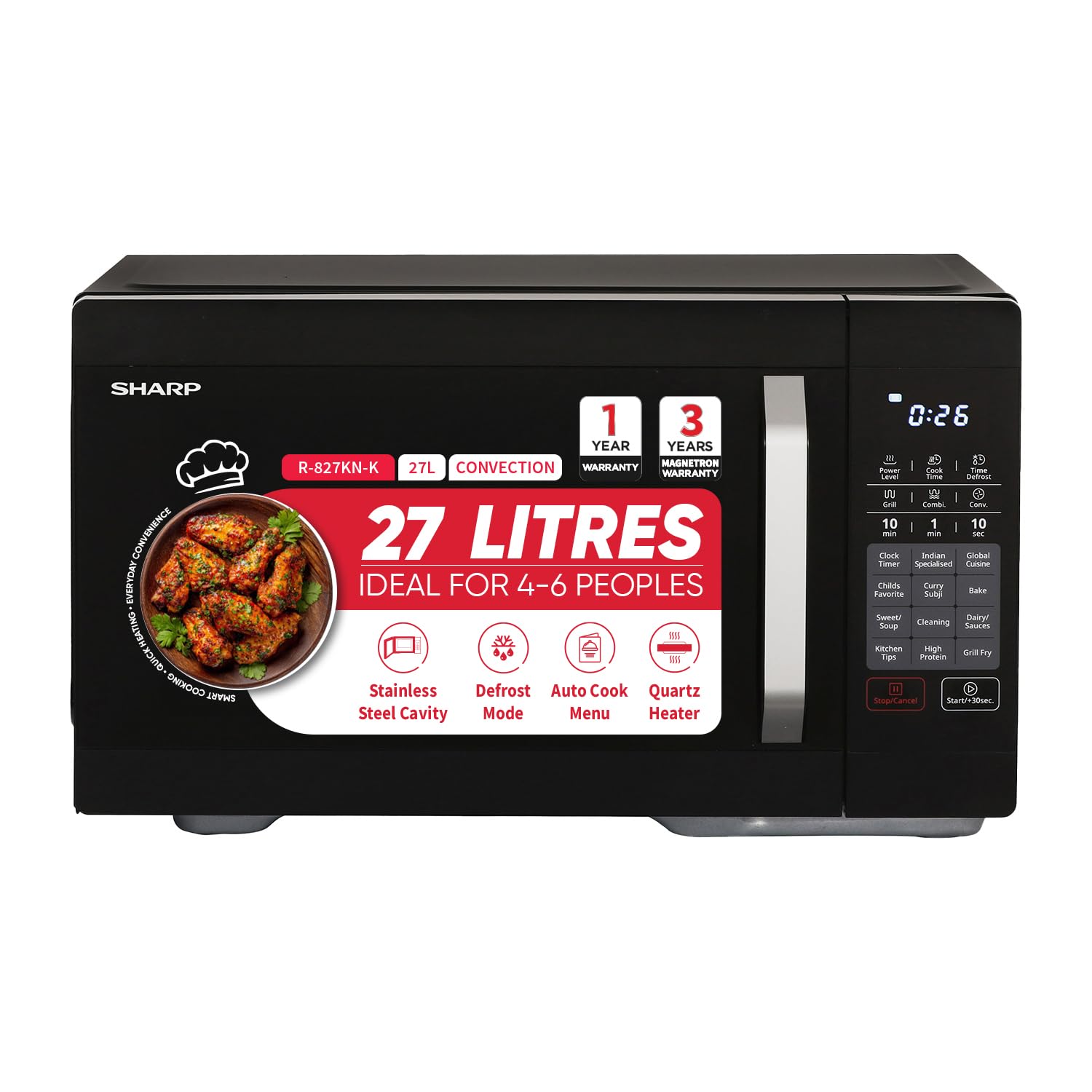
Figure 3.1: Front view of the SHARP 27L Convection Microwave Oven R827KNK. This image displays the appliance's exterior, including the door, handle, and control panel.
3.1 Components
- Oven Cavity: Stainless steel interior for efficient heating and easy cleaning.
- Turntable: Rotates food for even cooking.
- Grill Rack: For grilling and browning.
- Control Panel: Touch-sensitive interface for setting functions and time.
- Door: With safety interlock system.

Figure 3.2: Interior view of the SHARP 27L Convection Microwave Oven R827KNK, showing the stainless steel cavity and turntable.
3.2 Control Panel
The oven features a touch control panel for intuitive operation. Familiarize yourself with the various buttons and display indicators before use.

Figure 3.3: Close-up of the control panel on the SHARP 27L Convection Microwave Oven R827KNK, highlighting the touch buttons and digital display.
4. Setup and Installation
4.1 Unpacking
- Remove all packaging materials from inside and outside the oven.
- Check the oven for any damage, such as dents or a misaligned door. Do not operate if damaged.
- Ensure all included components (Microwave Rack) are present.
4.2 Placement
- Place the oven on a flat, stable surface strong enough to support its weight (15.8 Kilograms).
- Ensure adequate space for ventilation: at least 20 cm (8 inches) above the oven, 10 cm (4 inches) at the rear, and 5 cm (2 inches) on each side.
- Keep the oven away from heat sources, strong magnetic fields, and areas with high humidity.
4.3 Electrical Connection
- Plug the oven into a properly grounded 230 Volts (AC) power outlet.
- Do not use extension cords or adapters.
5. Operating Instructions
The SHARP R827KNK offers multiple cooking modes. Always ensure the correct accessories are used for each mode.
5.1 Microwave Cooking
- Place food in a microwave-safe dish on the turntable.
- Close the oven door.
- Select the desired microwave power level (4 levels available).
- Set the cooking time using the touch controls.
- Press Start.
5.2 Convection Cooking
Convection mode uses a fan to circulate hot air, ideal for baking and roasting.
- Place food on the microwave rack (included) or a suitable oven-safe dish.
- Select Convection mode and set the desired temperature.
- Set the cooking time.
- Press Start.
5.3 Grill Cooking
Use the grill function for browning and toasting.
- Place food on the grill rack.
- Select Grill mode.
- Set the grilling time.
- Press Start.
5.4 Healthy Fry (Air Fry)
This feature allows for cooking with minimal oil, such as French fries and papads.
- Place food on a suitable tray or the grill rack.
- Select the Healthy Fry menu option.
- Choose the desired program based on the food item and quantity.
- Press Start.
5.5 Auto Cook Menu
The oven includes over 300 pre-saved auto cook menus for various dishes.
- Select the Auto Cook function.
- Browse and select the desired recipe number from the menu.
- Follow on-screen prompts for food quantity if applicable.
- Press Start.
5.6 Defrost by Weight or Time
Efficiently defrost frozen ingredients.
- Place frozen food in the oven.
- Select the Defrost function.
- Choose between defrosting by weight or by time.
- Enter the weight or time as required.
- Press Start.
6. Maintenance and Cleaning
Regular cleaning ensures optimal performance and extends the life of your oven.
6.1 General Cleaning
- Always unplug the oven before cleaning.
- Wipe the exterior with a damp cloth and mild detergent.
- Clean the interior stainless steel cavity with a damp cloth and mild, non-abrasive cleaner.
- Remove the turntable and wash it in warm, soapy water or a dishwasher.
- Clean the door seals and surrounding areas to remove any food spills.
6.2 Vapour Clean Function
The Vapour Clean function helps loosen food residue inside the cavity for easier cleaning.
- Place a microwave-safe bowl of water (approx. 200ml) inside the oven.
- Select the Vapour Clean function from the menu.
- Press Start. The steam generated will help soften food splatters.
- After the cycle, carefully remove the bowl and wipe the interior with a damp cloth.
7. Troubleshooting
If you encounter issues with your oven, refer to the following common problems and solutions:
| Problem | Possible Cause | Solution |
|---|---|---|
| Oven does not start | Power cord not plugged in; Door not closed properly; Fuse blown or circuit breaker tripped. | Ensure plug is firmly in outlet; Close door securely; Check household fuse or reset circuit breaker. |
| Food not cooking evenly | Food not stirred or turned; Turntable not rotating; Incorrect power level/time. | Stir or turn food during cooking; Check turntable for obstructions; Adjust power and time settings. |
| Excessive steam inside oven | High moisture content in food. | This is normal for some foods. Wipe interior after use. |
| Oven light not working | Light bulb needs replacement. | Contact customer support for bulb replacement. Do not attempt to replace yourself. |
If the problem persists after trying these solutions, please contact customer support.
8. Specifications
| Feature | Specification |
|---|---|
| Brand | SHARP |
| Model Name | R827KNK |
| Capacity | 27 Liters |
| Product Dimensions (D x W x H) | 43.5D x 49.5W x 29H Centimeters |
| Colour | Black |
| Material Type | Stainless Steel |
| Wattage | 2100 Watts |
| Power Consumption | 900 Watts |
| Voltage | 230 Volts (AC) |
| Controller Type | Touch Pad |
| Number of Power Levels | 4 |
| Heating Method | Convection |
| Defrost System Type | Quick Defrost |
| Number of Programs | 328 (Auto Cook) |
| Item Weight | 15.8 Kilograms |
| Installation Type | Freestanding |
| Included Components | Microwave Rack |
9. Warranty and Support
9.1 Warranty Information
This SHARP Convection Microwave Oven R827KNK comes with a 1 Year Comprehensive Warranty. Additionally, there is a Total 3 Years Warranty on the Magnetron, which is a key component of the microwave system.
Please retain your purchase receipt as proof of purchase for warranty claims.
9.2 Customer Support
For any queries, service requests, or technical assistance, please contact SHARP customer support:
- Toll-Free: 1800-419-4322
- E-Mail: support@sharp-oa.com
- Importer Contact: Sharp Business Systems (India) Private Limited, Plot No. 51, First Floor, Okhla Industrial Estate, Phase-III, New Delhi- 110020


