
1. Introduction
This manual provides detailed instructions for the proper use and maintenance of your WeurGhy Smart Watch Y6. Please read this manual thoroughly before using the device to ensure optimal performance and longevity.
2. Package Contents
Verify that all items listed below are present in your package:
- WeurGhy Smart Watch Y6
- Magnetic Charging Cable
- Sport Watch Band
- User Manual
3. Setup
3.1. Charging the Device
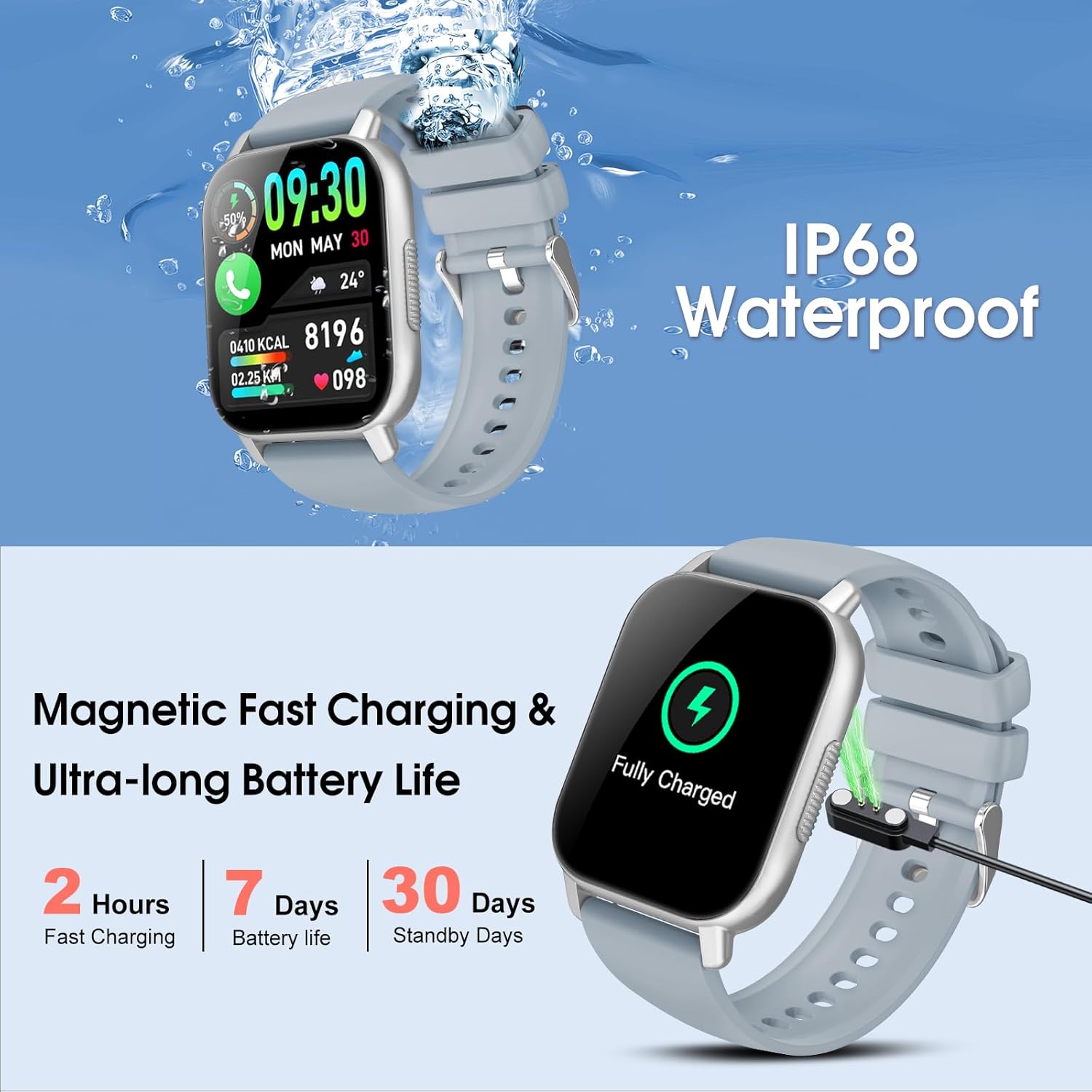
Before initial use, fully charge your smart watch. Connect the magnetic charging cable to the charging points on the back of the watch and plug the USB end into a power adapter (not included) or a computer's USB port.
- Charging Time: Approximately 2 hours for a full charge.
- Battery Life: Up to 7 days of typical use, 30 days in standby mode.
3.2. App Installation and Pairing
To unlock the full functionality of your smart watch, download and install the companion application on your smartphone.
- Scan the QR code provided in the manual or on the watch screen (if available) to download the official app, or search for the app name (usually mentioned in the quick start guide) in your phone's app store.
- Install the app and create an account if prompted.
- Enable Bluetooth on your smartphone.
- Open the app and follow the on-screen instructions to search for and pair with your WeurGhy Smart Watch Y6. Ensure the watch is powered on and near your phone during pairing.
4. Operating Instructions
4.1. Basic Navigation
The WeurGhy Smart Watch Y6 features a 1.85-inch HD touch screen for intuitive operation.
- Swipe Up/Down: Navigate through menus and notifications.
- Swipe Left/Right: Access quick functions or different watch faces.
- Tap: Select an item or confirm an action.
- Side Button: Typically used to return to the home screen or power on/off the device (long press).

4.2. Bluetooth Calling and Message Reminders
Once paired with your smartphone, the watch supports Bluetooth calling and message notifications.
- Making Calls: Access the dial pad or contacts directly from the watch to initiate calls. The watch uses its built-in microphone and speaker for communication.
- Receiving Calls: Answer or reject incoming calls directly from your wrist.
- Message Notifications: Receive alerts for incoming messages (SMS, social media apps) directly on your watch screen.

4.3. Health and Fitness Tracking
The smart watch is equipped with various sensors to monitor your health and activity levels.
- Heart Rate Monitor: Continuously tracks your heart rate throughout the day.
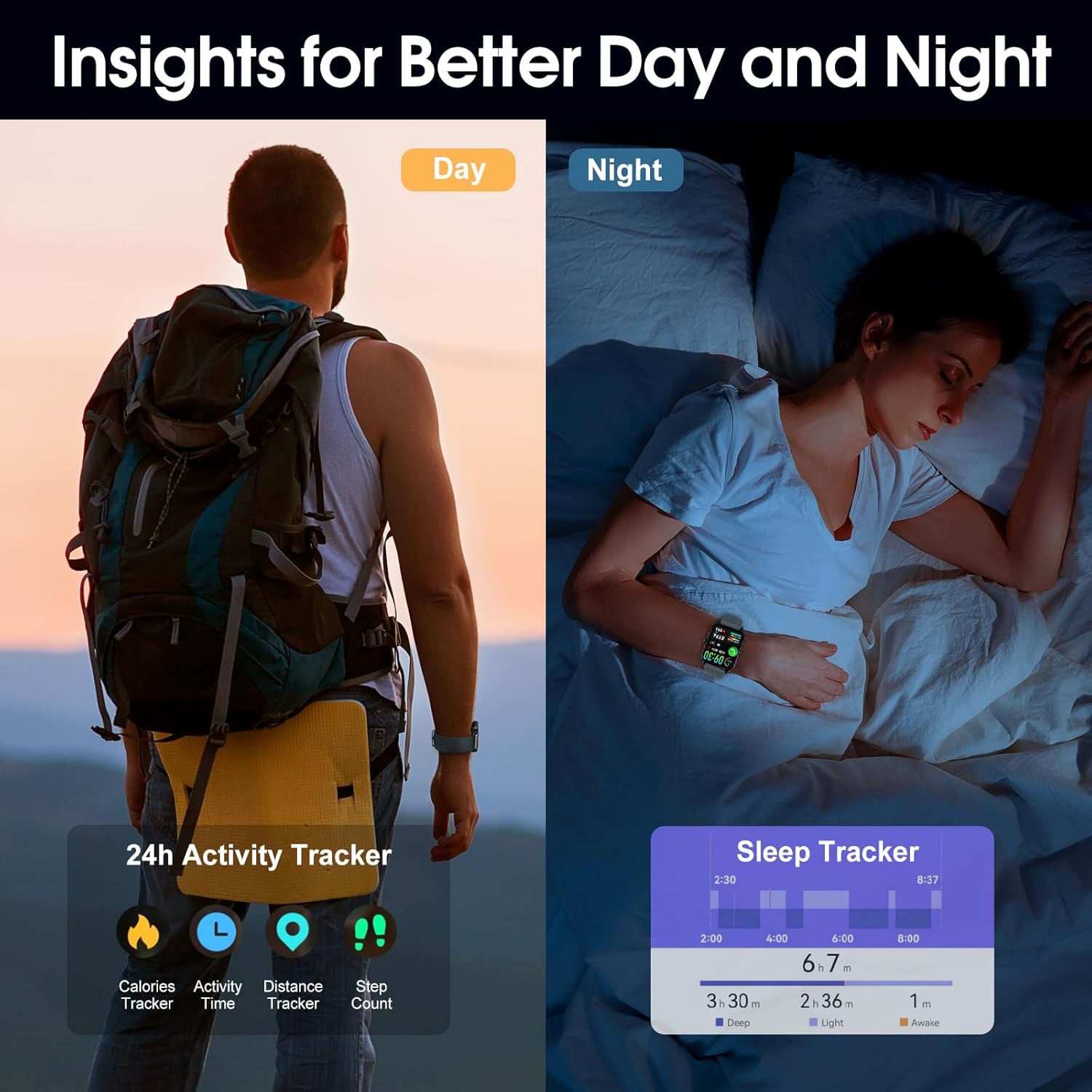
- Sleep Monitor: Analyzes your sleep patterns, including deep sleep, light sleep, and awake times.
- SpO2 Monitor: Measures your blood oxygen saturation levels.
- Activity Tracker: Records steps taken, distance covered, and calories burned.
- Sport Modes: Supports over 112 different sport modes, allowing you to track specific workout data.

5. Maintenance
5.1. Water Resistance
The WeurGhy Smart Watch Y6 has an IP68 waterproof rating, meaning it is resistant to dust and can withstand immersion in water up to 1.5 meters for up to 30 minutes. It is suitable for daily use, hand washing, and light rain. However, it is not recommended for hot showers, saunas, or diving, as steam and high water pressure can compromise the seal.
5.2. Cleaning
To maintain the watch's appearance and functionality:
- Wipe the watch screen and body with a soft, damp cloth.
- Clean the charging contacts regularly to ensure efficient charging.
- Avoid using harsh chemicals or abrasive materials, as these can damage the device.
6. Troubleshooting
- Watch not turning on: Ensure the watch is fully charged. Connect it to the charger for at least 10 minutes before attempting to power it on again.
- Cannot pair with phone:
- Ensure Bluetooth is enabled on your phone and the watch.
- Make sure the watch is within the Bluetooth range of your phone (typically 10 meters).
- Restart both your phone and the watch.
- Check if the app is updated to the latest version.
- Inaccurate health data: Ensure the watch is worn snugly on your wrist, about one finger's width above the wrist bone. Avoid excessive movement during measurements.
- Short battery life: Reduce screen brightness, disable unnecessary notifications, and limit continuous heart rate monitoring if not required.
7. Specifications
| Feature | Specification |
|---|---|
| Model Number | Y6 |
| Screen Size | 1.85 Inches |
| Human Interface Input | Touchscreen |
| Connectivity Technology | Bluetooth |
| Water Resistance | IP68 |
| Battery Type | Lithium Polymer |
| Item Weight | 3.87 ounces |
| Product Dimensions | 10.87 x 3.43 x 0.87 inches |
| Compatible Devices | Smartphone (Android/iOS) |
8. Warranty and Support
WeurGhy products are designed for reliability and performance. For warranty information or technical support, please refer to the contact details provided on the product packaging or visit the official WeurGhy website. Keep your purchase receipt as proof of purchase for warranty claims.