
1. Important Safety Instructions
Please read all instructions carefully before assembly and use. Keep this manual for future reference.
- Do not exceed the maximum weight capacity of 40 pounds (18.1 kg) for the nightstand.
- Ensure all connections for the charging station and LED lights are secure before plugging into a power source.
- Keep liquids away from electrical components to prevent electric shock.
- Do not allow children to climb on or play with the nightstand.
- Use only the provided or recommended power adapters for the charging station and LED lights.
- Avoid placing hot items directly on the high-gloss surface to prevent damage.
- Dispose of packaging materials responsibly.
2. Package Contents
Verify that all components are present before beginning assembly. This product is typically shipped in two boxes for the set of two nightstands.
- Nightstand panels (various sizes)
- Drawer components
- Sliding rails for drawers
- LED light strips and control unit
- Charging station module (Wireless Charger, USB Port, Type-C Port)
- Power adapter
- Assembly hardware (screws, dowels, etc.)
- Assembly instructions
- Assembly tools (e.g., Allen wrench)
3. Product Overview
The SKKTKT Smart LED Nightstand is designed to provide convenient storage and modern functionality for your bedroom or living space. It features integrated RGB LED lighting, a versatile charging station, and two spacious drawers.
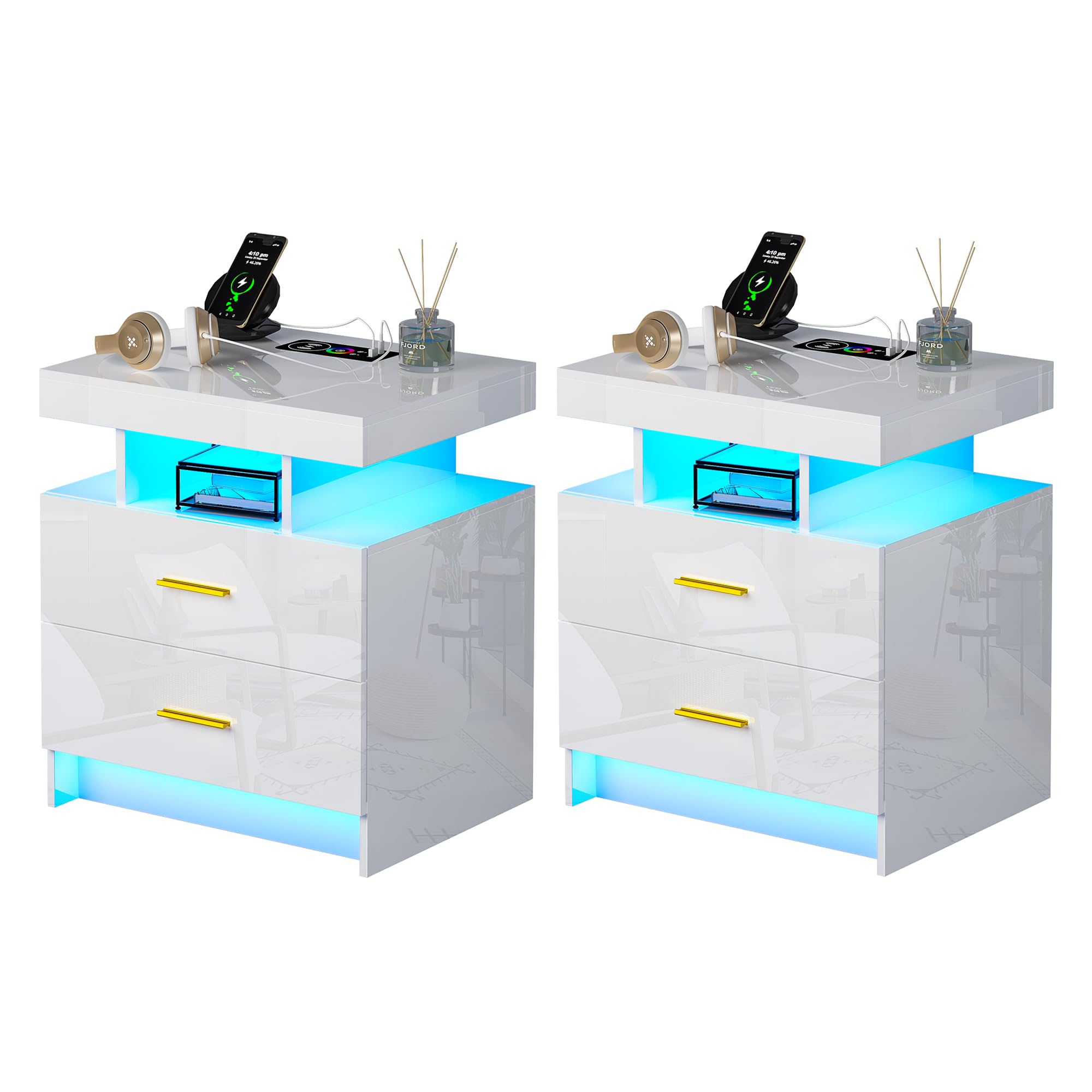
Image 3.1: Overall view of the SKKTKT Smart LED Nightstand, showcasing its sleek design and integrated lighting.
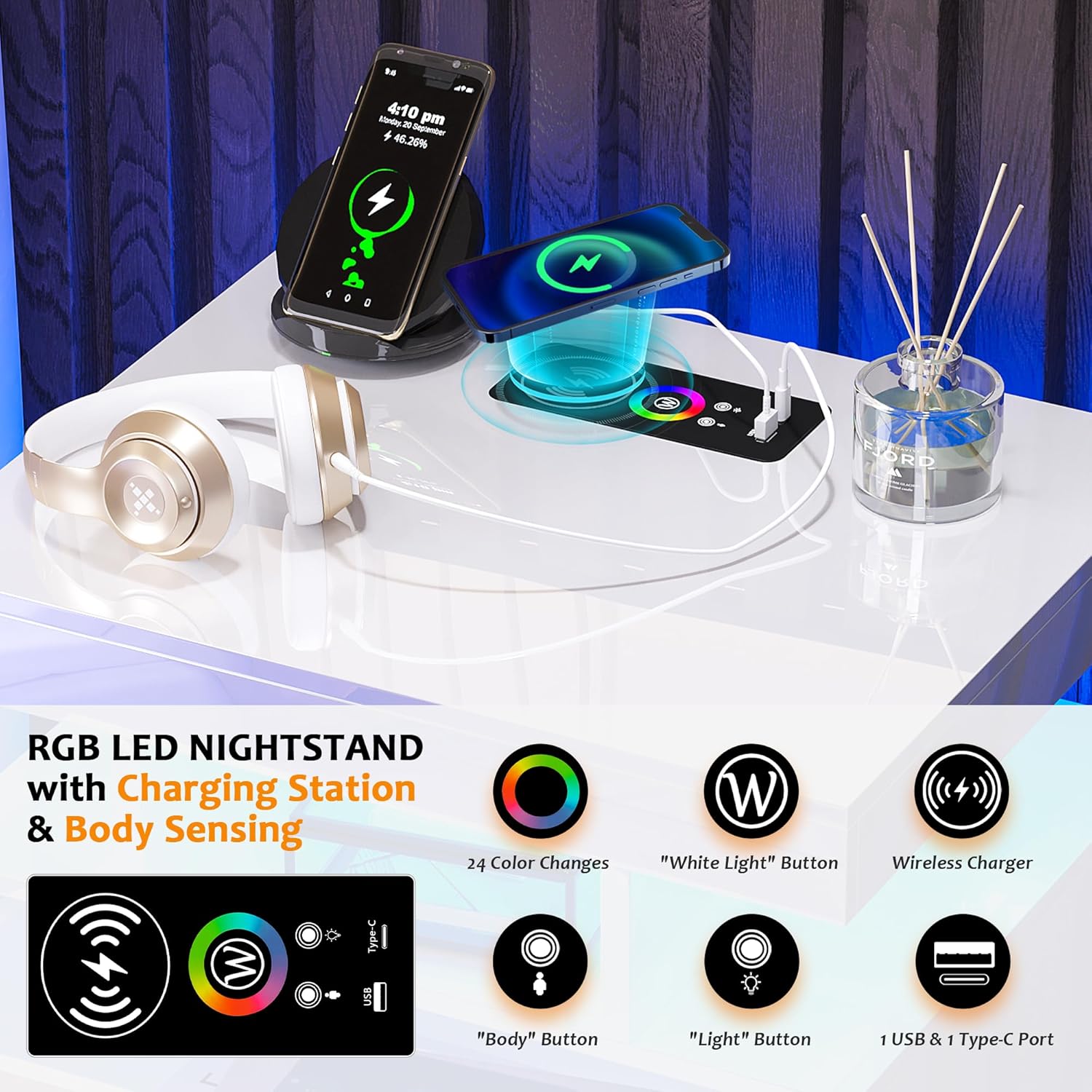
Image 3.2: Detailed dimensions of the nightstand: 19.6 inches (W) x 15.7 inches (D) x 22.8 inches (H).
4. Assembly Instructions
Assembly is required for this nightstand. All parts and accessories are clearly labeled to facilitate the process. Please follow the step-by-step instructions provided in the separate assembly manual included in your package.
- Unpack all components and verify against the parts list in the assembly manual.
- Lay out all parts on a clean, soft surface to prevent scratches.
- Follow the numbered steps in the assembly manual carefully.
- Ensure all screws and fasteners are tightened securely, but do not overtighten.
- Connect the LED light strips and charging station module as instructed in the manual.
If you encounter any difficulties during assembly, please refer to the troubleshooting section or contact customer support.
5. Operating Instructions
5.1. LED Lighting Control
The nightstand features integrated RGB LED lights with multiple color and brightness settings.
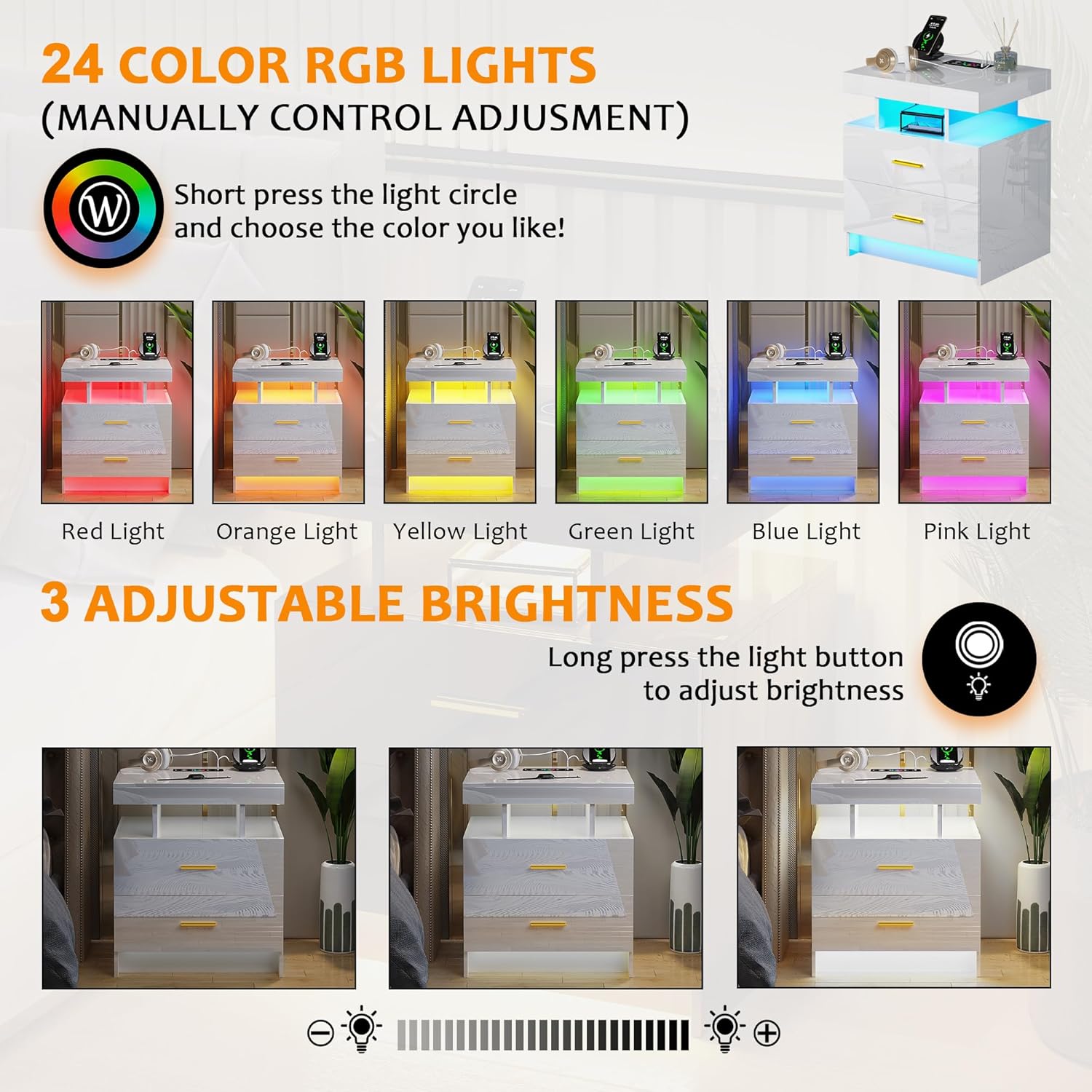
Image 5.1.1: The control panel allows selection from 24 distinct RGB colors by short-pressing the 'rainbow circle' button.
- Color Selection: Short press the 'rainbow circle' button on the control panel to cycle through 24 variable RGB colors.
- White Light: Press the 'W' button on the control panel to set the lights to a pure white color.
- Brightness Adjustment: Long press the 'light bulb' button to adjust the brightness of the selected color. There are 3 adjustable brightness levels.

Image 5.1.2: Long-pressing the light button allows adjustment through three brightness levels.
5.2. Human Body Sensor (Auto On/Off)
The nightstand is equipped with an intelligent human body sensor that automatically controls the LED lights.

Image 5.2.1: The human body sensor detects presence, automatically turning lights on or off.
- Automatic Activation: The LED lights will automatically switch on when a person approaches within 1-2 meters of the nightstand.
- Automatic Deactivation: The lights will automatically switch off approximately 30 seconds after the person leaves the detection range.
- Sensor Control: The 'Body' button on the control panel can be used to enable or disable the human body sensor function.
5.3. Charging Station
The integrated 3-in-1 charging station provides multiple options for powering your devices.

Image 5.3.1: The charging station offers wireless charging, a USB port, and a Type-C port for various devices.
- Wireless Charging: Place your compatible device on the designated wireless charging pad on the tabletop. Ensure proper alignment for efficient charging.
- USB Port: Connect your device using a standard USB cable to the USB-A port.
- Type-C Port: Connect your device using a USB-C cable to the Type-C port.
Ensure the nightstand is properly connected to a power source for the charging station to function.
5.4. Drawer Usage
The nightstand includes two drawers with silent sliding rails for smooth operation.

Image 5.4.1: The drawers feature silent sliding rails for quiet and easy access to stored items.
- Gently pull the golden handles to open the drawers.
- Push the drawers back in until they are fully closed.
- Avoid overloading the drawers to ensure smooth operation of the sliding rails.
5.5. Product Video
Video 5.5.1: An official product video demonstrating the features and functionality of the SKKTKT Night Stand, including its charging station and color-changing LED lights.
6. Maintenance and Care
- Cleaning: The high-gloss surface is waterproof and easy to clean. Use a soft, damp cloth and mild detergent if necessary. Avoid abrasive cleaners or harsh chemicals.
- Dusting: Regularly dust the nightstand with a dry, soft cloth.
- Spills: Wipe up spills immediately to prevent staining or damage to the surface.
- Drawer Rails: Periodically check the drawer sliding rails for any debris and clean if necessary to maintain smooth operation.
- Electrical Components: Ensure all electrical connections are dry and free from dust. Do not attempt to repair electrical components yourself.
7. Troubleshooting
| Problem | Possible Cause | Solution |
|---|---|---|
| LED lights not turning on. | Power cable disconnected; LED strip faulty; control unit issue. | Check if the power cable is securely plugged into the wall outlet and the nightstand. Ensure the LED strip is properly connected to the control unit. If issues persist, contact customer support. |
| Charging station not working. | Power cable disconnected; device not compatible with wireless charging; incorrect cable for USB/Type-C. | Verify power connection. For wireless charging, ensure your device supports it and is correctly positioned. For USB/Type-C, try a different cable or device to confirm functionality. |
| Human body sensor not activating/deactivating lights. | Sensor disabled; obstruction; sensor malfunction. | Check the control panel to ensure the 'Body' sensor function is enabled. Remove any obstructions in front of the sensor. If the problem continues, contact customer support. |
| Drawers are stiff or not sliding smoothly. | Overloaded drawer; debris in rails; misaligned rails. | Reduce the weight in the drawer. Inspect the sliding rails for any foreign objects and clean them. Refer to the assembly manual to check for proper rail alignment. |
8. Specifications
| Feature | Detail |
|---|---|
| Brand | SKKTKT |
| Model | A-white-2pcs |
| Product Dimensions (D x W x H) | 15.7" x 19.6" x 22.8" (39.9 cm x 49.8 cm x 57.9 cm) |
| Item Weight | 40 Pounds (18.1 kg) |
| Maximum Weight Recommendation | 16.4 Kilograms (approx. 36 lbs) - Note: Discrepancy with Item Weight, use 40 lbs as general capacity. |
| Frame Material | Engineered Wood |
| Finish Type | High Gloss |
| LED Lights | 24-variable RGB colors, 3 adjustable brightness levels |
| Sensor | Intelligent Human Body Sensor (auto on/off within 1-2 meters) |
| Charging Station | Wireless Charging, 1x USB-A Port, 1x Type-C Port |
| Drawers | 2 drawers with silent sliding rails |
| Assembly Required | Yes |
| Number of Items | 2 (for the set) |
9. Warranty and Support
For warranty information or technical support, please refer to the documentation included with your purchase or contact SKKTKT customer service directly. Keep your purchase receipt as proof of purchase.
You can typically find contact information on the manufacturer's official website or through the retailer where the product was purchased.