
1. Introduction
This manual provides essential instructions for the safe and efficient use of your QKXC 3-in-1 Wireless Charging Station. This device is designed to simultaneously charge your compatible iPhone, Apple Watch, and AirPods/AirPods Pro, offering a streamlined charging experience.

Image 1.1: The QKXC 3-in-1 Wireless Charging Station in purple, shown charging an iPhone, Apple Watch, and AirPods.
2. Package Contents
Please verify that all items are present in your package:
- QKXC 3-in-1 Wireless Charging Station (Model X3Pro)
- USB-C to USB-C Cable (3.3 ft)
- 20W PD Power Adapter
- User Manual (this document)

Image 2.1: The charging station connected via a single USB-C cable, illustrating reduced cable clutter.
3. Setup Instructions
- Connect Power: Insert the provided USB-C to USB-C cable into the charging port on the back of the QKXC Wireless Charging Station. Connect the other end of the cable to the included 20W PD Power Adapter.
- Plug In: Plug the power adapter into a wall outlet. The indicator light on the charging station may illuminate briefly to confirm power connection.
- Position for Use: Place the charging station on a flat, stable surface. The Apple Watch charger is foldable and can be adjusted to an upright position for charging.

Image 3.1: The integrated Apple Watch charger can be folded for portability or extended for use.
4. Operating Instructions
The QKXC 3-in-1 Wireless Charging Station allows for convenient charging of multiple devices simultaneously.
4.1 Charging Your iPhone
- Place your compatible iPhone vertically or horizontally on the main charging pad.
- Ensure the phone is centered on the charging area for optimal connection.
- The phone screen will indicate charging status.

Image 4.1: The charging station supports both vertical and horizontal phone placement for charging.
4.2 Charging Your Apple Watch
- Lift the foldable Apple Watch charger to an upright position.
- Place your Apple Watch onto the magnetic charging module. The watch will snap into place.
- The watch screen will display the charging icon.
4.3 Charging Your AirPods/AirPods Pro
- Place your AirPods/AirPods Pro (with wireless charging case) on the designated charging spot at the base of the station.
- Ensure the case is properly aligned. The indicator light on the AirPods case will show charging status.
5. Safety Information
To ensure safe operation and prevent damage, please observe the following:
- Over-Current Protection: The charger is equipped with protection against excessive current.
- Over-Voltage Protection: Safeguards against voltage surges.
- Over-Temperature Protection: Prevents overheating during charging.
- Short Circuit Protection: Protects against short circuits.
- Foreign Object Detection (FOD): The charger will not activate if metal objects are detected on the charging surface.
- Case Compatibility: The charger supports cases up to 4mm thick. Remove any metal or magnetic attachments from your phone case before charging, as these can interfere with wireless charging.
- Anti-Slip Design: Anti-slip silicone pads are integrated to prevent devices from sliding.

Image 5.1: Internal view illustrating the multi-protection features of the charging station.
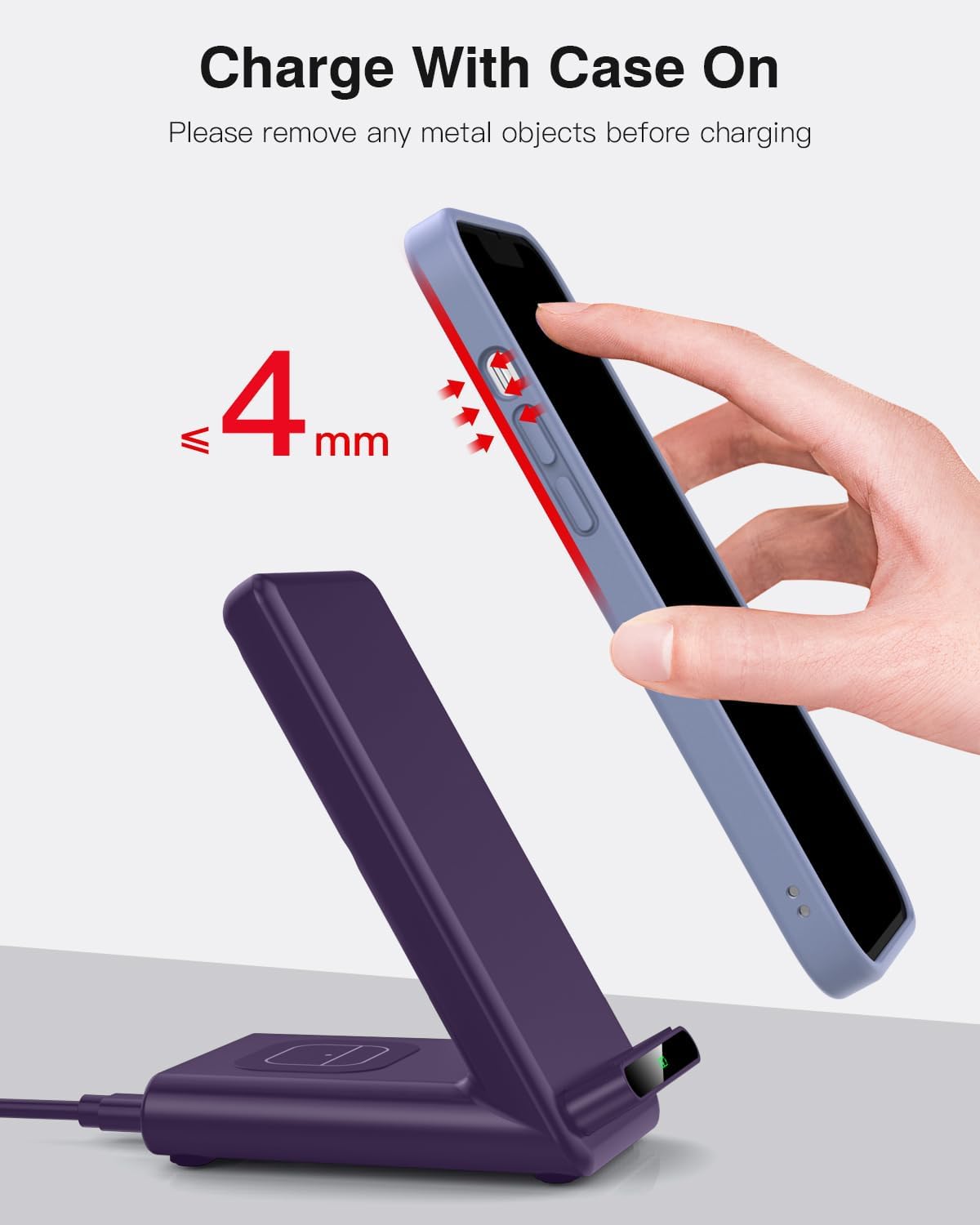
Image 5.2: The charging station supports phone cases up to 4mm thick. Remove metal or magnetic objects before charging.
6. Compatibility
The QKXC 3-in-1 Wireless Charging Station is compatible with a wide range of devices:
6.1 Apple Watch
- Apple Watch Series Ultra, 11, 10, 9, 8, 7, 6, SE, 5, 4, 3.
- Note: Not compatible with Apple Watch Series 1 & 2.
6.2 iPhone
- iPhone 17/17 Pro/17 Pro Max/Air, 16/16 Plus/16 Pro/16 Pro Max, 15/15 Plus/15 Pro/15 Pro Max, 14/14 Plus/14 Pro/14 Pro Max, 13/13 Pro/13 Pro Max/13 mini, 12/12 Pro/12 Pro Max/12 mini, 11/11 Pro/11 Pro Max, SE 2020, XS MAX/XS/XR/X, 8/8 Plus.
6.3 AirPods
- AirPods Pro 3, 2 (with wireless charging case).
6.4 Other Compatible Devices
- Samsung Galaxy S22/S21/S20/Note 10/10 Plus/S10/S10 Plus/S10E/Note9/S9/S8.
- Google Pixel 3/3XL/4XL.
- Other phones supporting wireless charging (Qi standard).
7. Troubleshooting
| Problem | Possible Cause | Solution |
|---|---|---|
| Device not charging |
|
|
| Slow charging |
|
|
| Charging station indicator light not on |
|
|
8. Specifications
| Feature | Detail |
|---|---|
| Model Number | X3Pro |
| Brand | QKXC |
| Input Voltage | 9 Volts |
| Wattage | 20 Watts (Max) |
| Product Dimensions | 2.68 x 3.86 x 4.53 inches |
| Item Weight | 9.9 ounces |
| Connector Type | USB Type C |
| Special Features | 3-in-1 Charger, Fast Charging, Wireless Charging, Foldable Watch Charger |
| Included Components | Magnetic watch charger, USB-C to USB-C Cable, 20W PD Power Adapter |
9. Maintenance
To maintain the performance and longevity of your charging station:
- Cleaning: Disconnect the power before cleaning. Use a soft, dry, lint-free cloth to wipe the surface. Do not use abrasive cleaners or solvents.
- Storage: When not in use for extended periods, store the charging station in a cool, dry place away from direct sunlight and extreme temperatures.
- Handling: Avoid dropping or subjecting the device to strong impacts.
10. Warranty and Support
For warranty information and customer support, please refer to the documentation included with your purchase or contact QKXC customer service directly. Contact details can typically be found on the product packaging or the official QKXC website.
Please retain your proof of purchase for warranty claims.