
1. Important Safety Information
Please read all instructions carefully before using this appliance and retain for future reference. Failure to follow these instructions may result in electric shock, fire, or serious injury.
General Safety
- Do not immerse the fan, cord, or plug in water or other liquids.
- Keep the fan away from children and pets.
- Ensure the fan is placed on a stable, flat surface to prevent tipping.
- Do not insert fingers or foreign objects into any openings of the fan.
- This fan is designed for indoor/outdoor use in covered areas. Do not expose directly to rain or excessive moisture.
Electrical Safety
- Only use the power adapter supplied with the fan.
- Unplug the fan from the power outlet before cleaning or performing any maintenance.
- Do not operate the fan with a damaged cord or plug.
- Ensure the voltage indicated on the fan matches your local power supply.
Battery Safety
- The fan uses a rechargeable Lithium-Ion battery. Use only the specified charging method.
- Do not expose the battery to extreme temperatures or direct sunlight.
- Do not attempt to disassemble or replace the battery. Contact qualified service personnel if needed.
2. Product Overview
Components
- LivePure Bladeless Fan Unit
- Remote Control
- Power Adapter
Key Features
- Indoor/Outdoor Use: Designed for versatile use in various settings, including covered outdoor areas.
- Bladeless Technology: Provides a smooth, consistent airflow and is safer for households with children and pets.
- Rechargeable Lithium-Ion Battery: Offers cordless operation for portability.
- Dual Power Options: Can operate while charging via the power cord.
- 4 Fan Speeds: Low, Medium, High, and Turbo settings for customized airflow.
- Accent Light: Features 5 unique interchangeable accent light colors.
- Rotation Feature: Provides wider air distribution.
- Soft-Touch Control Panel: Easy-to-use controls on the fan unit.
- Portable and Lightweight: Easy to move and transport.
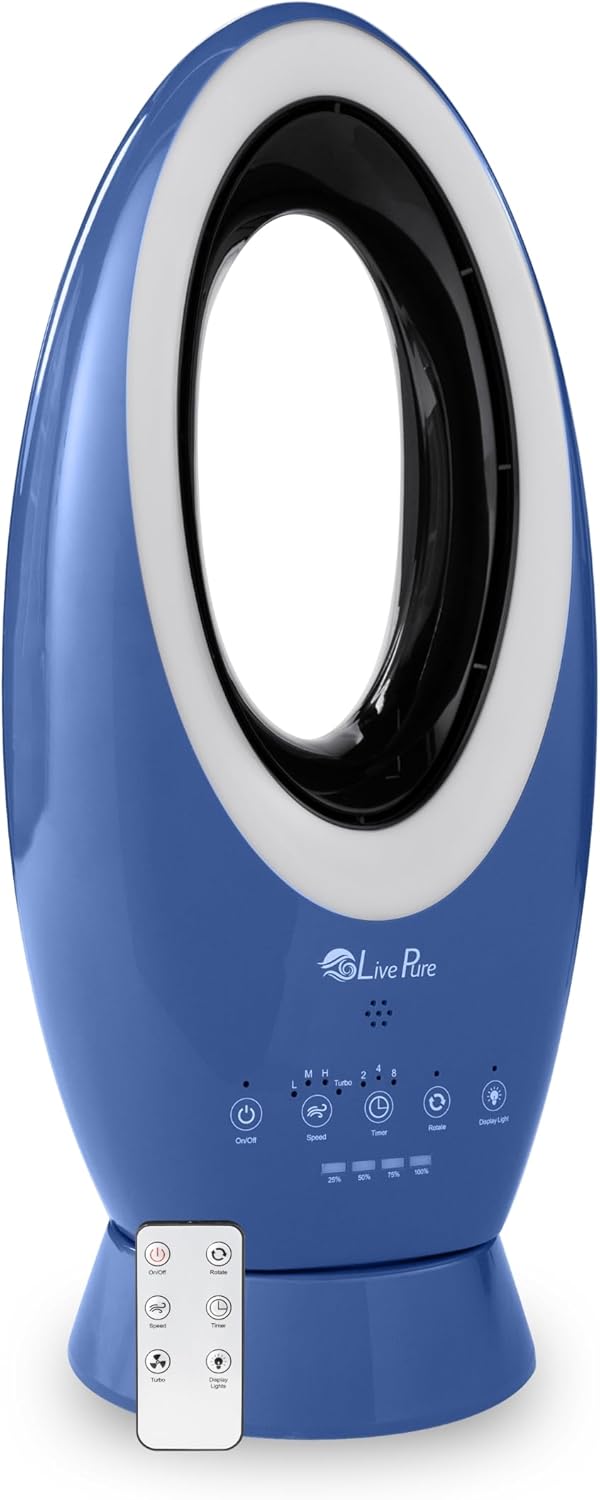
Image: The LivePure Bladeless Fan in denim blue, shown with its included remote control. The fan features a sleek, oval design with a control panel at its base.
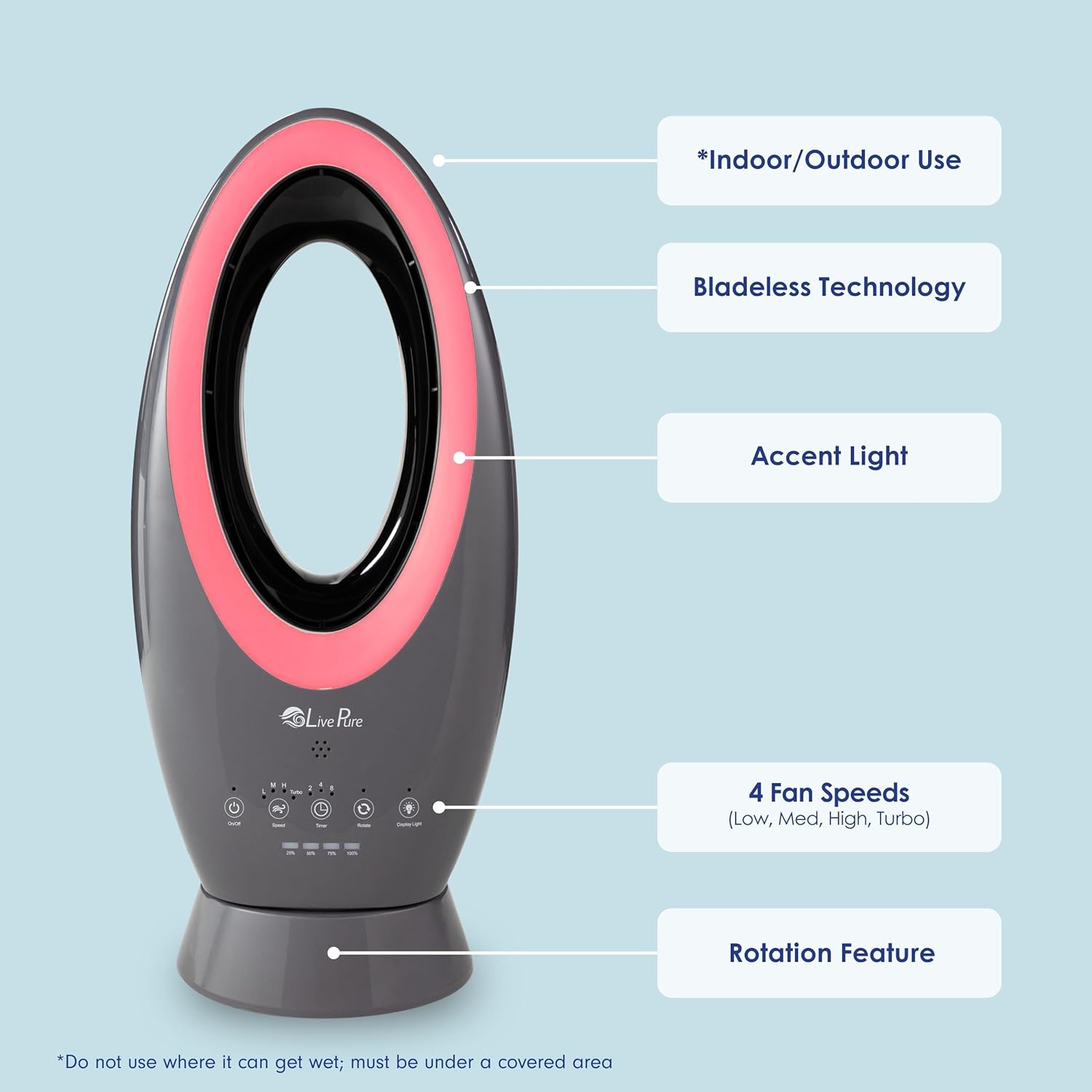
Image: A diagram of the LivePure Bladeless Fan pointing out key features such as Indoor/Outdoor Use, Bladeless Technology, Accent Light, 4 Fan Speeds, and Rotation Feature.

Image: Five LivePure Bladeless Fans demonstrating the 5 accent light colors: Blue, Pink, Green, Red, and White. This feature allows for customizable ambiance.
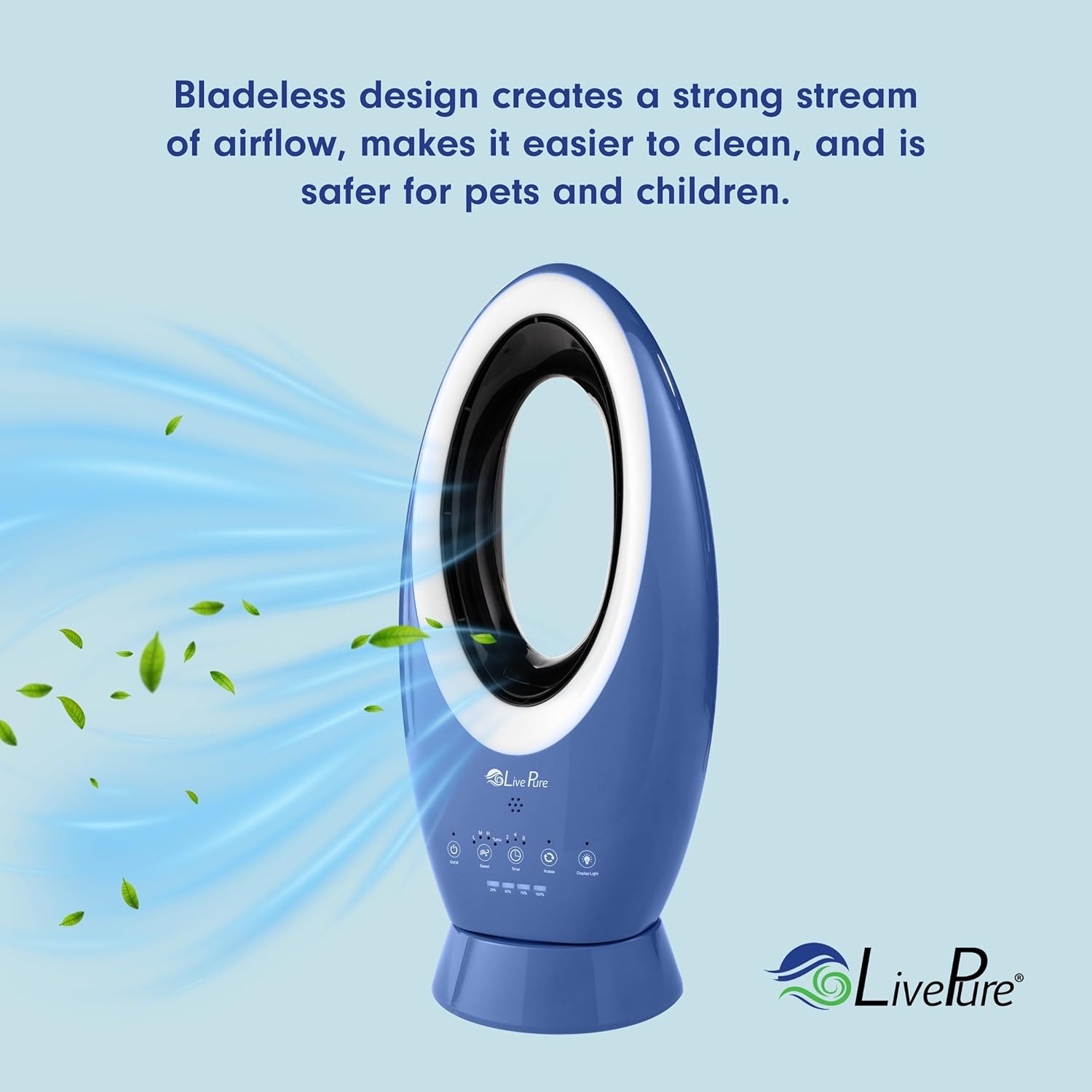
Image: The LivePure Bladeless Fan with visual representation of air flowing from its bladeless design, emphasizing its strong and smooth airflow.

Image: The LivePure Bladeless Fan with its dimensions indicated: approximately 23.5 inches in height and 7.9 inches in width, highlighting its compact and efficient design.

Image: The LivePure LP1780FAN Bladeless Rechargeable Indoor/Outdoor Fan placed on a small table next to a rocking chair on a covered porch, illustrating its portability and suitability for various environments.
Video: An overview of LivePure products, including air purifiers, humidifiers, and fans. While not specific to this fan model, it provides insight into the brand's offerings and general product features like filter replacement.
3. Setup
Unpacking
- Carefully remove the fan and all accessories from the packaging.
- Inspect the fan for any signs of damage. If damaged, do not use and contact customer support.
- Retain the packaging for future storage or transport.
Initial Charging
- Before first use, fully charge the fan's Lithium-Ion battery.
- Connect the power adapter to the fan's charging port and plug it into a suitable electrical outlet.
- The charging indicator light will show the charging status. A full charge provides approximately 19 hours of operation on low speed, 12 hours on medium, 4 hours on high, and 2 hours on turbo.
Placement
- Place the fan on a firm, level surface.
- For outdoor use, ensure the fan is placed in a covered area, protected from direct rain and excessive moisture.
- Maintain adequate clearance around the fan for optimal airflow.
4. Operating Instructions
Control Panel and Remote Control
The fan can be operated using the soft-touch control panel on the unit or the included remote control.

Image: The remote control for the LivePure Bladeless Fan, showing buttons for On/Off, Rotate, Speed, Timer, Turbo, and Display Lights.
Control Panel / Remote Functions:
- On/Off Button: Powers the fan on or off.
- Speed Button: Cycles through fan speeds: Low, Medium, High.
- Turbo Button: Activates the highest fan speed setting.
- Rotate Button: Toggles the oscillation feature on or off.
- Timer Button: Sets the auto-off timer (e.g., 1, 2, 4, 8 hours).
- Display Lights Button: Controls the accent light colors and brightness.
Fan Speed Adjustment
- Press the On/Off button to turn on the fan.
- Press the 'Speed' button repeatedly to cycle through Low, Medium, and High speeds.
- Press the 'Turbo' button for maximum airflow.
Oscillation
- With the fan on, press the 'Rotate' button to activate oscillation.
- Press the 'Rotate' button again to stop oscillation at the desired position.
Accent Light Control
- Press the 'Display Lights' button to turn on the accent light.
- Press the 'Display Lights' button repeatedly to cycle through the 5 available colors.
- Hold the 'Display Lights' button to adjust brightness or turn off the light.
Timer Function
- With the fan on, press the 'Timer' button.
- Each press will set the timer for a specific duration (e.g., 1 hour, 2 hours, 4 hours, 8 hours). The fan will automatically turn off after the set time.
5. Maintenance
Regular maintenance helps ensure optimal performance and longevity of your fan.
Cleaning the Fan
- Always unplug the fan before cleaning.
- Use a soft, damp cloth to wipe the exterior surfaces of the fan. Do not use abrasive cleaners or solvents.
- For the air inlet and outlet, use a soft brush or vacuum cleaner with a brush attachment to remove dust.
- Ensure the fan is completely dry before plugging it back in or operating.
Filter Care
The fan is equipped with a pre-filter to capture larger dust particles. While not explicitly stated for this model, general filter maintenance practices apply:
- Periodically check the air inlet area for dust buildup.
- If a removable pre-filter is present (refer to product diagrams or specific model instructions), gently remove and clean it with a soft brush or vacuum. Do not wash with water unless specified.
- Ensure the filter is dry before reinserting.
6. Troubleshooting
If you experience issues with your fan, refer to the table below for common problems and solutions.
| Problem | Solution |
|---|---|
| Fan does not turn on. | Ensure the power adapter is securely plugged into both the fan and a working electrical outlet. Check if the battery is charged. |
| Weak or no airflow. | Check the fan speed setting and increase if necessary. Ensure air inlets/outlets are not blocked. Clean any dust buildup. |
| Remote control not working. | Ensure there are no obstructions between the remote and the fan. Check and replace the remote control battery if needed. |
| Fan changes settings unexpectedly. | Certain electronic devices, such as TV remotes, may use similar infrared frequencies. Try operating the fan away from other devices or using the control panel directly. |
| Battery not charging. | Verify the power adapter is correctly connected and the outlet is functional. Ensure the charging port on the fan is clean and free of debris. |
7. Specifications
| Feature | Detail |
|---|---|
| Brand | LivePure |
| Model Name | LP1780FAN |
| Color | Blue |
| Electric Fan Design | Table Fan |
| Power Source | Battery Powered |
| Special Feature | Lightweight |
| Recommended Uses | Cooling |
| Indoor/Outdoor Usage | Indoor (ETL outdoor rated for covered areas) |
| Control Method | Touch |
| Cordless | Yes |
| Number of Power Levels | 4 |
| UPC | 810067454193 |
| ASIN | B0DK411YKT |
8. Warranty and Support
For specific warranty information, please refer to the warranty card included with your product or the original purchase documentation. LivePure stands behind the quality of its products.
For technical support, troubleshooting assistance, or to inquire about replacement parts, please contact LivePure customer support through the contact information provided in your product packaging or on the official LivePure website.


