
LivePure LP1780FAN-BLK
LivePure Bladeless Indoor/Outdoor Rechargeable Fan
Instruction Manual
Model: LP1780FAN-BLK
Product Overview
The LivePure Bladeless Indoor/Outdoor Rechargeable Fan is designed to provide efficient air circulation in various settings, both indoors and in covered outdoor areas. Its bladeless design ensures safety and ease of cleaning, while the rechargeable battery offers portability and convenience.

Image: Front view of the LivePure Bladeless Fan in Teal, showing the control panel and remote.
This fan features multiple speed settings, accent lighting, and a timer function, making it a versatile cooling solution. The durable, UV-resistant material allows for use in outdoor environments, such as patios or decks, provided it is under a covered area.
Key Features
- Indoor/Outdoor Use: Designed for use in covered outdoor settings (e.g., patios, decks) and indoors. Features UV protection to prevent fading.
- Bladeless Technology: Creates a strong, steady airflow without exposed blades, enhancing safety for children and pets and simplifying cleaning.
- Rechargeable Lithium-Ion Battery: Provides cordless operation for extended periods. Up to 19 hours on low speed, 12 hours on medium, 4 hours on high, and 2 hours on turbo.
- Dual Power Options: Can operate while charging, allowing continuous use.
- Multiple Fan Speeds: Offers 4 power levels: Low, Medium, High, and Turbo for customized airflow.
- Accent Lighting: Features 5 interchangeable accent light colors (Blue, Pink, Green, Red, White) to enhance ambiance.
- Rotation Feature: Provides oscillation for wider air distribution.
- Timer Function: Allows setting the fan to operate for a specific duration.
- Portable and Lightweight: Easy to move and transport for use in various locations.
- Soft-Touch Control Panel: Intuitive controls located on the fan base.
- Remote Control: Included for convenient operation from a distance.
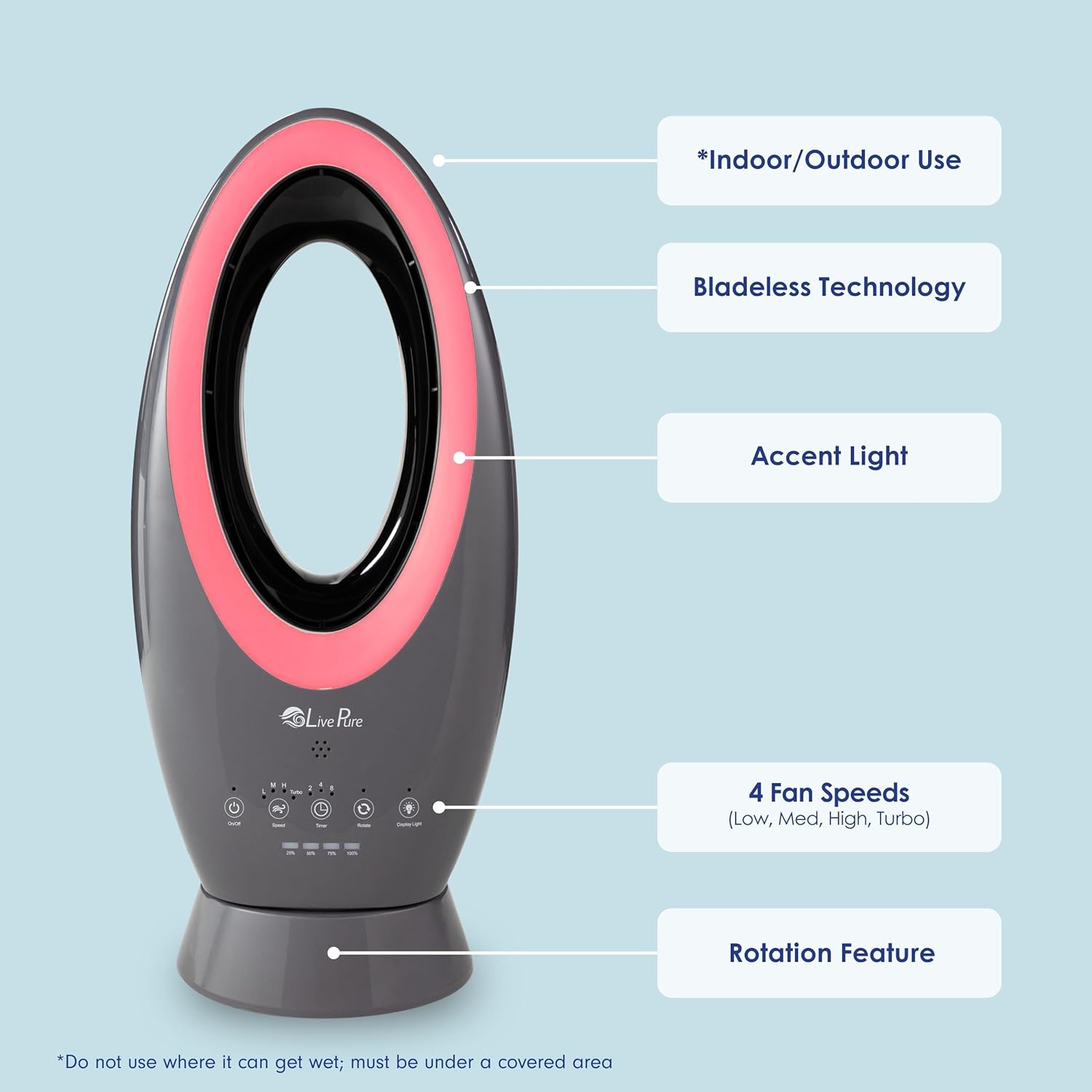
Image: Diagram highlighting key features such as Indoor/Outdoor Use, Bladeless Technology, Accent Light, 4 Fan Speeds, and Rotation Feature.

Image: Five LivePure Bladeless Fans demonstrating the 5 accent light colors: Blue, Pink, Green, Red, and White.
What's in the Box
- LivePure Bladeless Indoor/Outdoor Rechargeable Fan Unit
- Remote Control
- Power Cord (for charging)
- Instruction Manual (this document)

Image: Close-up of the remote control for the LivePure Bladeless Fan, showing buttons for On/Off, Rotate, Speed, Timer, Turbo, and Display Lights.
Setup
- Unpacking: Carefully remove all components from the packaging. Retain packaging for future storage or transport.
- Placement: Place the fan on a stable, flat surface. Ensure adequate clearance around the fan for optimal airflow. For outdoor use, position the fan under a covered area to protect it from direct rain or excessive moisture.
- Initial Charging: Before first use, fully charge the fan's built-in Lithium-Ion battery. Connect the power cord to the fan and plug it into a standard electrical outlet. The charging indicator lights will show the charging status. A full charge typically takes approximately 2 hours.
- Remote Control Battery: Insert the required batteries into the remote control (batteries not included).

Image: The LivePure Bladeless Fan positioned on a small table on a patio next to a rocking chair, demonstrating its portability for outdoor use in a covered area.
Operating Instructions
The fan can be operated using the soft-touch control panel on the unit or the included remote control.
- Power On/Off: Press the On/Off button once to turn the fan on. Press again to turn it off.
- Adjusting Fan Speed: Press the Speed button repeatedly to cycle through the four fan speeds: Low (L), Medium (M), High (H), and Turbo. The corresponding indicator light will illuminate.
- Turbo Mode: For maximum airflow, press the Turbo button directly.
- Rotation (Oscillation): Press the Rotate button to activate or deactivate the oscillation feature, allowing the fan to sweep air across a wider area.
- Timer Setting: Press the Timer button to set the fan to automatically turn off after 1, 2, 4, or 8 hours. The selected time will be indicated by the corresponding light.
- Display Lights/Accent Lights: Press the Display Light button to cycle through the 5 accent light colors or turn the lights off.
Note: The fan can be used while it is plugged in and charging.
Maintenance
- Cleaning: Due to its bladeless design, the fan is easy to clean. Use a soft, damp cloth to wipe down the exterior surfaces. For the interior air channels, a soft brush or compressed air can be used to remove dust buildup. Ensure the fan is turned off and unplugged before cleaning.
- Battery Care: To prolong battery life, avoid fully discharging the battery frequently. Recharge the fan regularly, even if not in constant use. Store the fan in a cool, dry place when not in use for extended periods.
- Storage: When storing the fan, especially for long periods, ensure it is clean and fully charged. Store it in its original packaging or a protective cover to prevent dust accumulation.
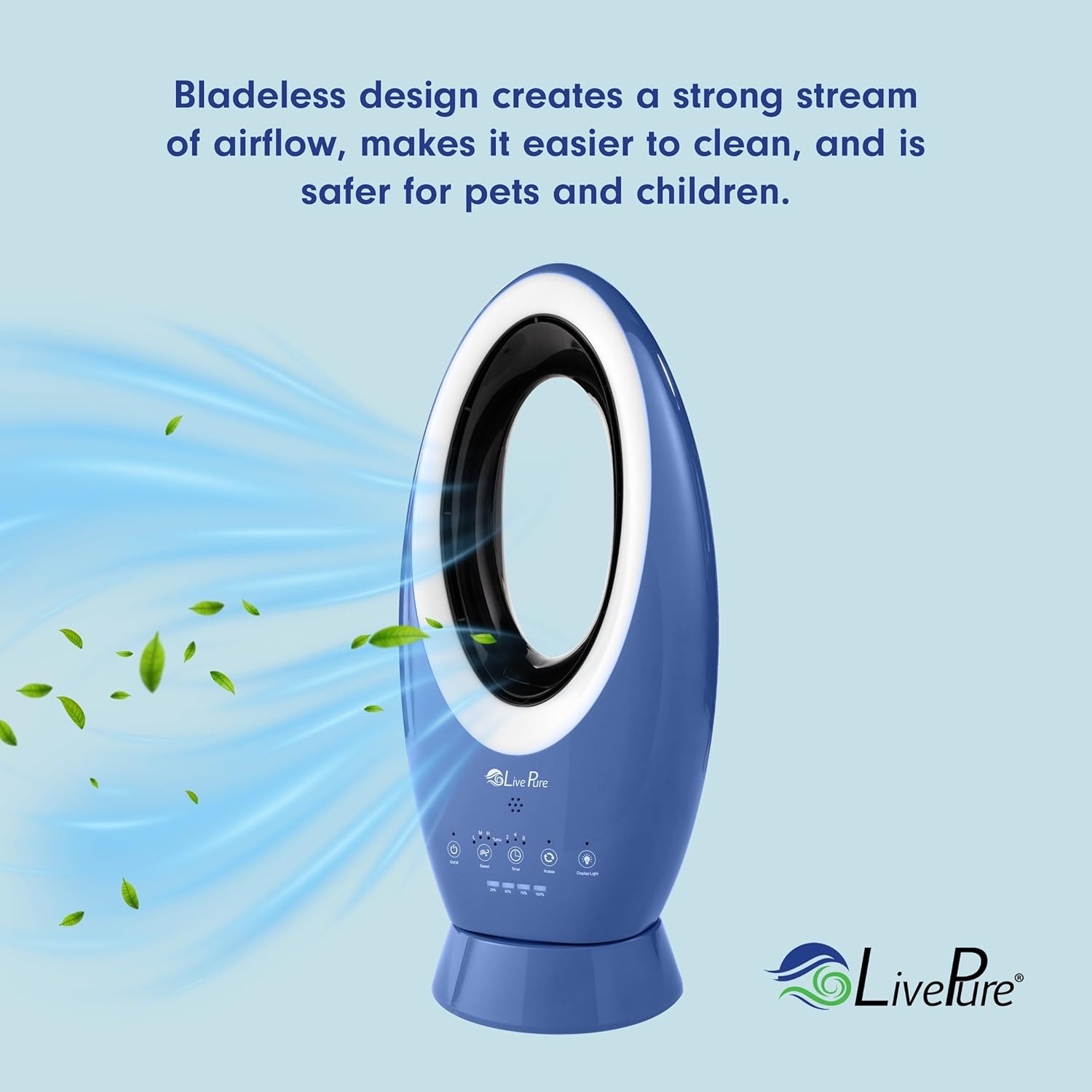
Image: Illustration demonstrating the bladeless design and smooth airflow, highlighting ease of cleaning.
Troubleshooting
| Problem | Possible Cause | Solution |
|---|---|---|
| Fan does not turn on. | Battery is discharged. Power cord not properly connected. | Charge the fan's battery. Ensure power cord is securely plugged into the fan and outlet. |
| Weak airflow. | Fan speed is set too low. Air intake/outlet blocked. | Increase the fan speed setting. Check for obstructions and clear them. |
| Remote control not working. | Batteries are dead or incorrectly inserted. Obstruction between remote and fan. | Replace batteries and ensure correct polarity. Remove any obstructions and ensure direct line of sight. |
| Fan settings change unexpectedly. | Interference from other remote controls (e.g., TV remote). | This can occur due to infrared signal overlap. Try to minimize use of other remotes near the fan or reposition the fan. |
Specifications
| Attribute | Detail |
|---|---|
| Brand | LivePure |
| Model Name | LP1780FAN-BLK |
| Color | Teal |
| Electric Fan Design | Table Fan |
| Power Source | Battery Powered |
| Style | Modern |
| Product Dimensions | 10.5"D x 7.9"W x 23.5"H |
| Item Weight | 8 Pounds |
| Indoor/Outdoor Usage | Indoor (ETL outdoor rated for covered areas) |
| Special Feature | Bladeless, Lightweight, Portable |
| Recommended Uses | Cooling |
| Voltage | 1.2E+2 Volts (AC) |
| Control Method | App (Note: Control panel and remote are primary) |
| Blade Material | Plastic |
| Reusability | Rechargeable |
| Is Cordless? | Yes |
| Number of Power Levels | 4 |
| UPC | 810067452489 |
Note: Specifications are subject to change without notice.
Warranty and Support
For warranty information, technical support, or customer service inquiries regarding your LivePure Bladeless Indoor/Outdoor Rechargeable Fan, please contact LivePure customer support directly. Refer to the product packaging or the official LivePure website for the most current contact details and warranty terms.
You can also visit the LivePure Store on Amazon for additional product information and resources.
Related documentsLP1780FAN-BLK


Ask a question about this manual
Ask about setup, troubleshooting, compatibility, parts, safety, or missing instructions. Manuals+ will review the question and use this page’s manual context to help answer it.