
Certified Brands XN-P01
NUX Mighty 40 BT Guitar Amp & Mighty Plug User Manual
Model: XN-P01 | Brand: Certified Brands
Introduction
This manual provides comprehensive instructions for the NUX Mighty 40 BT Guitar Amplifier and the NUX Mighty Plug Portable Guitar/Bass Amplifier, included in the Signature Series Power Bundle. It covers setup, operation, maintenance, and troubleshooting to ensure optimal performance and longevity of your devices.

Image: The complete NUX Mighty 40 BT Guitar Amp and Mighty Plug Power Bundle, showing the amplifier, the Mighty Plug, and the power bank with wall and car chargers.
Product Overview
NUX Mighty 40 BT Guitar Amplifier
The Mighty 40 BT is a versatile guitar amplifier designed for practice and performance. It features Bluetooth connectivity for app control and audio streaming, multiple effects, and customizable presets.
- Bluetooth Connectivity: Seamless control via smartphone app.
- Effects: 3 modulation effects, noise gate, and more.
- Backing Tracks: Built-in library for practice.
- Customizable Presets: Personalize and save your sound settings.

Image: Front view of the NUX Mighty 40 BT Guitar Amplifier, showcasing its speaker grille and NUX logo.

Image: Top panel of the NUX Mighty 40 BT amplifier, displaying various knobs and jacks for input, gain, level, bass, mid, high, FX parameters, type, master volume, and power switch.
NUX Mighty Plug Portable Guitar/Bass Amplifier
The Mighty Plug is a compact, silent-play device offering a range of effects, amplifier models, and Impulse Response (IR) cabinet models. It's ideal for practice and direct recording.
- Versatile Effects: Various effects, modeling amplifiers, and IR cabinet models.
- Acoustic IR Models: Simulate acoustic guitar sounds.
- Drum Patterns: Built-in patterns for jamming.
- Audio Streaming: Record directly to your computer via USB.
- Headphones Output: Monitor instrument and computer audio.

Image: Front view of the NUX Mighty Plug, showing its compact design and the 1/4-inch jack.

Image: Two NUX Mighty Plugs displayed side-by-side, showing both the front with the main button and the back with the power button and reset pinhole.
Signature Series Power Bundle
This bundle includes essential power accessories to keep your devices charged and ready.
- 5000mAh Power Bank: Portable power for on-the-go charging.
- Wall and Car Plugs: Convenient charging options.
- USB-C, Micro USB, USB-A: Multiple connectivity options.
- LED Indicators: Show remaining power life.
Setup
NUX Mighty 40 BT Amplifier Setup
- Unpacking: Carefully remove the amplifier from its packaging.
- Power Connection: Connect the amplifier to a suitable power outlet using the provided power cable.
- Initial Power On: Flip the power switch to the ON position. The power indicator light should illuminate.
- Guitar Connection: Plug your guitar cable into the INPUT jack on the amplifier's top panel.
- Bluetooth Pairing:
- Ensure Bluetooth is enabled on your smartphone or tablet.
- Search for "NUX Mighty 40 BT" in your device's Bluetooth settings and pair.
- Download the "NUX Mighty AMP" app from your device's app store for full control.
NUX Mighty Plug Setup
- Charging: Before first use, ensure the Mighty Plug is fully charged using the provided USB cable and power bank/wall adapter. The LED indicators will show charging status.
- Guitar Connection: Plug the 1/4-inch jack of the Mighty Plug directly into your guitar's output jack.
- Headphone Connection: Connect your headphones to the PHONES output on the Mighty Plug.
- Power On: Press and hold the power button on the side of the Mighty Plug until the indicator light turns on.
- Bluetooth Pairing:
- Enable Bluetooth on your smartphone or tablet.
- Search for "NUX Mighty Plug" and pair.
- Download the "NUX Mighty AMP" app for advanced features and customization.
Operating Instructions
NUX Mighty 40 BT Amplifier Operation
The Mighty 40 BT offers intuitive controls and app integration for a comprehensive playing experience.
- Basic Controls:
- GAIN: Adjusts the input signal level and distortion.
- LEVEL: Controls the overall volume of the selected amp model.
- BASS, MID, HIGH: Tone stack controls for shaping your sound.
- FX.PARAM: Adjusts parameters for the selected effect.
- TYPE: Selects different amplifier models.
- MASTER: Overall output volume control.
- Bluetooth App Control:
Once connected via Bluetooth, use the NUX Mighty AMP app to:
- Switch amp channels and models.
- Fine-tune Gain, Level, and Tone parameters.
- Access and adjust various effects (modulation, delay, reverb).
- Utilize the noise gate.
- Play along with the built-in backing track library.
- Create and save custom presets for quick recall.
- Tuner Function: Press and hold the TAP button to activate the built-in tuner.
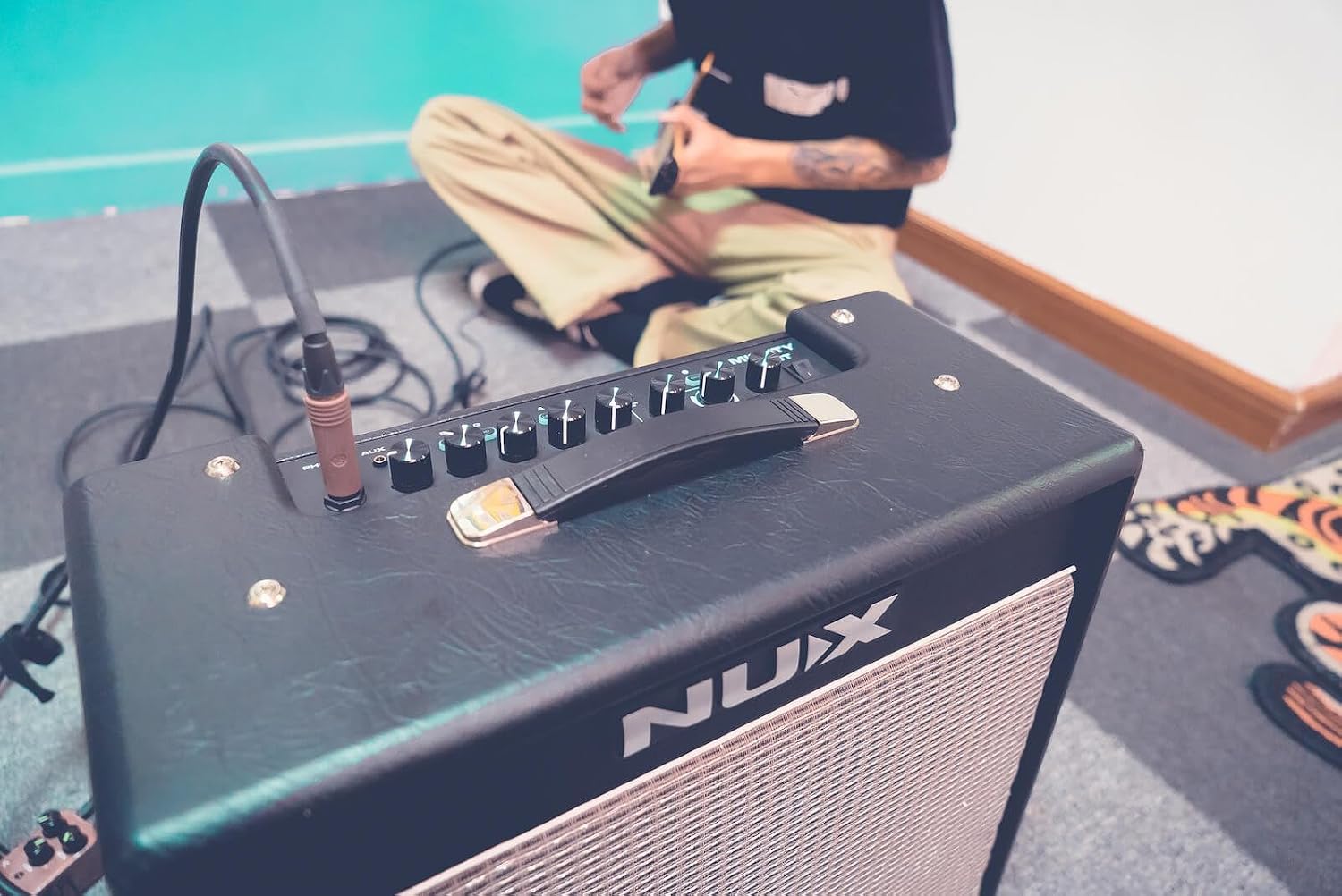
Image: A person playing an electric guitar, with the NUX Mighty 40 BT amplifier visible in the foreground, demonstrating its use in a practice setting.
NUX Mighty Plug Operation
The Mighty Plug provides a silent practice solution with extensive tonal options.
- Basic Operation:
- Plug into guitar, connect headphones.
- Use the main button to cycle through basic presets or turn on/off effects.
- Bluetooth App Mode:
Connect to the NUX Mighty AMP app for:
- Accessing a wide range of modeling amplifiers and effects.
- Loading Impulse Response (IR) cabinet models.
- Utilizing acoustic guitar IR models and acoustic amps.
- Playing along with built-in drum patterns.
- Customizing and saving your own presets.
- USB Audio Streaming:
Connect the Mighty Plug to your computer via USB for direct recording without an audio interface. The device will act as an audio input/output.
Maintenance
Proper maintenance ensures the longevity and optimal performance of your NUX devices.
- Cleaning:
- Wipe surfaces with a soft, dry cloth. For stubborn marks, use a slightly damp cloth and dry immediately.
- Do not use abrasive cleaners, solvents, or waxes.
- Ensure the Signature Series Lens Cloth is used for delicate surfaces.
- Storage:
- Store devices in a cool, dry place away from direct sunlight and extreme temperatures.
- Avoid storing in dusty or humid environments.
- Battery Care (Mighty Plug & Power Bank):
- Charge regularly, even if not in use, to maintain battery health.
- Avoid fully discharging the battery frequently.
- Use only approved charging cables and adapters.
- Connectivity Ports: Keep all input/output jacks and USB ports free of dust and debris.
Troubleshooting
| Problem | Possible Cause | Solution |
|---|---|---|
| No sound from Mighty 40 BT. | Power off; volume too low; incorrect input; cable issue. | Ensure power is on and plugged in. Check MASTER and LEVEL knobs. Verify guitar cable is fully inserted. Try a different cable. |
| Mighty Plug not turning on. | Low battery; power button not held long enough. | Charge the Mighty Plug. Press and hold the power button for 2-3 seconds. |
| Cannot connect via Bluetooth. | Bluetooth off on device; device too far; interference; already connected to another device. | Ensure Bluetooth is on and within range. Disconnect from other devices. Restart both the NUX unit and your smart device. |
| App not controlling the device. | App not updated; incorrect app version; Bluetooth connection lost. | Ensure you have the correct "NUX Mighty AMP" app. Update the app. Re-establish Bluetooth connection. |
| Distorted or noisy sound. | GAIN too high; faulty cable; interference; noise gate setting. | Reduce GAIN. Try a different cable. Check for nearby electronic interference. Adjust noise gate settings in the app. |
Specifications
NUX Mighty 40 BT Amplifier
- Output Wattage: 40 Watts
- Speaker Count: 1
- Speaker Amplification Type: Active
- Product Dimensions: 8.86 x 7.76 x 4.76 inches
- Item Weight: Approximately 21.2 pounds
- Compatible Devices: Guitar
- Connectivity: Bluetooth, USB
NUX Mighty Plug
- Battery Type: Lithium Ion (included)
- Power Source: Battery Powered
- Connectivity: Bluetooth, USB
- Features: Effects, Amp Modeling, IR Cabinet Models, Drum Patterns, Audio Streaming
Signature Series Power Bank
- Capacity: 5000mAh
- Inputs: USB-C, Micro USB
- Outputs: USB-C, USB-A
- Indicators: 4 LED lights for power life
Warranty and Support
For warranty information and technical support, please refer to the official Certified Brands website or contact their customer service directly. Keep your purchase receipt as proof of purchase for warranty claims.
Certified Brands Customer Service: Please visit Certified Brands Store on Amazon for contact details and further assistance.
Ask a question about this manual
Ask about setup, troubleshooting, compatibility, parts, safety, or missing instructions. Manuals+ will review the question and use this page’s manual context to help answer it.