
DEWIN IIDXBXDIC-BASICSTYLE
DEWIN Single-Phase Electric Energy Meter (Basic Style) User Manual
Model: IIDXBXDIC-BASICSTYLE
1. Introduction
This manual provides essential information for the safe and efficient installation, operation, and maintenance of your DEWIN Single-Phase Electric Energy Meter. Please read this manual thoroughly before use and retain it for future reference.
2. Safety Information
Warning: Installation and maintenance should only be performed by qualified personnel to prevent electric shock or damage to the device. Always disconnect power before working on electrical circuits.
- Ensure the power supply is completely off before installation or wiring.
- Verify correct wiring connections according to the provided diagrams.
- Do not operate the meter if it appears damaged.
- Keep the device away from moisture and extreme temperatures.
3. Product Overview
The DEWIN Single-Phase Electric Energy Meter (DDS5158) is designed for measuring single-phase AC active energy with a rated frequency of 50 Hz. It features a compact design, light weight, and an LCD display for clear data reading. The meter is suitable for 35mm DIN rail installation.

Image: The DEWIN Single-Phase Electric Energy Meter (DDS5158) highlighting features such as 35MM Rail installation, small volume, light weight, nice appearance, and anti-electromagnetic interference.
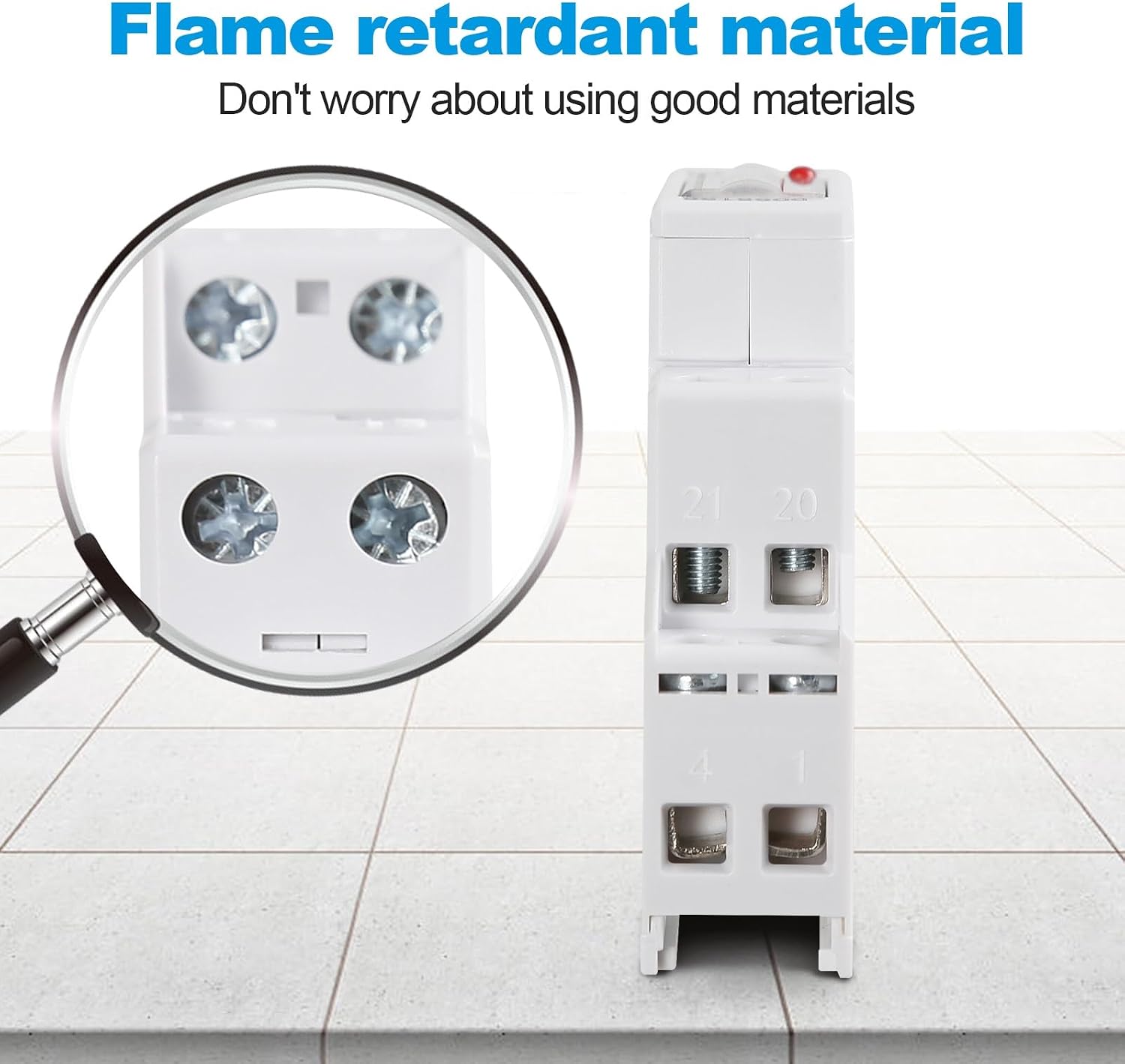
Image: A close-up view of the energy meter's terminals, emphasizing its flame-retardant material construction.
4. Specifications
Key technical specifications for the DEWIN Single-Phase Electric Energy Meter:

Image: A visual representation of the product's key parameters and dimensions.
| Parameter | Value |
|---|---|
| Brand | DEWIN |
| Model Number | IIDXBXDIC-BASICSTYLE |
| Dimensions | 9.7 x 7.6 x 2.2 cm |
| Item Weight | 90 g |
| Working Temperature | -10°C to +50°C |
| Storage Temperature | -30°C to +70°C |
| Number of Phases | Single phase |
| Reference Current | 5 (32) A |
| Rated Voltage | 220V |
| Working Voltage | 161-280V AC |
| AC Withstand Voltage | 4KV for 1 minute |
| Overcurrent Tolerance | 3000A for 0.01s |
| Working Frequency Range | 50Hz ±10% |
| Protection Class | IP53 |
| Maximum Cable Capacity | 25mm² |
| Impulse Withstand Voltage | 6KV-1.2µS waveform |
5. Setup & Installation
5.1 Mounting
The energy meter is designed for easy installation on a standard 35mm DIN guide rail. Simply clip the meter onto the rail in your distribution box.

Image: The energy meter securely installed on a 35mm standard guide rail, demonstrating its simple and convenient installation.
5.2 Wiring
Follow the wiring diagrams carefully. Ensure that the 'Zero line' and 'Line of fire' connections are correctly identified and connected to the appropriate terminals on the meter. The meter supports both top-in/bottom-out and bottom-in/top-out wiring configurations.
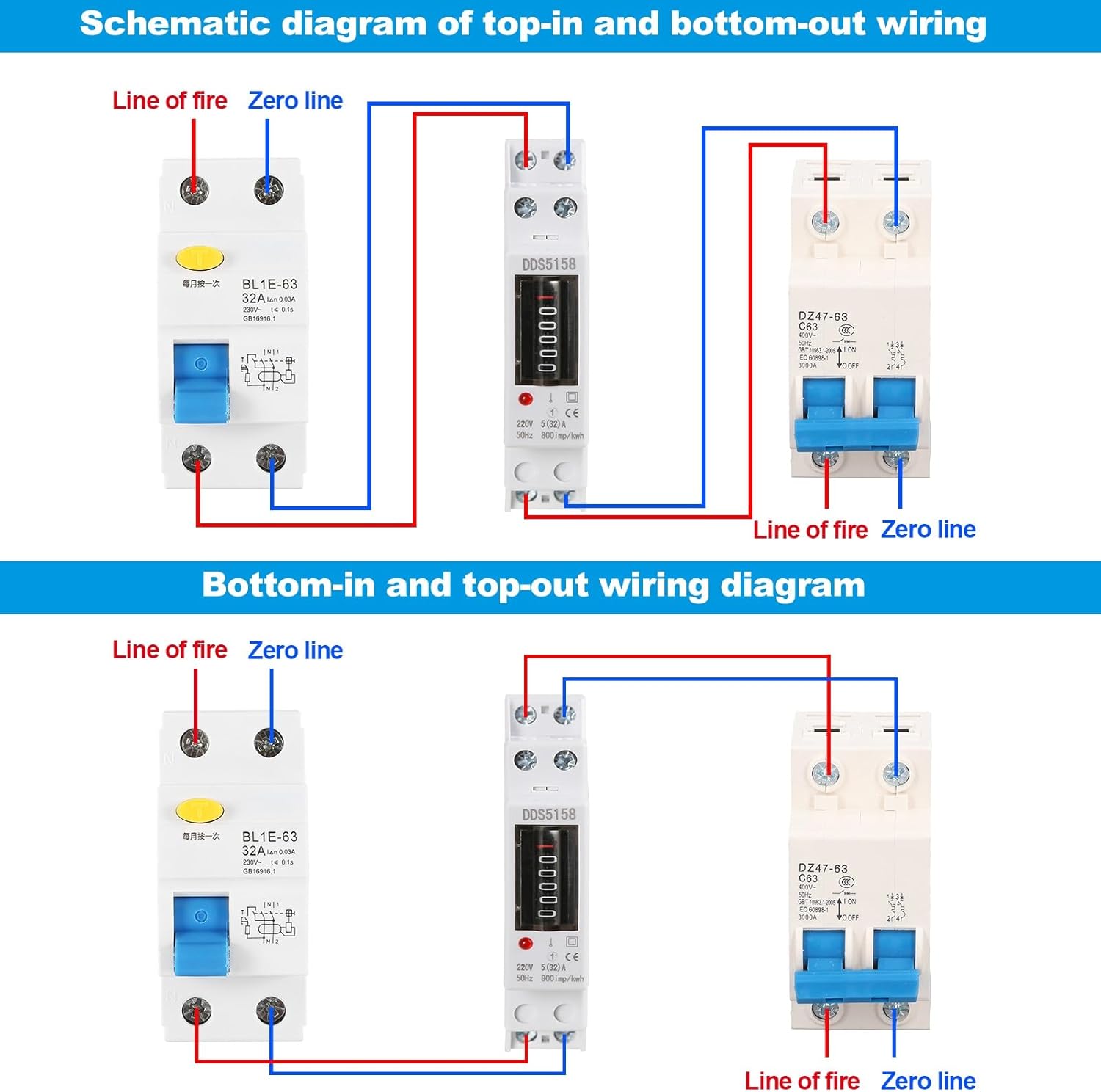
Image: A schematic diagram illustrating both top-in and bottom-out wiring configurations for the energy meter, showing connections to circuit breakers.

Image: A detailed electrical wiring diagram showing circuit connections with colored wires, switches, and protective devices, labeled in French.
5.3 Installation Video
Watch this video for a visual guide on the installation and wiring process:
Video: This video demonstrates the wiring steps for the DEWIN Single-Phase Electric Energy Meter, showing how to connect the zero and live wires and install it on a guide rail. It also briefly shows the LCD display in operation.
6. Operation
Once correctly installed and powered, the meter will automatically begin measuring energy consumption. The total power consumption is displayed on the LCD screen.
6.1 Reading the Display
The meter features a 6+1 digit LCD display, which clearly shows the total accumulated energy consumption in kilowatt-hours (kWh).
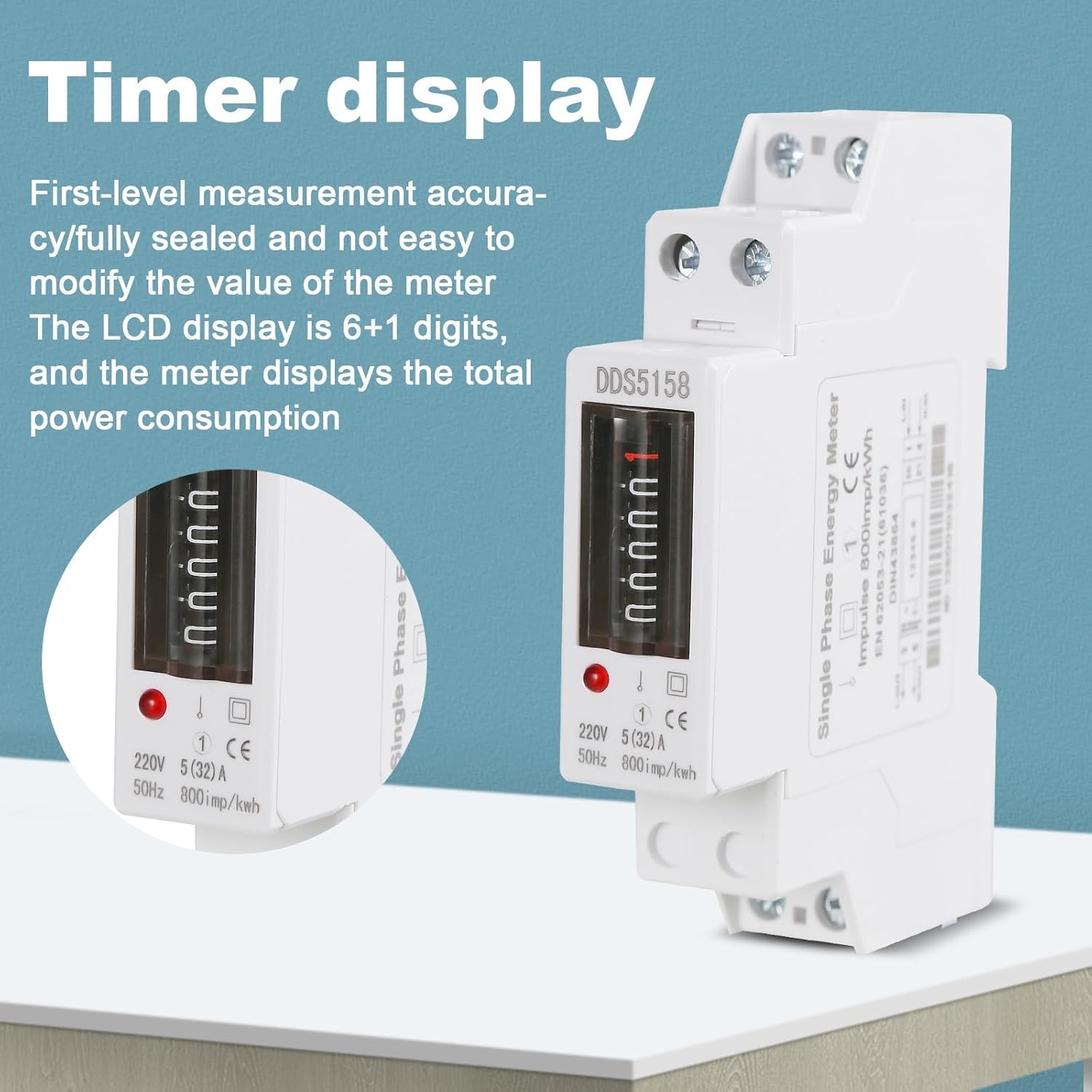
Image: The energy meter's LCD display showing the total power consumption, indicating first-level measurement accuracy.
7. Maintenance
The DEWIN energy meter requires minimal maintenance. To ensure optimal performance and longevity:
- Keep the meter clean and free from dust. Use a dry, soft cloth for cleaning.
- Do not use abrasive cleaners or solvents.
- Regularly check wiring connections for tightness and signs of wear.
- Ensure the operating environment remains within the specified temperature and humidity ranges.
8. Troubleshooting
If you encounter issues with your energy meter, consider the following common troubleshooting steps:
- No Display: Check the power supply and wiring connections. Ensure the meter is receiving the correct voltage.
- Incorrect Readings: Verify that the wiring is correct according to the diagram. Incorrect wiring can lead to inaccurate measurements.
- Meter Not Accumulating: Confirm that there is a load connected and drawing power. The meter will only register consumption when electricity is being used.
- Loose Connections: Power off the circuit and carefully check all terminal screws to ensure they are tight.
If problems persist after performing these checks, contact qualified electrical personnel or customer support for assistance.
9. Applications
The DEWIN Single-Phase Electric Energy Meter is suitable for a wide range of applications where single-phase AC active energy measurement is required. Typical usage scenarios include:
- Residential energy monitoring
- Small commercial establishments
- Control cabinet installations
- Power distribution rooms
- Hotels and restaurants
- Schools and community buildings

Image: A collage showing various scenes where the energy meter can be used, including control cabinet installation, large commercial streets, power distribution rooms, hotel restaurants, schools, and communities.
10. Warranty and Support
For warranty information or technical support, please refer to the product packaging or contact your retailer. Keep your purchase receipt as proof of purchase.
Ask a question about this manual
Ask about setup, troubleshooting, compatibility, parts, safety, or missing instructions. Manuals+ will review the question and use this page’s manual context to help answer it.