
FOSCAM B4
FOSCAM B4 Solar Security Camera User Manual
Model: B4
Brand: FOSCAM
1. Introduction
The FOSCAM B4 is a 4MP PT (Pan/Tilt) battery-powered wireless outdoor security camera designed for comprehensive home surveillance. Featuring a 2K resolution, color night vision with spotlights, two-way audio, and PIR human detection, it offers robust monitoring capabilities. Powered by a solar panel, it provides a wire-free solution for continuous security.

Image: FOSCAM B4 camera with its solar panel and a smartphone displaying live footage.
2. Key Features
- Solar Powered & 100% Wire-Free: Equipped with a rechargeable battery and a 3W solar panel for continuous power.
- 2K 4MP High-resolution Video: Captures clear 2560 x 1440 pixel video for detailed footage.
- Color Night Vision: Built-in spotlights and IR LEDs provide excellent night vision up to 33ft, including color images in low light.
- PIR Human Detection: Distinguishes human movement from other objects, reducing false alerts.
- 2-Way Audio: Integrated microphone and speaker allow for live communication.
- Remote Pan & Tilt Control: Offers 355° horizontal and 90° vertical rotation for a wide field of view.
- IP65 Weatherproof: Designed to withstand various harsh weather conditions.
- Storage Options: Supports up to 256GB Micro SD card and Foscam cloud storage.

Image: Visual summary of the FOSCAM B4's main features.
3. Setup Guide
3.1 Package Contents
- FOSCAM B4 Camera
- Solar Panel
- Mounting Bracket & Screws
- USB Charging Cable
- User Manual (this document)
3.2 Initial Charging
Before first use, fully charge the camera's internal battery using the provided USB cable and a 5V/1A USB power adapter (not included). A full charge ensures optimal performance and battery life, especially before relying on solar power.
3.3 App Installation & Camera Pairing
- Download the official Foscam app from your smartphone's app store (iOS or Android).
- Create a new account or log in to your existing Foscam account.
- Follow the in-app instructions to add your FOSCAM B4 camera. Ensure your Wi-Fi network is 2.4GHz, as the camera does not support 5GHz Wi-Fi.
- During pairing, position the camera near your Wi-Fi router for a stable connection.
3.4 Mounting the Camera and Solar Panel
Choose a mounting location that provides a clear, unobstructed view of the area you wish to monitor. For the solar panel, select a spot that receives direct sunlight for most of the day to ensure continuous battery charging. The camera is designed for wall mounting.

Image: The FOSCAM B4 camera and its solar panel mounted on an exterior wall.
4. Operating Instructions
4.1 Live View and Pan & Tilt Control
Access the live video feed through the Foscam app. The FOSCAM B4 supports remote pan (355° horizontal) and tilt (90° vertical) functionality, allowing you to adjust the camera's viewing angle directly from your smartphone to cover a wide area without blind spots.

Image: Illustrates the pan and tilt capabilities of the FOSCAM B4 camera controlled via a smartphone app.
Video: Demonstrates the features and functionality of the Foscam B4 2K Wireless Outdoor Solar Security Camera, including its pan and tilt capabilities.
4.2 Two-Way Audio
The camera features a built-in microphone and speaker, enabling two-way audio communication. You can listen to what's happening around the camera and speak through the camera using the Foscam app, which is useful for interacting with visitors or deterring intruders.

Image: Shows a user communicating via the camera's two-way audio feature with a delivery person.
4.3 Night Vision
The FOSCAM B4 provides advanced night vision. With 4pcs spotlights and 4pcs IR LEDs, it offers clear visibility up to 10 meters (33 feet) in low-light conditions. The spotlights enable full-color night vision, providing more detailed and informative footage than traditional black-and-white infrared.

Image: Comparison showing the clarity and color detail of FOSCAM B4's night vision compared to standard night vision.
4.4 PIR Human Detection
The Passive Infrared (PIR) sensor detects heat signatures, allowing the camera to accurately identify human movement and distinguish it from other moving objects like animals or swaying branches. This reduces false alarms and ensures you receive relevant alerts to your smartphone.
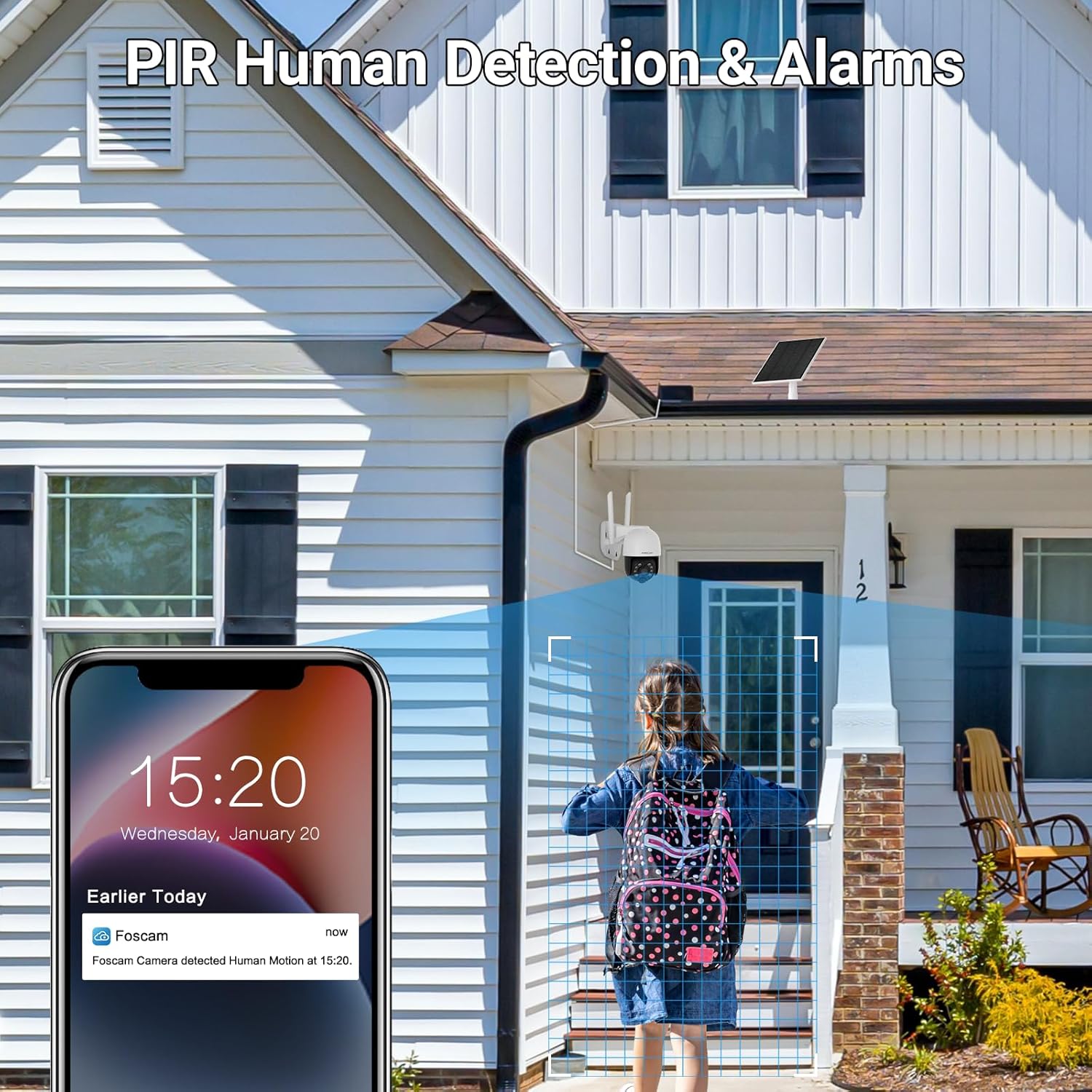
Image: Depicts the PIR human detection feature, showing a person triggering an alert on a smartphone.
4.5 Recording and Playback
The FOSCAM B4 supports local storage via a Micro SD card (up to 256GB) and optional cloud storage. Recordings can be triggered by motion detection or accessed for live viewing. Playback of recorded events is available through the Foscam app.
5. Maintenance
5.1 Battery Management
The integrated solar panel is designed to keep the camera's battery charged under sufficient sunlight. In periods of prolonged cloudy weather or heavy usage, the battery level may decrease. Monitor the battery status in the Foscam app and recharge via USB if necessary.
5.2 Weather Resistance
With an IP65 rating, the FOSCAM B4 is protected against dust and low-pressure water jets, making it suitable for outdoor use in various weather conditions, including rain and snow. Ensure all connections are secure to maintain its weather resistance.

Image: Illustrates the IP65 weatherproof design of the FOSCAM B4 camera, showing its resilience to rain and snow.
5.3 Cleaning
Periodically clean the camera lens and solar panel with a soft, damp cloth to ensure optimal image clarity and charging efficiency. Avoid using harsh chemicals or abrasive materials.
6. Troubleshooting
If you encounter issues with your FOSCAM B4 camera, please refer to the following common solutions:
- Camera Not Powering On: Ensure the battery is charged. Connect the camera to a 5V/1A USB power adapter for direct charging.
- No Wi-Fi Connection: Verify your Wi-Fi network is 2.4GHz. Ensure the camera is within range of your router. Try restarting both the camera and your router.
- Poor Image Quality: Check if the lens is clean. Ensure there are no obstructions in the camera's field of view. Verify sufficient lighting for optimal night vision.
- Frequent False Alarms: Adjust the PIR detection sensitivity settings in the Foscam app. Ensure the camera is not pointed at areas with constant motion (e.g., busy roads, swaying trees).
- Battery Draining Quickly: Ensure the solar panel receives adequate direct sunlight daily. Reduce the frequency of live view access and recording events if possible.
For more detailed troubleshooting steps or persistent issues, please consult the comprehensive user guide PDF available on the product's Amazon page or contact Foscam customer support.
7. Specifications
| Feature | Detail |
|---|---|
| Model | B4 |
| Video Capture Resolution | 2K (2560 x 1440) |
| Effective Still Resolution | 4 MP |
| Connectivity Technology | Wireless (2.4GHz Wi-Fi only) |
| Power Source | Battery Powered (5000 mAh) with Solar Panel |
| Pan/Tilt Range | 355° Horizontal, 90° Vertical |
| Night Vision Range | 33 Feet (10 meters) |
| Special Features | Solar Powered, 2-Way Audio, PIR Detection, Night Vision (Color) |
| Indoor/Outdoor Usage | Outdoor |
| International Protection Rating | IP65 |
| Storage | Max 256GB Micro SD card, Cloud Storage |
| Item Weight | 2.2 pounds (1 Kilogram) |
| Product Dimensions | 8.27 x 7.28 x 5.47 inches |
8. Warranty and Support
FOSCAM is committed to providing high-quality products and excellent customer service. Your FOSCAM B4 camera comes with:
- 180-Day Quality Guarantee: Ensuring product reliability.
- 30-Day Free Returns: For your peace of mind.
- Free Replacement & Fast Delivery: For eligible issues.
- 24/7 Fast Reply & Lifetime Tech Support: Dedicated support team available to assist you.
For any inquiries, technical assistance, or warranty claims, please contact FOSCAM customer support through the official Foscam website or the contact information provided in your product packaging.
Related documentsB4


Ask a question about this manual
Ask about setup, troubleshooting, compatibility, parts, safety, or missing instructions. Manuals+ will review the question and use this page’s manual context to help answer it.