
BoxWave DualTip Capacitive Stylus
BoxWave DualTip Capacitive Stylus User Manual
Model: DualTip Capacitive Stylus
1. Product Overview
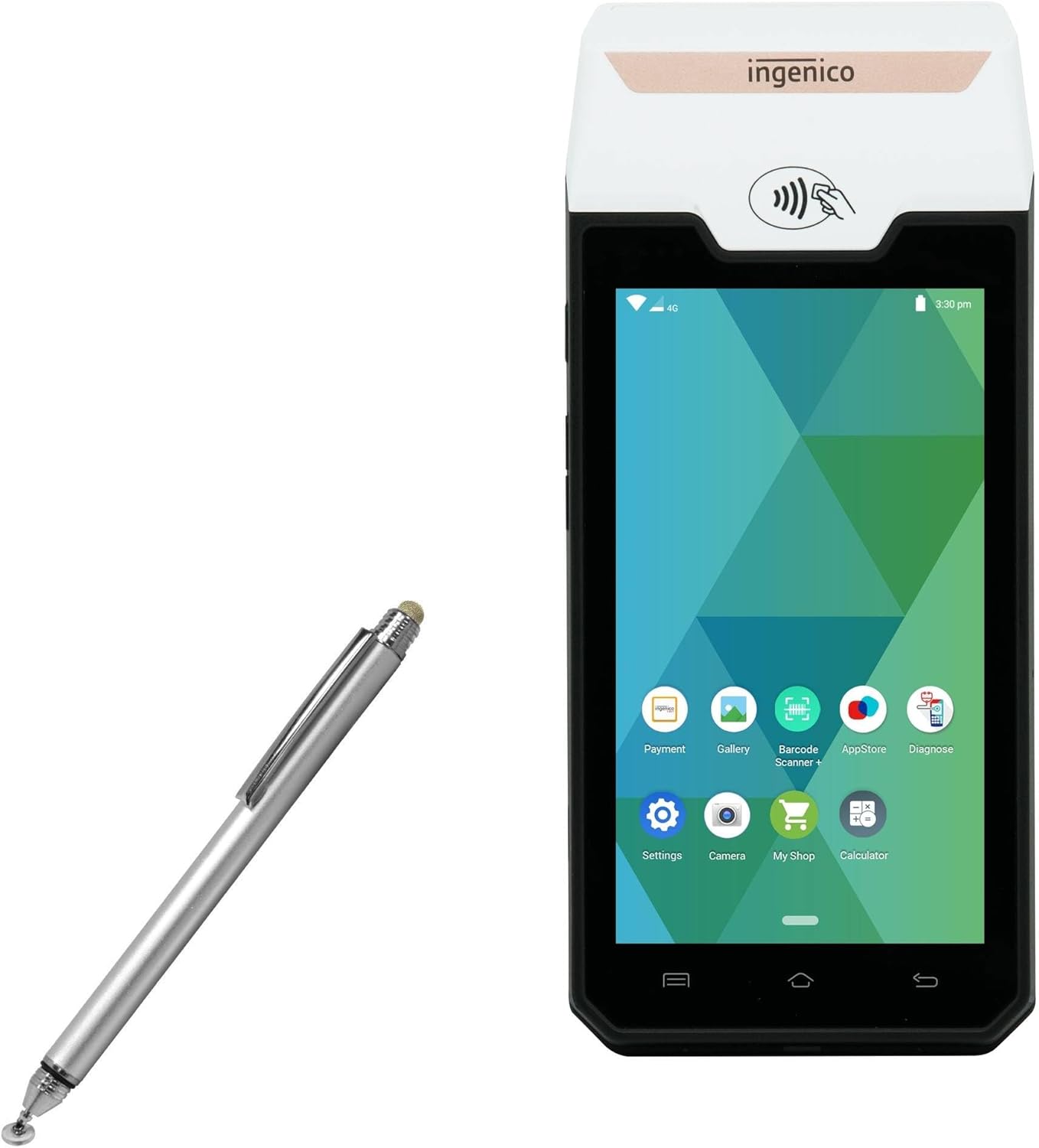
The BoxWave DualTip Capacitive Stylus is designed for precise and comfortable interaction with your touch-screen devices, including the Ingenico AXIUM DX4000 Portable. It features two distinct stylus tips integrated into a metallic aluminum body, offering versatility for various tasks.
The stylus combines a FiberMesh tip for a soft, cushioned feel and a FineTouch clear disc tip for pinpoint accuracy, ensuring optimal performance for writing, drawing, and tapping.
2. Key Features
- Dual Capacitive Tips: Features both a FiberMesh Soft Tip and a FineTouch Clear Disc Tip for versatile use and enhanced precision.
- FiberMesh Soft Tip: A tightly woven conductive fabric mesh that is highly durable and resistant to breakdown, providing ultra-accurate and pressure-sensitive feedback.
- FineTouch Pinpoint Accuracy: The innovative clear tip allows vision-enhancing precision, enabling you to see the exact contact point on the screen for accurate writing, drawing, or tapping.
- All-Angle Functionality: Both tips are designed to work effectively from any angle, making it convenient for various holding positions and even use with gloves.
- Easy Access: Equipped with a built-in metal clip for convenient attachment to shirts, jackets, jeans, or cases.
- Lightweight and Portable: Constructed with sturdy aluminum, ensuring durability and ease of transport.
- Natural & Comfortable: Designed with a generous length and weighted feel for an optimal and comfortable writing experience.
- Threaded Cap: Includes a threaded cap to protect the stylus tip when not in use.

3. Setup
The BoxWave DualTip Capacitive Stylus requires no pairing, batteries, or software installation. It is a passive stylus designed to simulate the touch of your finger on your device's screen.
Initial Use:
- Unpack the stylus from its packaging.
- Remove the protective cap from the desired tip (FiberMesh or FineTouch).
- The stylus is now ready for immediate use with any capacitive touch screen device.
4. Operating Instructions
Using the DualTip Capacitive Stylus is intuitive and similar to using your finger, but with enhanced precision and comfort.
Basic Operations:
- Tapping: Lightly tap the screen with either the FiberMesh or FineTouch tip to select items, open applications, or activate buttons.
- Swiping: Drag the stylus across the screen to scroll, navigate through pages, or perform gesture-based actions.
- Writing/Drawing: For precise input, use the FineTouch clear disc tip. Its transparent design allows you to see exactly where your input is registered on the screen, making it ideal for notes, sketches, and detailed work.
- General Navigation: The FiberMesh tip provides a smooth, comfortable experience for general navigation, gaming, and quick interactions.

5. Maintenance
Proper care will extend the life and performance of your BoxWave DualTip Capacitive Stylus.
Cleaning:
- To clean the stylus body, wipe with a soft, dry, lint-free cloth.
- For the FiberMesh tip, gently wipe with a slightly damp cloth if necessary, ensuring it is completely dry before use.
- For the FineTouch clear disc tip, ensure it remains free of dust and debris. If dirty, gently wipe the disc with a soft, dry cloth. Avoid using abrasive materials or harsh chemicals.
Storage:
- Always replace the threaded cap over the FineTouch tip when not in use to protect it from damage and debris.
- Store the stylus in a clean, dry place, away from extreme temperatures and direct sunlight.
- Avoid dropping the stylus, especially on hard surfaces, as this can damage the tips or the body.

6. Troubleshooting
If you encounter issues with your stylus, consider the following common solutions:
Stylus Not Responding:
- Clean the Tip: Ensure the stylus tip (especially the clear disc) is clean and free of any dust, smudges, or debris. Even a small particle can interfere with conductivity.
- Clean Device Screen: Ensure your device's screen is clean. Fingerprints or dirt can affect the stylus's responsiveness.
- Check Tip Condition: Inspect both the FiberMesh and FineTouch tips for any visible damage or wear. If a tip is damaged, its performance may be compromised.
- Test on Another Device: If possible, test the stylus on another capacitive touch screen device to determine if the issue is with the stylus or your primary device.
Inaccurate Input:
- Ensure Proper Contact: Make sure the entire surface of the FiberMesh tip or the clear disc of the FineTouch tip is making full contact with the screen.
- Screen Protector Interference: Some thick or textured screen protectors may reduce stylus sensitivity. Try using the stylus without a screen protector if you suspect this is the cause.
7. Specifications
| Item Weight | 1.3 ounces |
| ASIN | B0CBMB95CJ |
| Date First Available | May 25, 2023 |
| Manufacturer | BoxWave |
8. Warranty and Support
This product is manufactured by BoxWave. For any product-related inquiries or support, please contact BoxWave Corporation directly.
Limited 3rd party tech support for your device (up to 3 inquiries via messaging) is included. Please note that this support is not affiliated with or endorsed by Ingenico.
For further assistance, please refer to the contact information provided with your purchase or visit the official BoxWave website.
Ask a question about this manual
Ask about setup, troubleshooting, compatibility, parts, safety, or missing instructions. Manuals+ will review the question and use this page’s manual context to help answer it.