
Introduction
This manual provides comprehensive instructions for the safe and efficient use of your Intenso White Buds TWS True Wireless Headphones, Model T302A. Please read this manual thoroughly before operating the device and retain it for future reference.
Important Safety Information
- Do not expose the device to extreme temperatures, direct sunlight, or high humidity.
- Avoid dropping or subjecting the device to strong impacts.
- Do not attempt to disassemble or repair the device yourself. Refer all servicing to qualified personnel.
- Keep the device away from children and pets.
- Use only a compatible charging adapter with an output of 1-5 Watts. Using an incompatible charger may damage the device or pose a safety risk.
- Prolonged listening at high volume levels can cause hearing damage. Adjust volume to a moderate level.
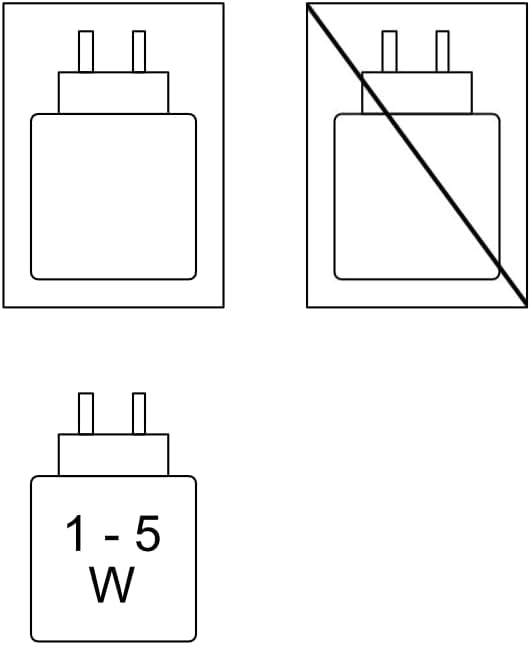
Image Description: A diagram illustrating acceptable and unacceptable charging adapters. The acceptable adapter is labeled "1-5 W", emphasizing the required power output for safe charging.
Package Contents
Ensure all items are present in the package:
- Intenso White Buds (2x)
- Charging Case
- USB-A to USB-C Cable
- Ear Tips (3 different sizes: S, M, L)
- User Manual

Image Description: An open product box displaying the Intenso White Buds, their charging case, a USB-A to USB-C charging cable, and a set of additional ear tips in various sizes.
Product Overview
The Intenso White Buds are true wireless headphones designed for a comfortable listening experience with advanced features.
Earbuds

Image Description: A close-up view of the two Intenso White Buds earbuds, highlighting their sleek, white, ergonomic design and the 'Intenso' logo printed on each stem.
- Touch Control Area: Located on the outer surface of each earbud for managing playback, calls, and modes.
- Microphones: Each earbud features microphones for calls and Active Noise Cancelling (ANC) functionality.
- Ear Tips: Replaceable silicone ear tips for a secure and comfortable fit.
Charging Case

Image Description: The Intenso White Buds are shown nestled within their open white charging case. The case features LED indicators on the front to display charging status.
- Charging Ports: USB-C port for charging the case.
- LED Indicators: Display battery status of the case and earbuds.
- Magnetic Charging: Earbuds are held securely and charged magnetically within the case.
Setup
1. Initial Charging
- Before first use, place both earbuds into the charging case.
- Connect the USB-A to USB-C cable to the charging port on the case and a compatible USB power adapter (1-5W output).
- Charge the case and earbuds fully. The LED indicators on the case will show charging progress and completion.
A full charge provides up to 10 hours of playback for the earbuds and up to 35 hours total with the charging case.

Image Description: A visual representation of the battery life, showing "10 h single charge" for the earbuds and "35 h with case charging" for the total playtime.
2. Bluetooth Pairing
- Open the charging case. The earbuds will automatically enter pairing mode.
- On your device (smartphone, tablet, etc.), enable Bluetooth and search for available devices.
- Select "Intenso Buds" from the list of detected devices.
- Once paired, the earbuds will automatically connect to your device when removed from the case in the future.
Operating Instructions
Wearing the Earbuds
Choose the ear tips that provide the most comfortable and secure fit for optimal sound quality and noise cancellation.
Touch Controls
The earbuds feature intuitive touch controls. Specific functions may vary slightly depending on your device and application.
- Single Tap: Play/Pause music, Answer/End call.
- Double Tap (Left Earbud): Previous track.
- Double Tap (Right Earbud): Next track.
- Triple Tap (Either Earbud): Activate voice assistant (Siri, Google Assistant).
- Long Press (Either Earbud): Switch between Active Noise Cancelling (ANC), Transparency, and Normal modes.
Sound Modes
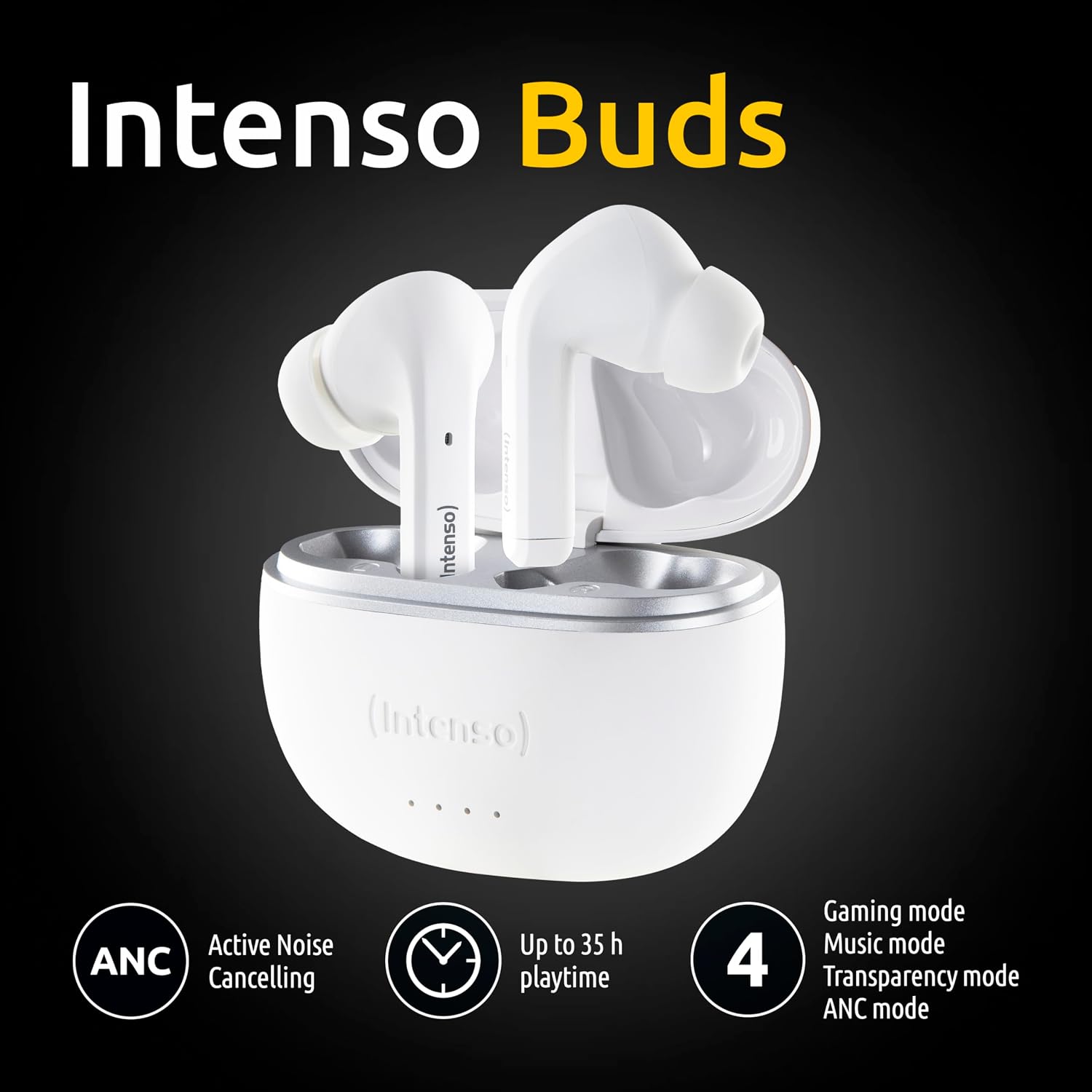
Image Description: An image featuring the Intenso Buds alongside icons representing key features: Active Noise Cancelling (ANC), up to 35 hours of playtime, and four distinct sound modes: Gaming, Music, Transparency, and ANC.
- Active Noise Cancelling (ANC): Reduces ambient noise, allowing for focused listening.

Image Description: A woman wearing an earbud, with a graphic overlay suggesting sound waves being muted, accompanied by the text "Mute the world with Active Noise Cancellation."
- Transparency Mode: Allows external sounds to be heard, useful for situational awareness.
- Music Mode: Optimized for balanced audio playback, suitable for general music enjoyment.
- Game Mode: Provides particularly low latency for a more synchronized gaming experience.
Call Functions
The earbuds are equipped with dual microphones for clear communication.

Image Description: A woman smiling while wearing an earbud, with a graphic indicating sound waves around her ear, and the text "2 mics for crisp & clear calls."
- Answering/Ending Calls: Single tap on either earbud.
- Rejecting Calls: Long press on either earbud.
Audio Quality
Experience high-quality audio with clear sounds and deep bass, delivered by 13mm drivers.

Image Description: A woman with her eyes closed, seemingly enjoying music while wearing an earbud. Text overlays read "Audio in High Quality" and "13mm Driver," indicating superior sound performance.
Maintenance
- Cleaning: Regularly clean the earbuds and charging case with a soft, dry, lint-free cloth. Do not use harsh chemicals or abrasive materials.
- Ear Tips: Remove and clean ear tips periodically with water and mild soap. Ensure they are completely dry before reattaching.
- Storage: When not in use, store the earbuds in their charging case to protect them and keep them charged.
Troubleshooting
| Problem | Solution |
|---|---|
| Earbuds not pairing. | Ensure earbuds are charged. Turn off and on Bluetooth on your device. Forget "Intenso Buds" from your device's Bluetooth list and re-pair. |
| Only one earbud working. | Place both earbuds back into the charging case, close the lid, wait a few seconds, then open and try again. Ensure both earbuds are charged. |
| No sound or low volume. | Check volume levels on both your device and the earbuds. Ensure earbuds are properly seated in your ears. |
| Charging case not charging. | Verify the USB-C cable is securely connected. Try a different USB power adapter (1-5W) and cable. |
Specifications
| Model Name | T302A |
| Connectivity Technology | Wireless (Bluetooth 5.3) |
| Noise Control | Active Noise Cancellation |
| Battery Life (Earbuds) | Up to 10 hours (single charge) |
| Total Battery Life (with Case) | Up to 35 hours |
| Charging Time | Approximately 2 hours |
| Control Type | Touch Control |
| Water Resistance Level | Water Resistant |
| Frequency Range | 20Hz - 20,000Hz |
| Impedance | 32 Ohm |
| Item Weight (Earbud) | 4.4 Grams |
| Color | White |
| Manufacturer | Intenso |
Warranty and Support
Intenso products are designed for reliability and performance. For warranty information and technical support, please refer to the official Intenso website or contact your local retailer. Keep your proof of purchase for warranty claims.

Image Description: The back of the product packaging, displaying various product details, regulatory certifications, and a barcode with the UPC: 4034303033027.


