
1. Introduction
This manual provides detailed instructions for the installation, operation, and maintenance of your NOVOSTELLA 100W Smart LED Flood Light. Please read this manual thoroughly before use to ensure proper function and safety. This smart flood light offers versatile lighting options for both indoor and outdoor environments, featuring color-changing capabilities, dimming, and smart control via the Smart Life App and voice assistants.

Image 1.1: NOVOSTELLA 100W Smart LED Flood Light, showcasing its sleek design and powerful illumination.
2. Safety Information
Always follow basic safety precautions when using electrical products to reduce the risk of fire, electric shock, and personal injury.
- Ensure the power is off before installation or maintenance.
- Do not disassemble or modify the product.
- Keep away from flammable materials.
- This product is rated IP66 waterproof for outdoor use, but avoid submerging it in water.
- Use only with compatible voltage and power sources.
- If any damage is observed, discontinue use immediately and contact support.
3. Package Contents
Verify that all items are present in the package:
- LED flood light (1 unit)
- User Manual
4. Product Features
The NOVOSTELLA 100W Smart LED Flood Light is designed with advanced features for enhanced lighting control and durability:
- Second-Generation Patented Antenna: Features an upgraded integrated design for improved waterproof performance and a modern aesthetic. The operating distance extends up to 80ft/25m, offering 2.5 times the range compared to models without an antenna.
- Smart Control: Compatible with Amazon Alexa (Echo/Dot/Tap) and Google Assistant for voice control. Easy remote control is available via the Smart Life App under a 2.4GHz Wi-Fi network (5GHz not supported).
- Color and Mode Variety: Offers 16 million colors and 8 dynamic lighting modes. The light can synchronize with music melodies, allowing for dynamic or soft music-responsive lighting.
- Group Control, Timing, and Memory: Group multiple lights for simultaneous control via the app or voice commands. Set schedules for automatic on/off times, and the light retains its last settings upon power cycle.
- IP66 Weather-resistant: Designed with an IP66 waterproof rating and efficient heat dissipation for stable performance in various weather conditions. Suitable for both indoor and outdoor use.

Image 4.1: Visual representation of the multi-function capabilities including 16 million colors, easy dimming, waterproof design, smart control, timer, voice control, group control, and 8 scenes.
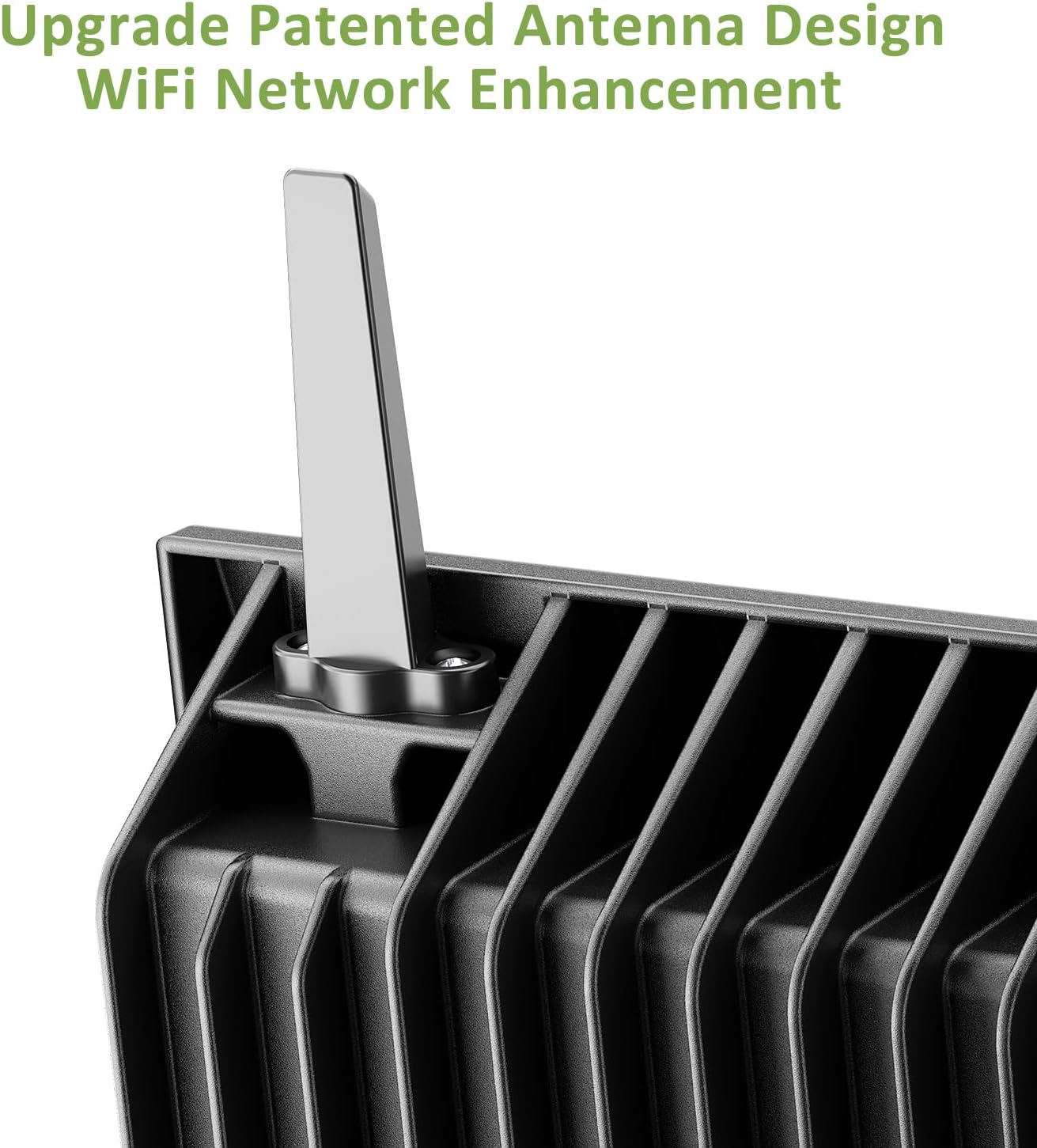
Image 4.2: The flood light demonstrating its IP66 waterproof rating under simulated rain conditions.
5. Setup Instructions
5.1. App Download and Registration
- Download the Smart Life App from the App Store (iOS) or Google Play Store (Android).
- Register for an account or log in if you already have one.
Video 5.1: A visual guide on how to set up the NOVOSTELLA Smart Floodlight using the Smart Life App, including app download and initial pairing steps.
5.2. Powering On and Pairing
- Connect the flood light to a power source. The light should flash, indicating it is in pairing mode.
- If the light does not flash, turn it off and on three times consecutively to enter pairing mode.
- Open the Smart Life App, navigate to the home page, and tap "Add Device".
- The app will discover the flood light. Select the device and follow the on-screen prompts to complete the pairing process.
- You can rename the device for easier identification.
5.3. Physical Installation
The flood light can be mounted on a wall or placed on the ground. Ensure the mounting surface is stable and can support the weight of the light. The integrated design simplifies installation.

Image 5.1: Detailed dimensions of the NOVOSTELLA 100W Smart LED Flood Light, useful for planning installation.
6. Operating Instructions
6.1. Basic Control via Smart Life App
- Color Selection: Use the color wheel in the app to choose from 16 million colors.
- Brightness Adjustment: Adjust the light intensity using the dimming slider.
- Mode Selection: Choose from 8 preset modes, including flash, jump, and breath modes, or create custom scenes.
- Music Sync: Enable music synchronization to have the light change colors according to the rhythm of your music.
6.2. Group Control
To control multiple flood lights simultaneously, create a group in the Smart Life App:
- In the Smart Life App, select one of your paired flood lights.
- Tap the icon at the top right corner (usually a pencil or three dots) to access device settings.
- Select "Create Group".
- Add the desired devices to the group and tap "Save".
- Edit the group name for easy identification.
Video 6.1: Instructions on how to group multiple NOVOSTELLA Smart Floodlights for synchronized control within the Smart Life App.
6.3. Voice Control
Integrate your flood light with Amazon Alexa or Google Assistant for convenient voice commands:
- Ensure your Alexa or Google Home device is set up and connected to the same Wi-Fi network as your flood light.
- Open the Alexa or Google Home app.
- Enable the "Smart Life" skill/service.
- Discover devices. Your NOVOSTELLA flood light(s) should appear.
- You can now use voice commands such as:
- "Alexa/Hey Google, turn on [Device Name]."
- "Alexa/Hey Google, set [Device Name] to blue."
- "Alexa/Hey Google, dim [Device Name] to 50%."

Image 6.1: Demonstrating voice control capabilities with Amazon Alexa and Google Assistant for the smart flood light.
6.4. Scheduling and Timers
Set schedules for automated operation:
- In the Smart Life App, select your flood light or a group.
- Navigate to the "Timer" or "Schedule" section.
- Set desired on/off times and days of the week.
- You can also set countdown timers for temporary operation.

Image 6.2: Illustration of the scheduling feature, showing lights turning on at 19:00 and off at 22:00.
7. Maintenance
To ensure the longevity and optimal performance of your NOVOSTELLA Smart LED Flood Light, follow these maintenance guidelines:
- Cleaning: Periodically clean the light's surface with a soft, damp cloth. Do not use harsh chemicals or abrasive cleaners.
- Inspection: Regularly check the power cord and housing for any signs of damage. If damage is found, disconnect the power and contact customer support.
- Storage: If storing the light for an extended period, ensure it is clean, dry, and stored in a cool, dry place away from direct sunlight.
8. Troubleshooting
If you encounter issues with your flood light, refer to the following common solutions:
| Problem | Possible Cause | Solution |
|---|---|---|
| Light does not turn on. | No power, loose connection, or faulty unit. | Check power supply and connections. Ensure the outlet is functional. If still not working, contact support. |
| Cannot connect to Wi-Fi/App. | Incorrect Wi-Fi band (5GHz not supported), incorrect password, or light not in pairing mode. | Ensure your router is 2.4GHz. Verify Wi-Fi password. Turn the light off and on three times to enter pairing mode. Move closer to the router. |
| Voice control not working. | Incorrect device name, Smart Life skill not enabled, or connectivity issue. | Check device name in the app. Ensure Smart Life skill is enabled and devices are discovered in Alexa/Google Home app. |
| Light color/mode not changing. | App not connected, or temporary software glitch. | Ensure the app is connected to the device. Restart the app or the flood light. |
9. Specifications
| Feature | Detail |
|---|---|
| Model Number | NTF |
| Brand | NOVOSTELLA |
| Wattage | 100 Watts |
| Brightness | 1600 Lumens |
| Light Source Type | LED |
| Color | RGB (16 Million Colors) |
| Material | Aluminum |
| Finish Type | Powder Coated |
| IP Rating | IP66 (Waterproof) |
| Power Source | Corded Electric |
| Product Dimensions | 10"L x 2"W x 8"H |
| Item Weight | 1 Ounces |
| Connectivity | 2.4GHz WiFi (not 5GHz) |
| Control Methods | Smart Life App, Amazon Alexa, Google Assistant |
10. Warranty and Support
NOVOSTELLA products are manufactured to high-quality standards. For warranty information, technical support, or customer service, please refer to the contact details provided on the product packaging or the official NOVOSTELLA website. Keep your purchase receipt as proof of purchase.


