
1. Introduction
Thank you for choosing the TOPBULL 2000W Vehicle Power Inverter. This device is designed to convert 12V DC power from your vehicle's battery into 110V AC power, allowing you to operate various electronic devices on the go. With 2000W continuous power and 4000W peak surge capability, it's ideal for emergencies, road trips, camping, and remote work sites. This manual provides essential information for safe operation, installation, and maintenance.
2. Safety Instructions
Please read all safety warnings and instructions carefully before using the inverter to prevent injury or damage to the unit and connected devices.
- Ventilation: Ensure adequate ventilation around the inverter. Do not block ventilation openings.
- Environment: Do not expose the inverter to rain, moisture, direct sunlight, or extreme temperatures. Keep it away from flammable materials.
- Connections: Always connect the inverter to a 12V DC power source. Ensure correct polarity (+ to + and - to -) to avoid damage.
- Load Capacity: Do not exceed the inverter's rated continuous power (2000W) or peak power (4000W). Overloading can cause damage or fire.
- Inductive Loads: This modified sine wave inverter is not suitable for certain inductive loads like refrigerators, microwaves, or induction cooktops. Refer to the 'Operating Instructions' section for compatible devices.
- Battery Capacity: Use a battery with a capacity greater than 300Ah for optimal performance and to prevent battery drain.
- Children: Keep the inverter out of reach of children.
- Maintenance: Do not attempt to open or modify the inverter. Refer all servicing to qualified personnel.
3. Package Contents
Verify that all items are present in the package:
- TOPBULL 2000W Power Inverter
- Battery Cables (Red for Positive, Black for Negative)
- Spare Fuses
- User Manual

Image: The TOPBULL 2000W Power Inverter, along with its battery connection cables, spare fuses, and user manual, as typically included in the package.
4. Product Features
The TOPBULL 2000W Power Inverter is equipped with advanced features for reliable and safe power conversion:
- High Power Output: Provides 2000W continuous DC to AC power and 4000W peak surge power.
- Efficient Conversion: Conversion efficiency greater than 90% minimizes power loss.
- Multiple Outlets: Features 2 standard 110V AC power outlets and a 2.1A USB fast charging port.
- Advanced Safety Protections: Includes 6-fold comprehensive safety protection against undervoltage, overload, overheating, short-circuit, and reverse connection.
- Intelligent Cooling: Dual smart cooling fans activate based on temperature and load, ensuring optimal performance and reduced noise.
- High-Quality LED Display: A high-definition LED display shows input voltage, output voltage, output power, fan operating status, battery power, and output frequency.
- Durable Construction: Robust aviation aluminum alloy casing designed to withstand harsh environments.
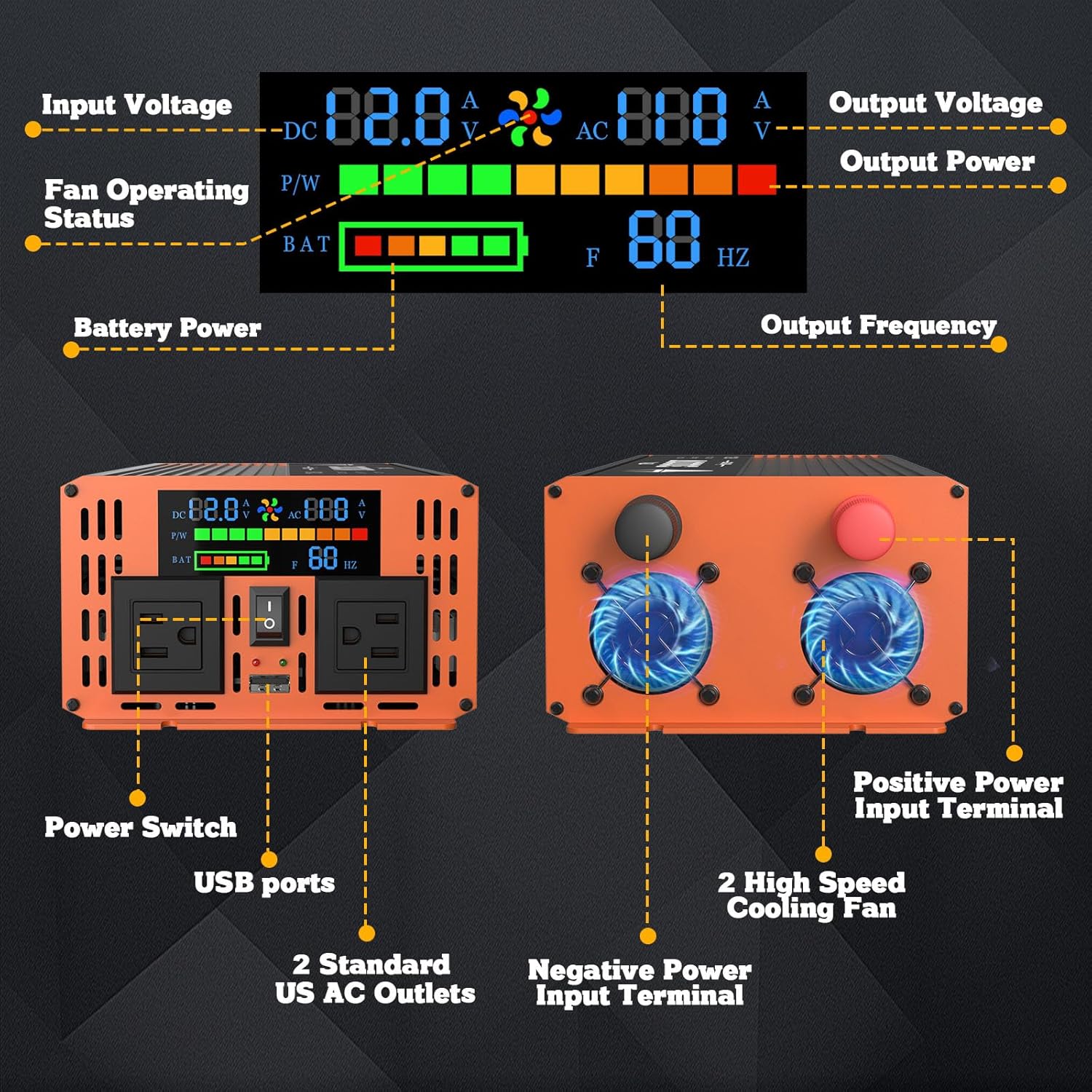
Image: A detailed diagram illustrating the various components and indicators on the TOPBULL 2000W Power Inverter, including input/output voltage displays, fan status, battery level, power switch, USB ports, AC outlets, and power input terminals.
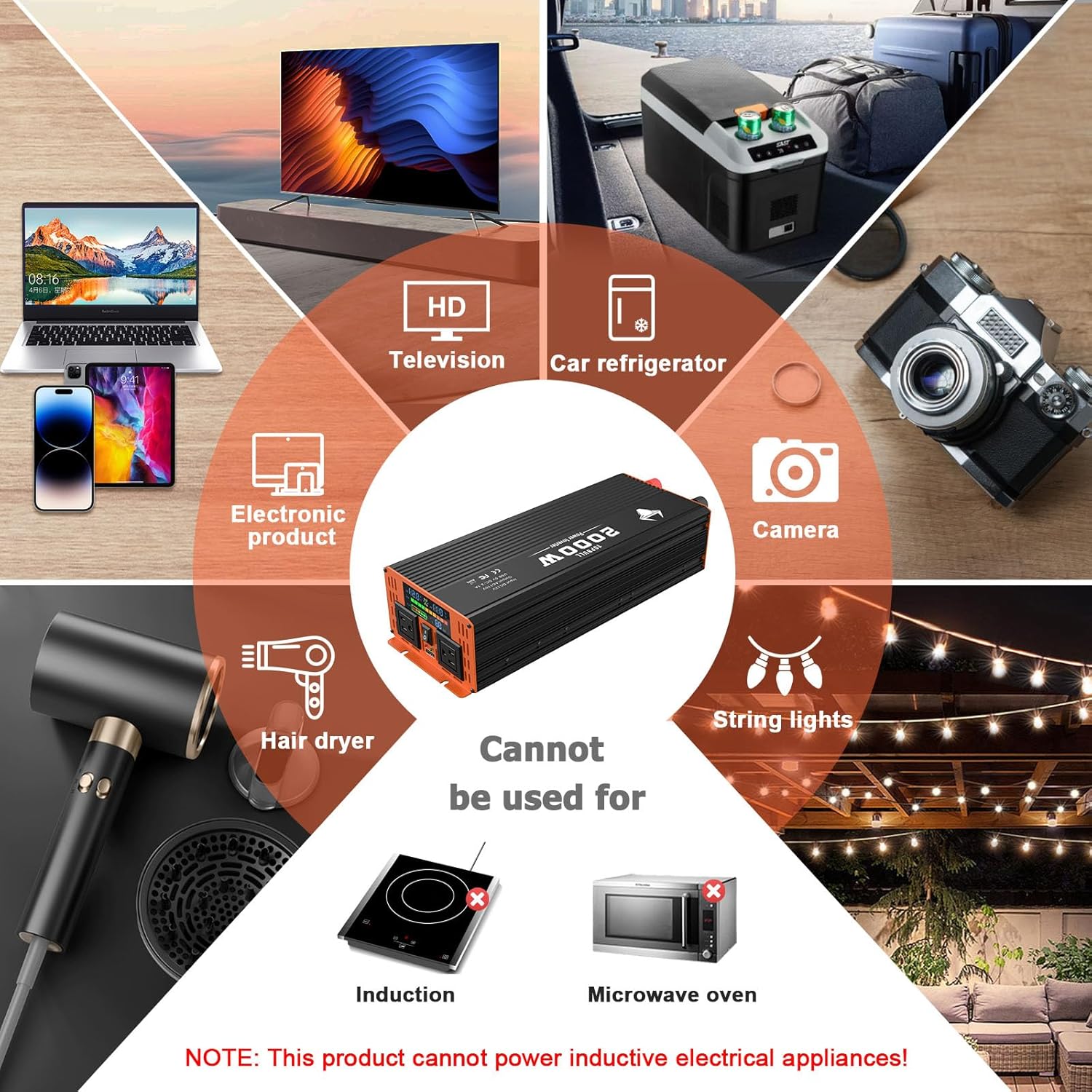
Image: An internal view of the TOPBULL 2000W Power Inverter, showcasing its robust circuitry and highlighting its comprehensive protection features such as energy efficiency, fast heat dissipation, and safeguards against under-voltage, over-voltage, overload, short-circuit, overheating, and reverse polarity.
5. Setup
Follow these steps to properly set up your TOPBULL Power Inverter:
- Preparation: Ensure your vehicle is turned off. Locate a well-ventilated area for the inverter, away from direct sunlight, heat sources, and moisture.
- Battery Connection:
- Connect the red battery cable to the positive (+) terminal of the inverter.
- Connect the black battery cable to the negative (-) terminal of the inverter.
- Connect the other end of the red cable to the positive (+) terminal of your 12V vehicle battery.
- Connect the other end of the black cable to the negative (-) terminal of your 12V vehicle battery.
Important: Ensure all connections are tight and secure to prevent arcing and ensure efficient power transfer. Incorrect polarity will damage the inverter.
- Initial Check: Once connected, the inverter's LED display should light up, showing the battery voltage.
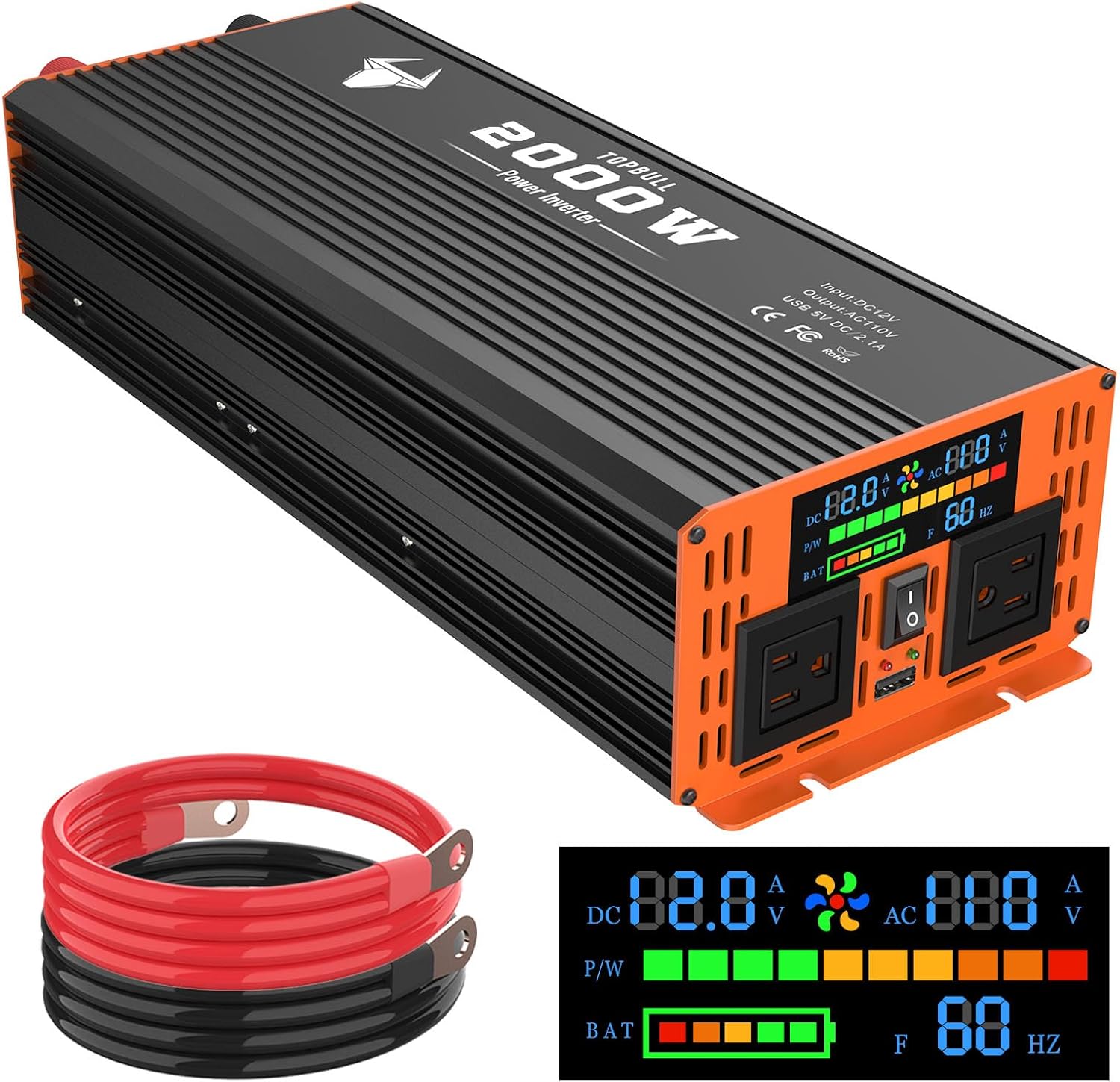
Image: The TOPBULL 2000W Power Inverter shown with its red and black battery connection cables, illustrating the primary components involved in the setup process.
6. Operating Instructions
Once the inverter is properly set up, you can begin using it to power your devices:
- Power On: Press the power switch on the inverter to turn it on. The LED display will show the current input voltage, output voltage, and other operational parameters.
- Connect Devices: Plug your 110V AC devices into the standard AC outlets or your USB devices into the 2.1A USB port.
- Monitor Display: Keep an eye on the LED display for real-time information on power consumption and battery status. The intelligent fans will automatically activate when needed.
- Power Off: When you are finished using the inverter, turn off all connected devices, then press the power switch on the inverter to turn it off. Disconnect the inverter from the battery if not in use for an extended period.
Compatible and Incompatible Devices:
- Compatible: Laptops, tablets, mobile phones, cameras, electronic products, televisions, car refrigerators, string lights, hairdryers (within power limits).
- Incompatible (Inductive Loads): Induction cooktops, microwave ovens. This product cannot power inductive electrical appliances.
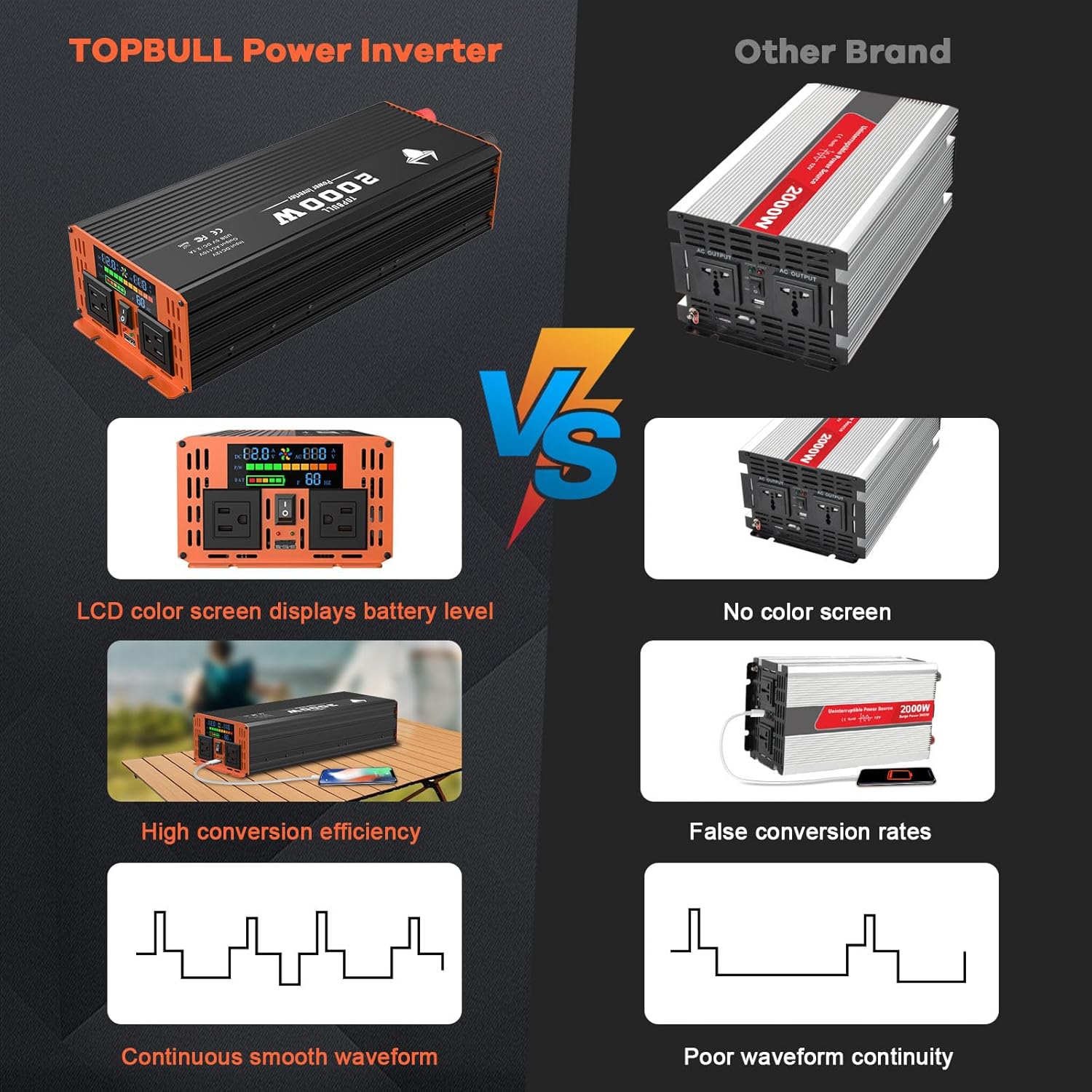
Image: A woman using the TOPBULL 2000W Power Inverter outdoors to power a laptop, demonstrating its portability and utility for remote work or leisure activities.
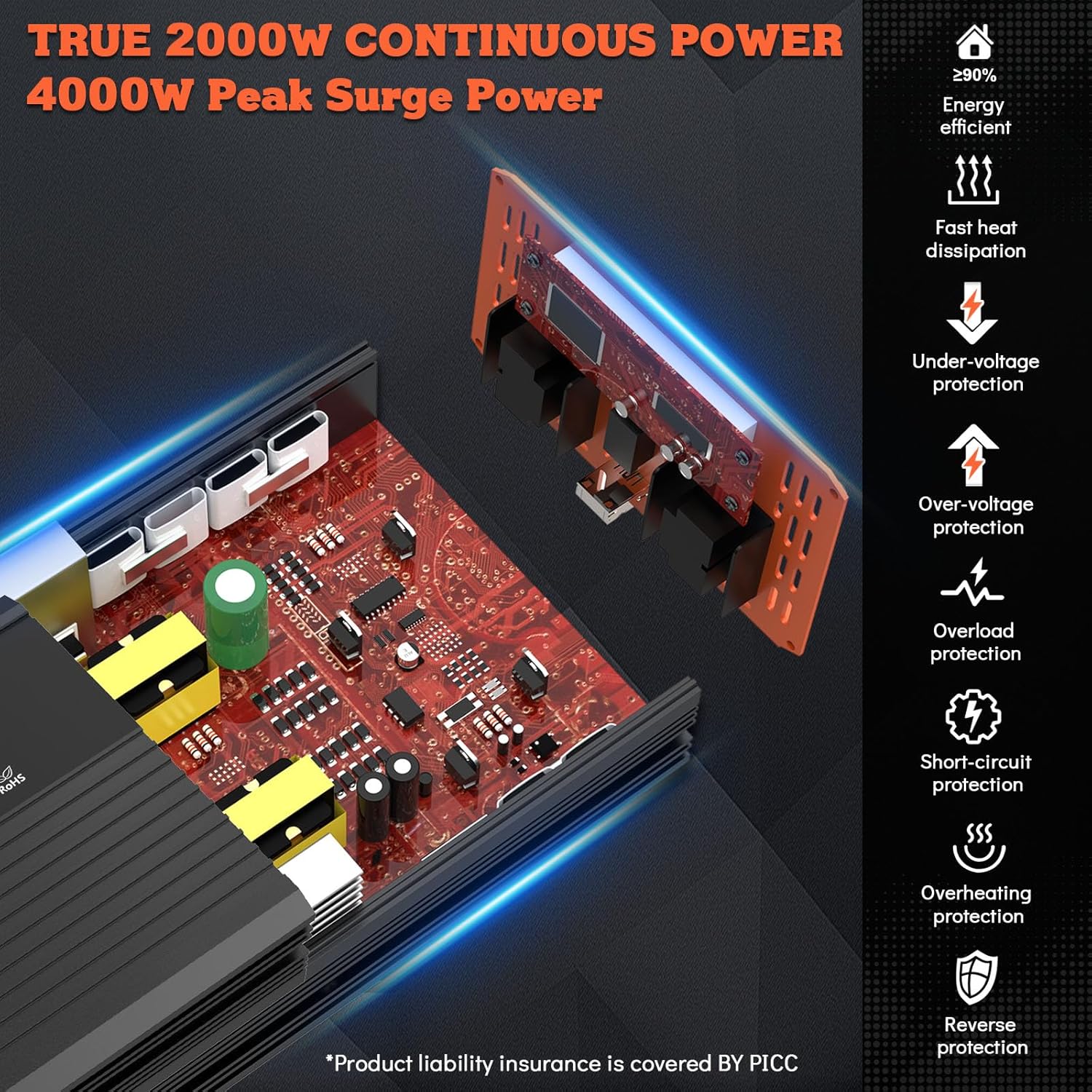
Image: A visual guide illustrating various electronic devices that can be powered by the TOPBULL 2000W Power Inverter, such as TVs, car refrigerators, and laptops, alongside examples of devices like induction cooktops and microwave ovens that are not compatible due to their inductive nature.
7. Maintenance
Proper maintenance will ensure the longevity and optimal performance of your inverter:
- Cleaning: Regularly clean the exterior of the inverter with a dry, soft cloth. Do not use liquid cleaners or solvents. Ensure ventilation openings are free from dust and debris.
- Connections: Periodically check the battery cable connections to ensure they are tight and free from corrosion.
- Storage: When not in use for extended periods, store the inverter in a cool, dry place, away from direct sunlight and extreme temperatures. Disconnect it from the battery.
- Battery Health: Ensure your vehicle's battery is in good condition and adequately charged for optimal inverter performance.
8. Troubleshooting
If you encounter issues with your TOPBULL Power Inverter, refer to the following table for common problems and solutions:
| Problem | Possible Cause | Solution |
|---|---|---|
| Inverter not turning on | Loose battery connections Low battery voltage Blown fuse Inverter switch off | Check and tighten battery cables Recharge or replace battery Replace fuse (use spare provided) Turn on inverter switch |
| No AC output | Overload protection activated Overheat protection activated Device power consumption too high | Reduce connected load Allow inverter to cool down, ensure ventilation Use devices within inverter's power rating |
| Fan not running | Normal operation (fan activates under load/heat) Fan malfunction | This is normal if load is low or temperature is cool Contact customer support if fan never runs under load |
| Abnormal noise | Overload Loose internal components | Reduce connected load Discontinue use and contact customer support |
9. Specifications
| Feature | Specification |
|---|---|
| Brand | TOPBULL |
| Model Number | TOPBULL 2000W |
| Continuous Power | 2000 Watts |
| Peak Surge Power | 4000 Watts |
| Input Voltage | 12V DC |
| Output Voltage | 110V AC |
| Output Waveform | Modified Sine Wave |
| USB Output | 2.1A Fast Charging |
| AC Outlets | 2 Standard Outlets |
| Conversion Efficiency | > 90% |
| Cooling System | Dual Smart Fans |
| Product Dimensions | 30L x 15W x 9H centimeters (approx. 11.8L x 5.9W x 3.5H inches) |
| Recommended Battery Capacity | > 300Ah |
| Safety Protections | Under-voltage, Overload, Overheating, Short-circuit, Reverse Connection |
10. Warranty and Support
TOPBULL is committed to providing high-quality products and excellent customer service. Your TOPBULL Power Inverter comes with a manufacturer's warranty, details of which can be found on the product packaging or by contacting customer support.
If you have any questions about the product, require technical assistance, or need to report an issue, TOPBULL provides 24/7 online customer service. Please do not hesitate to contact us through the retailer's platform or the official TOPBULL website for prompt support.
For the most up-to-date warranty information and support contact details, please refer to the official TOPBULL website or your purchase documentation.