
1. Safety Instructions
Please read these instructions carefully before installation and operation. Keep this manual for future reference.
- CAUTION: RISK OF ELECTRIC SHOCK. DO NOT OPEN. This device contains no user-serviceable parts. Refer all servicing to qualified personnel.
- Ensure the power supply voltage matches the rated voltage of the device (90V-240V/50-60Hz).
- Always disconnect the device from the main power supply before cleaning or performing any maintenance.
- Do not operate the device if the power cord is damaged.
- Avoid direct eye exposure to the light source.
- Install the device in a well-ventilated area, away from heat sources and flammable materials.
- This product is CE certified, indicating compliance with European safety standards.
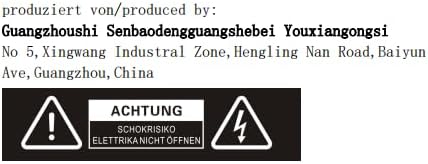
Image 1.1: Safety warning label on the product, indicating risk of electric shock and advising not to open the casing.
2. Product Overview
The SENLAN 8-Piece RGB 3-in-1 LED Wall Washer Light (Model RS-29) is designed for stage, disco, party, and theater lighting applications. It features a robust aluminum housing for efficient heat dissipation without the need for a fan, ensuring silent operation.
Key Features:
- Light Source: 8 x 3W RGB 3-in-1 LEDs.
- Optics: 8 super bright acrylic lenses with a specially designed white aluminum lens holder.
- Cooling: Full aluminum housing with cooling fins for fanless, silent operation.
- Control Modes: DMX512, Automatic, Sound Action, Master/Slave.
- DMX Modes: 7 different DMX modes, with individual LED control capability.
- Auto Effects: 24 different types of automatic operation effects.
- Power: 24 Watts, 90V-240V/50-60Hz.
- Beam Angle: 25 degrees.
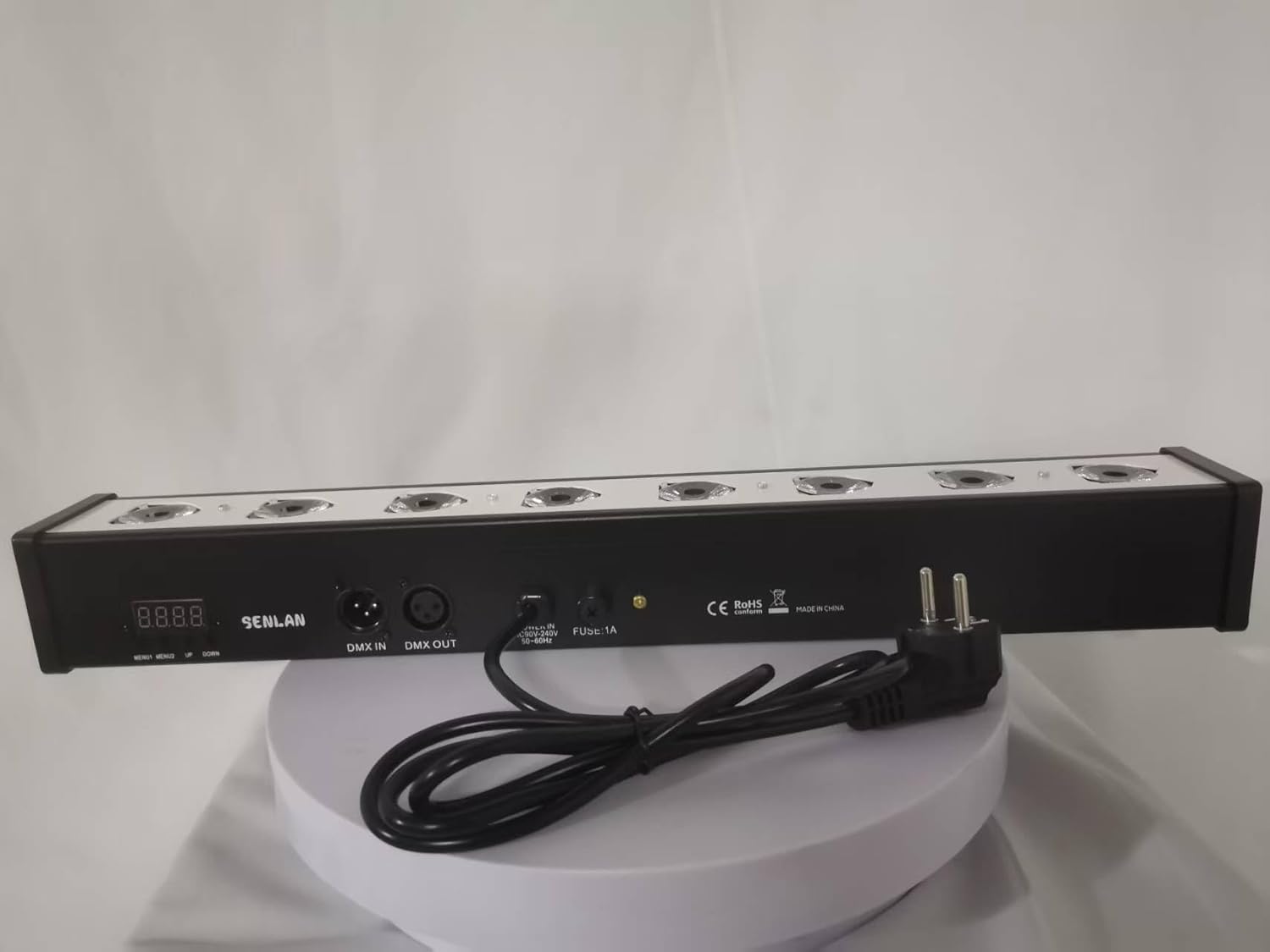

Image 2.1: Front and side views of the SENLAN LED Wall Washer Light, highlighting its compact design and mounting bracket.
3. Setup and Installation
The SENLAN LED Wall Washer Light is designed for rear mounting. Follow these steps for proper setup:
- Unpacking: Carefully remove the light from its packaging. Inspect for any damage during transit.
- Mounting: Use the integrated mounting bracket to securely attach the light to a truss, wall, or floor. Ensure the mounting surface can support the weight of the fixture (1.02 kg).
- Power Connection: Connect the provided electric cable plug to a compatible power outlet (90V-240V/50-60Hz). The device has a 1A fuse for protection.
- DMX Connection (Optional): If using DMX control, connect a DMX cable from your DMX controller to the 'DMX IN' port on the light. For multiple units, daisy-chain them by connecting the 'DMX OUT' of the first unit to the 'DMX IN' of the next.
- Initial Power On: Once securely mounted and connected, power on the device. The digital display on the back panel will illuminate.

Image 3.1: Rear view of the light, showing the DMX IN/OUT ports, power input, and the digital display for mode selection and DMX addressing.
4. Operating Modes
The SENLAN LED Wall Washer Light offers four primary control modes:
4.1. DMX512 Control Mode
This mode allows precise control over the light's functions using a DMX controller. The light features 7 different DMX modes, and each LED can be controlled separately.
- Connect the light to a DMX controller as described in Section 3.
- Use the buttons on the back panel to set the DMX address (e.g., 'd001' as shown in Image 4.1). Consult your DMX controller's manual for channel assignments.
- Adjust parameters such as color, intensity, and effects via your DMX controller.


Image 4.1: Lights displaying DMX address ('d001') and Master/Slave mode ('SL14').
4.2. Automatic Operation Mode
The light has 24 different types of pre-programmed automatic effects. These effects can involve individual LEDs, two LEDs, three LEDs, or four LEDs working together to create dynamic light shows.
- Use the mode selection buttons on the back panel to cycle through the automatic programs.
- The display will show codes corresponding to different auto programs.
- Adjust the speed of the automatic programs if available through the control panel.


Image 4.2: Examples of automatic light effects, showing red and green patterns, and solid red patterns.


Image 4.3: Further examples of automatic light effects, including multi-color and blue/yellow-green combinations.
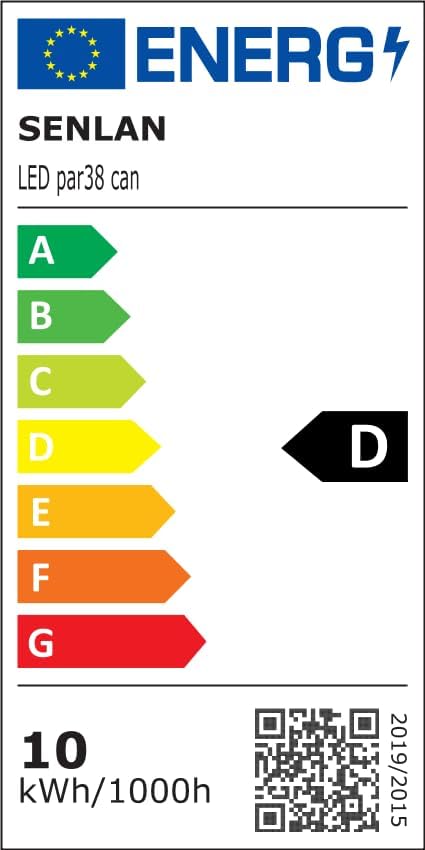
Image 4.4: Example of an automatic light effect, showing green light patterns.
4.3. Sound Action Mode
In this mode, the light reacts to ambient sound, changing patterns and intensity in sync with music or other audio.
- Select the Sound Action mode using the control panel buttons.
- Ensure the built-in microphone is not obstructed.
- The light will now respond to sound.
4.4. Master/Slave Mode
This mode allows multiple lights to operate in synchronization without a DMX controller. One unit acts as the 'Master' and controls all 'Slave' units.
- Connect the lights in a daisy-chain configuration using DMX cables (DMX OUT to DMX IN).
- Set the first unit to 'Master' mode (e.g., 'SL14' as shown in Image 4.1, or similar master mode indicator).
- Set all subsequent units to 'Slave' mode.
- The Master unit will now dictate the behavior of all connected Slave units.
5. Maintenance
Regular maintenance ensures optimal performance and longevity of your SENLAN LED Wall Washer Light.
- Cleaning: Periodically clean the lenses and the exterior casing with a soft, lint-free cloth. Do not use abrasive cleaners or solvents. Ensure the device is unplugged before cleaning.
- Fuse Replacement: The device uses a 1A fuse. If the light does not power on, check and replace the fuse if necessary. Always replace with a fuse of the same type and rating.
- Inspection: Regularly inspect power cables and DMX cables for any signs of wear or damage. Replace damaged cables immediately.
- Storage: When not in use for extended periods, store the light in a dry, dust-free environment.
6. Troubleshooting
If you encounter issues with your SENLAN LED Wall Washer Light, refer to the following common problems and solutions:
- No Power:
- Check if the power cable is securely connected to both the light and the power outlet.
- Verify that the power outlet is functional.
- Check the 1A fuse and replace if blown (refer to Section 5).
- No Light Output:
- Ensure the light is receiving power and the display is active.
- If in DMX mode, check your DMX controller settings and DMX cable connections. Verify the DMX address is correctly set.
- If in Master/Slave mode, ensure the Master unit is functioning correctly and all Slave units are properly connected and set to Slave mode.
- Try switching to Automatic mode to see if the internal programs function.
- Incorrect Color/Effect:
- In DMX mode, recheck your DMX channel assignments and values on the controller.
- In Automatic mode, cycle through the programs to find the desired effect.
- Light Not Responding to Sound:
- Ensure the light is set to Sound Action mode.
- Check that the built-in microphone is not covered or obstructed.
- Increase the volume of the audio source.
If problems persist after attempting these troubleshooting steps, please contact customer support.
7. Specifications
| Feature | Specification |
|---|---|
| Brand | SENLAN |
| Model Number | RS-29 |
| Light Source | 8 x 3W RGB 3-in-1 LED |
| Power Consumption | 24 Watts |
| Voltage | 90V-240V/50-60Hz |
| Fuse | 1A |
| Beam Angle | 25 Degrees |
| Luminous Flux | 2400 Lumen |
| Material | Acrylonitrile Butadiene Styrene (ABS), Aluminum |
| Dimensions (L x W x H) | 48 x 8 x 7 cm |
| Weight | 1.02 Kilograms |
| Control Modes | DMX512, Automatic, Sound Action, Master/Slave |
| DMX Modes | 7 different modes |
| Automatic Effects | 24 different types |
| Certification | CE |
| Special Features | Fanless operation, Aluminum housing |
Image 7.1: Energy efficiency label for the LED light. For more details, visit the EPREL database.
8. Manufacturer Information
This product is manufactured by:
Guanzhoushi Senbaodengguangshebei Youxiangongsi
No 5, Xingwang Industrial Zone, Hengling Nan Road, Baiyun Ave, Guangzhou, China