
Introduction
The CHAUVET DJ COLORband T3BT ILS is a full-size linear RGB wash light designed for dynamic lighting effects in various settings. This manual provides essential information for the safe and effective operation of your COLORband T3BT ILS fixture.
Key Features
- Full-Size Linear RGB Wash Light: Delivers powerful, even wash coverage in a full-length linear design, suitable for stages, venues, and event spaces.
- Three Zones for Automated Effects: Features three independent control zones for dynamic, flowing color effects, creating visual interest without complex programming.
- Built-in Bluetooth Control: Integrated Bluetooth technology allows direct control from a smartphone, simplifying setup and adjustments.
- ILS Instant Light Shows Compatibility: Fully compatible with the ILS ecosystem for synchronized lighting across multiple fixtures, enabling quick programming and unified control.
- Wireless DMX and Easy Transport: D-Fi USB compatibility supports wireless master/slave or DMX control. Designed for portability and fits best in the CHS-60 VIP Gear Bag.
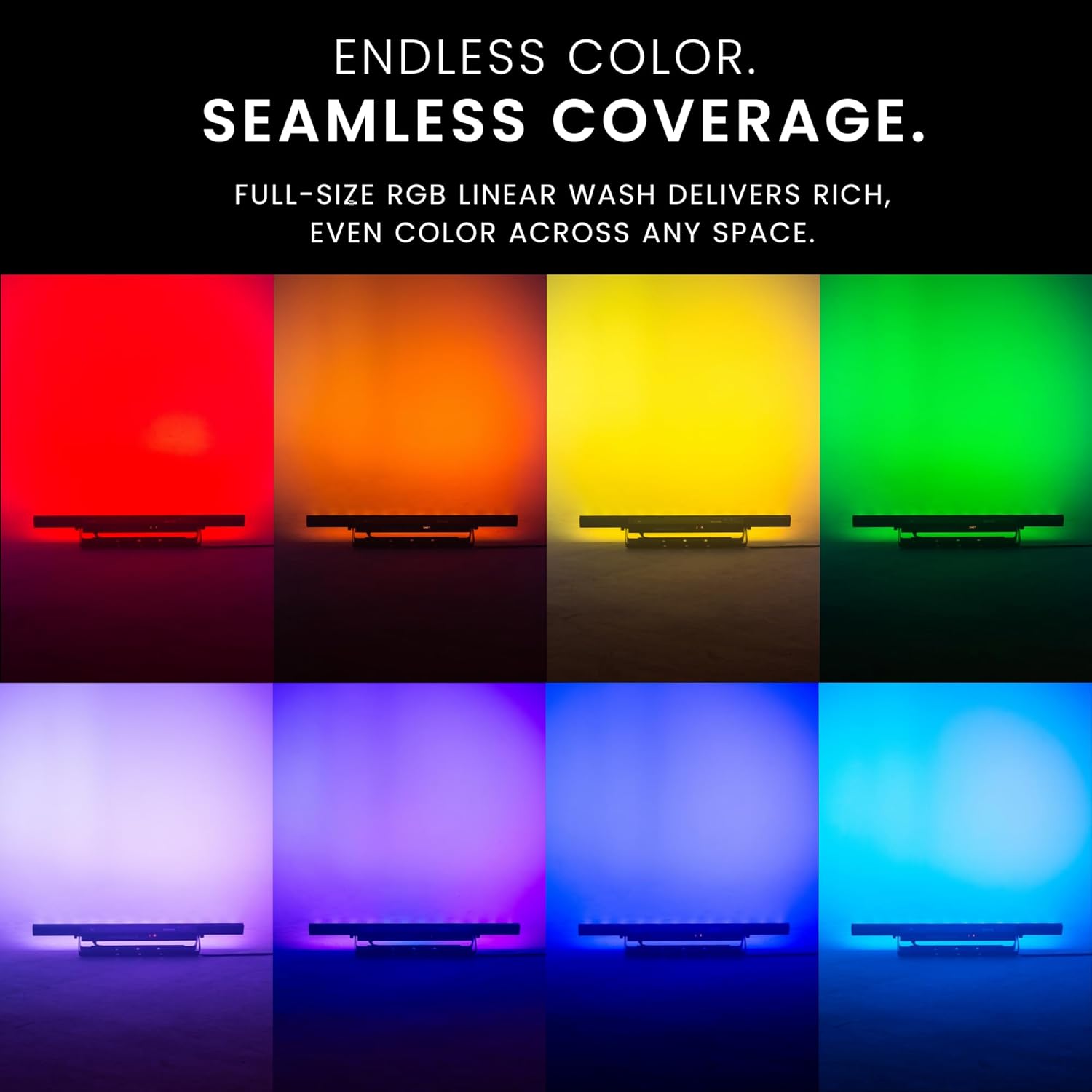
Image: The COLORband T3BT ILS demonstrating its three independently controllable RGB zones, producing dynamic color effects.
Setup
Before setting up your COLORband T3BT ILS, ensure you have all necessary components and a stable power source. The fixture can be mounted using its integrated bracket for ground, stand, or truss applications.
Physical Connections
- Connect the power cable to a suitable power outlet.
- For DMX control, connect a DMX cable from your DMX controller to the DMX IN port on the fixture. Use the DMX OUT port to daisy-chain to other DMX fixtures.
- For D-Fi USB wireless control, insert a D-Fi USB transceiver (sold separately) into the D-Fi Input port.
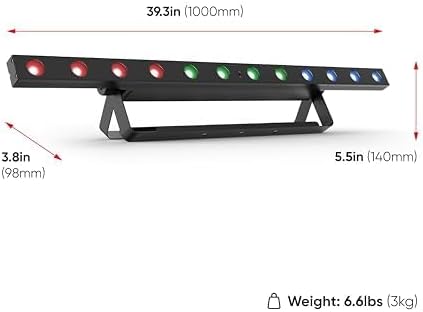
Image: Rear panel of the COLORband T3BT ILS, highlighting connection ports and control interface.
Operating Instructions
The COLORband T3BT ILS offers multiple control options for versatile operation.
Onboard Control
- Use the MENU button to navigate through the menu options.
- Use the UP/DOWN buttons to adjust values or select options.
- Press ENTER to confirm your selection.
Bluetooth Control (CHAUVET DJ BTAir App)
- Download the CHAUVET DJ BTAir app from your device's app store.
- Ensure Bluetooth is enabled on your smartphone and the COLORband T3BT ILS.
- Open the BTAir app and follow the on-screen instructions to pair with your fixture.
- Once connected, you can adjust colors, zones, and effects directly from your phone.
DMX Control
Connect the fixture to a DMX controller using standard 3-pin DMX cables. Refer to the DMX channel chart in the full product manual for detailed DMX addressing and control options.
ILS (Integrated Lighting System)
The ILS feature allows for synchronized light shows across compatible CHAUVET DJ fixtures. Connect your ILS-compatible fixtures and use a primary ILS controller (e.g., GigBAR Move + ILS) to create coordinated effects.

Image: A smartphone displaying the CHAUVET DJ BTAir app, controlling the COLORband T3BT ILS light fixture.
Maintenance
Regular maintenance ensures optimal performance and longevity of your COLORband T3BT ILS.
- Cleaning: Periodically clean the exterior and lenses with a soft, lint-free cloth. Do not use abrasive cleaners.
- Inspection: Regularly inspect power cables, DMX cables, and mounting hardware for any signs of wear or damage.
- Storage: When not in use, store the fixture in a cool, dry place, ideally in a protective gear bag like the CHS-60 VIP Gear Bag.
Troubleshooting
If you encounter issues with your COLORband T3BT ILS, refer to the following common solutions:
| Problem | Possible Cause | Solution |
|---|---|---|
| Fixture does not power on. | No power, faulty cable, or internal issue. | Check power connection. Test with a different power cable. Ensure power outlet is functional. |
| No DMX control. | Incorrect DMX addressing, faulty DMX cable, or controller issue. | Verify DMX address settings. Check DMX cable connections. Test with a different DMX cable or controller. |
| Bluetooth connection issues. | Bluetooth not enabled, app not connected, or interference. | Ensure Bluetooth is active on both device and fixture. Restart the app and fixture. Move closer to the fixture. |
For further assistance, contact CHAUVET DJ customer support.
Specifications

Image: Diagram illustrating the dimensions and weight of the COLORband T3BT ILS.
| Specification | Value |
|---|---|
| Model Number | COLORBANDT3BTILS |
| Brand | CHAUVET DJ |
| Color | Black |
| Material | Metal |
| Light Source Type | Light Emitting Diode (LED) |
| Power Source | Corded Electric |
| Voltage | 100V |
| Maximum Compatible Light Source Wattage | 36 Watts |
| Mounting Type | Ground/Stand/Truss Mount |
| Light Source Special Features | Tri-color (RGB) |
| Number of Light Sources | 12 |
| Item Weight | 3.64 Kilograms |
| Item Dimensions (L x W x H) | 39.3"L x 3.8"W x 5.5"H |
| Certifications | CE, RoHS, UKCA, FCC |
Warranty Information
The CHAUVET DJ COLORband T3BT ILS comes with a 2-year limited manufacturer's warranty. Please retain your proof of purchase for warranty claims. For full details on warranty terms and conditions, refer to the official CHAUVET DJ website or contact customer support.
Support
For additional support, technical assistance, or to explore other CHAUVET DJ products, please visit the official CHAUVET DJ store or website.
Official CHAUVET DJ Store: Visit Store


