Introduction
This manual provides detailed instructions for the installation, operation, and maintenance of your SV3C C12POE 15X Optical Zoom POE PTZ Security Camera. This 5MP outdoor IP camera features advanced functionalities including auto tracking, floodlight color night vision, and two-way audio, designed for comprehensive surveillance. Please read this manual thoroughly before using the product to ensure proper setup and optimal performance.
Package Contents
- SV3C C12POE PTZ Security Camera
- Mounting Screws and Wall Plugs
- Waterproof Kit for Ethernet Cable
- Quick Start Guide
Setup
1. Physical Installation
The SV3C C12POE camera is designed for wall mounting. Ensure the mounting surface is strong enough to support the camera's weight. Use the provided screws and wall plugs for secure installation.

Figure 1: Wall Mount Installation
2. Power and Network Connection (PoE)
This camera supports Power over Ethernet (PoE), allowing both power and data transmission through a single Ethernet cable. Connect the camera to a PoE switch or PoE NVR using an Ethernet cable. Alternatively, you can use a 12V DC power adapter (not included) and connect to a standard router.
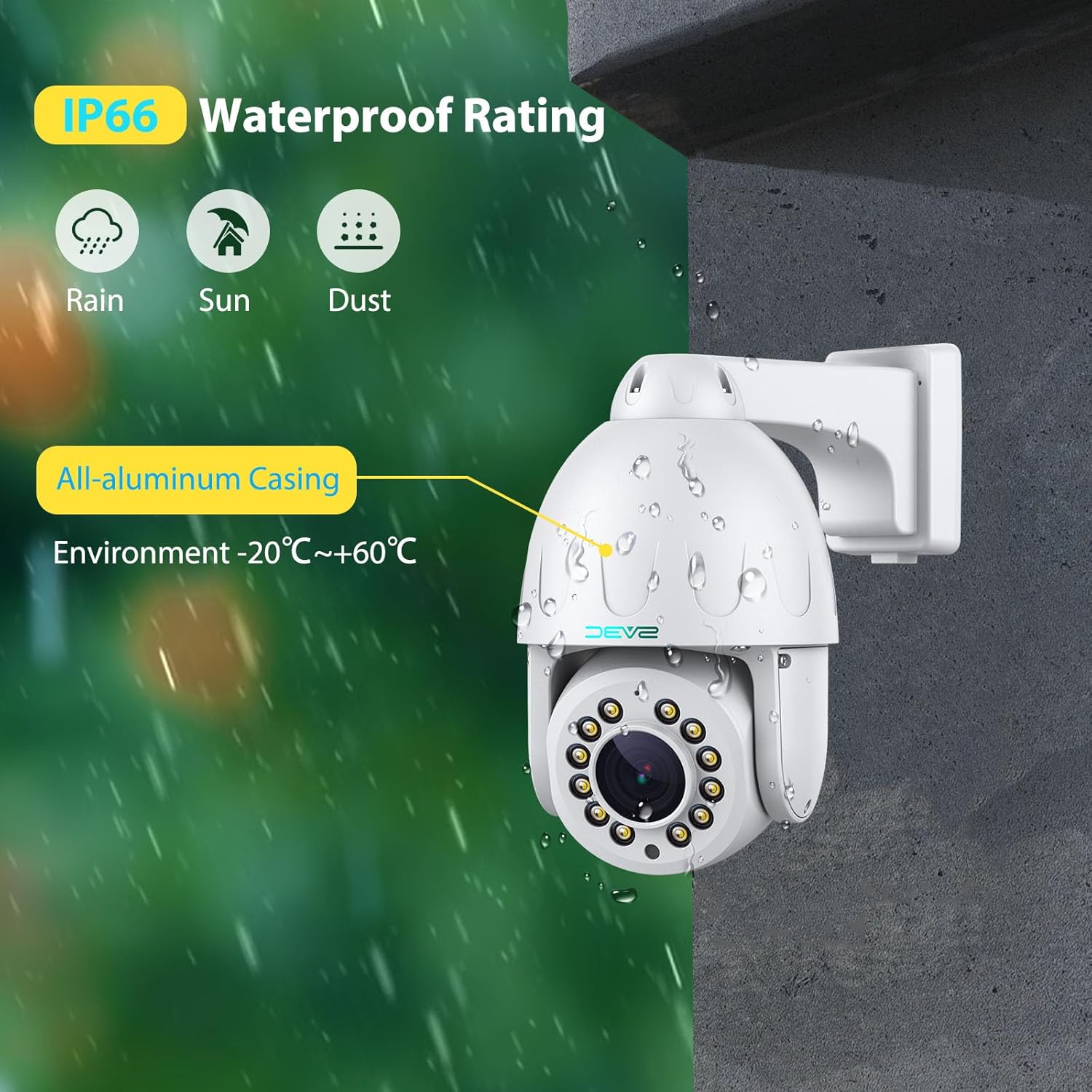
Figure 2: PoE Connection Options
3. SD Card Installation
The camera supports up to a 128GB Micro SD card for local storage. To install, locate the SD card slot, typically under a protective cover. Insert the card gently until it clicks into place. Ensure the cover is securely closed to maintain waterproof integrity.

Figure 3: SD Card Slot Location and Recording Features
Operating the Camera
1. Pan, Tilt, and Optical Zoom
The camera offers 355° pan and 90° tilt capabilities, providing a 360° viewing angle. The 15X optical zoom lens allows for clear magnification of distant objects. The camera automatically focuses after PTZ adjustments.

Figure 4: Pan, Tilt, and Optical Zoom Capabilities
2. Humanoid Detection and Auto Tracking
Utilize the smart human detection feature to minimize false alarms. The upgraded humanoid tracking allows the camera to automatically zoom and follow detected individuals. Activate auto tracking by calling Preset 67 and deactivate with Preset 68. Motion notifications can be sent via the CamHiPro APP or email.
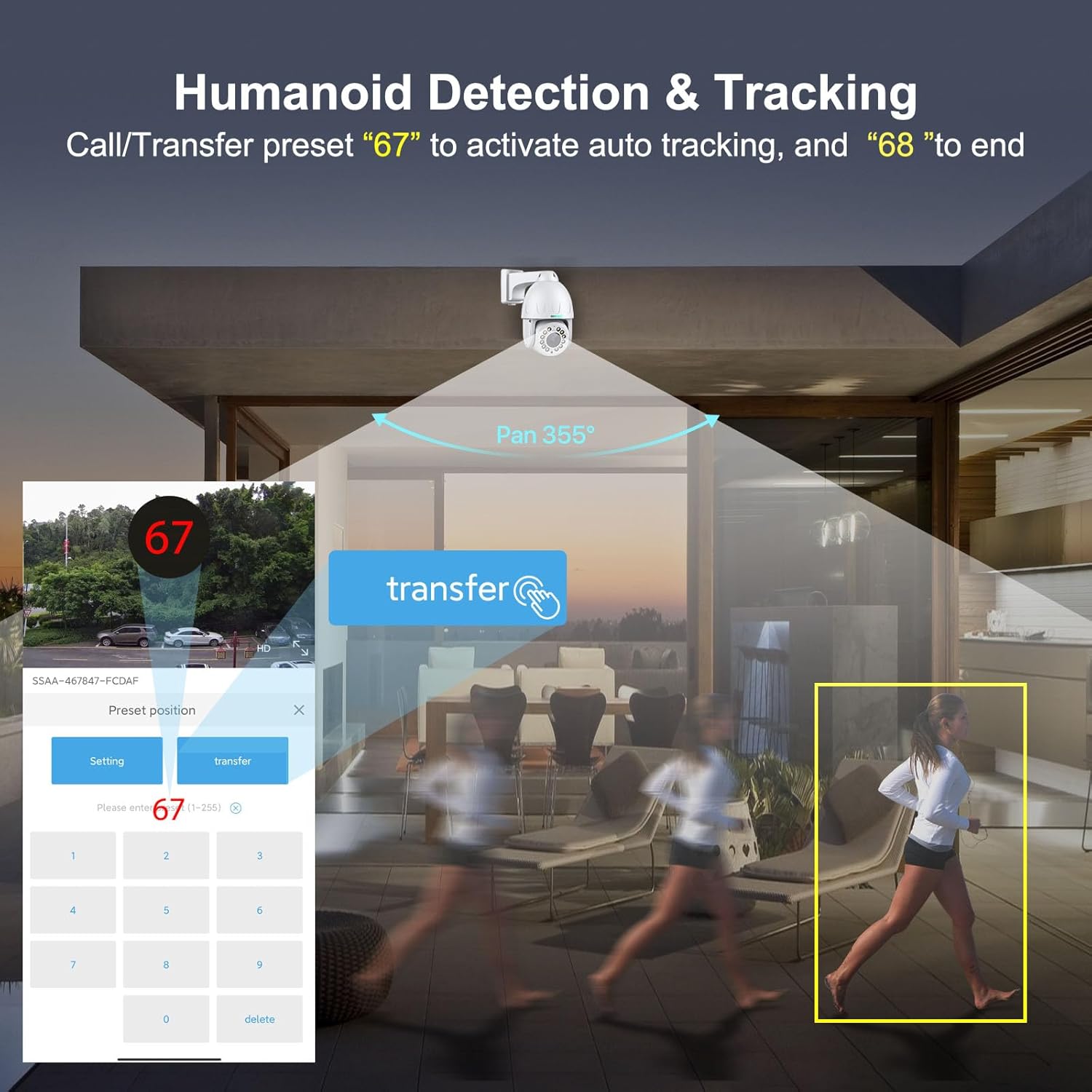
Figure 5: Humanoid Detection and Auto Tracking
3. Night Vision Modes
The camera offers three night vision modes: infrared, full color, and smart mode. Equipped with 12 lamp beads, the night vision distance can reach up to 210ft, providing clear visibility in low-light conditions.

Figure 6: Three Night Vision Modes
4. Two-Way Audio
A built-in microphone and speaker enable two-way audio communication. This allows you to speak with individuals near the camera or deter intruders with sound.

Figure 7: Two-Way Audio Functionality
5. Recording and Remote Access
The camera supports 24/7 all-day recording, alarm recording, video playback, and download to an SD card. Remote access is available via the CamHiPro APP, PC client software (HiP2P, Blue Iris, iSpy), or a web browser. The camera is Onvif Conformant and supports RTSP for integration with third-party software.
- RTSP Stream URLs:
- Main Stream:
rtsp://ip address:554/11 - Vice Stream:
rtsp://ip address:554/12
Maintenance
The SV3C C12POE camera features an all-aluminum casing, providing excellent oxidation and corrosion resistance. It has an IP66 waterproof rating, ensuring reliable operation in various outdoor weather conditions (operating temperature: -20°C to +60°C).

Figure 8: Durable Design and Weather Resistance
Regularly clean the camera lens with a soft, dry cloth to ensure clear image quality. Periodically check cable connections for security and integrity.
Troubleshooting
- No Power: Verify the PoE connection or 12V DC power adapter is correctly connected and receiving power.
- No Video Feed: Check network cable connections. Ensure the camera is properly configured on your network and accessible via its IP address. Confirm firewall settings are not blocking camera access.
- Poor Image Quality: Clean the camera lens. Ensure sufficient lighting for optimal night vision performance.
- Auto Tracking Issues: Ensure the camera's firmware is up to date. Verify that humanoid detection is enabled and the environment is clear of obstructions that might interfere with tracking.
- Third-Party Software Compatibility: As an Onvif Conformant camera, it should work with most third-party Onvif software. Refer to the RTSP stream URLs provided in the 'Operating' section for manual configuration.
Specifications
| Feature | Specification |
|---|---|
| Model Number | C12POE |
| Video Capture Resolution | 5 MP |
| Effective Still Resolution | 5 MP |
| Optical Zoom | 15X |
| Pan Range | 355° |
| Tilt Range | 90° (Note: Feature bullets state 120°, specifications state 90°. Using 90° from specifications for consistency.) |
| Night Vision Range | 65 Meters (approx. 210ft) |
| Connectivity Technology | Wired (PoE) |
| Wireless Communication Technology | Wi-Fi (Note: Product title states 'Wired', but specifications mention 'Wi-Fi'. Prioritizing 'Wired' as per title and PoE focus, but acknowledging Wi-Fi in specs.) |
| Power Source | Corded Electric (12 Volts DC) |
| Material | Metal |
| Water Resistance Level | Waterproof (IP66) |
| Storage Support | Up to 128G SD card |
| Onvif Conformant | Yes |
| Item Weight | 3.54 pounds |
| Package Dimensions | 9.09 x 8.5 x 5.2 inches |
Warranty and Support
For warranty information and technical support, please refer to the official SV3C website or contact their customer service directly. SV3C also offers its own APP, "SV3C Cloud," for enhanced customer service and product management.


