
STAPLES ST290-CCVS
Staples 12-Digit Solar and Battery Basic Calculator User Manual
Model: ST290-CCVS | Brand: STAPLES
Introduction
This manual provides comprehensive instructions for the Staples 12-Digit Solar and Battery Basic Calculator (Model ST290-CCVS). Designed for everyday calculations, this calculator features a 12-digit display, dual power source (solar and battery), and essential functions for financial and tax calculations. Please read this manual thoroughly to ensure proper use and maintenance of your device.
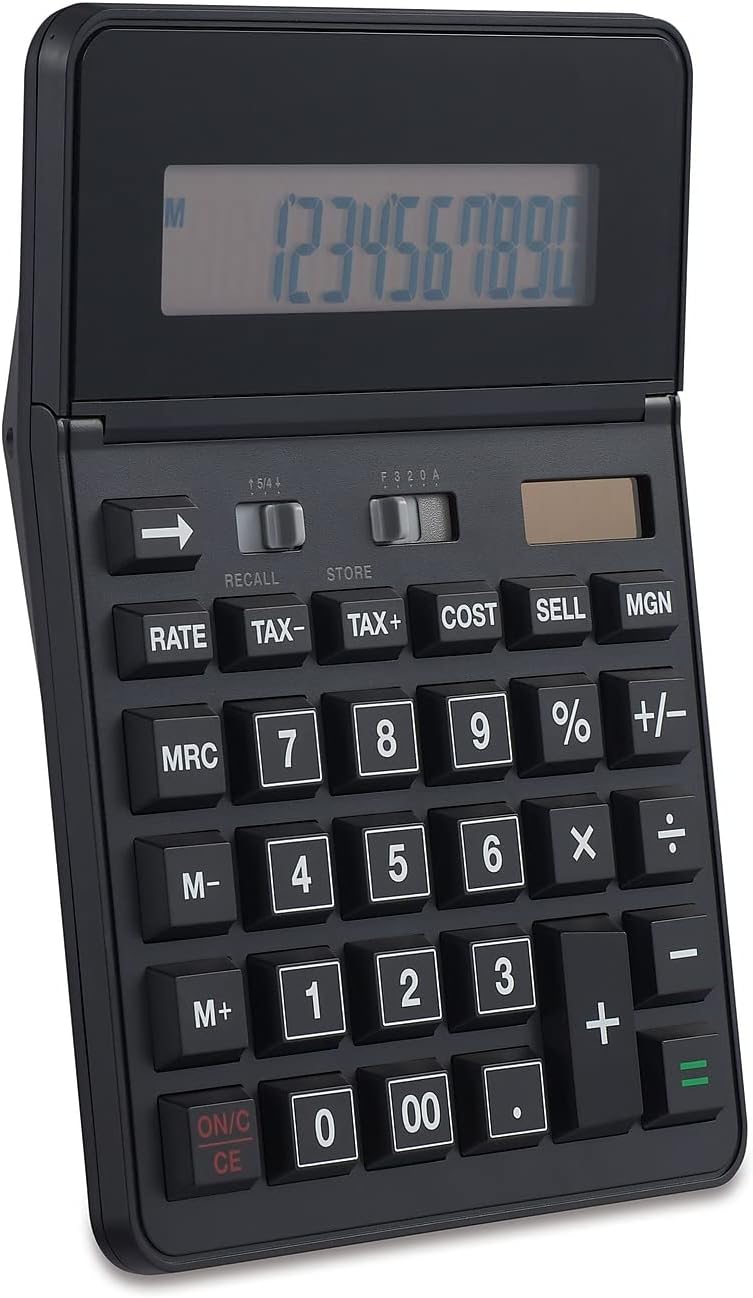
Figure 1: Front view of the Staples 12-Digit Solar and Battery Basic Calculator, showing the display and keypad.
Setup
Power Source
The Staples ST290-CCVS calculator operates on a dual power system: solar and battery. This ensures reliable operation in various lighting conditions.
- Solar Power: The calculator is equipped with a solar panel located above the display. For optimal performance, ensure the solar panel is exposed to sufficient light. This is the primary power source in well-lit environments.
- Battery Power: An internal battery provides power when light is insufficient or absent. The calculator automatically switches to battery power as needed. No user intervention is required for power source selection.
Initial Use
Upon first use, or after prolonged storage, simply expose the calculator to light or press the ON/C CE button to activate the display. The calculator is ready for immediate use.

Figure 2: The calculator's 12-digit display, designed for clear readability of large numbers.
Operating Instructions
This section details the functions and operations of your Staples calculator.
Basic Operations
- ON/C CE: Press to turn the calculator on or to clear the current entry (CE) or all entries (C) if pressed twice.
- Number Keys (0-9, 00, .): Used for entering numerical values.
- Arithmetic Operators (+, -, ×, ÷): Standard addition, subtraction, multiplication, and division.
- = (Equals): Completes a calculation and displays the result.
- +/- (Sign Change): Changes the sign of the displayed number from positive to negative or vice versa.
- ← (Backspace): Deletes the last digit entered.
Advanced Functions
- % (Percent): Used for percentage calculations. For example, to calculate 10% of 200, enter 200 × 10 %.
- TAX+, TAX-: Used for adding or subtracting tax. The tax rate must be set beforehand (refer to specific tax rate setting instructions, if available on the device, otherwise assume a default or pre-set rate).
- COST, SELL, MGN (Margin): These keys are designed for business calculations.
- COST: Enter the cost of an item.
- SELL: Enter the selling price of an item.
- MGN: Calculates the profit margin based on cost and sell price, or determines one value if the other two are known.
- M+, M-, MRC (Memory Functions):
- M+: Adds the displayed value to the memory.
- M-: Subtracts the displayed value from the memory.
- MRC: Press once to recall the memory value. Press twice to clear the memory.
- RATE: This button is typically used in conjunction with tax or currency conversion functions. Consult the calculator's specific markings for its exact application.
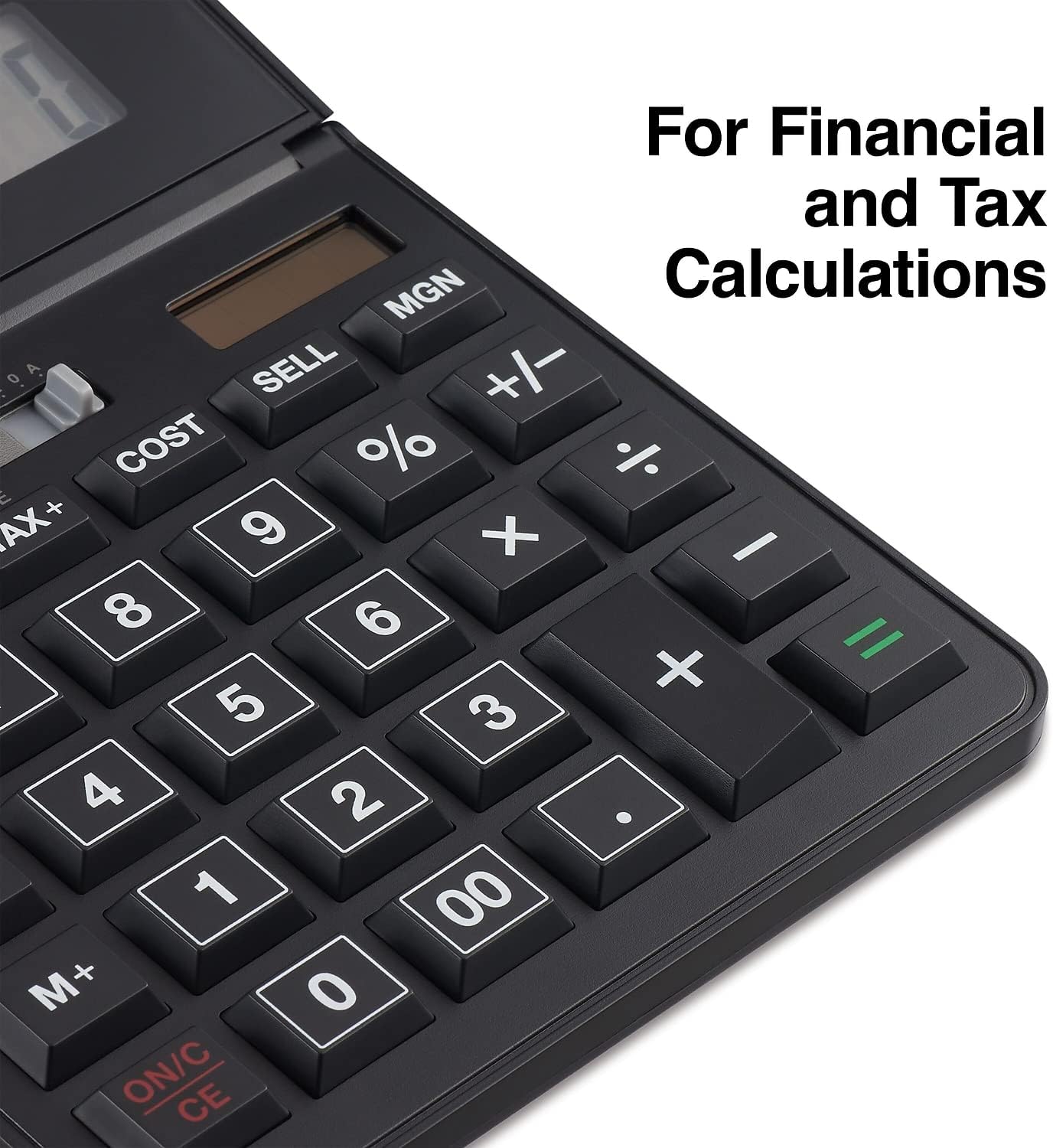
Figure 3: Detailed view of the calculator's function keys, including TAX, COST, SELL, and MGN for financial and tax calculations.
Maintenance
Proper care and maintenance will extend the life of your calculator.
- Cleaning: Use a soft, dry cloth to clean the calculator's surface. For stubborn dirt, slightly dampen the cloth with water or a mild, non-abrasive cleaner. Avoid using harsh chemicals, solvents, or abrasive materials, as these can damage the display or casing.
- Storage: Store the calculator in a cool, dry place away from direct sunlight and extreme temperatures. Avoid placing heavy objects on top of the calculator.
- Battery: The calculator uses an internal battery that is designed for long-term use. If the display becomes dim or unresponsive in low light conditions, ensure the solar panel is exposed to bright light. If issues persist, the battery may need professional replacement, though this is rare for solar-assisted models.
Troubleshooting
If you encounter issues with your calculator, refer to the following common problems and solutions:
| Problem | Possible Cause | Solution |
|---|---|---|
| Display is blank or dim. | Insufficient light for solar power; low battery. | Move the calculator to a brighter area. If the problem persists, the internal battery may be depleted. |
| Incorrect calculation results. | Incorrect entry; memory function active; previous calculation not cleared. | Press ON/C CE twice to clear all entries and memory. Re-enter the calculation carefully. Ensure no memory indicator (M) is displayed unless intended. |
| Buttons are unresponsive. | Calculator is off; temporary malfunction. | Press ON/C CE. If still unresponsive, try exposing it to bright light for a few minutes. |
If the problem persists after attempting these solutions, please contact customer support.
Specifications
| Feature | Detail |
|---|---|
| Model Number | ST290-CCVS |
| Display | 12-Digit LCD, Angled |
| Power Source | Solar and Battery (Two-way power) |
| Dimensions (W x D x H) | 5.55" x 7.48" x 1.65" |
| Weight | 15.4 ounces |
| Color | Black |
| Functions | Basic arithmetic, Percent, Backspace, Tax+, Tax-, Cost, Sell, Margin, Memory (M+, M-, MRC) |

Figure 4: Product dimensions of the Staples 12-Digit Solar and Battery Basic Calculator.
Warranty and Support
Limited Warranty
This Staples 12-Digit Solar and Battery Basic Calculator (Model ST290-CCVS) comes with a 1-Year Limited Warranty from the date of purchase. This warranty covers defects in materials and workmanship under normal use. It does not cover damage caused by misuse, accident, unauthorized modification, or external causes.
Please retain your proof of purchase for warranty claims.

Figure 5: Product packaging indicating the 1-Year Limited Warranty.
Customer Support
For technical assistance, warranty service, or general inquiries, please contact Staples customer support. Refer to the official Staples website or your purchase documentation for the most current contact information.
Online Support: Visit the official Staples website for FAQs, product registration, and support resources.
Telephone Support: Contact the customer service number provided on your product packaging or the Staples website.
Related documentsST290-CCVS


Ask a question about this manual
Ask about setup, troubleshooting, compatibility, parts, safety, or missing instructions. Manuals+ will review the question and use this page’s manual context to help answer it.