
Product Overview
The OHOVIV N10 Portable Charger Power Bank is a high-capacity 50000mAh battery pack designed for fast and convenient charging of multiple devices. Featuring 22.5W fast charging capabilities and built-in cables, it is an essential travel companion for various electronic devices.

Figure 1: OHOVIV N10 Portable Charger Power Bank with built-in cables and digital display.
Key Features
- 50000mAh Ultra-High Capacity: Provides multiple charges for smartphones and tablets, ideal for extended travel or outdoor activities.
- 22.5W Super Fast Charging: Supports PD 22.5W output and QC4.0 quick charging technology, significantly reducing charging time.
- Built-in Cables & Multiple Ports: Equipped with 4 built-in cables (Lightning, Type-C, Micro, USB-A) and 3 additional charging ports (2 USB-A, 1 Type-C) for simultaneous charging of up to 6 devices.
- LED Digital Display: Clearly shows the remaining battery percentage, eliminating power anxiety.
- Superior Safety Features: Incorporates 10 multiple system protections including overcharge, short-circuit, and temperature control to ensure safe operation.
- Compact and Portable Design: Lightweight and easy to carry, fitting conveniently into backpacks or bags.
Setup
Initial Charging of the Power Bank
Before first use, it is recommended to fully charge the OHOVIV N10 Power Bank. The device can be recharged in two ways:
- Using the Built-in USB-A Cable: Extend the built-in USB-A cable and connect it to a compatible USB wall adapter (not included) or a computer's USB port.
- Using the Type-C Input Port: Connect a Type-C cable (included) to the power bank's Type-C input/output port and plug the other end into a compatible Type-C wall adapter or device.
The LED digital display will show the charging progress, indicating 100% when fully charged.

Figure 2: The power bank can be recharged via its built-in USB-A cable or the Type-C port.
Operating Instructions
Charging Your Devices
The OHOVIV N10 offers versatile charging options for a wide range of devices:
- Using Built-in Cables:
- Identify the appropriate built-in cable (Lightning, Type-C, Micro, or USB-A) for your device.
- Gently pull out the desired cable from its slot on the power bank.
- Connect the cable to your device's charging port. The power bank will automatically begin charging.
- Using External USB Ports:
- Connect your device's charging cable to one of the available USB-A output ports (USB-A1, USB-A2) or the Type-C input/output port.
- Plug the other end of your cable into your device. Charging will commence automatically.
The LED display will illuminate to show the current battery percentage of the power bank while charging. You can charge up to 6 devices simultaneously using a combination of built-in cables and external ports.
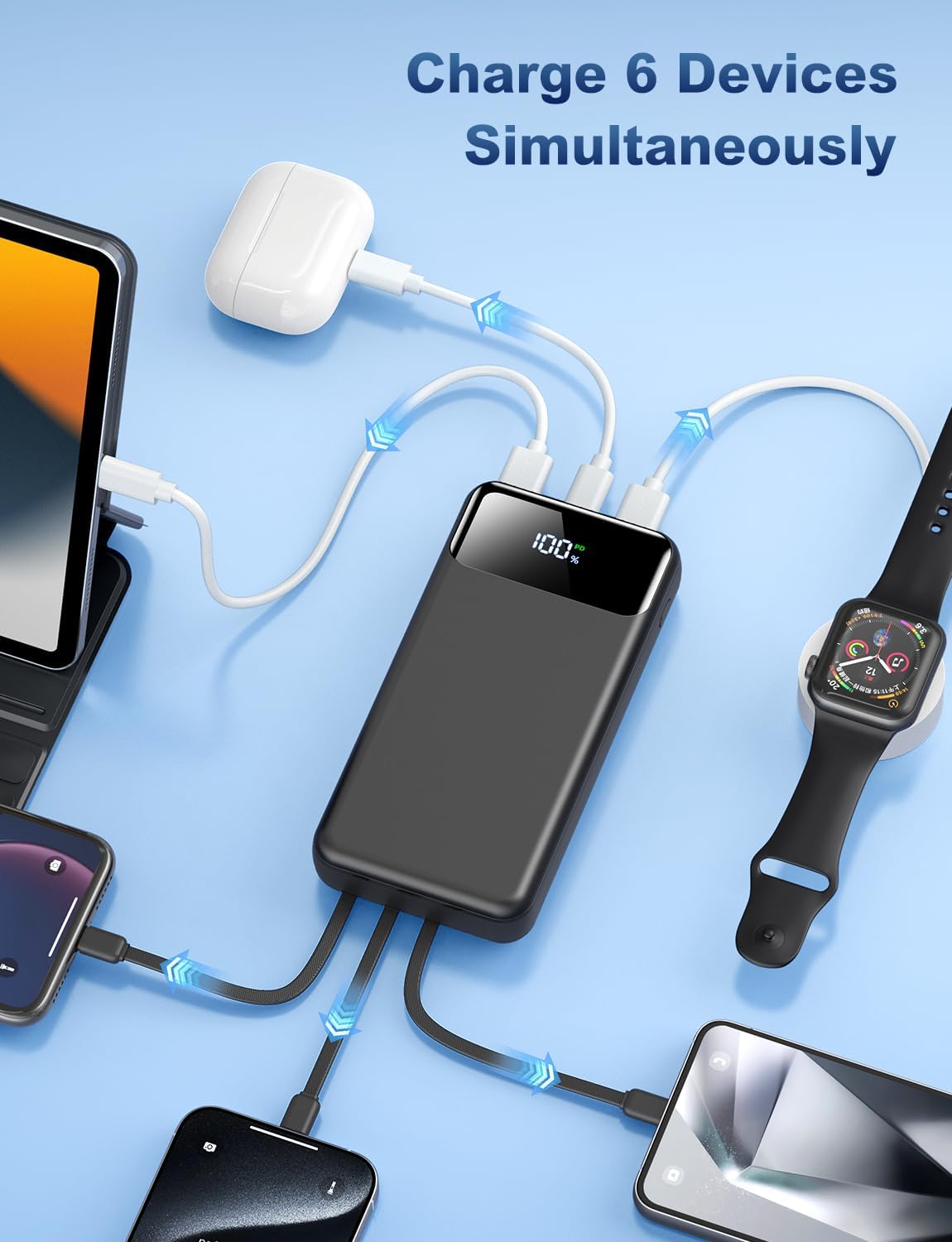
Figure 3: The power bank supports simultaneous charging of up to 6 devices.
Checking Battery Level
Press the power button located on the side of the power bank to activate the LED digital display. The screen will show the remaining battery percentage.
Maintenance
- Cleaning: Use a soft, dry cloth to clean the surface of the power bank. Avoid using liquid cleaners or abrasive materials.
- Storage: Store the power bank in a cool, dry place away from direct sunlight, extreme temperatures, and humidity.
- Cable Care: The built-in cables are made of high-quality, bendable TPU material designed to withstand over 10,000 bends. However, avoid excessive force or sharp angles when pulling or bending the cables to ensure longevity.
- Regular Use: For optimal battery health, it is recommended to fully charge and discharge the power bank at least once every three months if not in regular use.
Safety Information
The OHOVIV N10 Power Bank is built with advanced safety features to protect both the device and your electronics:
- Multi-Protection System: Includes safeguards against overcharge, over-discharge, over-voltage, over-current, short-circuit, and temperature fluctuations.
- AI Smart Chip & NTC Temperature Control: Minimizes power loss and reduces overheating risks by 97%.
- Do not expose the power bank to water, fire, or extreme temperatures.
- Do not disassemble, puncture, or modify the device.
- Keep out of reach of children.

Figure 4: The power bank features multiple layers of protection for safe charging.
Troubleshooting
- Device not charging:
- Ensure the power bank has sufficient charge (check LED display).
- Verify that the charging cable is securely connected to both the power bank and your device.
- Try a different built-in cable or external port.
- Ensure your device is compatible with the power bank's output specifications.
- Power bank not recharging:
- Check the connection of the charging cable to the power bank and the wall adapter/computer.
- Ensure the wall adapter or USB port is functioning correctly.
- Try a different charging cable or power source.
- Slow charging:
- Ensure your device supports fast charging and that you are using a compatible cable.
- Charging multiple devices simultaneously may reduce the charging speed for individual devices.
Specifications
| Feature | Detail |
|---|---|
| Model Number | N10 |
| Battery Capacity | 50000 Milliamp Hours |
| Product Dimensions | 5.82 x 2.83 x 1.18 inches |
| Item Weight | 1.19 pounds |
| Fast Charging Output | 22.5W (PD & QC4.0) |
| Built-in Cables | Lightning, Type-C, Micro, USB-A |
| Additional Ports | 2 x USB-A Output, 1 x Type-C Input/Output |
| Display | LED Digital Display |
| Manufacturer | Shenzhen Daximen Import and Export Trading Co., LTD |
| Country of Origin | China |
Official Product Video
Video 1: An overview of the OHOVIV 50000mAh Portable Charger, highlighting its built-in cables and multi-device charging capabilities.
Warranty and Support
OHOVIV offers comprehensive customer support for your power bank:
- 365 Days Replacement Guarantee: Enjoy peace of mind with a full year replacement guarantee.
- 24/7 Professional Customer Support: Dedicated support team available around the clock to assist with any issues or inquiries.
- 24 Month Care Plan: Additional care plan details may be available upon product registration or inquiry.
For assistance, please refer to the contact information provided in your product packaging or visit the official OHOVIV store on Amazon.

Figure 5: OHOVIV's commitment to customer satisfaction and product support.