
Introduction
Thank you for purchasing the QFX BT-1960 Retro Car Bluetooth Speaker. This manual provides essential information for setting up, operating, and maintaining your speaker. Please read it thoroughly before use to ensure proper functionality and to maximize your listening experience.

Image: Front view of the QFX BT-1960 Retro Car Bluetooth Speaker in black.
Package Contents
- QFX BT-1960 Retro Car Bluetooth Speaker
- USB Charging Cable
- User Manual (this document)
Product Features
- Bluetooth Connectivity for wireless audio streaming
- True Wireless Stereo (TWS) function for pairing two speakers
- Built-in FM Radio tuner
- USB and TF Card ports for direct media playback
- Hands-Free Link with built-in microphone for calls
- Integrated LED Party Lights
- Rechargeable battery for portable use
- Compact and portable design
Controls and Ports

Image: Rear view of the speaker showing the various ports and controls.
- Power/Mode Button: Press and hold to power on/off. Short press to switch between Bluetooth, FM Radio, USB, and TF Card modes.
- Play/Pause Button: Play or pause audio. In FM mode, short press to auto-scan and save stations.
- Previous Track/Volume Down: Short press for previous track. Press and hold to decrease volume. In FM mode, short press for previous station.
- Next Track/Volume Up: Short press for next track. Press and hold to increase volume. In FM mode, short press for next station.
- USB Port: Insert USB flash drive for audio playback.
- TF Card Slot: Insert TF (MicroSD) card for audio playback.
- DC 5V Charging Port: Connect the USB charging cable here.
- AUX Input: Connect external audio devices using a 3.5mm audio cable (not included).
- Microphone: For hands-free calling.
Setup
1. Charging the Speaker
Before first use, fully charge the speaker. Connect the supplied USB charging cable to the DC 5V port on the speaker and the other end to a USB power adapter (not included) or a computer USB port. The charging indicator light will illuminate during charging and turn off when fully charged.
2. Power On/Off
Press and hold the Power/Mode button for approximately 3 seconds to turn the speaker on or off. The speaker will emit a car engine sound upon powering on and a locking sound when powering off.
Operating Instructions
1. Bluetooth Pairing
- Turn on the speaker. It will automatically enter Bluetooth pairing mode, indicated by a flashing LED light.
- Enable Bluetooth on your mobile device (smartphone, tablet, etc.).
- Search for available Bluetooth devices and select "QFX BT-1960" from the list.
- Once paired, the speaker will emit a confirmation tone, and the LED light will stop flashing.
- You can now play audio from your device through the speaker.
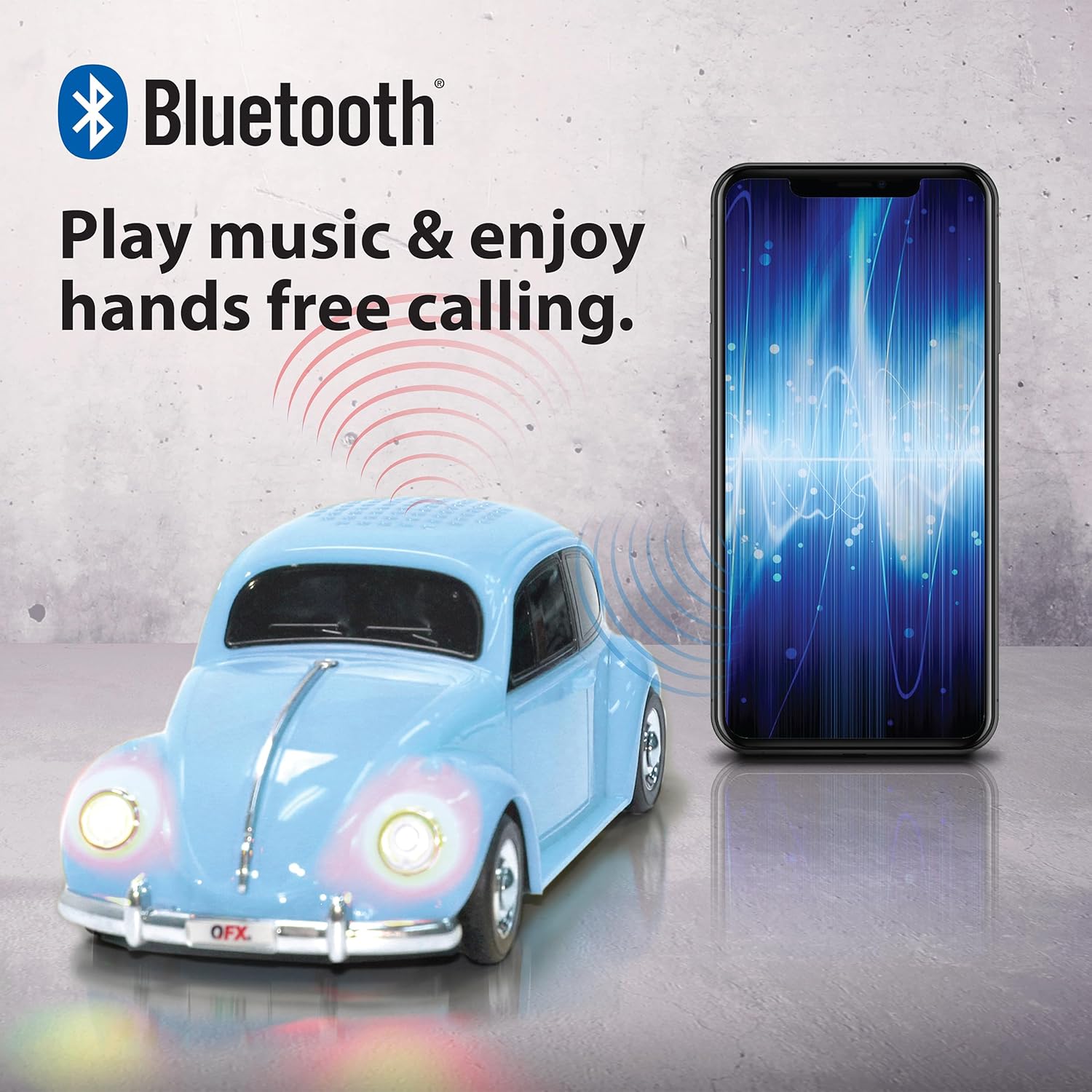
Image: A QFX BT-1960 speaker connected via Bluetooth to a smartphone.
2. True Wireless Stereo (TWS) Pairing
The TWS function allows you to pair two BT-1960 speakers together for a stereo sound experience.
- Ensure both BT-1960 speakers are powered on and in Bluetooth mode, but not yet connected to any device.
- On one of the speakers (this will be the master speaker), double-press the Play/Pause button. It will search for the second speaker.
- Once connected, both speakers will emit a confirmation tone.
- Now, connect your mobile device to the master speaker via Bluetooth as described in the "Bluetooth Pairing" section.
- Audio will now play in stereo through both speakers.

Image: Two QFX BT-1960 speakers (yellow and red) paired together for TWS, with a smartphone in the center.
3. FM Radio Operation
- Press the Power/Mode button repeatedly until you hear the FM radio mode announcement.
- Short press the Play/Pause button to automatically scan and save available FM stations.
- Use the Previous Track/Volume Down and Next Track/Volume Up buttons to navigate between saved stations.
4. USB/TF Card Playback
Insert a USB flash drive or TF (MicroSD) card into the corresponding port. The speaker will automatically switch to the correct mode and begin playing audio files (MP3 format recommended).
5. Hands-Free Calling
When connected to your smartphone via Bluetooth, the speaker can be used for hands-free calls:
- Answer Call: Short press the Play/Pause button.
- End Call: Short press the Play/Pause button again.
- Reject Call: Press and hold the Play/Pause button.
6. LED Party Lights
The speaker features integrated LED lights that illuminate during operation. These lights are designed to enhance the listening experience and cannot be turned off independently.

Image: A QFX BT-1960 speaker with its LED lights active.
Specifications
| Feature | Detail |
|---|---|
| Model Name | BT-1960 |
| Connectivity | Bluetooth |
| Speaker Size | 2 x 3-inch speakers |
| Bluetooth Range | Up to 10 meters (33 feet) |
| Audio Input | Bluetooth, USB, TF Card, AUX |
| Power Source | Rechargeable Lithium-Ion Battery |
| Dimensions (D x W x H) | 9" x 4" x 3" (approx.) |
| Weight | 14.08 ounces (approx.) |
| Additional Features | FM Radio, LED Lights, Built-in Microphone, TWS Function |

Image: The QFX BT-1960 speaker with its approximate dimensions labeled.
Troubleshooting
- No Power: Ensure the speaker is fully charged. Connect the USB charging cable and allow it to charge for at least 2 hours.
- No Sound:
- Check the volume level on both the speaker and your connected device.
- Ensure the speaker is in the correct mode (Bluetooth, FM, USB, TF, AUX).
- If using Bluetooth, ensure the speaker is properly paired with your device.
- If using USB/TF card, ensure the audio files are in a compatible format (e.g., MP3).
- Bluetooth Disconnection:
- Ensure your device is within the 10-meter Bluetooth range.
- Check for obstacles between the speaker and your device.
- Try unpairing and re-pairing the speaker with your device.
- FM Radio Reception is Poor: Move the speaker to a location with better signal reception.
- LED Lights Cannot Be Turned Off: The LED lights are an integrated feature and cannot be independently disabled.
Maintenance
- Clean the speaker with a soft, dry cloth. Do not use abrasive cleaners or solvents.
- Avoid exposing the speaker to extreme temperatures, direct sunlight, or moisture.
- Store the speaker in a cool, dry place when not in use.
- Do not attempt to disassemble or repair the speaker yourself, as this will void the warranty.
Warranty and Support
The QFX BT-1960 Retro Car Bluetooth Speaker comes with a 1-year limited warranty from the date of purchase. This warranty covers manufacturing defects and workmanship under normal use.
The warranty does not cover damage caused by misuse, accident, unauthorized modification, or normal wear and tear.
For warranty claims or technical support, please contact QFX customer service:
- Phone: 800.864.2582
- Email: support@qfxusa.com
Please have your proof of purchase and product model number (BT-1960) ready when contacting support.


