
1. Introduction
Thank you for choosing the Altec Lansing Kid Safe Noise Cancelling Wireless Headphones MZX4500. These headphones are designed to provide a safe and enjoyable audio experience for children aged 7 and above, featuring an 85dB volume limit and Active Noise Cancellation. This manual provides essential information for setting up, operating, maintaining, and troubleshooting your headphones.
2. Product Overview
Key Features:
- Active Noise Cancellation (ANC): Creates a serene audio environment by reducing ambient noise.
- Kid-Safe Volume Limit: Features a customizable 85dB volume limit to protect hearing.
- Durable and Resilient: Designed to withstand active use and rough handling.
- IPX4 Sweatproof Rating: Ensures durability against sweat and splashes.
- Portable and Foldable Design: Compact for easy storage and travel.
- Comfortable for Long Use: Soft ear cushions and an adjustable headband provide a cozy fit.
- Wireless and Wired Connectivity: Supports Bluetooth and 3.5mm audio jack connections.
- Long Battery Life: Up to 15 hours of playtime per charge.
What's in the Box:
- Altec Lansing Kid Safe Noise Cancelling Wireless Headphones
- Charging Cable (USB Type C)
- Audio Cable (3.5mm Jack)
- Protective Case
- User Manual

Figure 2.1: Overview of Altec Lansing Kid Safe Headphones highlighting key features like age suitability, IPX4 rating, battery life, comfort, foldable design, and active noise cancellation.
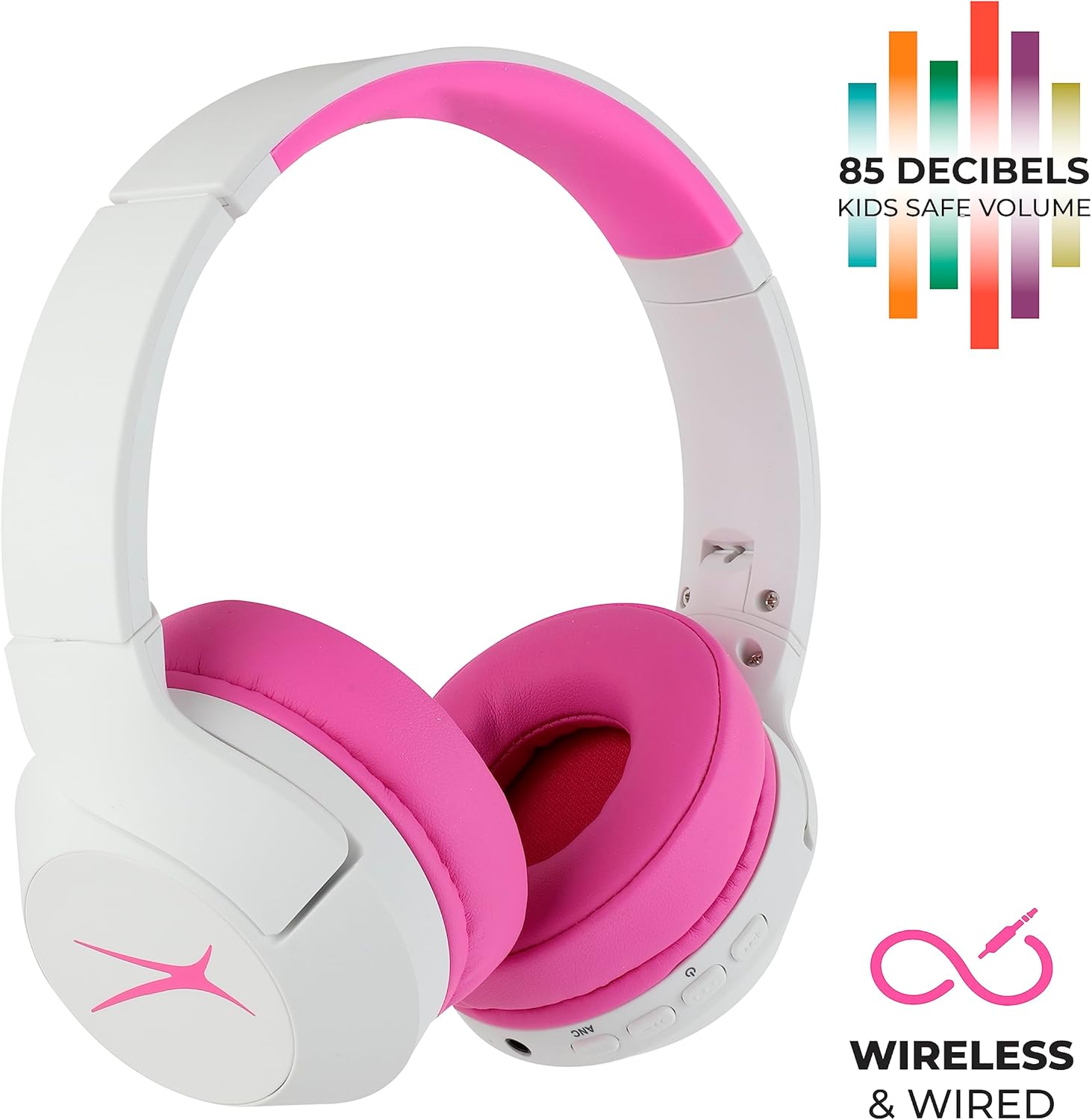
Figure 2.2: Headphones showcasing the 85dB kid-safe volume limit and dual wireless/wired connectivity options.
3. Safety Information
To ensure safe use and prevent damage to the headphones or hearing, please observe the following:
- The headphones are designed with an 85dB volume limit to protect children's hearing. Do not attempt to bypass or modify this limit.
- Supervise young children during use, especially when connecting cables or adjusting settings.
- Avoid exposing the headphones to extreme temperatures, direct sunlight, or excessive moisture beyond the IPX4 rating.
- Keep small parts, such as charging cables and audio cables, out of reach of infants to prevent choking hazards.
- Do not disassemble or attempt to repair the headphones yourself. Contact customer support for assistance.
4. Setup
4.1 Charging the Headphones
Before first use, fully charge the headphones. A full charge provides up to 15 hours of playtime.
- Locate the USB Type C charging port on the headphone ear cup.
- Connect the provided USB Type C charging cable to the headphone port and the other end to a compatible USB power source (e.g., computer, wall adapter).
- The LED indicator will show charging status (e.g., red for charging, blue for fully charged).
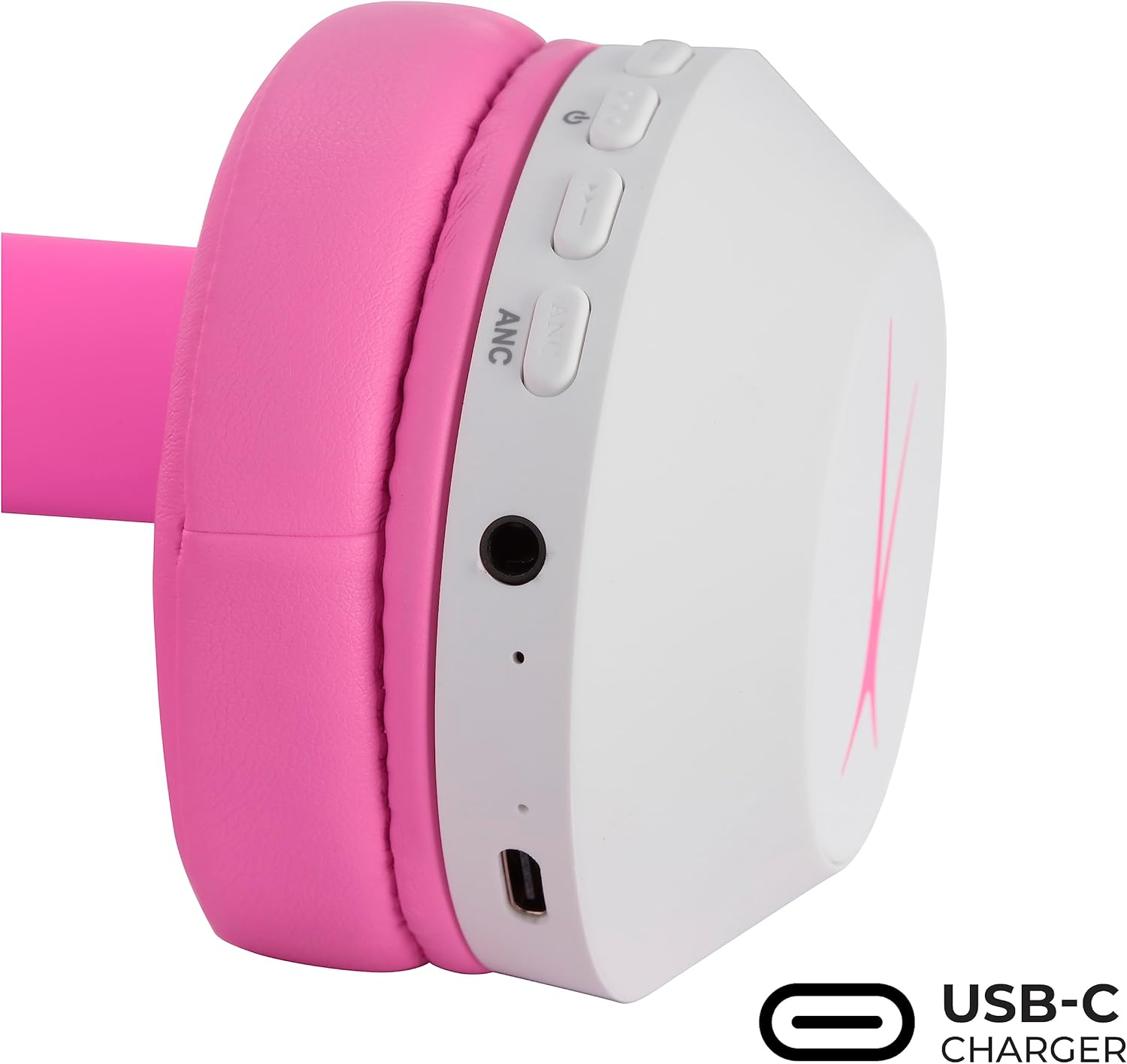
Figure 4.1: Headphone ear cup with USB-C charging port and control buttons.
4.2 Bluetooth Pairing
Pair your headphones with a Bluetooth-enabled device for wireless audio.
- Ensure the headphones are charged and powered off.
- Press and hold the Power button (usually marked with a power icon) for approximately 3-5 seconds until the LED indicator flashes blue and red, indicating pairing mode.
- On your device (smartphone, tablet, computer), go to Bluetooth settings and enable Bluetooth.
- Search for available devices and select "Altec Lansing MZX4500" (or similar name) from the list.
- Once connected, the LED indicator on the headphones will typically show a solid blue light or flash slowly.

Figure 4.2: Headphones indicating Bluetooth connectivity.
5. Operating Instructions
5.1 Power On/Off
- To Power On: Press and hold the Power button until the LED indicator lights up.
- To Power Off: Press and hold the Power button until the LED indicator turns off.
5.2 Volume Control
- Use the Volume Up (+) and Volume Down (-) buttons on the ear cup to adjust the listening volume.
- Remember, the headphones have an integrated 85dB volume limit for hearing protection.
5.3 Active Noise Cancellation (ANC)
The ANC feature can be activated independently of Bluetooth connectivity.
- To Turn ANC On: Locate the ANC button (often labeled 'ANC' or with a specific icon) and press it. An indicator light (e.g., green LED) will typically illuminate.
- To Turn ANC Off: Press the ANC button again. The indicator light will turn off.
5.4 Wired Mode
For wired listening, use the provided 3.5mm audio cable.
- Plug one end of the 3.5mm audio cable into the headphone's audio jack.
- Plug the other end into your audio device's 3.5mm audio output.
- In wired mode, the headphones do not require battery power for basic audio playback, but ANC may still require power.
6. Maintenance
6.1 Cleaning
- Wipe the headphones with a soft, dry cloth.
- Do not use abrasive cleaners, solvents, or harsh chemicals.
- For ear cushions, gently wipe with a damp cloth and allow to air dry completely before use.
6.2 Storage
- When not in use, store the headphones in the provided protective case to prevent damage.
- The foldable design allows for compact storage. Gently fold the ear cups inward towards the headband.
- Store in a cool, dry place away from direct sunlight and extreme temperatures.
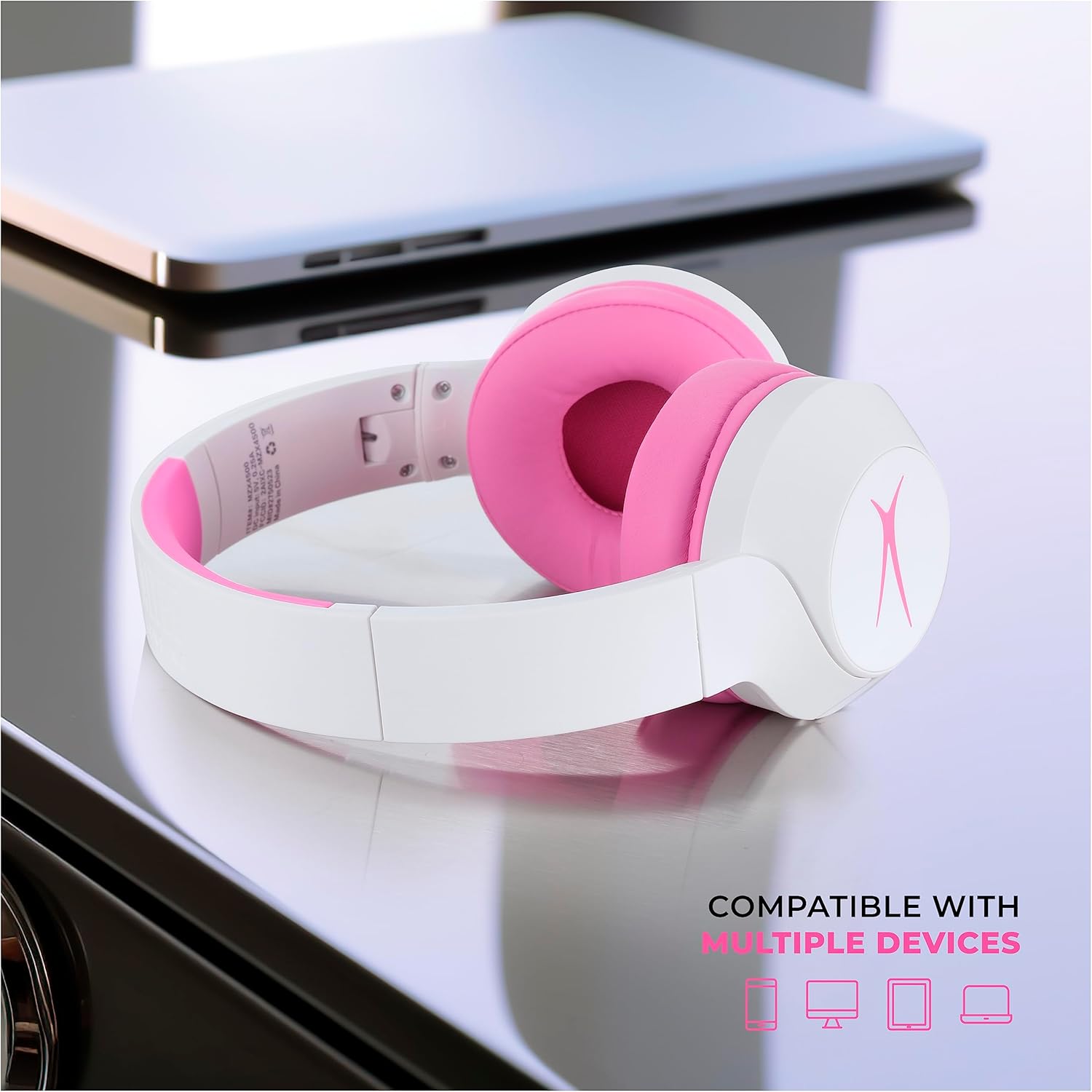
Figure 6.1: Folded headphones demonstrating their compact and portable design.
7. Troubleshooting
If you encounter issues with your headphones, try the following solutions:
- No Power: Ensure the headphones are fully charged.
- Cannot Pair via Bluetooth: Make sure the headphones are in pairing mode (flashing blue/red LED). Check your device's Bluetooth settings and ensure it's discoverable. Try turning Bluetooth off and on again on your device.
- No Sound (Wireless): Check if the headphones are paired and connected. Ensure the volume is turned up on both the headphones and your connected device.
- No Sound (Wired): Ensure the 3.5mm audio cable is securely plugged into both the headphones and the audio source. Test with a different audio cable if available.
- ANC Not Working: Ensure the ANC feature is turned on via its dedicated button. Note that ANC may have its own indicator light.
- ANC/Power Confusion: The ANC function operates independently of the main power. You can turn the headphones 'off' (Bluetooth disconnected) but the ANC light may remain on if ANC is still enabled. To fully power off and disable ANC, ensure both the main power and ANC are switched off.
If problems persist, please refer to the Warranty and Support section for further assistance.
8. Specifications
| Feature | Specification |
|---|---|
| Model Name | MZX4500 |
| Connectivity Technology | Wireless (Bluetooth), Wired (3.5 mm Jack) |
| Wireless Communication Technology | Bluetooth |
| Bluetooth Version | 4.0 |
| Bluetooth Range | 10 Meters |
| Noise Control | Active Noise Cancellation |
| Sensitivity | 85 dB (Volume Limited) |
| Battery Life (Playtime) | Up to 15 hours |
| Battery Life (Standby) | 10 days |
| Charging Port | USB Type C |
| Water Resistance Level | IPX4 (Sweat Resistant) |
| Earpiece Shape | On-Ear |
| Form Factor | On Ear, Foldable |
| Item Weight | 10.8 ounces (0.31 Kilograms) |
| Dimensions | 8.15 x 7.05 x 2.05 inches |
| Age Range (Description) | Kid (Ages 7+) |
9. Warranty and Support
Altec Lansing products are designed for reliability and performance. For warranty information, technical support, or customer service inquiries, please visit the official Altec Lansing website or contact their customer support directly. Keep your purchase receipt as proof of purchase for warranty claims.
Online Support: www.alteclansing.com/support
10. Product Videos
Altec Lansing Kid Safe Noise Cancelling Headphones Overview
This video provides a comprehensive overview of the Altec Lansing Kid Safe Noise Cancelling Headphones, highlighting their features and benefits.
Altec Lansing 2-in-1 Kids Noise Canceling Headphones
A detailed look at the 2-in-1 functionality and noise-canceling capabilities of the Altec Lansing Kids Headphones.


