
1. Introduction
This manual provides essential information for the proper setup, operation, and maintenance of your JBL Cinema SB270 2.1 Channel Soundbar with Wireless Subwoofer. Please read these instructions thoroughly before using the product to ensure optimal performance and safety.
The JBL Cinema SB270 system delivers a powerful 220W output, deep bass from its wireless subwoofer, and features Dolby Digital for an enhanced audio experience. It supports Bluetooth streaming and offers a single-cable connection via HDMI ARC.
2. What's in the Box
Verify that all components are present in the packaging:
- JBL Cinema SB270 Soundbar
- Wireless Subwoofer
- Remote Control with Batteries
- Power Cords (for Soundbar and Subwoofer)
- HDMI Cable
- Wall Mount Brackets with Screws
- Quick Start Guide (this document)
- Safety Sheet

Image: JBL Cinema SB270 Soundbar and Wireless Subwoofer with Remote Control. This image displays the main soundbar unit, the wireless subwoofer, and the included remote control, providing a complete view of the primary components.

Image: JBL Cinema SB270 accessories including remote, HDMI cable, and wall mount kit. This image shows the remote control, an HDMI cable, and the wall mounting brackets with screws, illustrating the additional items provided for installation and control.
3. Setup
3.1 Placement
Soundbar: Place the soundbar on a stable, flat surface directly in front of your television. Ensure there are no obstructions blocking the sound path from the soundbar to your listening area. Alternatively, the soundbar can be wall-mounted using the provided brackets.

Image: Front view of the JBL Cinema SB270 Soundbar. This image provides a clear view of the soundbar's front grille and sleek design, suitable for placement below a television.
Wireless Subwoofer: The wireless subwoofer can be placed anywhere in the room, ideally within 10 meters (33 feet) of the soundbar. For optimal bass performance, experiment with different locations to find the best sound for your room.

Image: JBL Cinema SB270 Wireless Subwoofer placed next to a wooden cabinet. This image demonstrates a typical placement for the wireless subwoofer in a living space, highlighting its compact design.
3.2 Connections
Before making any connections, ensure both the soundbar and your television are powered off.
- HDMI ARC Connection (Recommended): Connect one end of the provided HDMI cable to the HDMI OUT (ARC) port on the soundbar and the other end to the HDMI ARC port on your television. This connection allows audio from your TV to be sent to the soundbar and enables control of the soundbar's volume using your TV remote.
- Optical Connection (Alternative): If your TV does not have an HDMI ARC port, connect an optical cable (not included) from the OPTICAL IN port on the soundbar to the Optical Digital Audio Out port on your television.
- Power Connection: Connect the power cords to the soundbar and the wireless subwoofer, then plug them into a wall outlet.

Image: Rear view of the JBL Cinema SB270 Soundbar showing connection ports. This image illustrates the back panel of the soundbar, detailing the HDMI ARC and Optical input ports for audio connections.
3.3 Wireless Subwoofer Pairing
The wireless subwoofer should automatically pair with the soundbar when both units are powered on. If the subwoofer does not connect automatically, ensure both units are powered on and within range. If pairing issues persist, refer to the troubleshooting section.
4. Operating Instructions
4.1 Power On/Off
Press the Power button on the soundbar or the remote control to turn the system on or off.
4.2 Source Selection
Press the Source button on the remote control or the soundbar to cycle through available input sources: HDMI ARC, Optical, and Bluetooth.
4.3 Bluetooth Streaming
To stream audio wirelessly from a Bluetooth-enabled device:
- Press the Bluetooth button on the remote control or the soundbar to enter Bluetooth pairing mode. The Bluetooth indicator on the soundbar will flash.
- On your device (e.g., smartphone, tablet), enable Bluetooth and search for available devices. Select "JBL Cinema SB270" from the list.
- Once connected, the Bluetooth indicator on the soundbar will glow solid. You can now play audio from your device through the soundbar.
4.4 Sound Modes
The JBL Cinema SB270 offers dedicated sound modes to optimize your listening experience:
- VOICE: Enhances voice clarity, ideal for dialogue-heavy content like news or talk shows.
- MUSIC: Provides a balanced audio profile suitable for music playback.
- MOVIE: Delivers a dynamic and immersive sound experience for films and cinematic content.
Press the corresponding button on the remote control to select your desired sound mode.
4.5 Volume Control
Use the Volume Up (+) and Volume Down (-) buttons on the remote control or the soundbar to adjust the master volume. Press the Mute button to temporarily silence the audio.
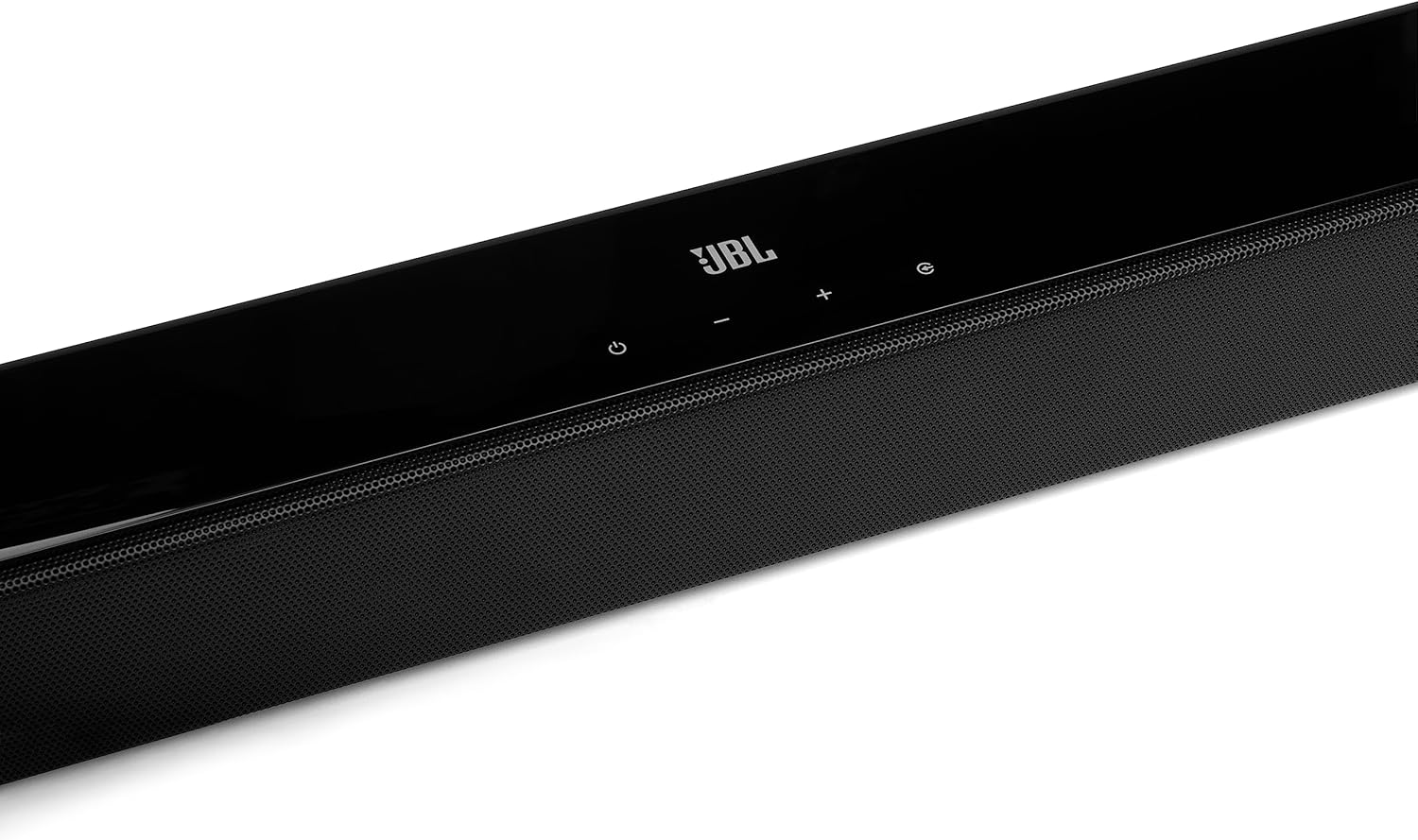
Image: Side view of the JBL Cinema SB270 Soundbar. This image highlights the sleek profile of the soundbar, showing its compact design and integrated controls on the top surface.
5. Maintenance
To maintain the performance and appearance of your JBL Cinema SB270 Soundbar System:
- Cleaning: Use a soft, dry cloth to clean the surfaces of the soundbar and subwoofer. Do not use liquid cleaners or abrasive materials, as they may damage the finish.
- Ventilation: Ensure that the ventilation openings on the soundbar and subwoofer are not blocked.
- Storage: If storing the unit for an extended period, disconnect it from the power outlet and store it in a cool, dry place.
6. Troubleshooting
If you encounter issues with your JBL Cinema SB270, refer to the following common problems and solutions:
| Problem | Possible Cause | Solution |
|---|---|---|
| No power | Power cord not connected; power outlet not active. | Ensure power cords are securely connected to the soundbar, subwoofer, and a working power outlet. |
| No sound from soundbar | Incorrect input source selected; volume too low; audio cable not connected properly. | Select the correct input source (HDMI ARC, Optical); increase volume; check audio cable connections. |
| No sound from subwoofer | Subwoofer not paired; subwoofer not powered on. | Ensure subwoofer is powered on. If not paired, power cycle both soundbar and subwoofer. Ensure they are within range. |
| Bluetooth connection issues | Device too far; interference; soundbar not in pairing mode. | Move device closer to soundbar; ensure no other devices are interfering; put soundbar into Bluetooth pairing mode. |
| Remote control not working | Batteries depleted; obstruction between remote and soundbar. | Replace batteries; remove any obstructions; point remote directly at the soundbar. |
7. Specifications
Key technical specifications for the JBL Cinema SB270 Soundbar System:
| Feature | Specification |
|---|---|
| Product Dimensions | 6.2 x 90 x 6.7 cm (Soundbar); 8.82 kg (Total Weight) |
| Manufacturer | JBL |
| Item Model Number | JBLSB270BLK |
| Brand Name | JBL |
| Speaker Maximum Output Power | 220 Watts |
| Frequency Response | 20 KHz |
| Connectivity Technology | Bluetooth, HDMI |
| Audio Output Mode | Surround |
| Mounting Type | Tabletop |
| Material | Thermoplastic Polyurethane (TPU) |
| Speaker Type | Subwoofer |
| Special Features | Bluetooth, Wireless |
8. Warranty and Support
For warranty information and customer support, please refer to the warranty card included with your product or visit the official JBL website. You can also contact JBL customer service for assistance with product registration, technical support, or service inquiries.


