1. Introduction
This manual provides detailed instructions for the installation, operation, and maintenance of your HUANLANG 911 Wall Mount Key Lock Box. Designed for secure key storage, this lock box features a 6-dial illuminated combination, robust construction, and weatherproof capabilities, making it suitable for various outdoor and indoor applications.
2. Package Contents
- HUANLANG 911 Key Lock Box (Grey)
- Mounting Screws (4x)
- Expansion Plugs (4x)
- User Manual
- CR2032 Battery (pre-installed for illuminated dial)
3. Setup
3.1 Mounting the Key Lock Box
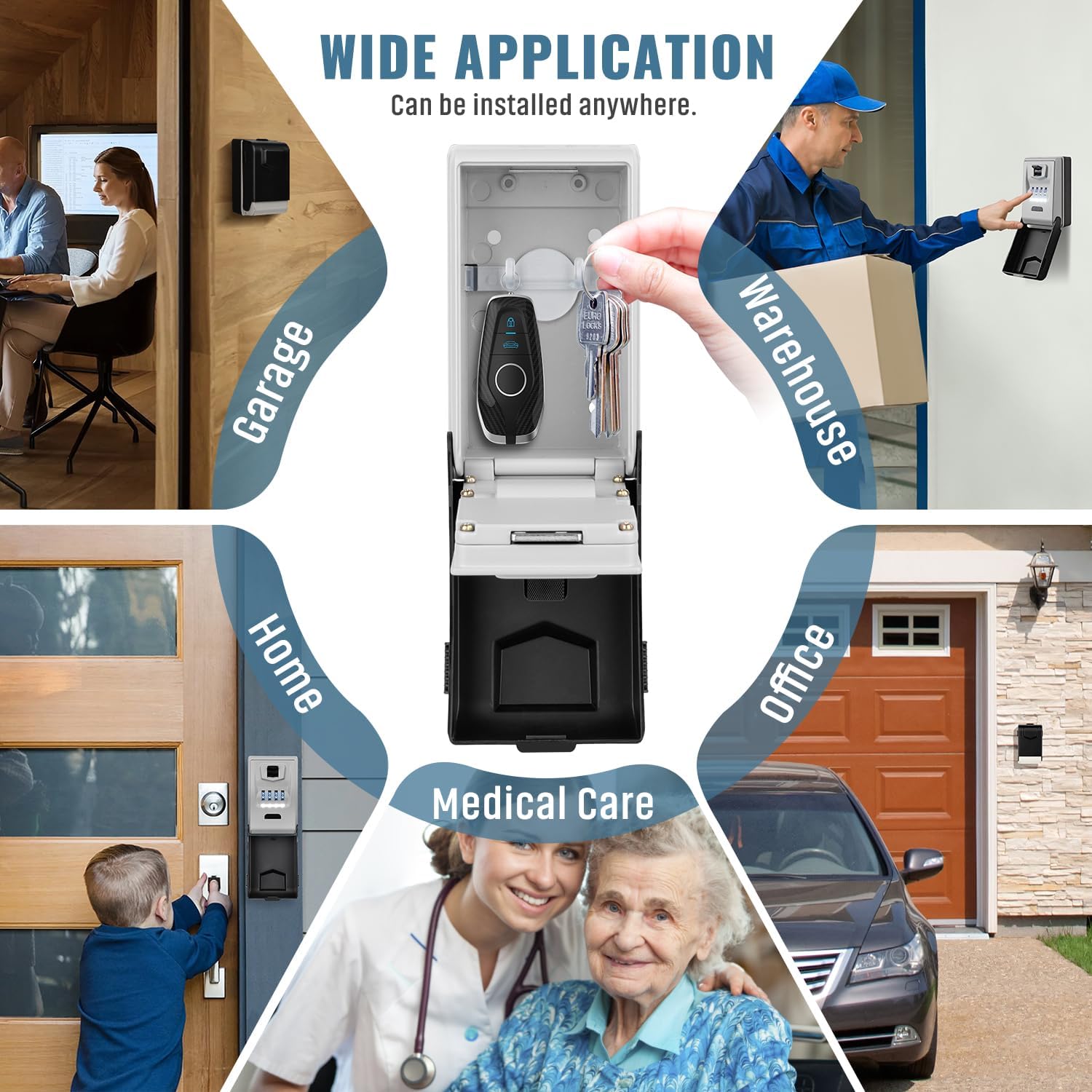
The HUANLANG 911 Key Lock Box is designed for wall mounting on solid surfaces such as brick, concrete, or wood. Ensure the chosen location is secure and easily accessible.
- Place the lock box against the desired mounting surface and mark the four screw locations through the pre-drilled holes on the back of the unit.
- Drill pilot holes at the marked locations. For masonry or concrete, insert the provided expansion plugs into the drilled holes.
- Align the lock box with the drilled holes and secure it using the provided mounting screws. Ensure the box is firmly attached to the wall.
3.2 Initial Password Setting
The default password for the lock box is 0-0-0-0. You must set your own unique password for security.
- Enter the default code 0-0-0-0 on the dials.
- Move the switch located above the dials downwards to open the key box.
- Inside the opened compartment, locate the metal rod on the back of the dial mechanism. Push this rod from position A to position B.
- On the front of the lock box, set your new desired 6-digit password by rotating the dials. Ensure the numbers are aligned with the indicator line.
- Push the metal rod back from position B to position A.
- Close the lock box cover. Your new password is now set. Scramble the dials to lock the box.

3.3 Video Guide: Setting Your Password
4. Operating Instructions
4.1 Opening the Lock Box
- Slide down the protective cover to reveal the dials.
- Enter your correct 6-digit password by rotating the dials until each number aligns with the indicator line.
- Move the switch above the dials downwards. The front cover will open, providing access to the key compartment.
4.2 Closing and Locking the Lock Box
- Place keys or other items securely inside the compartment. The box includes two internal hooks for hanging keys.
- Close the front cover firmly.
- Scramble the dials to a random combination to secure the lock box.
- Slide up the protective cover to conceal the dials and provide weather protection.

5. Features
- Extra Large Capacity: The key compartment offers ample space, accommodating 5-12 standard keys and 3-4 car keys. It also features two internal hooks for organized storage.
- Automatic Light-Up Dial: Equipped with a large, clear, auto-lit dial for enhanced visibility in low-light conditions. The dial illuminates automatically for 15 seconds when the lid is opened and can be re-activated by pressing the black button.
- Sturdy and Secure Construction: Constructed from high-strength aluminum alloy and solid steel, designed to resist tampering methods such as hammering, sawing, and prying.
- Weatherproof Design: An ABS shell protects the internal mechanism from dust, rain, snow, and ice, ensuring long-term outdoor durability.
- Easy Key Sharing: Provides a secure solution for sharing keys with family, friends, caregivers, or service personnel without needing to be physically present.


6. Maintenance
- Regular Cleaning: Wipe the exterior of the lock box with a soft, damp cloth to remove dust and dirt. Avoid abrasive cleaners.
- Dial Rotation: To ensure smooth operation and prevent sticking, it is recommended to rotate the combination dials weekly.
- Battery Replacement: The illuminated dial is powered by a CR2032 battery. If the light dims or stops working, replace the battery. Access the battery compartment by opening the lock box and locating the battery cover on the back of the dial mechanism.
- Protective Cover: Always keep the protective cover closed when not in use to maximize weather resistance and prolong the life of the dials.
7. Troubleshooting
- Cannot Open Lock Box:
- Ensure the correct password is entered and the numbers are perfectly aligned with the indicator line.
- If the dials are stiff, try rotating them several times to loosen them.
- If you have forgotten your password, there is no master key or backdoor. It is crucial to record your password after setting it.
- Dials are Stiff:
- Apply a small amount of silicone-based lubricant to the dials. Avoid oil-based lubricants as they can attract dirt.
- Regularly rotate the dials to prevent stiffness.
- Illuminated Dial Not Working:
- Check if the CR2032 battery needs replacement.
- Ensure the battery is inserted correctly with the proper polarity.
8. Specifications
| Feature | Specification |
|---|---|
| Brand | HUANLANG |
| Model Number | 911 |
| Product Dimensions | 5"D x 3"W x 2"H |
| Lock Type | Combination Lock (6 Dials) |
| Color | Grey |
| Material | High-strength Aluminum Alloy, Solid Steel, ABS |
| Special Features | Heavy Duty, Illuminated Dials, Portable, Water Resistant, Weatherproof |
| Mounting Type | Wall Mount |
| Item Weight | 1.5 pounds |
| Type of Bulb | LED |
9. Warranty and Support
The HUANLANG 911 Key Lock Box comes with a limited lifetime warranty. For warranty claims or technical support, please contact HUANLANG customer service through the retailer where the product was purchased. Keep your purchase receipt as proof of purchase.


