Introduction
Thank you for choosing the GreenForest Computer Desk. This manual provides detailed instructions for the assembly, operation, and maintenance of your new desk. Please read this manual thoroughly before assembly and use to ensure proper setup and to maximize the lifespan of your product. This computer desk features a full monitor stand, reversible storage shelves, a headphone hook, and a cup holder, designed for a comfortable and organized workspace.
Safety Information
- Always follow assembly instructions carefully. Incorrect assembly can lead to instability and potential injury.
- Ensure all screws and fasteners are securely tightened before use. Periodically check and re-tighten as necessary.
- Do not overload the desk or shelves beyond their intended weight capacity.
- Keep small parts and packaging materials away from children to prevent choking hazards.
- Place the desk on a level surface to prevent tipping.
- Avoid placing hot items directly on the desk surface without protection.
Product Features
Built-in Full Monitor Stand
The desk includes a full-length monitor stand that extends across the desktop. This feature allows for multiple monitors to be placed at an ergonomic height, reducing strain on your neck and back. It also frees up valuable desktop space for other items.
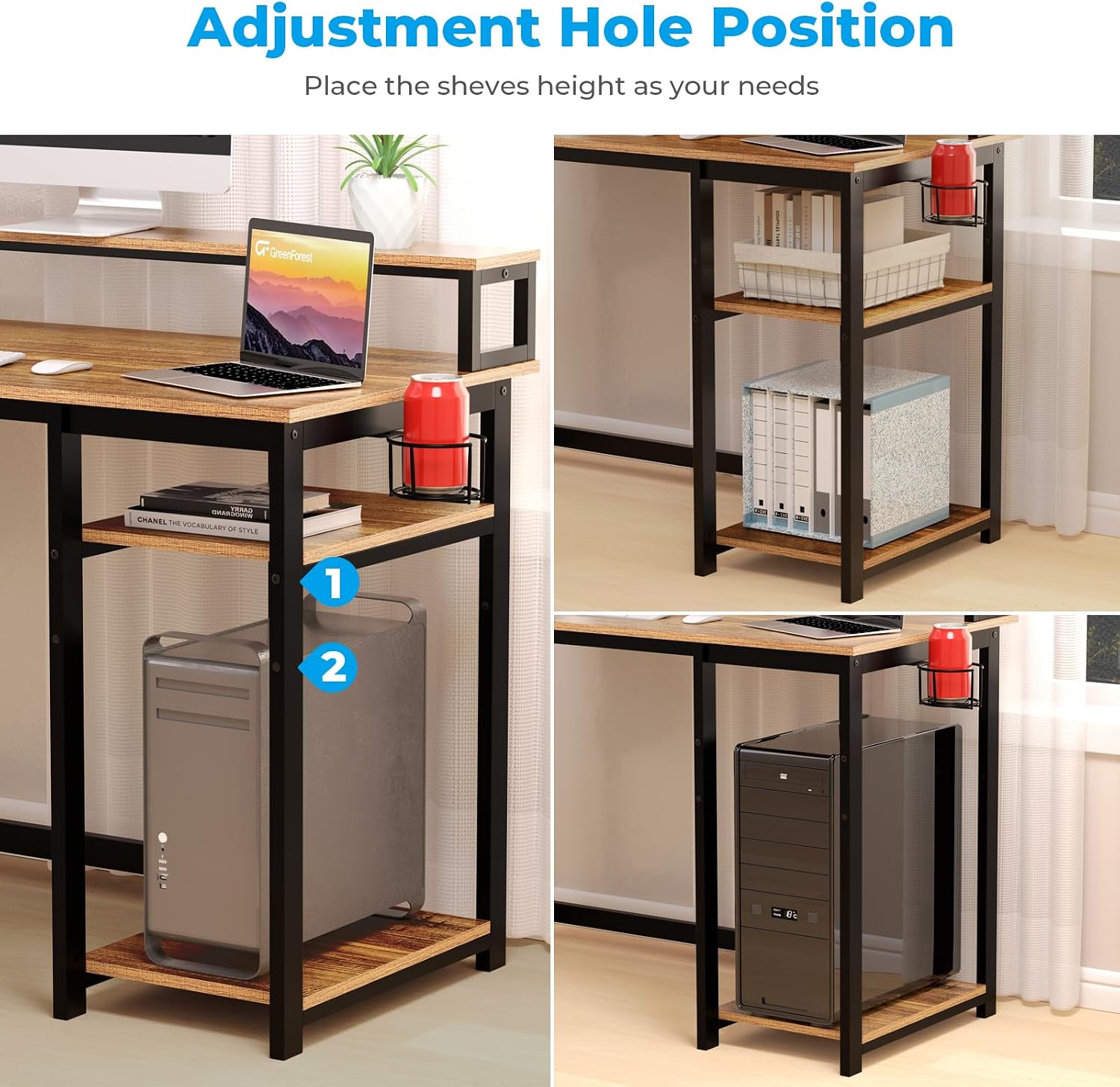
Image: Illustration demonstrating the ergonomic benefits of the built-in monitor stand, showing improved posture.
Reversible Storage Shelves
Equipped with two-tier storage shelves, this computer desk offers flexible storage solutions. The shelves can be installed on either the left or right side of the desk, adapting to your preferred setup and room layout. The middle shelf is removable, providing space for larger items like a computer tower.

Image: A visual representation of the GreenForest Computer Desk with its reversible storage shelves, illustrating configurations with shelves on both the left and right sides.
Headphone Hook and Cup Holder
For added convenience, the desk includes a detachable headphone hook and a cup holder. These accessories can be attached to any part of the desk frame, allowing you to customize their placement based on your habits and needs, thereby saving desktop space.

Image: Detailed view of the included cup holder, holding a beverage can, and the headphone hook, holding a pair of headphones.
Sturdy Construction
Constructed with a 40mm premium metal frame and thick particleboard, the GreenForest Computer Desk is designed for stability and durability. This robust build ensures a reliable and long-lasting workstation.

Image: The GreenForest Computer Desk set up in a room, showcasing its robust metal frame and thick desktop, emphasizing its sturdy construction.
Setup and Assembly Instructions
The GreenForest Computer Desk is designed for easy assembly. All necessary tools and instructions are included. Please follow the step-by-step guide provided in the packaging. Assembly typically takes approximately 20 minutes.
- Unpack Components: Carefully remove all parts from the packaging and verify against the parts list in your instruction manual.
- Assemble Frame: Connect the metal frame components as per the diagrams. Ensure all screws are finger-tightened initially.
- Attach Desktop: Secure the desktop to the assembled frame.
- Install Shelves: Decide whether you want the storage shelves on the left or right side. Attach the shelf supports and shelves using the designated adjustable holes. The middle shelf can be removed if you need space for a larger computer tower.
- Attach Accessories: Install the headphone hook and cup holder in your desired locations.
- Final Tightening: Once all components are in place, fully tighten all screws with the provided tool.
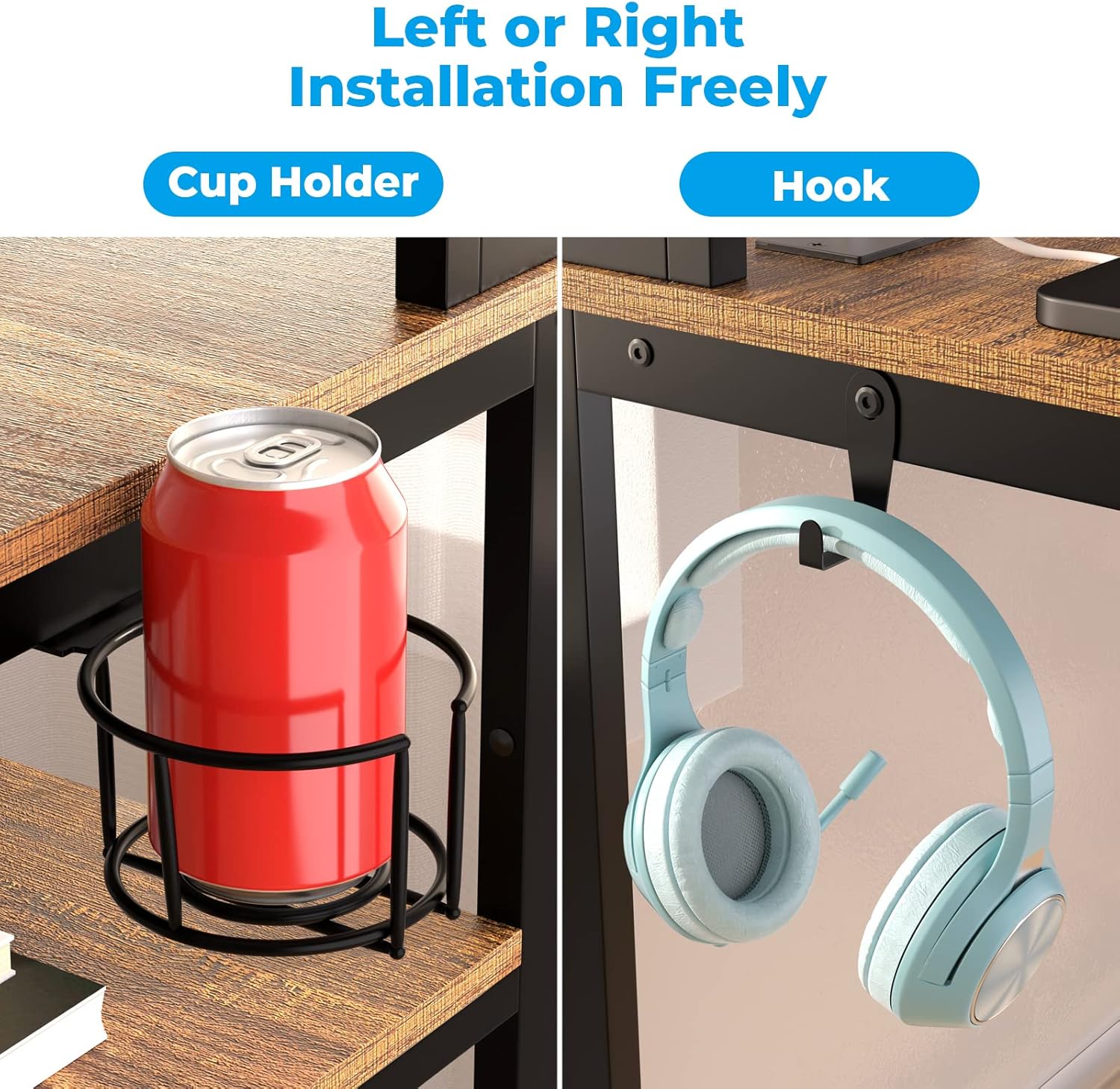
Image: Illustration detailing the adjustable hole positions for the storage shelves, demonstrating how to create space for a computer tower by removing the middle shelf.
Operating Instructions (Usage)
Your GreenForest Computer Desk is designed for versatile use in various home office and gaming scenarios. Here are guidelines for optimal usage:
- Monitor Placement: Utilize the full monitor stand to elevate your screen(s) to eye level, promoting better posture and reducing neck strain.
- Storage Shelves: Organize books, documents, storage boxes, or your computer tower on the two-tier shelves. Adjust the middle shelf height or remove it as needed for larger items.
- Headphone Hook: Hang your headphones on the hook to keep them easily accessible and prevent clutter on your desktop.
- Cup Holder: Use the cup holder to securely hold your beverages, minimizing the risk of spills on your electronics or documents.
- Workstation Setup: Arrange your keyboard, mouse, laptop, and other peripherals on the spacious desktop for an efficient and comfortable workspace.

Image: The GreenForest Computer Desk fully set up with a monitor, laptop, keyboard, mouse, and other office accessories, demonstrating typical usage.
Maintenance
Proper care and maintenance will help preserve the appearance and functionality of your GreenForest Computer Desk.
- Cleaning: Wipe surfaces with a soft, damp cloth. Avoid harsh chemicals or abrasive cleaners, which can damage the finish.
- Spills: Clean up spills immediately to prevent staining or damage to the particleboard.
- Fasteners: Periodically check all screws and bolts to ensure they remain tight. Re-tighten if any looseness is detected.
- Avoid Direct Sunlight: Prolonged exposure to direct sunlight can cause fading or warping of the wood finish.
- Weight Distribution: Distribute weight evenly across the desktop and shelves to prevent stress on the structure.
Troubleshooting
| Problem | Possible Cause | Solution |
|---|
| Desk is wobbly or unstable. | Loose fasteners; uneven floor. | Ensure all screws and bolts are fully tightened. Move the desk to a level surface or use shims under the legs if necessary. |
| Parts do not fit together during assembly. | Incorrect orientation of parts; manufacturing defect. | Double-check the instruction manual diagrams for correct part orientation. If parts are damaged or defective, contact customer support. |
| Missing parts. | Packaging error. | Verify against the parts list. Contact customer support with details of the missing components. |
| Cup holder/headphone hook doesn't attach securely. | Screws not fully engaged; incorrect placement. | Ensure the screws are aligned with the pre-drilled holes and tightened firmly. |
Specifications
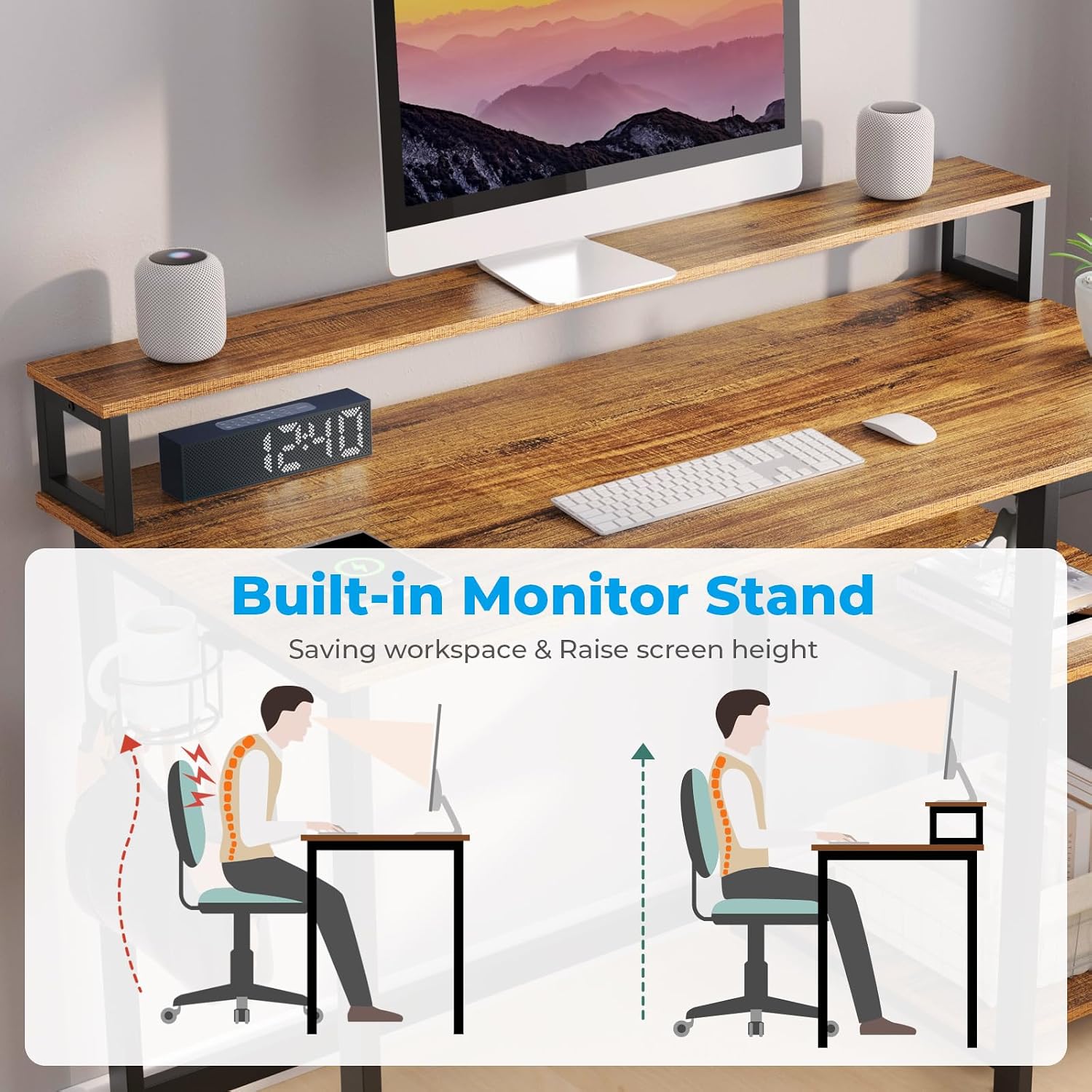
Image: A technical diagram illustrating the key dimensions of the GreenForest Computer Desk, including length, width, and height of the desktop and monitor stand.
| Feature | Detail |
|---|
| Brand | GreenForest |
| Model Number | VICTOR-S-SH-1WNT-NEW |
| Colour | Walnut |
| Product Dimensions | 100D x 50W x 75H Centimetres (approx. 39.4D x 19.7W x 29.5H inches) |
| Item Weight | 15.4 kg (approx. 34 lbs) |
| Special Features | Built-in Monitor Stand, Reversible Storage Shelves, Headphone Hook, Cup Holder |
| Material | Walnut Wood (Top), Metal (Base) |
| Style | Modern |
| Finish Type | Wood Grain (Walnut) |
Warranty and Support
For any questions, concerns, or issues regarding your GreenForest Computer Desk, please contact our customer support team. While specific warranty details may vary by region and retailer, GreenForest is committed to providing quality products and assistance.
Contact Information:
- Manufacturer: GreenForest
- Email: greenworlds@outlook.com
- Please refer to your purchase receipt or retailer for specific warranty terms.


