
Introduction
This manual provides instructions for the HBN Outdoor Light Timer, designed to automate your outdoor lighting. It features a photocell sensor for dusk-to-dawn operation and various countdown timer settings. This device is suitable for controlling outdoor equipment such as garden lights, holiday decorations, pool pumps, and fountains.
Important Safety Information
- Do not exceed the electrical ratings of 15A/1875W Resistive or 10A/1250W Tungsten or 1/2 Horsepower.
- Do not use this unit with any heating elements.
- Do not use near standing water. Ensure the timer is mounted vertically at least 2 feet above the ground to maintain waterproof performance.
- Always plug the timer into a grounded outlet.
Product Overview
The HBN Outdoor Light Timer is a robust and easy-to-use device for managing your outdoor lighting needs. It incorporates a built-in photocell sensor and multiple timer functions to provide flexible control.

Image: The HBN Outdoor Light Timer features a photocell sensor that automatically turns lights on at dusk and off at dawn.
Key Features:
- Multiple Timer Functions: Includes ON at dusk, OFF after 2/4/6/8 hours countdown, Always ON, Always OFF, and Dusk-to-Dawn.
- Photocell Light Sensor: Automatically detects dusk and darkness to activate/deactivate connected devices.
- Space-saving & Durable: Features a flat plug design and a weather-resistant casing for outdoor use.
- Easy to Use: Simple dial adjustment for selecting desired operating modes.

Image: The timer dial allows selection of various modes including countdowns and dusk-to-dawn operation.
Setup
- Choose a Location: Select an outdoor location that is exposed to natural light and free from obstructions that might block the photocell sensor. Ensure the location is at least 2 feet above the ground and allows for vertical mounting.
- Plug In the Timer: Insert the timer's plug into a grounded outdoor electrical outlet.
- Connect Your Device: Plug your outdoor lights or appliance into the grounded outlet on the timer.
- Secure Mounting: Use the integrated loop to hang the timer on a nail or screw to keep it off the ground and ensure the photocell faces upwards for optimal light sensing.
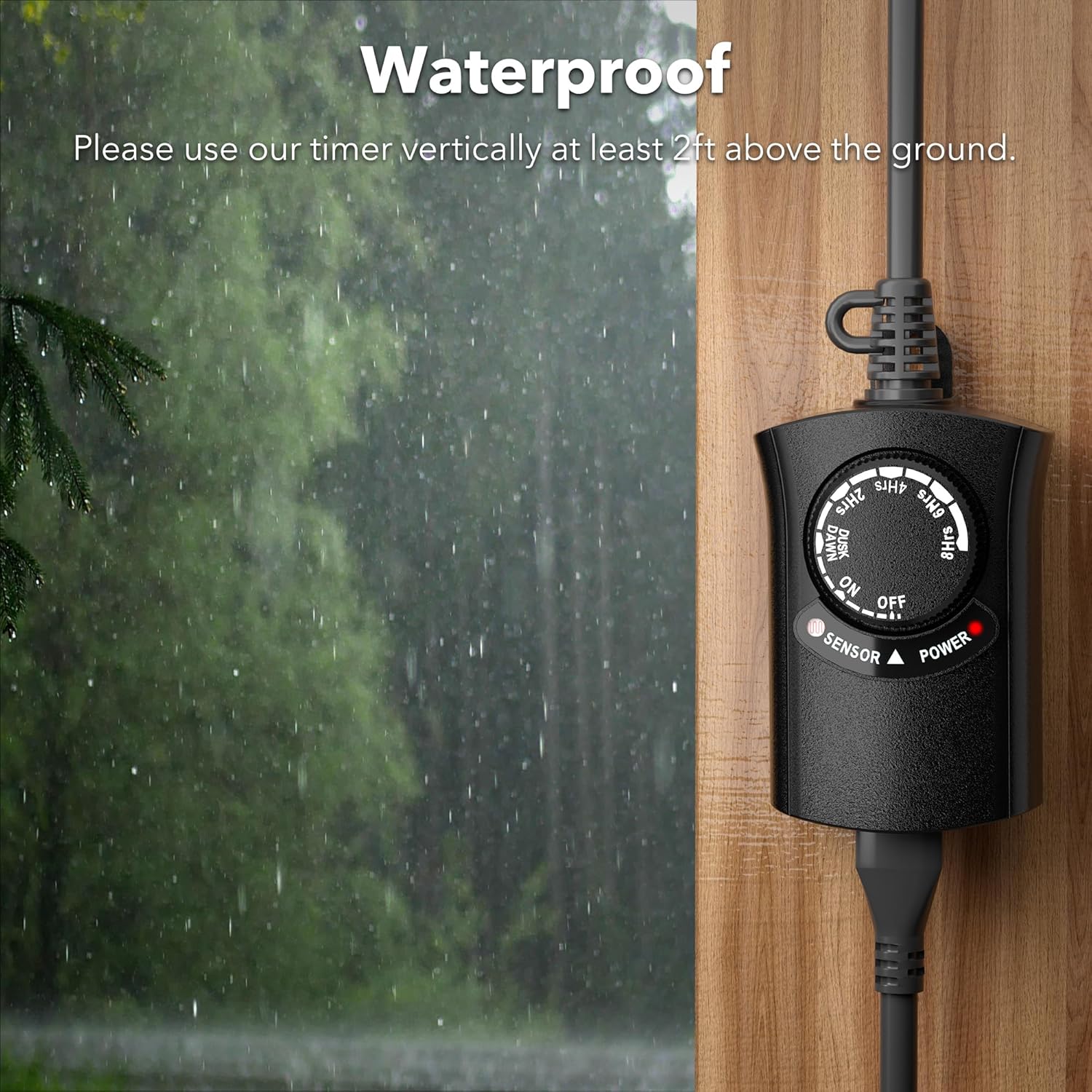
Image: For waterproof performance, mount the timer vertically at least 2 feet above the ground.
Operating Modes
The timer features a rotating dial to select your desired operating mode. Align the arrow on the dial with the chosen setting.
- OFF: Power is off to all connected devices.
- ON: Power is continuously supplied to all connected devices.
- DUSK-DAWN: The timer will turn on at dusk and turn off at dawn automatically.
- 2HRS / 4HRS / 6HRS / 8HRS: The timer will turn on at dusk and remain on for the selected duration (2, 4, 6, or 8 hours), then turn off.
Video: Official HBN video demonstrating the various operating modes of the outdoor light timer.
Maintenance
To ensure optimal performance and longevity of your HBN Outdoor Light Timer:
- Regularly inspect the timer and connected cords for any signs of damage or wear.
- Keep the photocell sensor clean and free from dirt, debris, or obstructions to ensure accurate light detection.
- Store the timer in a dry, protected area when not in use for extended periods.
Troubleshooting
If you encounter issues with your HBN Outdoor Light Timer, refer to the following common problems and solutions:
Video: Official HBN troubleshooting guide for common issues with the outdoor light timer.
Issue 1: Devices fail to activate at dusk.
Possible Cause: The timer is placed in an area with excessive ambient light, preventing the photocell from detecting darkness.
Solution: Relocate the timer to a darker area free from ambient light sources (e.g., streetlights, porch lights, car headlights).
Issue 2: Devices do not turn on even when the timer is set to the "ON" position.
Possible Cause: The connected devices may be turned off or malfunctioning. Light bulbs may need to be replaced.
Solution: Test the connected devices by plugging them directly into a working outlet. Ensure each device is switched on, if it has its own power switch. Confirm that the outlet used by the timer is live – the LED indicator should illuminate when the timer is plugged in and set to "ON". Replace any faulty light bulbs as needed.
Issue 3: Lights are flickering (repeatedly turning on and off).
Possible Cause: The timer is set to Dusk-to-Dawn mode, and the light from the connected appliance is interfering with the photocell sensor.
Solution: Relocate the lights further from the timer, or adjust the timer's position so that the lights do not shine directly on the photocell.
Issue 4: Power indicator light is not on.
Possible Cause: The timer is not fully plugged into the outlet, or the circuit breaker connected to the outlet has tripped.
Solution: Ensure the timer is securely plugged into the outlet. Check the circuit breaker connected to the outlet and reset it if necessary.
Issue 5: Timer stays on after 2Hrs/4Hrs/6Hrs/8Hrs countdown.
Possible Cause: The photocell sensor may be obstructed or receiving ambient light, preventing it from accurately detecting darkness to initiate the countdown.
Solution: Conduct a countdown test after covering the light sensor. Plug the timer into a wall outlet, cover the white photocell sensor on the front of the unit with a piece of black electrical tape. Set the timer to the 2-hour mode. (The unit should activate within 18 seconds of being in darkness.) After 2 hours, check if your appliance has turned off. If the appliance has turned off, relocate the timer to a darker area, as ambient light (e.g., car headlights, window light) may be interfering with the sensor.
Specifications
| Feature | Detail |
|---|---|
| Brand | HBN |
| Model Number | CP-U204LX |
| Color | Black |
| Material | Plastic or Aluminum |
| Product Dimensions | 15.9"D x 11.3"W x 18.6"H |
| Item Weight | 5.9 ounces |
| Electrical Rating | 125 VAC, 15A, 1875W (Resistive), 1/2 HP |
| Number of Settings | 7 (ON, OFF, Dusk-Dawn, 2/4/6/8 Hrs Countdown) |
| Outlet Type | 1 Grounded Outlet |
| Certifications | ETL Listed |
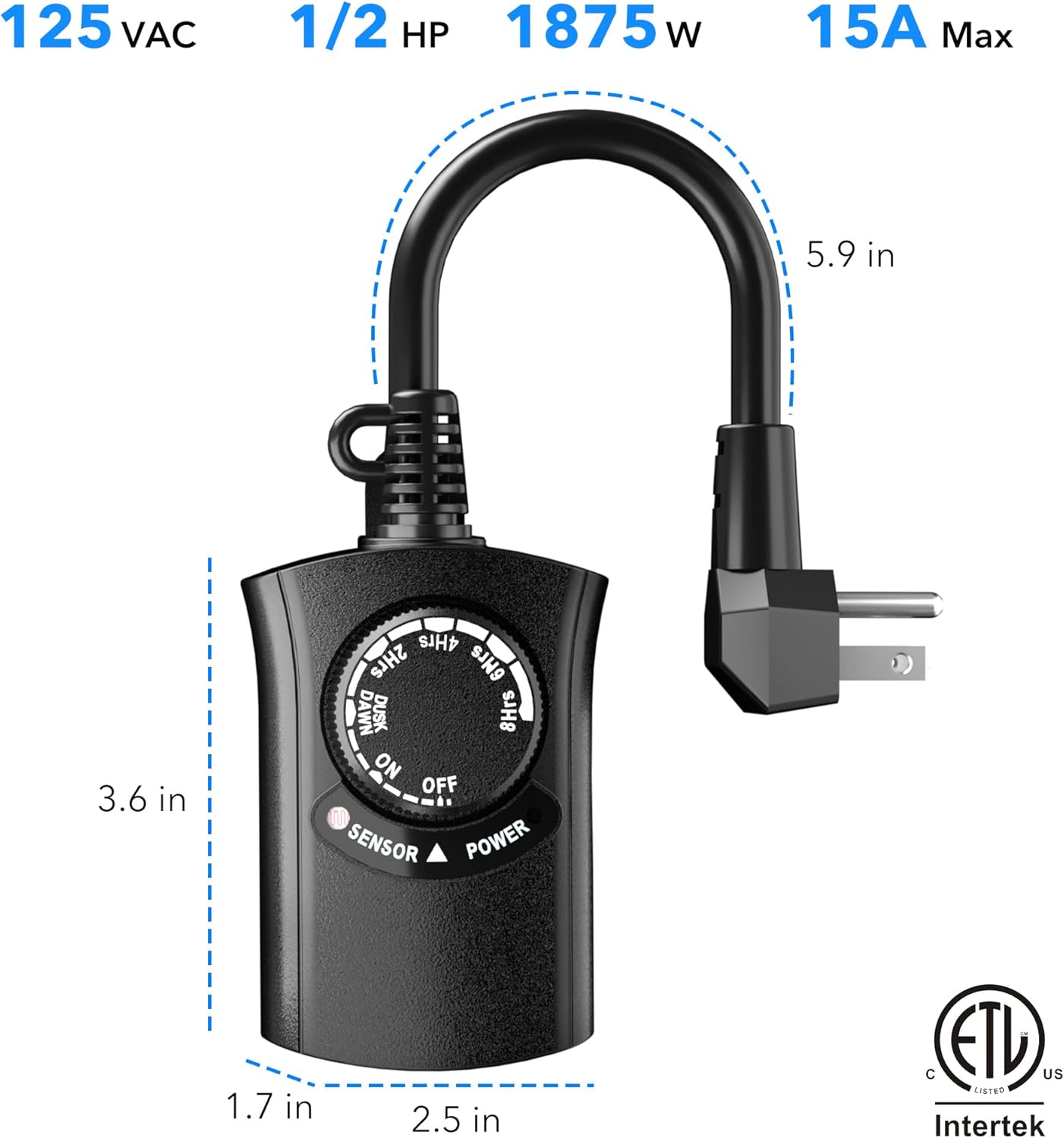
Image: Product dimensions and electrical ratings for the HBN Outdoor Light Timer.
Warranty and Support
The HBN Outdoor Light Timer comes with a 12-month warranty and ongoing lifetime technical support.
For any assistance or inquiries, please contact our dedicated USA customer service team.
Email: support@bn-link.com