
Silverlit Thunder Clap
Silverlit Exost Thunder Clap RC Buggy Instruction Manual
Model: Thunder Clap | Brand: Silverlit
1. Introduction
Welcome to the instruction manual for your Silverlit Exost Thunder Clap RC Buggy. This high-performance remote-controlled vehicle is designed for exciting indoor and outdoor play. Featuring a 1:10 scale, a robust design, and 2.4 GHz technology, the Thunder Clap offers precise control and impressive speed. Please read this manual thoroughly before operating the vehicle to ensure safe and optimal performance.
2. Safety Information
- Age Recommendation: This product is not suitable for children under 36 months due to small parts. Adult supervision is required during operation.
- Battery Safety:
- Do not mix old and new batteries.
- Do not mix alkaline, standard (carbon-zinc), or rechargeable (nickel-cadmium) batteries.
- Insert batteries with correct polarity (+ and -).
- Remove exhausted batteries from the product.
- Rechargeable batteries must be removed from the toy before being charged.
- Rechargeable batteries are only to be charged under adult supervision.
- Non-rechargeable batteries are not to be recharged.
- Do not short-circuit the supply terminals.
- Operating Environment: Avoid operating the vehicle near water, sand, or excessive dust. Do not operate in crowded areas or near public roads.
- Impact Avoidance: Avoid collisions with people, pets, or objects to prevent injury or damage.
- Cleaning: Disconnect power and remove batteries before cleaning. Use a damp cloth; do not immerse in water.
3. Package Contents
Please ensure all items listed below are present in your package:
- 1 x Silverlit Exost Thunder Clap RC Buggy (1:10 Scale)
- 1 x Remote Control (2.4 GHz)
- 1 x Rechargeable Battery Pack for Buggy
- 1 x USB Charging Cable for Battery Pack

4. Setup Guide
4.1. Charging the Buggy Battery
- Locate the rechargeable battery pack and the USB charging cable.
- Connect the battery pack to the USB charging cable.
- Plug the USB charging cable into a standard USB power adapter (not included) or a computer USB port.
- Allow the battery to charge fully. The charging indicator (if present on the cable or battery) will change color or turn off when charging is complete.
- Disconnect the battery from the charger once fully charged.
4.2. Installing Batteries in the Remote Control
- Locate the battery compartment on the back of the remote control.
- Open the battery compartment cover.
- Insert 2 x AA batteries (not included) into the compartment, ensuring correct polarity (+ and -).
- Close the battery compartment cover securely.
4.3. Installing the Buggy Battery
- Locate the battery compartment on the underside of the Thunder Clap buggy.
- Open the battery compartment cover.
- Connect the fully charged battery pack to the buggy's power connector.
- Carefully place the battery pack inside the compartment.
- Close the battery compartment cover securely.
4.4. Pairing the Remote Control and Buggy
The Thunder Clap uses 2.4 GHz technology for automatic pairing.
- Ensure both the buggy and the remote control have fresh or fully charged batteries installed.
- Turn on the power switch on the buggy.
- Turn on the power switch on the remote control.
- The remote control and buggy should automatically pair. An indicator light on the remote (if present) may stop flashing or turn solid to confirm pairing.
- If pairing fails, turn both devices off and repeat the process.
5. Operating Instructions
5.1. Basic Controls
- Throttle Trigger: Pull the trigger to move the buggy forward. Push the trigger forward to move backward or brake.
- Steering Wheel: Turn the steering wheel left to turn the buggy left, and right to turn the buggy right.
5.2. Driving Tips
- Start slowly to get a feel for the controls.
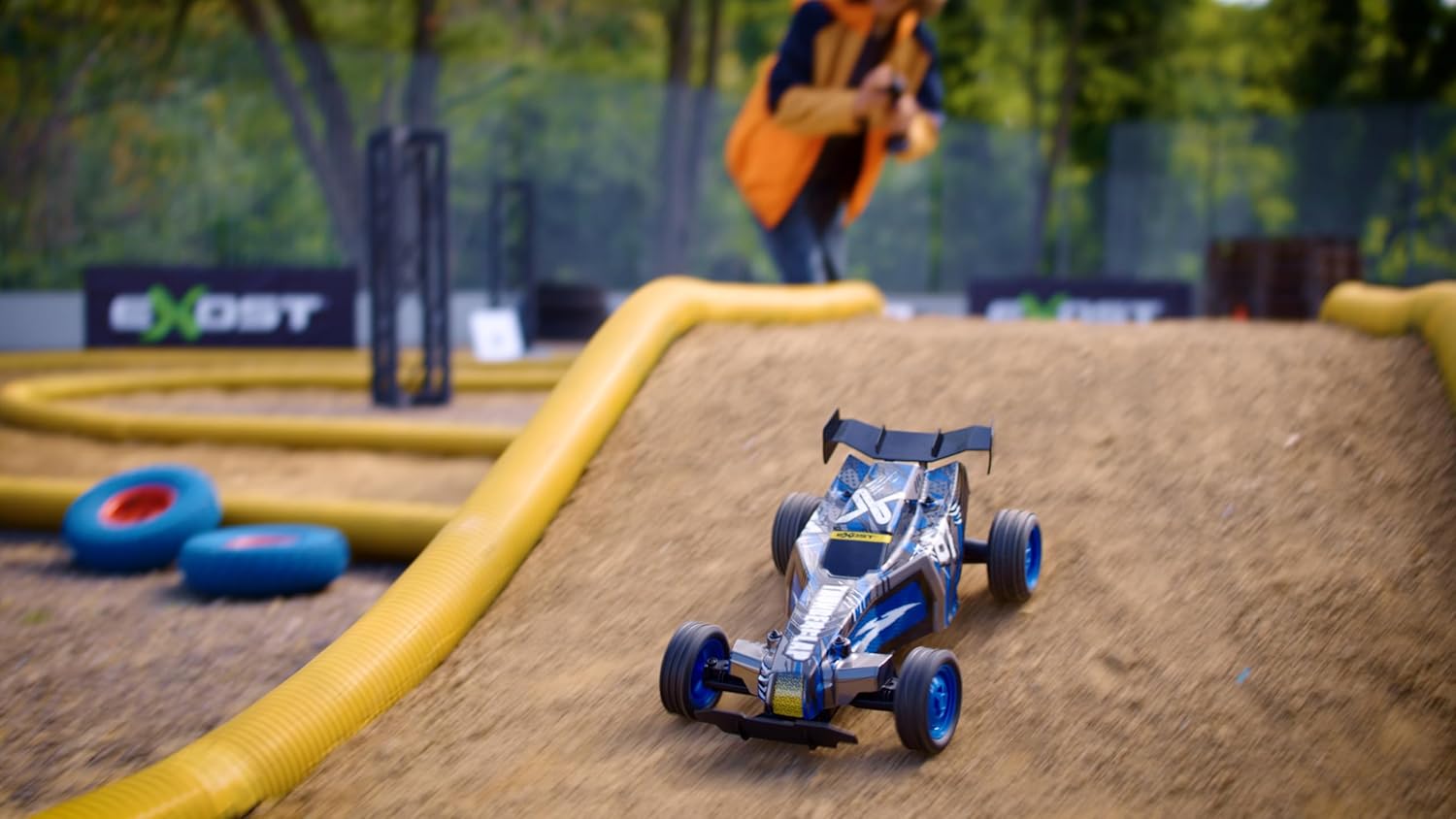
- The Thunder Clap's knobby tires provide excellent grip for sharp turns and varied terrains.
- Practice in an open area before attempting more complex maneuvers.
- The 2.4 GHz technology allows multiple vehicles to operate simultaneously without interference, making it suitable for racing with friends.
6. Maintenance
6.1. Cleaning
- Always turn off the buggy and remote control, and remove batteries before cleaning.
- Use a soft, dry cloth to wipe down the vehicle. For stubborn dirt, a slightly damp cloth can be used, but ensure no water enters electronic components.
- Do not use chemical cleaners or solvents, as these may damage the plastic parts or decals.
- Remove any debris (grass, hair, dirt) from the wheels and axles to ensure smooth operation.
6.2. Storage
- When not in use for extended periods, remove all batteries from both the buggy and the remote control.
- Store the vehicle and remote control in a cool, dry place, away from direct sunlight and extreme temperatures.
- Keep the original packaging for storage and transport if possible.
7. Troubleshooting
| Problem | Possible Cause | Solution |
|---|---|---|
| Buggy does not move or respond. |
|
|
| Short operating range or intermittent control. |
|
|
| Buggy moves slowly or lacks power. |
|
|
8. Specifications
- Brand: Silverlit
- Model Name: Thunder Clap
- Manufacturer Reference: 20645
- Scale: 1:10
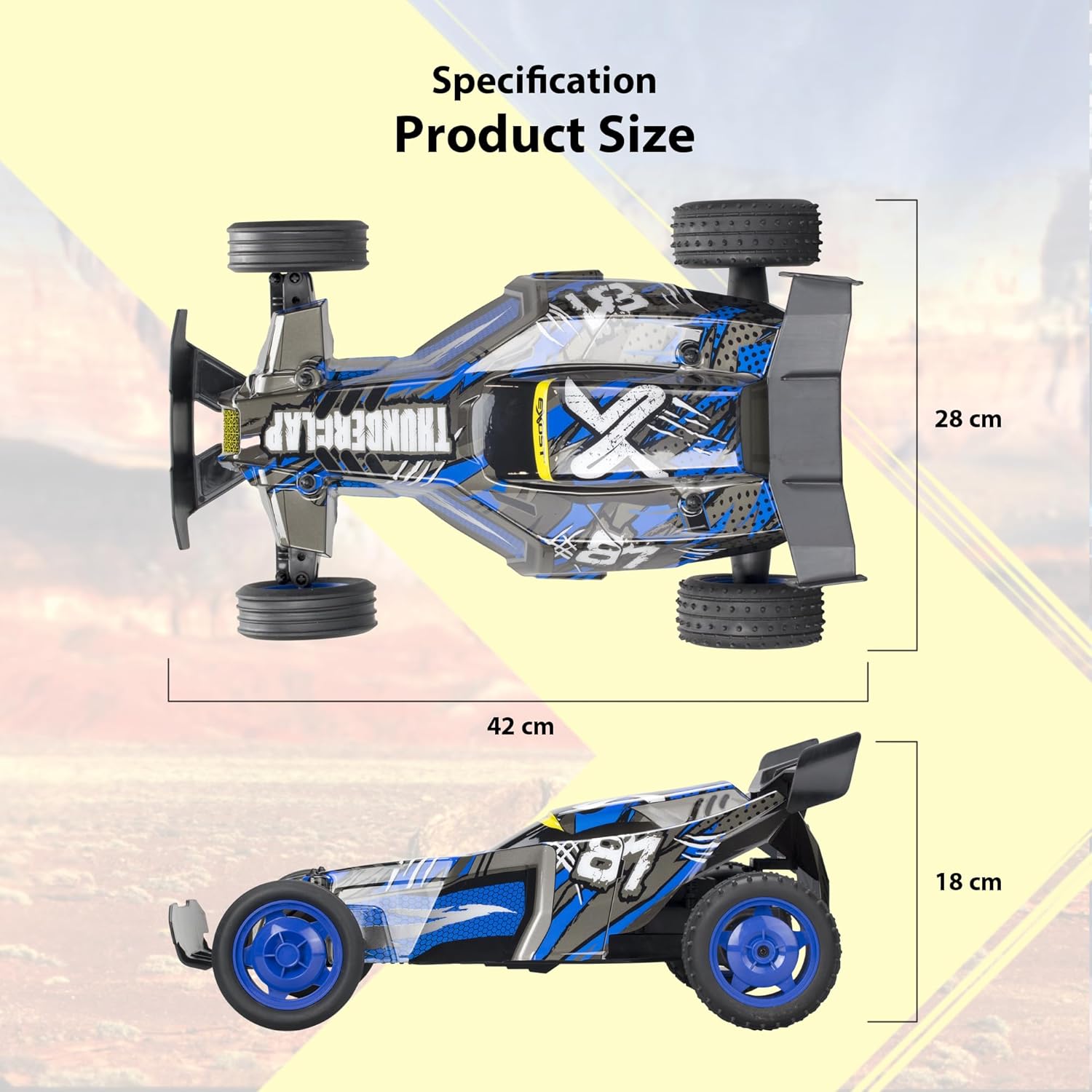
- Dimensions (L x W x H): Approximately 42 cm x 28 cm x 18 cm
- Weight: 1.5 Kilograms
- Material: Plastic
- Color: Blue and Black
- Max Speed: Approximately 20 km/h
- Radio Control Type: 2.4 GHz
- Buggy Power: Rechargeable Battery (included)
- Remote Control Power: 2 x AA Batteries (not included)
- Recommended Age: 5 years and up
9. Warranty and Support
For warranty information and customer support, please refer to the documentation included with your purchase or visit the official Silverlit website. Information regarding spare parts availability is not provided in this manual.
Manufacturer: Silverlit Toys Manufactory Ltd.
Related documentsThunder Clap

Ask a question about this manual
Ask about setup, troubleshooting, compatibility, parts, safety, or missing instructions. Manuals+ will review the question and use this page’s manual context to help answer it.