
Introduction
The MOKPR CA001 Wireless Auto-Clamping Car Charger Mount is designed to provide convenient and efficient wireless charging for your smartphone while driving. It features intelligent auto-clamping arms, precise alignment for optimal charging, and a secure air vent mounting system. This manual provides detailed instructions for setup, operation, and maintenance to ensure proper use of your device.
Package Contents
- 1 x MOKPR Wireless Car Charger Mount
- 1 x Air Vent Clip
- 1 x USB-C Charging Cable (for power supply to the mount)
- 1 x User Manual
Setup Instructions
Follow these steps to properly install your MOKPR Wireless Car Charger Mount:
- Assemble the Mount:
Unscrew the nut from the air vent clip. Pass the nut through the ball head of the charger mount. Push the ball head into the joint on the back of the charger mount. Tighten the nut clockwise to secure the ball head. - Attach to Air Vent:
Hook the air vent clip onto one of your car's air outlet blades. Ensure the clip is firmly attached. Flip the grip release knob down to lock the mount securely in place. The clip features a 3-level adjustable grip for various vent thicknesses. - Connect Power:
Plug the provided USB-C charging cable into the port at the bottom of the charger mount. Connect the other end of the USB-C cable to a QC 3.0 car charger adapter (not included) plugged into your car's cigarette lighter port or a compatible USB port in your vehicle.

Figure 1: Assembly and Air Vent Attachment Steps

Figure 2: Power Connection Diagram
Operating Instructions
Once the charger mount is installed and powered on, it is ready for use:
- Placing Your Phone:
The charger's arms and foot will auto-open after connecting to power. Simply place your phone into the mount. The built-in advanced sensor will intelligently identify your device, adjust your phone to the best charging area, and auto-clamp firmly. - Releasing Your Phone:
To release your phone, press one of the release buttons located on either side of the charger mount. The arms will automatically open, allowing you to remove your phone. The mechanism retains some power to allow release even after the car engine is turned off. - Adjusting Viewing Angle:
The mount features a 360° rotating sphere, allowing you to adjust your phone to the most comfortable and safest GPS navigation and viewing angle.
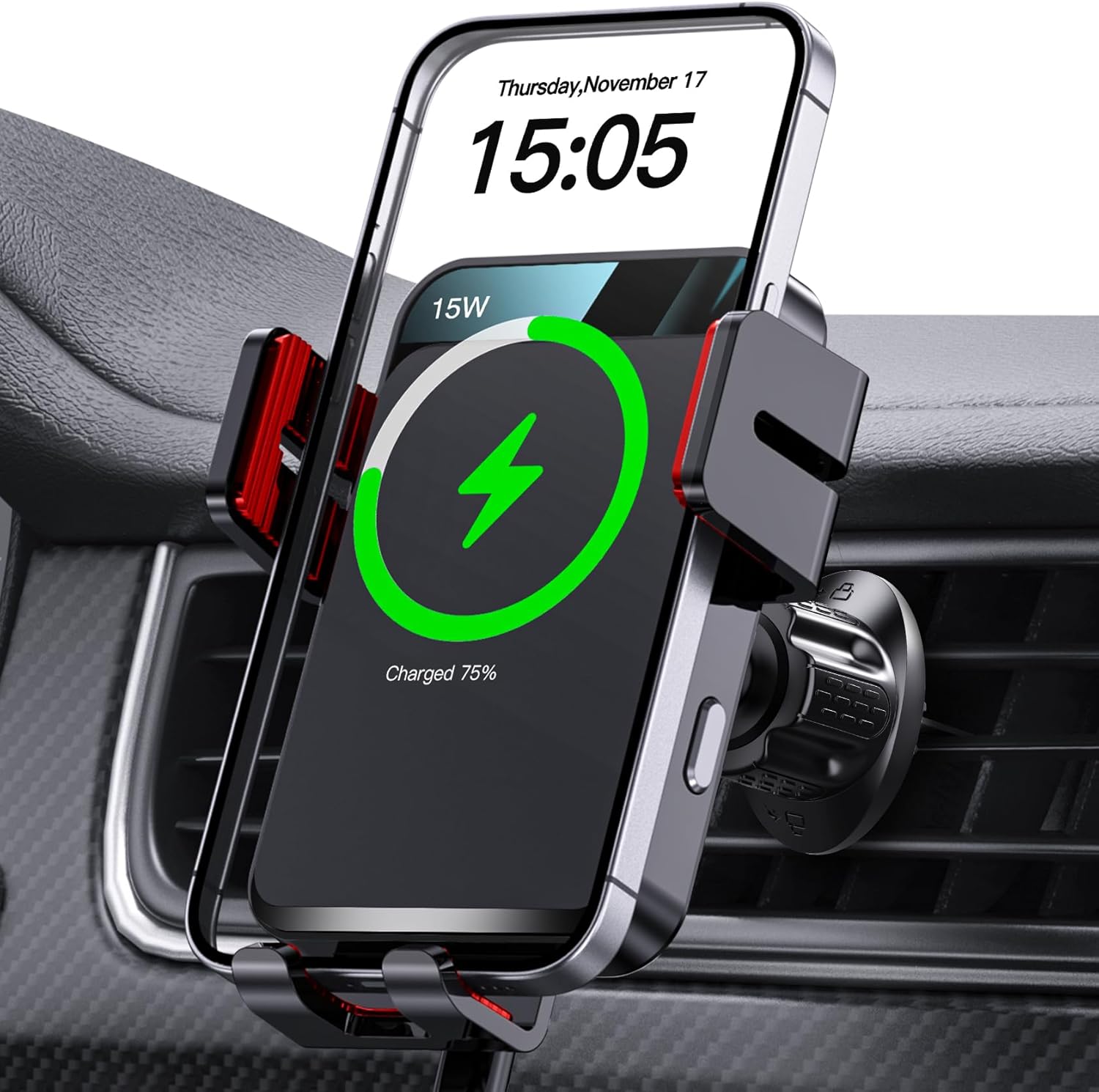
Figure 3: Phone in Mount and Charging

Figure 4: Auto-Clamping Mechanism
Video 1: Demonstration of the MOKPR Wireless Car Charger Mount's auto-clamping and charging function.
Features
- Auto-Precise Alignment Charging: Built-in advanced sensor adjusts the phone to the optimal charging area for improved efficiency.
- Upgraded Intelligent Auto-Clamping: Arms and foot automatically open upon power connection and firmly clamp the phone when placed, eliminating manual adjustment.
- 360° Rotation: Allows for flexible adjustment to achieve the most comfortable and safest viewing angle for GPS navigation.
- Secure & Stable Mount: Features a strong vent clip and innovative hollow silicone rubber to hold your phone securely, even on bumpy roads, without interfering with phone buttons.
- FOD Function & Case Friendly: Wireless charging technology and a large coil maximize charging output. Supports charging through phone cases up to 4mm thick. FOD (Foreign Object Detection) prevents abnormal charging; remove metal/magnetic objects, credit cards, or pop holders before charging.

Figure 5: Auto-Precise Alignment and Charging Efficiency
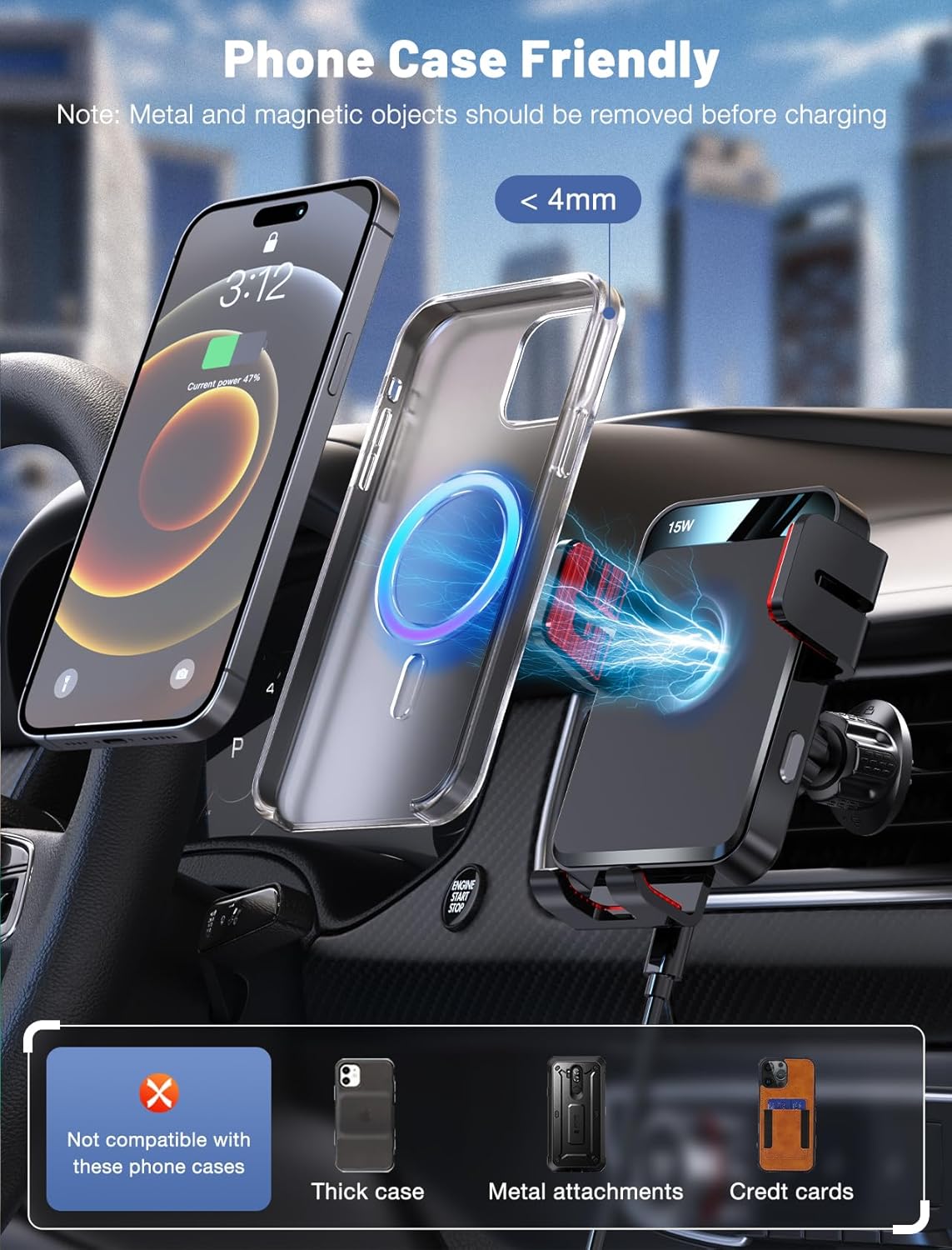
Figure 6: Phone Case Compatibility and FOD Warning
Compatibility
The MOKPR CA001 Wireless Car Charger Mount supports various fast charging outputs:
- 15W Wireless Fast Charging: For LG V50/V40/V30/G8/G7.
- 10W Wireless Fast Charging: For Samsung Galaxy S23 Ultra/S23+/S23/S22 Ultra/S22/S21/S20/Note 20/Note 10+/Note 10.
- 7.5W Wireless Fast Charging: For iPhone 17/16/15/14/14 Plus/14 Pro/14 Pro Max/13/13 Pro/12 Pro Max/12 Pro/12/11/11 Pro/11 Pro Max/SE/XS/X/XR/8 Plus/8.
- 5W Standard Wireless Charging: For other wireless charging compatible phones (requires a 5V/2A adapter).
Note: 15W/10W/7.5W Fast Charging requires a QC 3.0 car charger (NOT INCLUDED).
Maintenance
To ensure the longevity and optimal performance of your MOKPR Wireless Car Charger Mount, follow these maintenance guidelines:
- Cleaning: Use a soft, dry cloth to wipe the surface of the charger mount. Avoid using abrasive cleaners or solvents that may damage the finish.
- Vent Clip Care: Periodically check the air vent clip for any debris or looseness. Ensure it remains securely attached to the air vent.
- Cable Management: Keep the charging cable neatly organized to prevent tangling or damage. Avoid sharp bends or excessive pulling on the cable.
- Storage: If not in use for an extended period, store the charger mount in a cool, dry place away from direct sunlight and extreme temperatures.
Troubleshooting
If you encounter any issues with your MOKPR Wireless Car Charger Mount, refer to the following common troubleshooting tips:
- Charger Not Powering On:
Ensure the USB-C cable is securely connected to both the charger mount and the car charger adapter. Verify that the car charger adapter is properly plugged into the car's power outlet and that the car's ignition is on. - Phone Not Charging:
Check if your phone is wirelessly charging compatible. Ensure there are no metal objects, magnetic attachments, credit cards, or pop holders between your phone and the charger, as these can interfere with wireless charging (FOD function). Make sure your phone is centered on the charging area. - Slow Charging:
Ensure you are using a QC 3.0 car charger adapter (not included) for fast charging. Standard USB ports or adapters may provide slower charging speeds. - Auto-Clamping Not Working:
Verify the charger mount is powered on. Ensure no obstructions are blocking the sensor or the clamping arms. - Mount is Loose:
Re-tighten the nut on the ball head and ensure the air vent clip's grip release knob is fully engaged and locked onto the air vent blade.
Specifications
| Product Dimensions | 2.56 x 3.15 x 3.15 inches |
| Item Weight | 8.4 ounces |
| Item Model Number | CA001 |
| Connectivity Technologies | Wireless |
| Special Features | Automatic Off, Fast Charging, Travel, Wireless Charging |
| Input Voltage | 12 Volts |
| Amperage | 2 Amps |
| Total USB Ports | 1 (for power input to the mount) |
| Wattage | 7.5 watts (output, up to 15W with compatible adapter) |
Warranty and Support
For warranty information or technical support, please refer to the contact details provided in the product packaging or on the official MOKPR website. Keep your purchase receipt for warranty claims.
